COMSOL Multiphysics Software: Complete 2026 Overview

Deepak S Choudhary
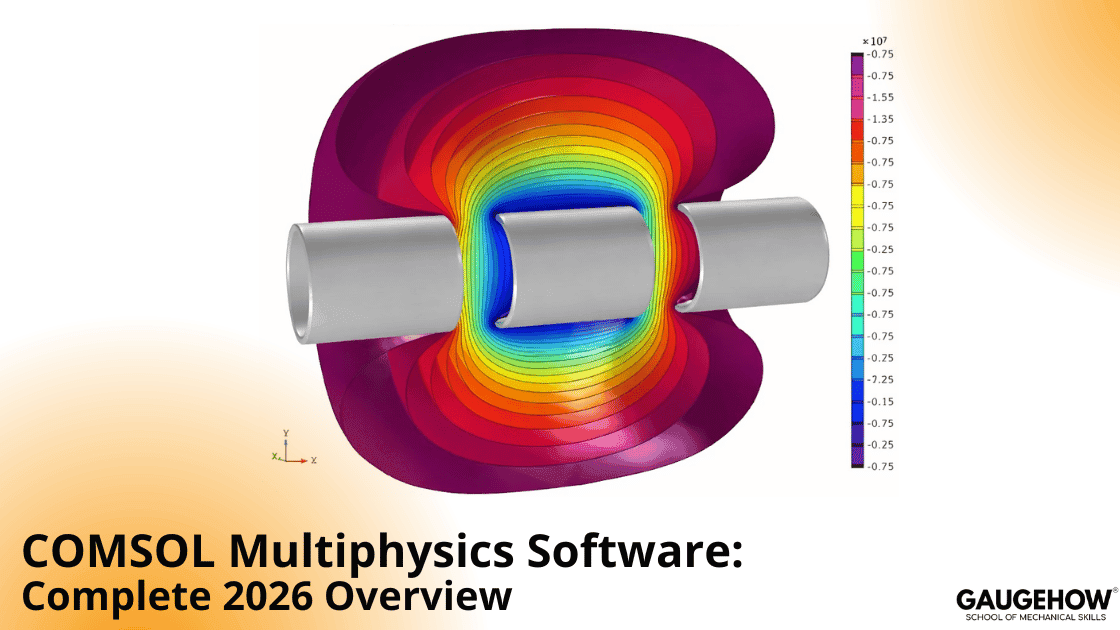
COMSOL Multiphysics lets you build, couple, and validate physics models on one geometry, then standardize them into simulation apps that others can run. This 2026 overview maps the interface, solvers, meshing, materials, studies, and the verification checks that catch stable yet wrong answers before they ship.
What is COMSOL Multiphysics?
COMSOL Multiphysics is a simulation platform where you build single-physics or coupled multiphysics models on one geometry. You define materials, loads, and boundary conditions, solve the model, and then review results with checks that confirm the answer is stable and decision-ready.
What is Multiphysics
Multiphysics is solving coupled physics together because each field changes the other’s solution. You use it when separating the physics, which would shift the operating point and give you a clean result that is still wrong.
Platform Elements And Deployment
COMSOL’s product suite centers on three platform elements that stay consistent across industries: Model Builder, Application Builder, and Model Manager.
You win with this software when you treat each element as a control point for quality, not as a UI feature list.
Model Builder
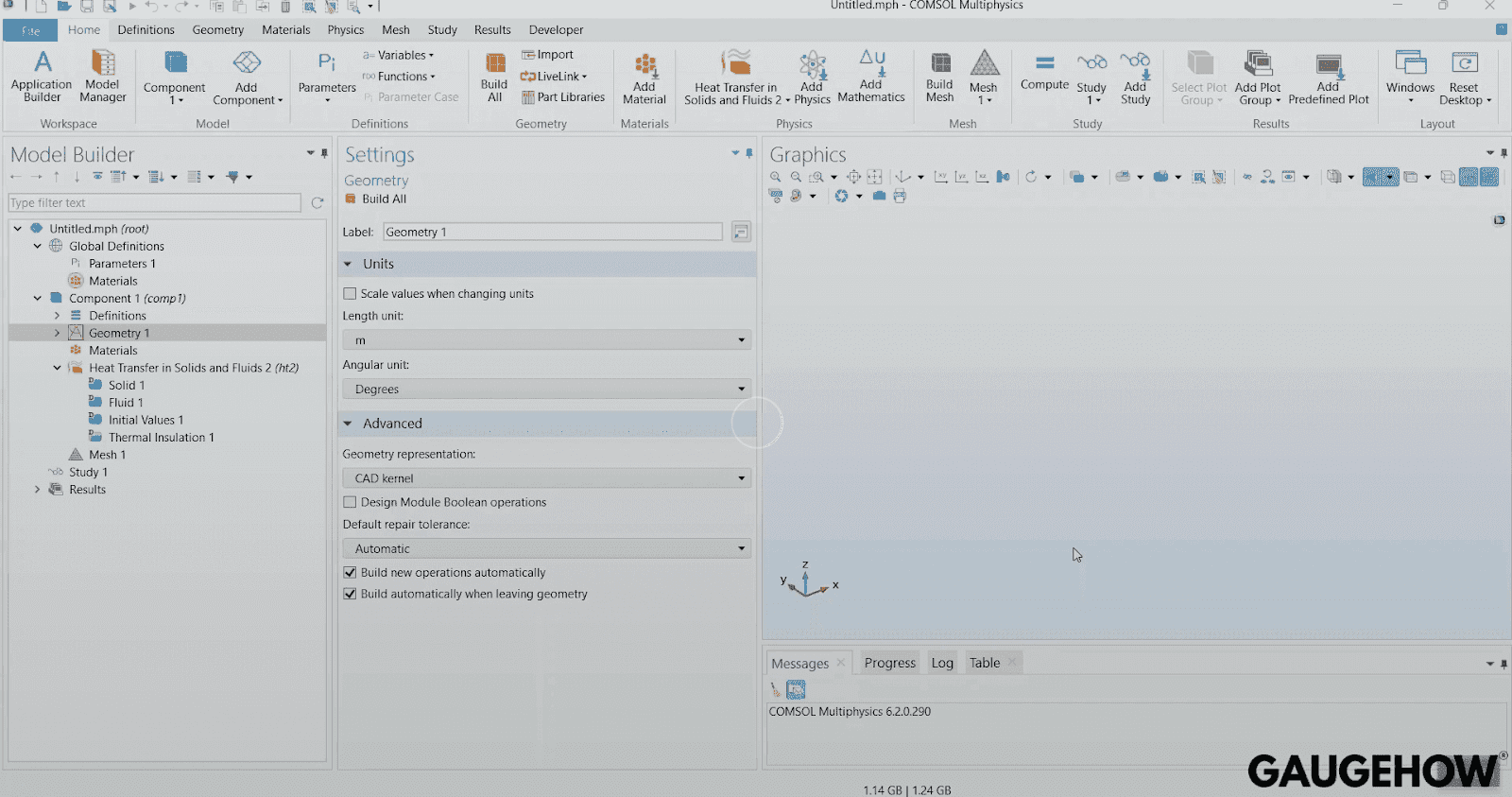
Model Builder is the main workspace where you turn your problem statement into a runnable model. You set up geometry, physics, materials, mesh, and studies, then run solves and review results in one controlled workflow.
In practice, the model tree should read like a test plan. Every node should map to a physical statement. When a model fails review, it is usually because the coupling story is unclear or because boundary conditions and properties do not match the real test setup.
Application Builder
Application Builder converts a verified model into a controlled app. Inputs are limited to approved parameters, while the geometry, physics, mesh, and solver setup stay locked. Teams can run variations safely without rebuilding or breaking the underlying model.
This matters because it reduces the expert bottleneck. It also forces you to define allowable ranges, which improves robustness and prevents accidental misuse.
Model Manager
Model Manager is the layer that organizes models and apps for reuse. It keeps versions, metadata, and shared assets structured so teams can find, track, and standardize work instead of duplicating files.
If your team runs variants across projects, this becomes a quality feature, because uncontrolled copies create silent forks and contradictory assumptions.
Deployment Layer: COMSOL Server And COMSOL Compiler
This is the missing layer that closes most “overview” gaps.
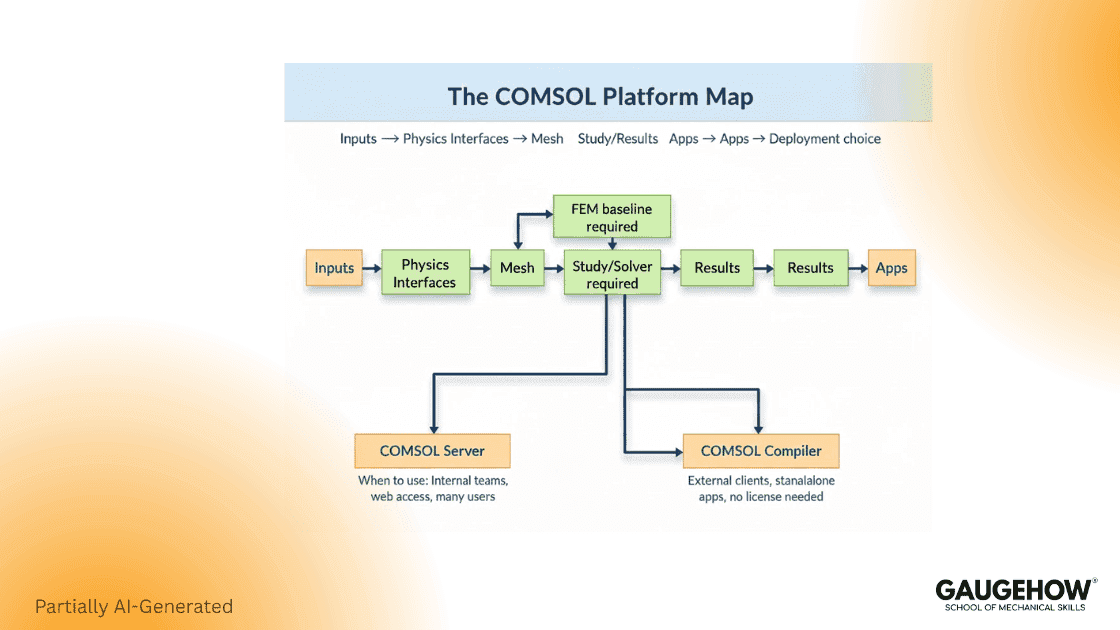
COMSOL Server publishes simulation apps to users through a browser or a thin client. It also provides centralized administration for access control, deployments, and usage management.
That solves a common problem: you want stakeholders to run approved apps, but you also want access control and version control.
COMSOL Compiler packages a validated simulation app into a standalone build for deployment. It runs with the runtime environment rather than a full authoring seat, so end users can execute the app without installing the full modeling interface.
The COMSOL Delivery Stack
Use this map to decide how your model should travel.
Model Builder
Build and verify the model
↓
Application Builder
Freeze inputs and guide usage
↓
Choose Deployment
COMSOL Server: run apps in browser, manage users and versions
COMSOL Compiler: compile standalone executables for distribution
In COMSOL’s product lineup, Server and Compiler sit on the deployment side, while Multiphysics is the authoring platform used to build and validate the models and apps.
Modules And Interfaces
Add-on modules provide specialized functionality across physics areas, while interfacing products connect CAD and third-party tools into the same workflow.
COMSOL’s add-on modules are organized by domain, covering electromagnetics, fluids and heat transfer, structures and acoustics, and chemical and process modeling, along with general-purpose toolkits. Integration and data exchange are handled through LiveLink connectors as well as CAD and solver import options.
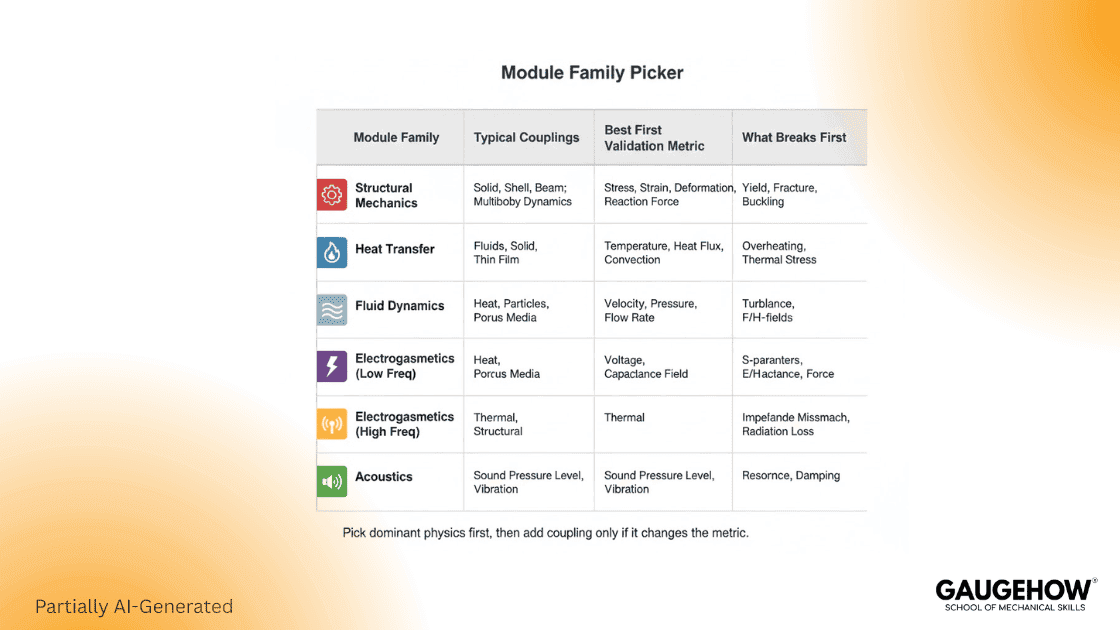
A practical way to choose is to start with the dominant governing physics, then add couplings only when the interaction changes the decision metric.
If the interaction does not change the decision, you are better off with a simpler model and tighter validation.
Module Family Picker Table
This is the decision artifact most competitors do not provide. Keep it close to your requirements doc.
One Model Walkthrough
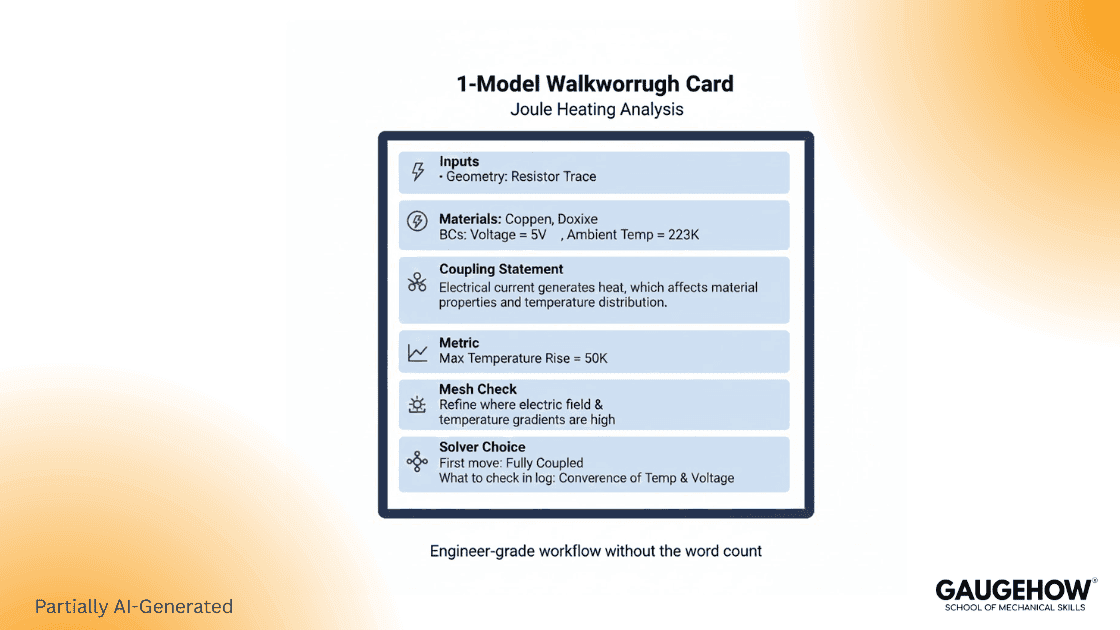
Inputs
Start with conductor geometry, electrical conductivity, thermal conductivity, and boundary conditions for current and cooling.
Coupling Statement
Electrical losses generate heat, temperature changes material properties, and that changes current distribution. COMSOL also teaches multiphysics coupling as a first-class workflow through its learning resources. (COMSOL)
Metric
Pick one metric tied to a decision, like peak temperature at a hotspot or voltage drop at a connector.
Mesh Check
Refine only where gradients are real, typically at corners, contacts, and material transitions. Track your decision metric, not plot smoothness.
Solver Choice
If coupling is strong, move toward a fully coupled approach and fix scaling first. If coupling is moderate, a segregated approach may converge faster. When the solver stalls, inspect residual trends and step rejections before you touch the mesh.
This short walkthrough turns an overview into an actionable method without bloating.
Mesh Study Solver And Results
This section is where models earn trust.
COMSOL 6.4 emphasizes new modeling features, productivity, performance improvements, and expanded capabilities, which matter when runtime and robustness limit iteration speed. (COMSOL)
Performance does not replace verification. It only makes bad answers arrive faster, so your workflow needs guardrails.
Solver Choice Micro Matrix
Problem Behavior | Study Type | First Solver Move | What To Check In The Log |
Mild nonlinearities | Stationary | Start segregated | Residual drops steadily |
Strong coupling | Stationary | Fully coupled | Scaling and damping behavior |
Fast events | Time Dependent | Control time step | Step rejections and stiffness |
Diffusion dominated | Time Dependent | Tighten tolerances | Conservation drift |
Model Audit Checklist
Run this before you publish a plot or ship a report. It is a prevention tool, not a debugging tool.
Units and scaling are consistent across inputs and outputs
Material properties match temperature and frequency assumptions
Boundary conditions do not overconstrain the real structure
Couplings are explicit and traceable in the model tree
Mesh independence is shown for the decision metric
Conservation checks pass for mass, charge, or energy as relevant
Sensitivity checks cover the two most uncertain inputs
When this checklist becomes routine, simulation becomes a reusable asset. Review cycles shorten because evidence is portable.
Licensing Download And System Requirements
This section wins SERP because the intent is measurable. Your sheet shows demand for “comsol multiphysics price”, “comsol multiphysics download”, and “comsol multiphysics tutorial” alongside the head term.
Licensing Reality In One Minute
COMSOL describes both perpetual and term licensing. It also states updates and technical support are included for the first 12 months after purchase, and renewal is 20% of the then-current price for the following 12-month period. (COMSOL)
Named Vs Floating Vs Term
Option | Who It Fits | What Changes First |
NSL Named Single User | One engineer, limited sharing | Flexibility and handoffs |
FNL Floating Network | Teams, shared compute | License admin and access control |
Term License | Projects with clear end dates | Renewal planning and compliance |
The licensing terms set the operating limits for NSL and FNL, including who can use the seat, how many sessions can run at once, and whether usage is tied to a user or managed over a network license server.
COMSOL Multiphysics Download
Start the COMSOL Multiphysics download with licensing in place, because access to installers and updates typically depends on an authorized account. Use the release notes to confirm what “latest” means for your environment before rolling it out.
System Requirements That Matter In Practice
COMSOL lists a baseline of at least 4 GB RAM and 2–25 GB disk space, depending on products, and it requires a 64-bit CPU with SSE4. It also states Apple silicon support on macOS and ARM64 support on Linux. (COMSOL)
Real models are usually memory-bound. If you undersize RAM, swapping dominates runtime and can look like solver instability. Plan hardware around model size, not around the installer's minimum.
COMSOL Multiphysics Price
A COMSOL Multiphysics price is not one public list number, because configuration depends on modules, license type, and deployment needs. The defensible facts you can cite are the perpetual versus term structure, the 12-month minimum for term, and the 20% renewal rule for subscriptions on perpetual licenses. (COMSOL)
COMSOL Multiphysics Tutorial
A useful COMSOL tutorial breaks down complexity in steps. Start with a single-physics model, lock one measurable output against a known check, then add one coupling and re-validate the same metric. This keeps the model explainable, and it prevents a polished multiphysics result built on an unverified base.
FAQ
What Is COMSOL Multiphysics Used For?
COMSOL is used to answer “what happens if” questions on engineered systems by solving the governing equations on your geometry. It covers both isolated analyses and linked-field cases where one result becomes another field’s input, so the interaction drives the final numbers.
What Is Multiphysics?
Multiphysics is solving coupled physics together because their interaction affects the outcome. NAFEMS highlights the coupling of physics as a central aspect and notes that some problems require this to be realistic. (NAFEMS)
What Is The Difference Between COMSOL Server And COMSOL Compiler?
COMSOL Server is for hosting and running apps via a web browser or thin client with management tools. COMSOL Compiler is for compiling apps into standalone executables, and COMSOL states that compiled apps can run without a COMSOL Multiphysics or Server license. (COMSOL)
What Should I Check First When A Model Does Not Converge?
Check boundary conditions and variable scaling first, then material dependencies, then coupling logic, and only then refine the mesh where gradients are physical. That order prevents wasted weeks on mesh when the setup is the real failure mode.
How Do I Pick The Right License Type For A Team?
Choose Named, Floating, or Term based on how access will be consumed, not on headcount. Size it to the expected simultaneous sessions so capacity is available when work spikes and spend is not parked in idle seats.
References
COMSOL Release History, version 6.4 release date (COMSOL)
COMSOL 6.4 Release Highlights (COMSOL)
The COMSOL Software Product Suite, platform, and deployment products, module families (COMSOL)
COMSOL Server product page (COMSOL)
COMSOL Compiler product page (COMSOL)
COMSOL License Options, perpetual vs term, and license type details (COMSOL)
COMSOL System Requirements (COMSOL)
NAFEMS Multiphysics Working Group, coupling definition emphasis (NAFEMS)
CAD-CAM-CAE Work Platform
Find or Post CAD, CAM and CAE freelance projects, full-time jobs and Internships.
GaugeHow is the platform built for core engineering work. Whether you need a freelancer for a CAD project, a full-time hire, or an engineering intern,post it here and get matched with the right person.
Our Courses
Complete Course Library
Access to 40+ courses covering various fields like Design, Simulation, Quality, Manufacturing, Robotics, and more.