COMSOL Multiphysics Tutorial: Workflow, Mesh, Solvers

Deepak S Choudhary
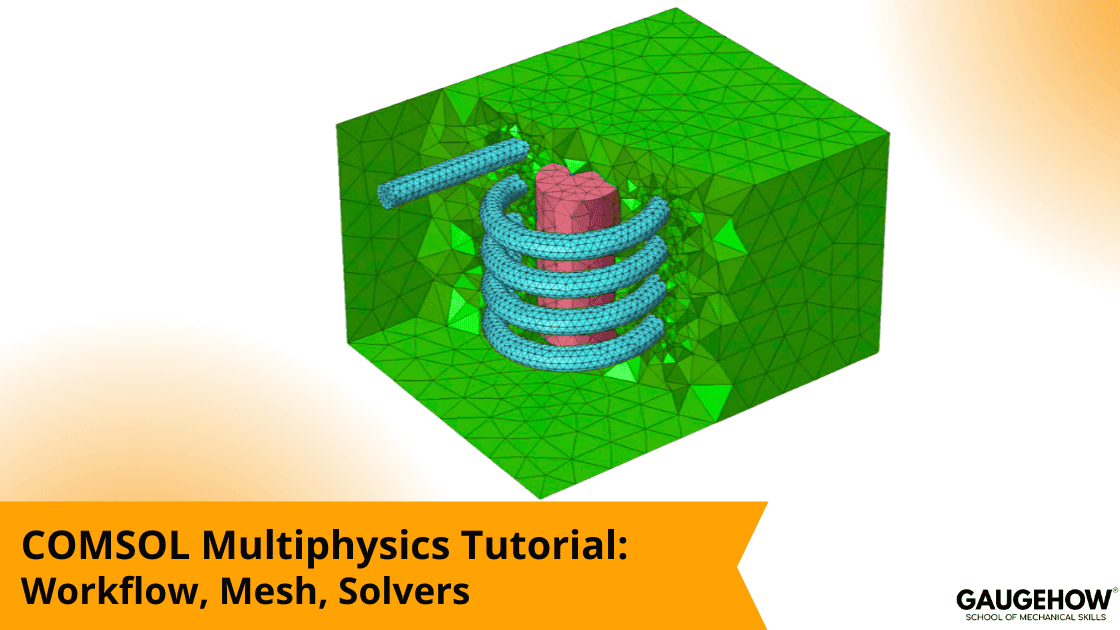
COMSOL helps you turn a physical problem into a numerical model that can survive review. This tutorial walks through a first build that converges for the right reasons, shows how to mesh around the gradients that control your key output, and explains solver choices that trade speed against robustness. It closes with a compact solver pick guide, a convergence triage path, and a practical validation checklist.
7-Step Mini Workflow
Model Wizard
Geometry
Materials
Physics
Mesh
Study And Solver
Results
Most “bad COMSOL results” are not solver math problems. They are input problems that the solver exposes. Units slip. Constraints drift. The mesh is refined where gradients are not real. Then the solver is forced to compensate, and it cannot. This page is designed to prevent that chain reaction by keeping everything procedural and first-model oriented.
What COMSOL Is
COMSOL Multiphysics is a simulation environment for building physics-based models and solving them numerically, whether the problem is one domain or several interacting domains solved together.
When people say “COMSOL software,” they usually mean the core program plus optional add-ons that unlock specific application areas and physics capabilities.
Its project structure keeps a clear setup record, so geometry choices, materials, boundary conditions, mesh decisions, and solver settings stay visible for later review.
Workflow In 7 Steps
The shortest way to build a credible first model is to follow the seven steps above with zero improvisation. COMSOL itself teaches a streamlined workflow reflected throughout the interface. (COMSOL)
Model Wizard
Start here. Choose a dimension, then add physics interfaces, then choose a study type.
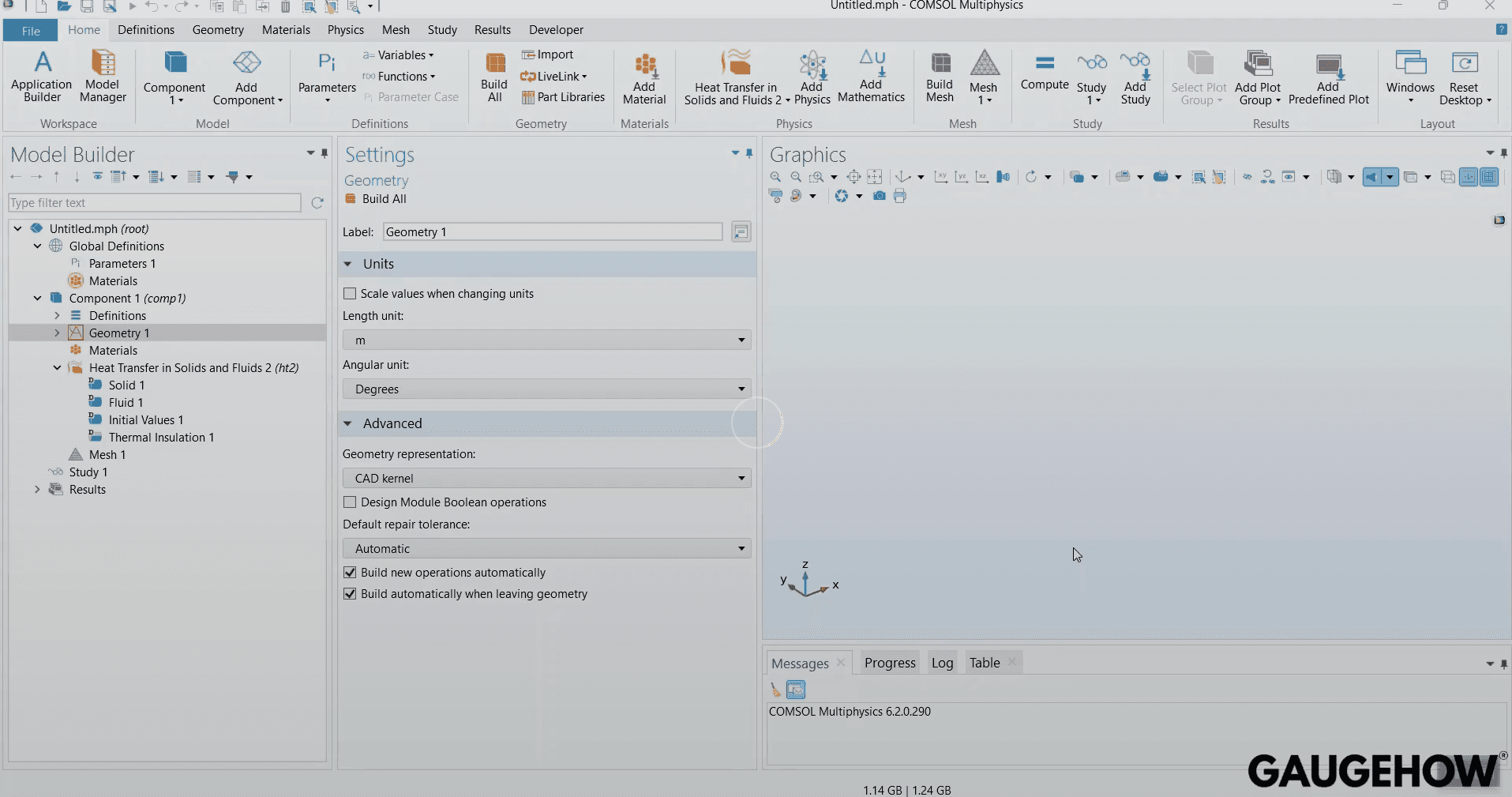
COMSOL’s own introduction guide frames the Model Wizard as the place where those choices are made up front.
Geometry
Import or build geometry, then simplify features that do not move the decision metric. Tiny fillets and cosmetic threads often create cost without value.
Materials
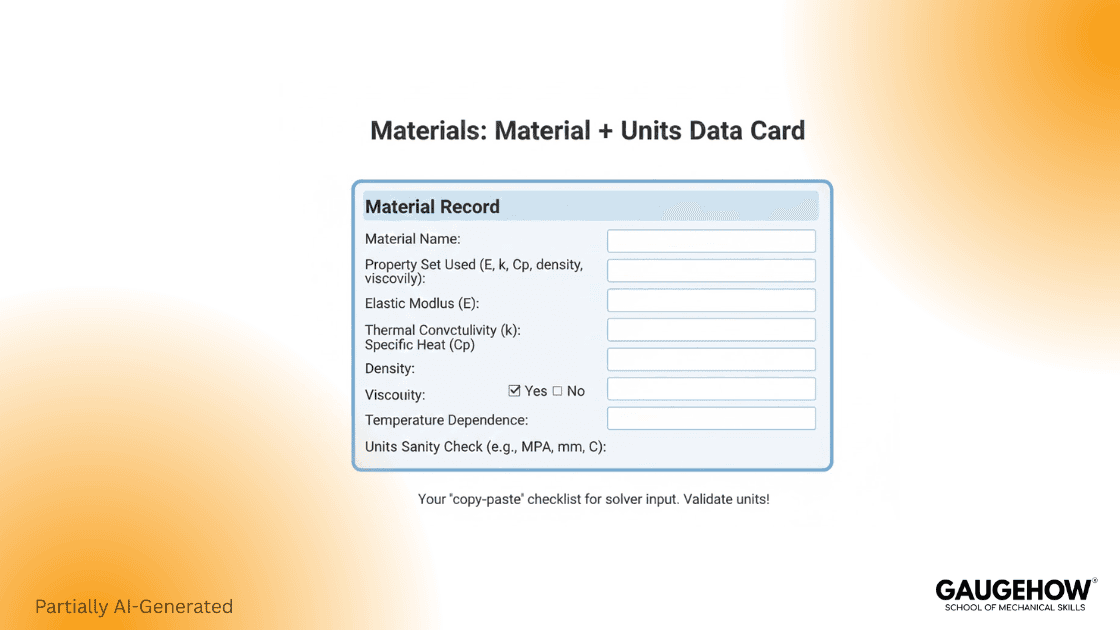
Define materials early and confirm units. Temperature dependence and reference conditions are common credibility leaks in coupled models.
Physics
Apply boundary conditions and couplings with one question in mind: Does the load path match reality?
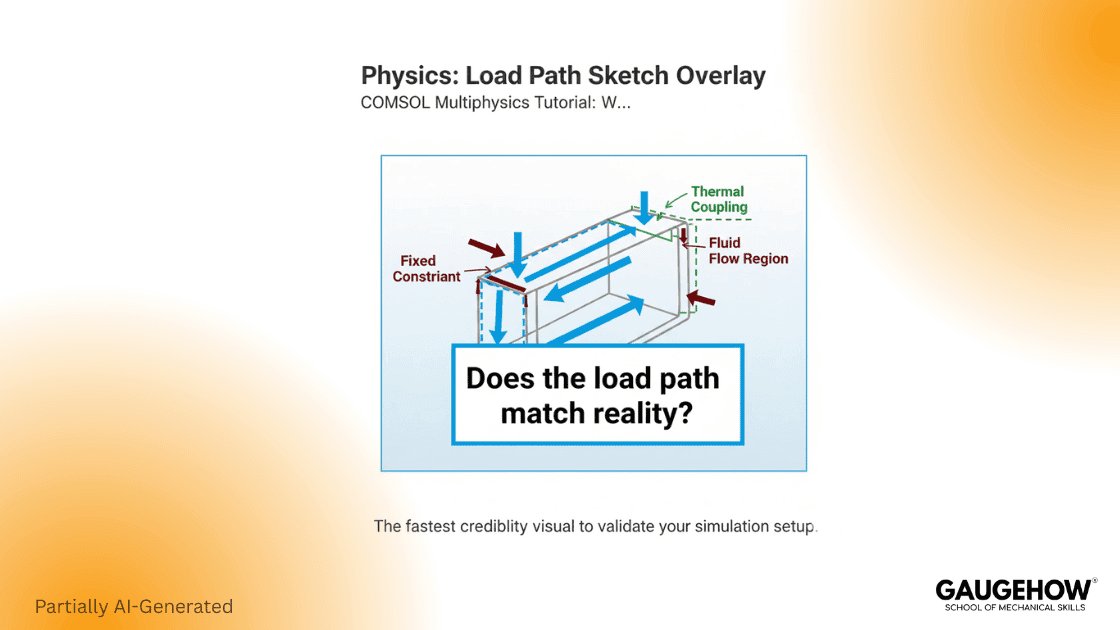
If not, fix this before mesh.
Mesh
Refine where gradients live, not where stress looks dramatic.
Study And Solver
Choose stationary or time-dependent based on physics behavior, then pick a coupling strategy that matches the interaction strength.
Results
Validate with balances and sanity checks before you export plots.
First Model Checklist
Use this box as the “done” definition before you trust results.
Inputs Ready: Units consistent, materials complete, boundary conditions reviewed
Study Chosen: Stationary or time-dependent matches the physical story
Mesh Sanity: Refinement targets gradients, contacts, and boundary layers
Solver Strategy: Coupling and linear solver choice match problem size and stiffness
Result Checks: Reaction balance or flux balance, where applicable, plus sensitivity to one key parameter
Mesh Rules That Engineers Trust
Most pages say “refine the mesh.” Engineers need the stop rule.
Where To Refine
Refine in three places because they break first in real models: strong gradients, contacts, and thin gaps, and boundary layers.
What To Monitor
Monitor the decision metric. Examples: displacement at the seal, peak temperature at a bondline, pressure drop across a channel. Avoid using max corner stress as the controlling metric unless the corner is physically meaningful.
When To Stop
Stop when the decision metric changes by less than 1–2% across successive refinements, or when the remaining change is smaller than your engineering tolerance.
Engineers Remember This: Waves Need Elements Per Wavelength
For wave problems, COMSOL guidance repeatedly points to an elements-per-wavelength rule of thumb. A practical guideline is at least five second-order elements per local wavelength, and rarely more than ten. (COMSOL)
That one rule prevents under-resolved oscillations that look “smooth” but are wrong.
Solver Choice Micro-Matrix
This is the reusable artifact that most competitors do not give you. It turns “try settings” into “choose a strategy.”
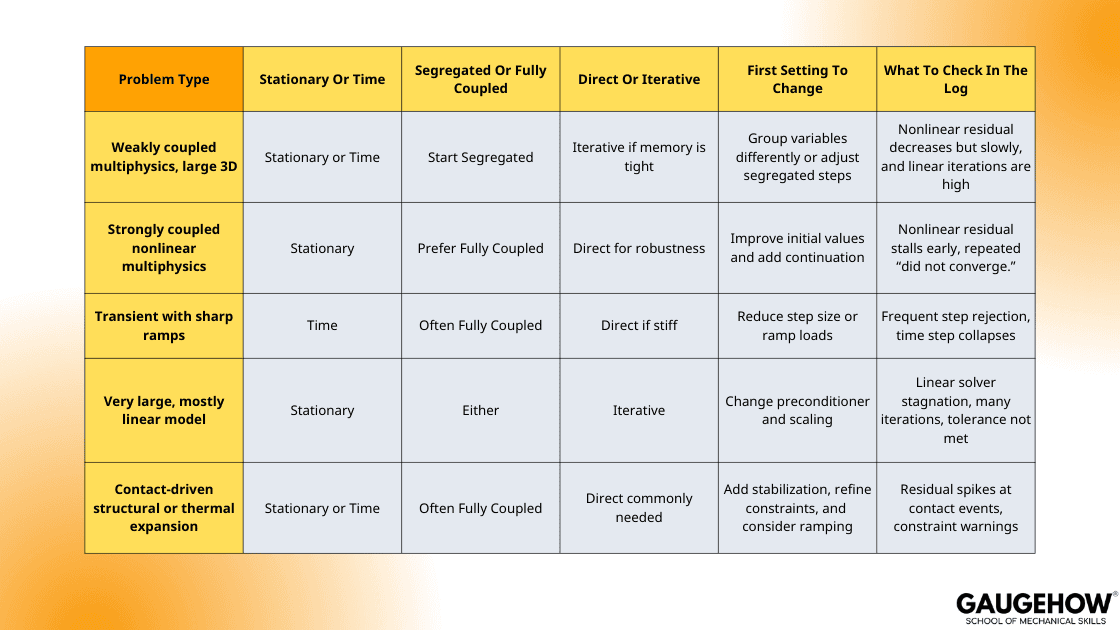
Solver setup typically comes down to two picks: solve all fields together or in separate blocks, and use a direct or iterative method for the linear step.
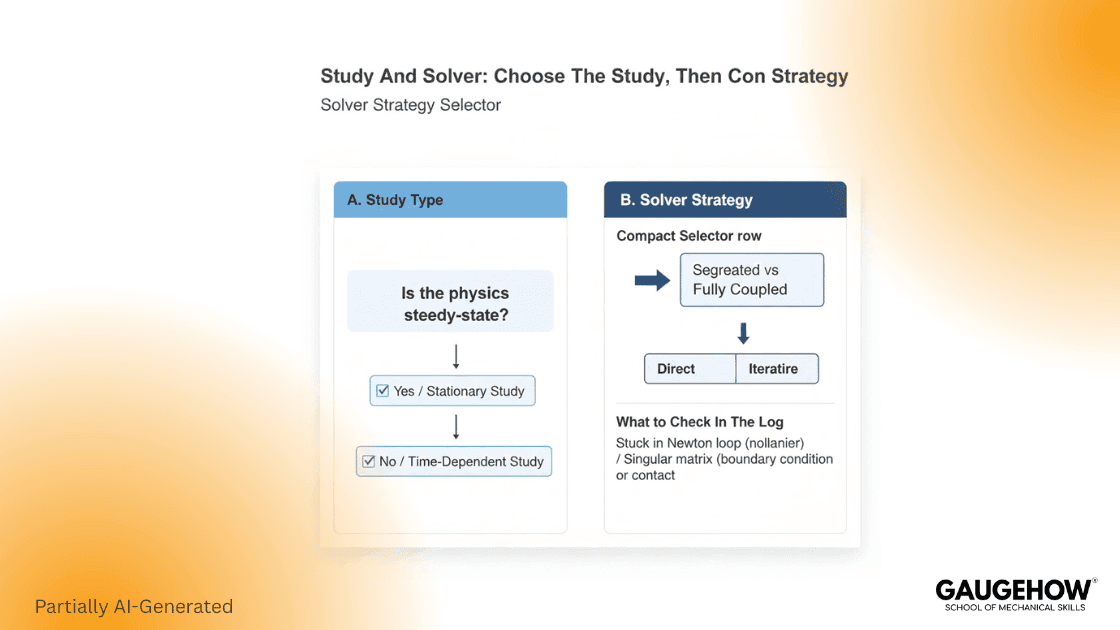
Two rules keep you out of solver trouble:
Choose Fully Coupled when the physics are tightly linked and decoupling stalls or drifts. It is heavier on memory, but it is the safer path when strong feedback drives the solution.
Switch strategy when the symptom changes. If the log shows a linear solver failure, changing nonlinear damping will not rescue you.
Convergence Triage Flow
This is the “one screen” decision tree teams paste into internal wikis.
Diverging
First three moves:
Scale variables and units so that magnitudes are reasonable
Ramp loads or add continuation instead of jumping to full load
Simplify couplings, solve a stable subproblem, then reintroduce physics
A real pain point shows up in coupled flow and heat transfer. AltaSim describes a case where large temperature differences create different densities, and that density mixing can trigger convergence difficulty. (AltaSim Technologies, LLC)
Slow
First three moves:
Change the linear solver class or settings before you tighten tolerances
Reduce DOF by simplifying geometry that does not move the metric
Revisit mesh placement, because over-refinement in the wrong region slows everything (COMSOL)
Weird Peaks
First three moves:
Recheck constraints and reference conditions before mesh changes
Validate materials, especially temperature dependence and units
Audit postprocessing choices, because corners can create apparent singular peaks
Results You Can Defend
A simulation is only useful if the evidence matches the decision risk. That is why your finish line is not “a contour plot.” Your finish line is “a stable metric plus a sanity argument.”
The 10-Minute Audit Before You Share Results
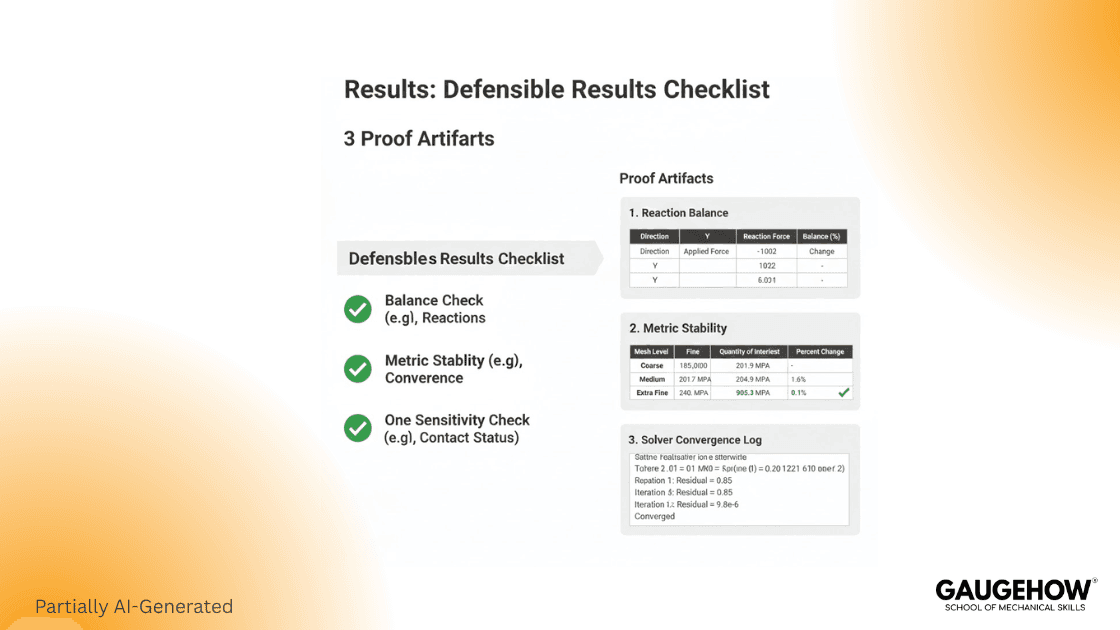
Run these in order:
Balance: reaction forces match applied loads within tolerance
Metric stability: the decision metric is stable under refinement
Sensitivity: one key parameter change does not flip the conclusion
Physics credibility: boundary conditions produce a believable load path
Solver behavior: the log matches the expected story, not repeated failure patterns
Download, Licensing, And Practical Reality
Download is the easy part, but your real constraint is licensing and deployment. Validate what’s allowed (local vs floating vs cloud, server access, and user rules) before you design workflows around it.
Pricing is usually quote-based, so treat it like an engineering requirement: define modules, seats, and compute needs up front, then lock renewal and version support expectations early.
COMSOL Multiphysics Download And Install Notes
A COMSOL Multiphysics download is tied to licensing and installation choices, and COMSOL’s installation guidance is structured by license type and operating system. (COMSOL)
From a practical standpoint, COMSOL lists baseline requirements like at least 4 GB RAM and roughly 2–25 GB disk space depending on licensed products, so plan your workstation accordingly. (COMSOL)
Licensing Options In One Breath
COMSOL frames its licensing around where the entitlement is anchored: a single workstation (CPU-locked), a single engineer (named single-user), or a shared license pool (floating network).
A named single-user license can cover one user across up to four personal machines, while a floating network license supports multi-user sharing through concurrent checkouts.
COMSOL Multiphysics Price Reality
COMSOL generally provides pricing information through direct contact, and they explicitly ask how you intend to use the software to provide accurate pricing. (COMSOL)
So treat the COMSOL Multiphysics price as quote-based, driven mainly by license type, add-on modules, and seat count, rather than expecting one public list that fits every configuration. (COMSOL)
FAQ
What Is COMSOL Multiphysics?
COMSOL Multiphysics is an engineering simulation environment where you build a model from geometry, physics definitions, and boundary conditions, then solve the coupled field equations on a mesh. It is designed for cases where one physics drives another, like thermal expansion changing stress, or flow changing heat transfer, so you can keep the coupling inside one solve instead of stitching tools together.
What Is COMSOL Software?
COMSOL software is the full product family around that same core engine. The “platform” gives you the common interface, meshing, solvers, studies, and post-processing, while modules simply add ready physics interfaces and domain libraries, so you extend capability without changing how you build and verify a model.
What Is The Correct Workflow For A First Model?
Build the first model to be physically correct before it is numerically clever. Start with clean geometry, correct units, and realistic materials, then apply boundary conditions you can defend, choose a study that matches the question, and mesh to resolve the gradients you expect. Run a baseline solve and sanity-check reactions, balances, and limiting behavior, and only then touch solver knobs if you have a specific convergence failure to fix.
How Do I Choose Between Segregated And Fully Coupled?
Pick segregated when the fields talk to each other gently, or when the system is big enough that memory and solve time dominate, because it solves in blocks and can be lighter. Pick fully coupled when the interaction is strong or highly nonlinear, because the variables need to move together to converge, and segregated iterations can ping-pong, stall, or blow up. If a segregated run needs heavy relaxation to survive, that is usually the cue to move to fully coupled.
What Is A Reliable Mesh Rule For Wave Problems?
Mesh to the shortest wavelength you expect in the domain, not to the part geometry. A solid starting heuristic is about 5–6 quadratic (second-order) elements per wavelength, and you tighten toward ~10 per wavelength when phase accuracy is the deliverable. Validate it with a quick refinement sweep and watch a phase or frequency response metric, because smooth plots can still be numerically dispersive.
References
COMSOL release history showing 6.4 on November 18, 2025. (COMSOL)
COMSOL press release announcing version 6.4 on November 18, 2025. (COMSOL)
COMSOL product overview describing the platform and multiphysics capabilities. (COMSOL)
COMSOL introduction PDF (6.4) describing Model Wizard setup steps. (cdn.comsol.com)
COMSOL Knowledge Base on Fully Coupled vs Segregated and solver strategy. (COMSOL)
COMSOL wave meshing guidance and elements-per-wavelength rules. (COMSOL)
AltaSim example describing density mixing as a convergence difficulty. (AltaSim Technologies, LLC)
CAD-CAM-CAE Work Platform
Find or Post CAD, CAM and CAE freelance projects, full-time jobs and Internships.
GaugeHow is the platform built for core engineering work. Whether you need a freelancer for a CAD project, a full-time hire, or an engineering intern,post it here and get matched with the right person.
Our Courses
Complete Course Library
Access to 40+ courses covering various fields like Design, Simulation, Quality, Manufacturing, Robotics, and more.


