Finite Element Analysis Software: Best Tools Compared

Deepak S Choudhary
Finite element analysis software is not just a tool choice; it is a workflow choice. This hub lists five leading tools first, then compares them using two tight tables, explains pricing with real anchors, and gives a simple selection workflow. It stays software-focused, so you can choose fast.
Most engineers get stuck in the same loop. They install a tool, they run a first case, and the plots look clean. Then reality hits. Contacts behave strangely, constraints get simplified, and licensing surprises show up after the team already invested time. A clean contour plot can look right, but the wrong setup still ships the wrong decision.
So this guide stays software only. You get the five tools you will actually see in real teams, then two comparison tables so you can decide without guessing. After that, you get pricing logic with citeable anchors, so budget talks stay grounded. One proof hook you can plan around is the published Ansys Student structural limit, which is 128K nodes or elements.
The Importance Of FEA Software
The right tool reduces rework, and that matters more than solver hype. When the model setup is smooth, you test more design options, and you catch mistakes early. When setup is painful, you avoid reruns, and you end up trusting a single plot too much.
A practical hub should do one job. It should help you shortlist tools based on how you work, not based on marketing claims. That is why this page starts with the five tools, then forces clarity with tables, and then answers pricing in plain terms.
FEA Software List
Abaqus
Abaqus is a general-purpose FEA platform used for advanced engineering simulation, and it is often chosen when nonlinear behavior matters. It is a broad-scope FEA environment for advanced simulation, and SIMULIA presents it as finite element software aimed at complex, real engineering cases.
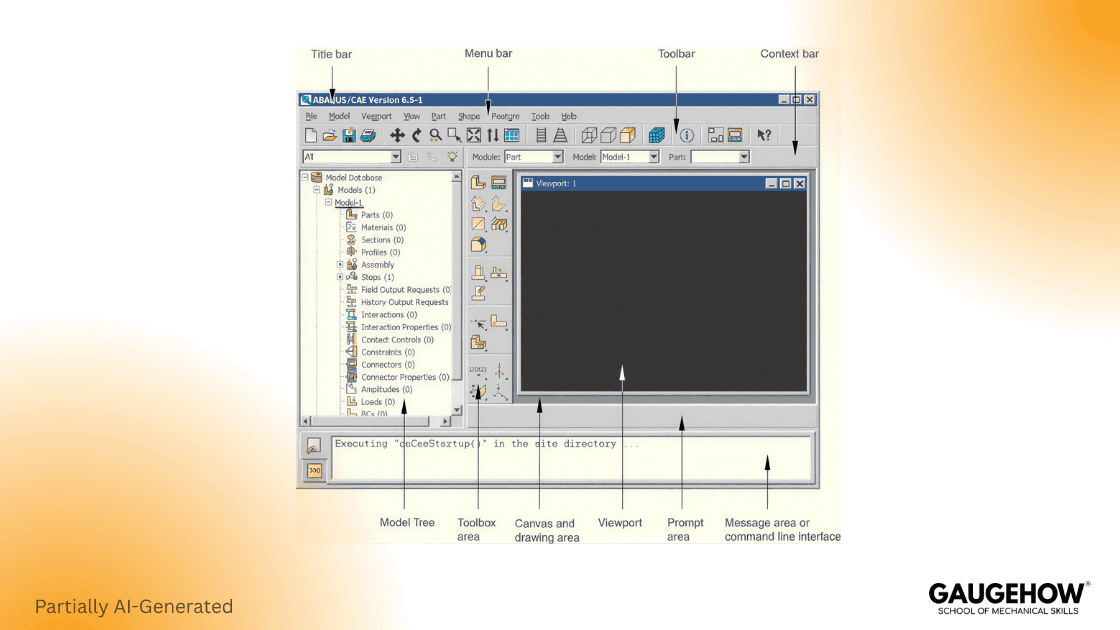
From a time-saving standpoint, it fits when you would rather invest effort upfront and avoid reruns later. That is why people searching for finite element analysis software abaqus are usually trying to buy control and repeatable setup, not just a quick first run.
The upside is depth and model control, but you should plan around learning constraints. The official Abaqus Learning Edition supports structural models up to 1000 nodes, so it is for practice only.
Also, advanced requests like absorbing boundary conditions for seismic analysis in ABAQUS belong in your “later” bucket unless seismic is your daily work.
Ansys FEA
Ansys FEA shows up in teams that want a broad structural toolchain and a guided path from basic studies to tougher ones. Ansys Mechanical is described as a finite element solver with structural and nonlinear capabilities, along with thermal and transient coverage. (Ansys)
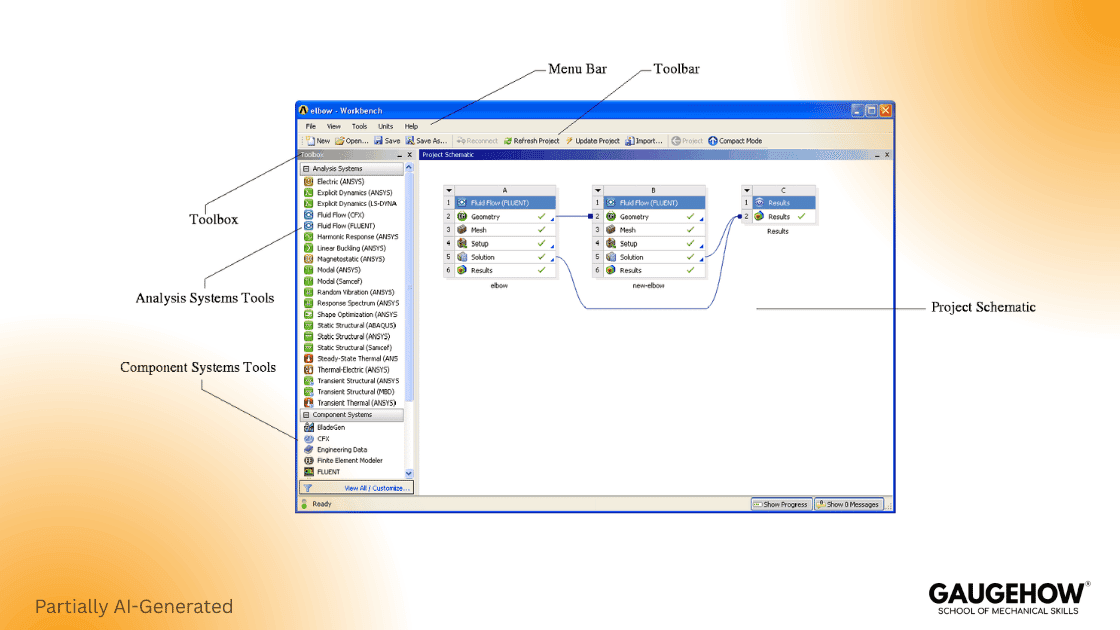
When you need speed and consistency across many parts, it tends to save time because setup and post work are predictable. That is exactly why finite element analysis software ANSYS is such a common comparison search when a team wants a practical, all-around workflow.
Breadth is the big advantage, but model size constraints are real while learning. Ansys Student lists a structural physics limit of 128K nodes or elements, so you must simplify while building skills.
Comsol Multiphysics
Use COMSOL when the interaction between physics must remain solved together in one model, not stitched after. It supports both single-physics setups and tightly coupled multiphysics, so engineers keep cross-effects inside the same solver workflow.
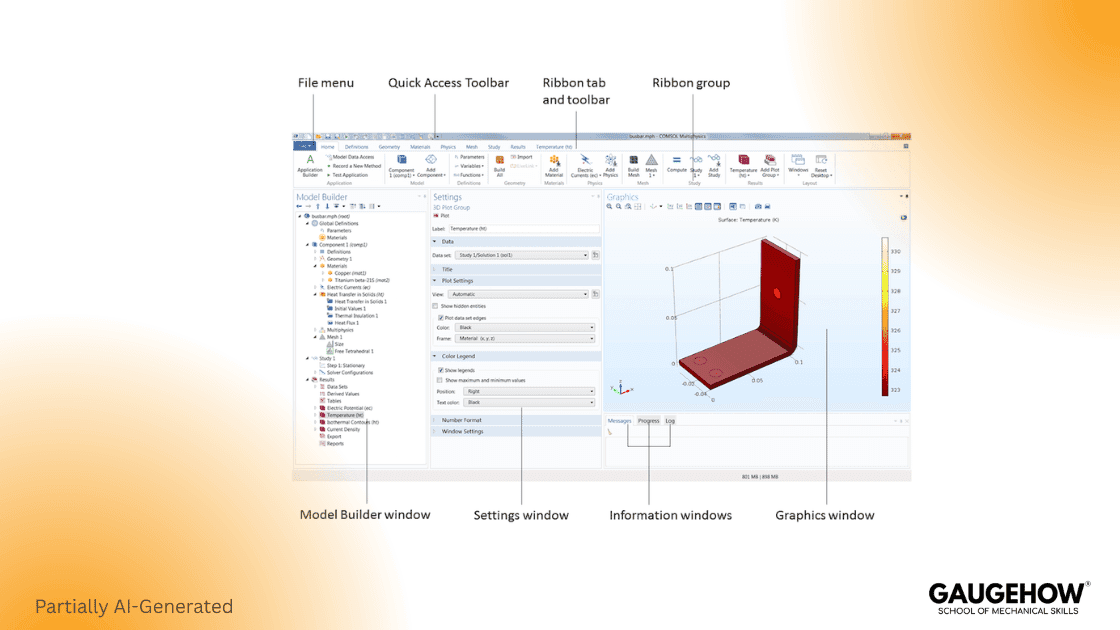
When handoffs between solvers are your bottleneck, COMSOL can cut cycle time in practice because the coupling stays native instead of turning into file traffic. Asked what COMSOL Multiphysics is, the clean answer is one workspace where the equations stay connected across physics, reducing export steps and unit-mismatch failures.
Coupling is an advantage, but budgeting needs upfront module planning. Licensing is modular with term or perpetual routes, and cost follows the modules you enable, so set a module list before procurement and watch utilization.
Siemens NX Software
Pick Siemens NX when you need one environment from design through manufacturing, with fewer translation breaks. It combines CAD and CAM in one controlled stack, which can shorten release cycles when your team enforces revision rules.
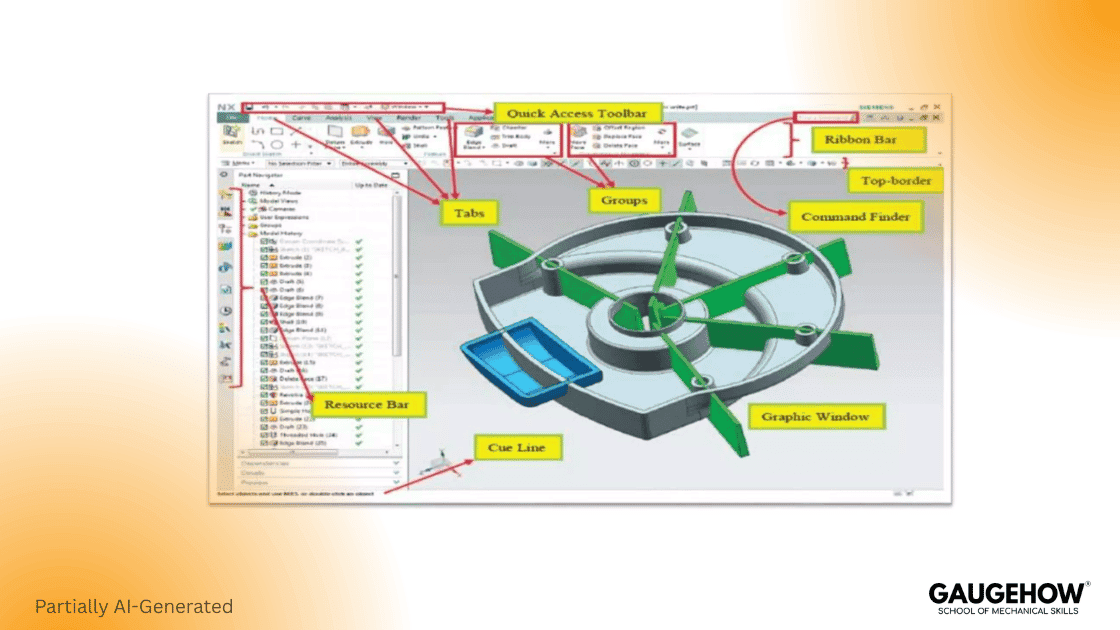
When CAD updates are frequent, time is saved through fewer handoffs and cleaner downstream alignment, so engineering changes do not trigger tool chaos. That benefit can outweigh isolated solver features, especially in process-heavy teams.
Integration is the real advantage, but it is not a shortcut for a weak process. It pays off when templates and naming are standardized, but the platform can feel heavy.
Solidworks FEA
SolidWorks FEA is the practical choice when you want answers while you are still shaping geometry, because it stays close to the design loop. As you step up into Premium, the package reaches into nonlinear contact and dynamic response, which signals where the product line goes as complexity and time grow.
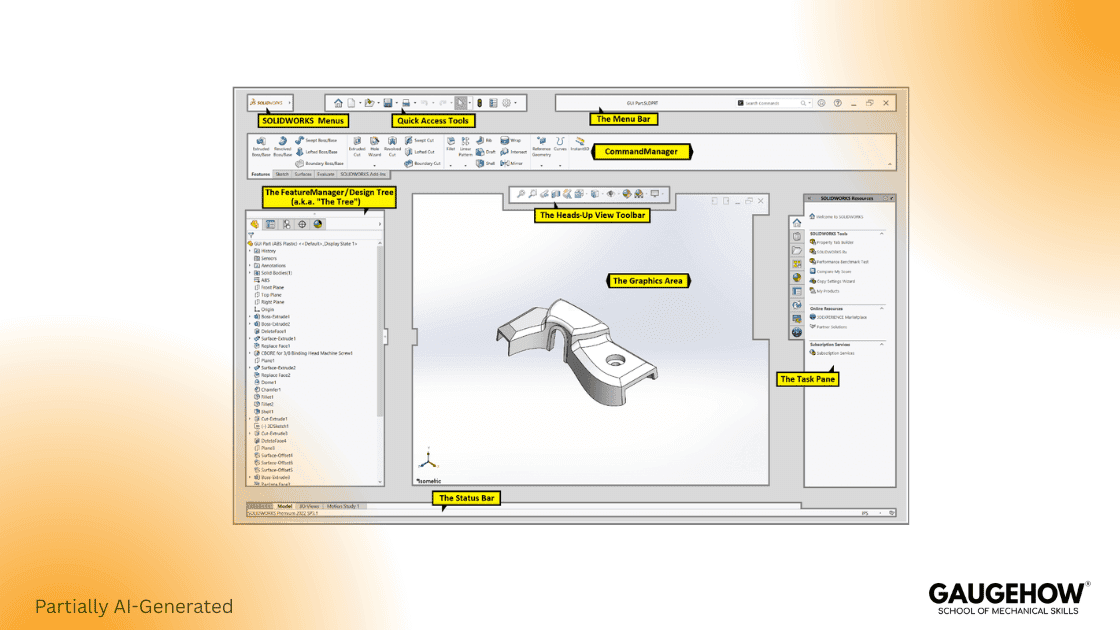
If your goal is faster design cycles, it wins time because geometry edits and reruns stay close together. That is why SolidWorks FEA analysis often becomes a daily habit for designers, rather than a special “analysis week” event.
Speed and accessibility are the strengths, but fit matters. It is not ideal for cases that need heavy solver tuning across very large models, so treat it as a design-validation workhorse.
Software Comparison
Before you look at tables, use this one rule. Read the “Best For” column first, then confirm with the capability table. That is how you decide without scrolling in circles.
Decision Table
Tool | Best For | Key Strength | Watch Out |
Abaqus | Solver-heavy nonlinear | Deep nonlinear control | Learning Edition is 1000 nodes |
Ansys FEA | Broad structural | Fast, guided workflow | Student limit is 128K nodes or elements |
Comsol Multiphysics | Coupled physics | Fully coupled modeling | Modules affect scope and cost |
Siemens NX Software | CAD-CAM stack | Integrated change flow | Needs disciplined templates |
Solidworks FEA | CAD-embedded checks | Fast iteration | Not for heavy solver tuning |
Capability Table
Tool | Nonlinear + Contact | Multiphysics | CAD Workflow |
Abaqus | Strong | Medium | Medium |
Ansys FEA | Strong | Medium | Medium |
Comsol Multiphysics | Medium | Strong | Medium |
Siemens NX Software | Medium | Medium | Strong |
Solidworks FEA | Medium | Low-Med | Strong |
Quick picks should feel like a calm shortlist, not a checklist page. SolidWorks FEA fits if your work lives in CAD iterations. Ansys FEA fits if you need broad structural coverage fast. Abaqus fits if contact and nonlinear behavior drive the outcome. Comsol Multiphysics fits if coupling is the whole problem. Siemens NX Software fits if enterprise process and change control are central.
Pricing And Licensing
Pricing varies because vendors quote based on license type, scope, and support, and that is normal. Still, you can make budget talks cleaner by anchoring them to a few published numbers, then asking for quotes with a clear scope.
Here are the anchors that actually help decisions.
Ansys Student lists 128K nodes or elements for structural physics.
The Abaqus Learning Edition supports 1000 nodes for structural models.
A published buying guide lists an Abaqus one-year lease starting around $18,000.
The same guide lists a perpetual Abaqus license starting around $31,000.
That guide also lists a roughly $7,500 yearly subscription for support and upgrades.
A published guide lists SOLIDWORKS Simulation Standard at $4,195.
The same guide lists an annual subscription service at $995.
The cheapest safe path is simple, and it avoids budget traps. Learn the workflow on a student or learning build first, but keep node limits in mind. Then, shortlist two commercial options and request quotes with scope and support included. If you are comparing Abaqus and Ansys, placethe finite element analysis software Abaqus and finite element analysis software Ansys into the same scope sheet, so quotes are apples to apples.
Buyer Traps That Waste Budget
Most competitor hubs do not say this plainly, but budget waste follows patterns. The fix is not “buy less,” it is “buy aligned.”
Overbuying modules because a demo looked impressive.
Paying for seats that sit idle most weeks.
Choosing by brand and then fighting the workflow daily.
Ignoring training limits and then rewriting the plan.
Skipping support costs and then freezing upgrades.
Picking Your Workflow
Workflow matters more than solver claims because most wasted time is spent on setup, reruns, and review fixes. A tool that fits your weekly workflow will outperform a “stronger” tool that your team avoids using.
Use this four-step flow, and keep it strict.
Define your weekly job type and scope.
Shortlist two tools that match that job.
Benchmark one part with one mesh refinement pass.
Quote with users, scope, and support included.
One desk check prevents a lot of wrong confidence. Sum the reaction forces and compare them to the applied loads. If they do not balance, stop and fix the setup before you argue about stress colors.
Common Mistakes
Wrong results often come from simple habits, not from solver bugs. Over-constraining is one, because it “feels stable,” but it breaks physics. Another is trusting peak stress at sharp corners, because singularities look dramatic but mislead decisions. Contact setup is another, because small contact choices can dominate displacement and stress.
Keep your first goal simple. Make the model represent reality, then verify load balance, then refine the mesh once. If you do that, your plots become defensible.
Frequently Asked Questions
How Much Does Abaqus Cost?
A published buying guide lists a one-year lease starting around $18,000 and a perpetual license starting around $31,000, with a roughly $7,500 yearly subscription for support and upgrades. If your work truly needs absorbing boundary conditions for seismic analysis in ABAQUS, plan extra scope and validation time, because specialized needs can shift both effort and quote.
Is Ansys Free For Students?
Ansys Student is available, and it lists a structural physics limit of 128K nodes or elements. That is enough to learn real workflows, but simplification is required.
What Is Comsol Multiphysics?
What COMSOL Multiphysics is best answered plainly. It is a simulation platform with fully coupled multiphysics and single-physics modeling capabilities. Licensing is offered in different types, and COMSOL also states you can choose term or perpetual options. (COMSOL)
How Much Does SOLIDWORKS Simulation Cost?
A published guide lists SOLIDWORKS Simulation Standard at $4,195 and an annual subscription service at $995. Use those as planning anchors, then confirm reseller pricing for your region and your package.
Which Tool Should You Learn First?
Pick the tool that matches your weekly work. If you do CAD iterations, SolidWorks FEA is often the fastest start. If you do broad structural checks, Ansys FEA is a common path. If nonlinear behavior drives outcomes, Abaqus is a strong fit. If coupling is central, Comsol Multiphysics is built for it. If enterprise process matters most, Siemens NX Software aligns with that.
References
Ansys Student problem size limits, Structural Physics 128K nodes/elements. (Ansys)
Abaqus Learning Edition limits structural models to up to 1000 nodes. (Dassault Systèmes)
GoEngineer Abaqus buying guide, price anchors $18,000, $31,000, $7,500. (GoEngineer)
GoEngineer SOLIDWORKS Simulation buying guide, price anchors $4,195, $995. (GoEngineer)
COMSOL Multiphysics page, fully coupled multiphysics description. (COMSOL)
COMSOL licensing options, term or perpetual license choices. (COMSOL)
Siemens NX page, integrated CAD and CAM positioning. (Siemens Digital Industries Software)
SOLIDWORKS Simulation product page, nonlinear and dynamic response studies in the Premium tier. (SOLIDWORKS)
CAD-CAM-CAE Work Platform
Find or Post CAD, CAM and CAE freelance projects, full-time jobs and Internships.
GaugeHow is the platform built for core engineering work. Whether you need a freelancer for a CAD project, a full-time hire, or an engineering intern,post it here and get matched with the right person.
Our Courses
Complete Course Library
Access to 40+ courses covering various fields like Design, Simulation, Quality, Manufacturing, Robotics, and more.