SOLIDWORKS Simulation vs ANSYS: Which Is Better for FEA?

Deepak S Choudhary
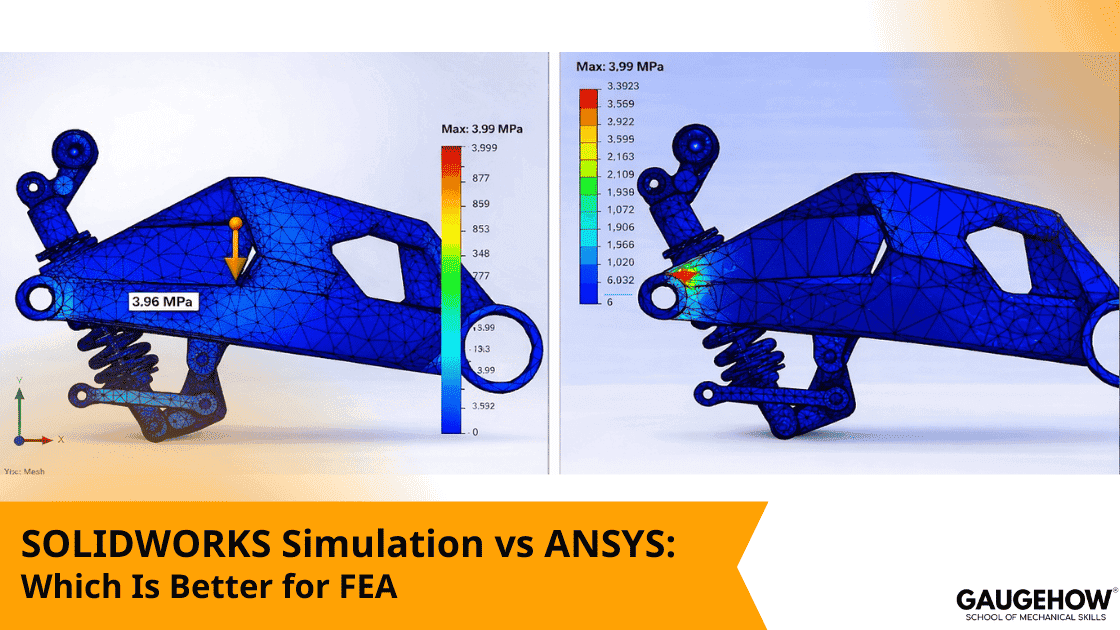
If you mainly run fast design checks inside CAD, SOLIDWORKS is usually the quickest loop. If your decision depends on stable nonlinear contact, advanced controls, or high solve throughput, ANSYS is usually the safer verification choice. This guide gives a defensible way to choose and explain it in reviews.
Most teams face this choice at an awkward time. A prototype just failed, a customer asked for a safety margin, or management wants fewer physical tests. That is when the solver debate becomes the wrong question. The right question is where your model can drift away from reality, and how quickly you can detect it.
In practice, the split is simple. Design Validation FEA is for fast direction checks while the geometry is still moving. Verification FEA is for decisions you must defend when contact, plasticity, or dynamics control the outcome. Market growth does not change that.
Grand View Research estimates the global simulation software market at USD 23.56B in 2024 and projects USD 51.11B by 2030, with a 14% CAGR from 2025 to 2030. (Grand View Research)
This article shows the breakpoints, the modeling checks, and the licensing realities that actually decide the winner. You will also get a simple escalation ladder you can reuse in design reviews.
Decision And Package Matrix
Choose SOLIDWORKS when you need CAD-integrated design validation fast.
Pick ANSYS Mechanical when your decision is driven by contact behavior, material nonlinearity, transient dynamics, or solver throughput limits.
If you cannot defend mesh and contact sensitivity, neither tool is “better.”
SimulationXpress is bundled with each SOLIDWORKS license at no extra cost, and it is intended for quick part-level stress screening, not for final sign-off.
Use it to catch obvious stiffness and load path problems early, then step up when the job needs assemblies, contacts, or stronger evidence.
Capability Matrix
Study Type | Standard | Professional | Premium | What This Means In Practice |
Linear Static | Yes | Yes | Yes | Most day-to-day sizing work starts here. Use it first. |
Frequency | Limited or add-on by tier | Yes | Yes | Use it when resonance is a realistic failure path. |
Buckling | Limited or add-on by tier | Yes | Yes | Critical for thin, slender members where stability governs. |
Thermal | Limited or add-on by tier | Yes | Yes | Relevant when temperature shifts stiffness or preload. |
Fatigue | Limited or add-on by tier | Yes | Yes | Only worth running when your stress field is validated. |
Nonlinear | No | Limited | Yes | Use this when contact behavior or yielding drives results. |
Dynamics | Limited | Limited | Yes | Run it for time-varying loads and forced response. |
A quick escalation ladder that competitors rarely state clearly:
Escalate from CAD embedded loops to verification workflows when any trigger appears. Contact drives the load path, deformation is not small, plasticity matters, or results change with small solver settings. That is the moment “better” becomes “more defensible.”
Where Each Tool Breaks First
Many comparisons stop at UI. That misses the engineering reality.
CAD Embedded Strength
SOLIDWORKS is hard to beat for early iteration because geometry changes do not create translation friction. You can move faster when designers own the first pass. That matters because most projects die from slow loops, not from solver math.
Verification Grade Strength
ANSYS Mechanical is often chosen when analysts require more precise control over nonlinear stepping, contact behavior, and repeatable project setups across multiple load cases. (ANSYS Help)
That depth is not a luxury when your decision is a safety margin, a warranty risk, or a sign-off.
A practical two-loop workflow often wins. Design direction checks in CAD embedded studies, then verify the final critical cases in a verification workflow. That avoids overbuilding every early model, while still protecting the final decision.
Pricing And Throughput Reality
Keep this section short and defensible. You are not guessing. You are anchoring buyers with published facts and the licensing mechanisms that drive throughput.
Published Pricing Anchor
GoEngineer publishes VAR list pricing that many buyers use as a baseline. They list SOLIDWORKS Simulation Standard at $4,195, and an annual subscription service at $995. (GoEngineer)
Real quotes still depend on term, bundles, and region, but this gives a grounded starting point.
Licensing Reality Buyers Care About
SOLIDWORKS Simulation runs as an add-in, and you cannot simulate without your primary SOLIDWORKS license open and running. GoEngineer states this explicitly, and also notes that the CAD license is considered in use while simulation runs. (GoEngineer)
This impacts how teams share seats, especially on busy days.
ANSYS Throughput Ladder
ANSYS throughput is not only hardware. Licensing and parallel rules decide what you can actually use.
Here is the “what changes first” ladder to explain the risk cleanly:
Solve Throughput: base parallel limits show up first.
Parallel Scaling: you hit diminishing returns and licensing caps.
Queueing or Burst Needs: teams start waiting, or pushing to bigger compute.
Project Timeline Risk: verification becomes the schedule bottleneck.
ANSYS documentation explains that you can use up to four CPU cores without HPC licensing, and HPC licenses or HPC Packs extend that baseline. (ANSYS Help)
That single fact is enough to make throughput discussions concrete without speculating on price.
In India, Grand View Research estimates simulation software revenue at USD 1,037.0 million in 2023 and projects USD 3,108.8 million by 2030, which reflects how fast simulation budgets are growing locally. (Grand View Research)
Many organizations standardize setup through ANSYS Workbench so analysts can reuse templates and reduce variation between engineers. That repeatability is often where time is won or lost.
A second ANSYS Workbench advantage is traceability. That shared project structure makes it easier to audit changes when results are questioned.
Breakpoint Mini Case
Same geometry. Two setups. This is where tool choice becomes obvious.
A team checks a machined bracket with a simple fixture and a static load. The part passes in the CAD embedded loop, and the displacement looks fine. Stress hotspots exist, but they do not change much with one mesh refinement. The team ships the design direction.
Then the real assembly appears. The bracket is bolted to a plate; preload matters, and contact decides the load path. Now the question is not peak stress color. The question is whether joint slip and separation move the peak stress into the fastener region.
At this point, you must verify three things before you trust the answer: displacement convergence at the interface, reaction balance, and contact sensitivity to friction and stiffness. If small contact changes flip the load path, you are not done. If preload changes the stress gradient, you are not done.
This is the breakpoint. Linear passes are not wrong. They are incomplete. Verification grade workflows exist for this moment, not for the easy moment.
Modeling Checks
These checks make your result defensible in either tool.
Mesh Convergence
Converge the decision metric, not the prettiest plot. If the decision is stiff, converge displacement. If it is a fatigue life, converge the stress extraction method at the critical location. One extra refinement at a contact edge often changes everything.
Loads, Constraints, And Reactions
Reaction forces should balance applied loads within a tight tolerance. If they do not, you likely have rigid body motion, an over-constrained fixture, or artificial stiffness through constraints. Fix that before you debate solvers.
Contact Sensitivity
Treat friction and contact stiffness as uncertain unless you have test-backed values. Run a small sweep and observe whether the load path changes. When it does, document it and either tighten the model or reduce the claim you make from it.
Conclusion
“Better” depends on the decision you must defend. SOLIDWORKS wins when iteration speed and CAD associativity matter most. ANSYS Mechanical wins when contact, nonlinearity, dynamics, or throughput risk controls the outcome. When you apply the escalation ladder, you stop arguing about tools and start managing risk like an engineer.
FAQs
Is SOLIDWORKS Simulation free?
No for the full Simulation tiers. What you do get free is SimulationXpress bundled with each SOLIDWORKS seat, which is meant for quick, part-level sanity checks before you step up to paid modules.
How much does SOLIDWORKS Simulation cost?
GoEngineer publishes a list price anchor of $4,195 for SOLIDWORKS Simulation Standard, plus $995 for the annual subscription service. (GoEngineer)
Can I run SOLIDWORKS Simulation without SOLIDWORKS CAD open?
No. Simulation is tied to an active SOLIDWORKS session, so the base CAD seat must be launched and remain occupied for the full duration of the solve.
What is the cleanest reason to choose ANSYS for FEA?
Choose it when nonlinear contact behavior and verification evidence are the real requirement, not just a quicker result.
What is the fastest way to make either tool wrong?
Over-constrained fixtures and untested contacts. Those errors overwhelm solver differences.
References
GoEngineer pricing anchor for SOLIDWORKS Simulation Standard and subscription. (GoEngineer)
GoEngineer licensing reality on needing SOLIDWORKS open and running for simulation. (GoEngineer)
GoEngineer guide noting SimulationXpress is free with every SOLIDWORKS seat. (GoEngineer)
ANSYS Help documentation on HPC licensing baseline and expansion. (ANSYS Help)
CAD-CAM-CAE Work Platform
Find or Post CAD, CAM and CAE freelance projects, full-time jobs and Internships.
GaugeHow is the platform built for core engineering work. Whether you need a freelancer for a CAD project, a full-time hire, or an engineering intern,post it here and get matched with the right person.
Our Courses
Complete Course Library
Access to 40+ courses covering various fields like Design, Simulation, Quality, Manufacturing, Robotics, and more.