Fusion 360 vs Mastercam: Which CAM Should You Use?
Learn More in This Video
Subscribe to GaugeHow for More
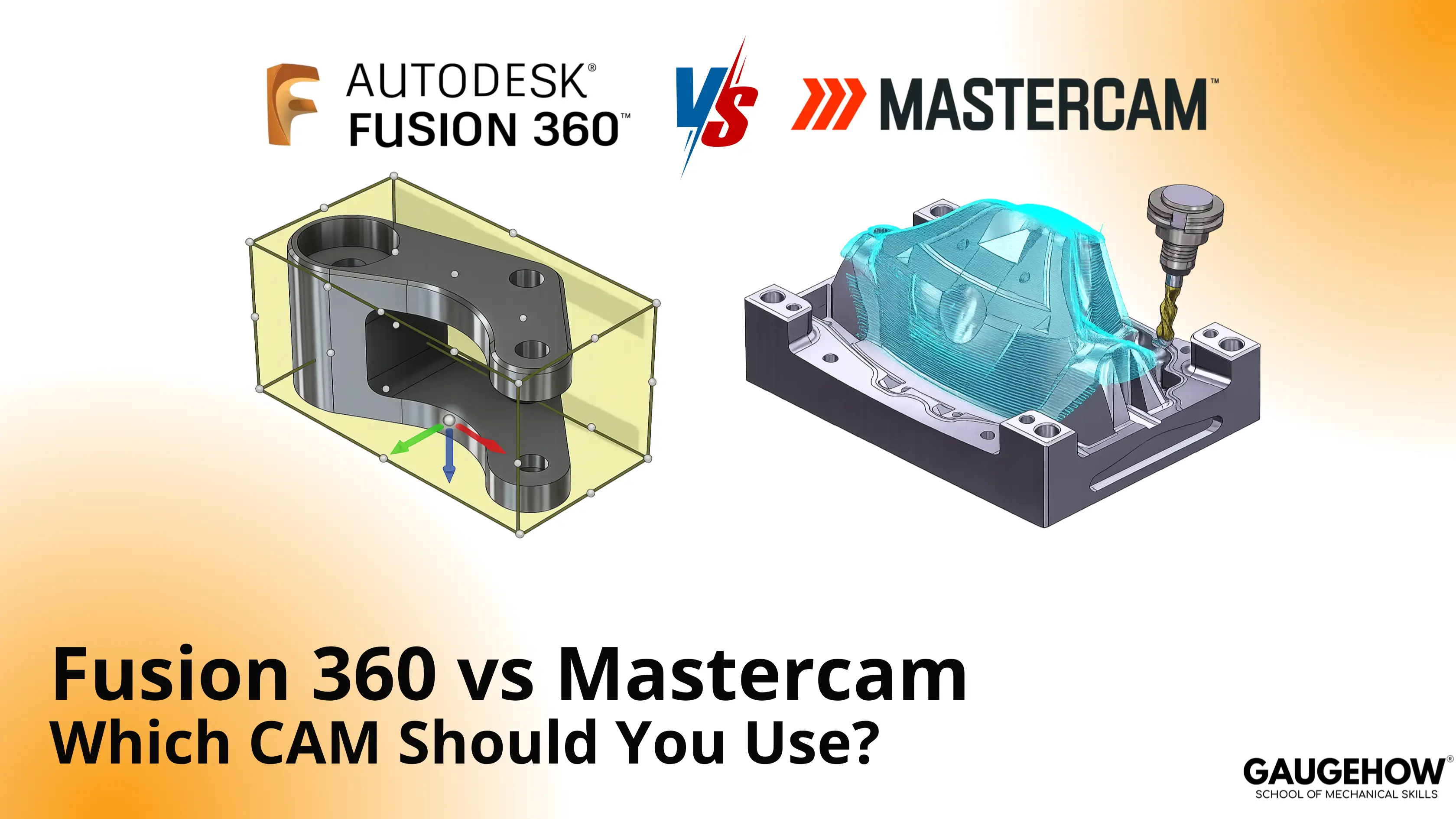
Fusion 360 combines CAD, CAM, simulation, and data flow inside one connected system. Mastercam leans harder into machining depth, toolpath control, and post flexibility. Choice turns on revision speed, machine range, programmer depth, and release discipline. Shop context decides value more than brand familiarity.
Revision flow changes first. Software choice shows up fastest when model edits arrive late, setup logic shifts, or release approval stalls. Fusion 360 keeps design, toolpath, and review closer together. Mastercam pulls harder toward programming depth, shop control, and machine-side precision.
Scope needs clear boundaries early. Fusion 360 is not only CAM. It is an integrated design-to-manufacturing platform. Mastercam is not trying to be full product-development software. It is built around machining strategy, programming control, and shop execution.
Decision point stays simple. Design-led teams usually value connected revision flow. Programming-led shops usually value deeper machine control. Wrong choice adds drag during prove-out, revision handling, and handoff quality.
Fusion 360 And Mastercam: Differences
Comparison should follow work, not brand language. Model edits, interface logic, file cleanup, collaboration flow, shop use, pricing visibility, and release control decide long-term value.
Feature | Fusion 360 | Mastercam |
Primary Use | Integrated CAD, CAM, simulation, and data workflow | Dedicated CAM programming and machining-focused workflow |
Industry Focus | Product design, prototyping, education, startup manufacturing, mixed-role teams | CNC machining, toolrooms, job shops, production work, multiaxis programming |
User Interface | Unified environment across design and manufacturing | Programming-centered layout built around CAM tasks |
Learning Curve | Faster early adoption for mixed CAD and CAM work | Stronger training demand for deeper programming control |
File Compatibility | Strong in Autodesk-led flow and common import paths | Strong imported-model preparation for machining teams |
Collaboration | Shared cloud workflow, version visibility, connected review | Shop-centered standards, templates, and reseller-supported training |
Cost Structure | Public subscription entry with add-on extensions | Quote-led buying with package and license-path variation |
Licensing | Subscription-led | Subscription and perpetual options |
Best Fit | Teams handling design changes and manufacturing together | Shops centered on programming depth and machine output |
1. Comparing Modelling Capabilities
Model cleanup adds hidden cost fast. Fusion 360 keeps geometry edits and CAM updates inside one chain. Pocket depth change, hole relocation, stock revision, or fixture update can move through one environment without breaking context. Product teams, fixture designers, and mixed-role engineers gain speed there.
Programming depth shows value later. Mastercam pulls ahead when the machining strategy becomes the main job. Chain control, linking behavior, holder awareness, machine behavior, and post output stay closer to the front of the workflow. Contract machining teams and dedicated programmers tend to value that structure more.
Late revision pressure exposes the real gap. Connected CAD-CAM flow shortens update cycles. Dedicated CAM depth tightens control once complexity rises.
Fusion 360 CAM vs Mastercam
Fusion 360 CAM vs Mastercam becomes easier to judge on one real part, not on one feature list.
Run one housing, bracket, or fixture through both systems. Revise the hole position once. Revise pocket depth once. Change the stock or work offset once. Fusion 360 shortens revision handling when design and CAM stay linked. Mastercam tightens control once toolpath detail, machine behavior, and post output become the harder problems.
2. Exploring User Interface
Interface shape affects training load and review speed. Fusion 360 keeps design, manufacturing, and documentation closer together. New users usually read that layout faster because broad workflow stages stay visible. Small teams benefit from that continuity.
Mastercam presents a more programming-led environment. Parameter control, operation trees, chaining, and post-related tasks stay closer to the center. Experienced programmers often prefer that focus because less screen space goes to design-side tasks.
Machine range changes what feels intuitive. Mixed CAD-CAM work often feels cleaner in Fusion 360. Dedicated CAM work often feels tighter in Mastercam.
3. Unravelling File Compatibility
File opening is only one layer. Editability, associativity, cleanup effort, and revision survival decide real compatibility.
Fusion 360 handles common import paths well and stays strongest when design work already lives inside Autodesk flow. Revision chain stays shorter in that environment. Imported geometry can still move through CAM, but upstream design ownership changes the speed of edits.
Mastercam has long served shops that receive outside geometry, prepare it for machining, and focus on programming output. Imported-part workflows often feel more natural there because machining preparation sits at the center of the task, not full design history.
Broken surfaces, unstable chains, and weak model intent delay release. Clean import strategy reduces rework more than broad file-format lists do.
4. Navigating Collaboration And Compatibility
Handoff quality decides release confidence. Fusion 360 supports shared review flow, version visibility, and connected collaboration across design and manufacturing teams. That reduces confusion when one revision affects setup, tooling, and downstream approval.
Mastercam collaboration tends to run through shop standards, programmer habits, templates, post libraries, and reseller-backed support. Many production teams prefer that path because repeatability grows from internal process discipline, not only from cloud sharing.
Approval speed exposes a weak workflow. Teams that change models frequently need clear digital continuity. Shops that repeat proven machining strategies need stable programming discipline.
5. Analyzing Industry Applications
Shop mix changes software value. Prototype-led internal teams often gain more from Fusion 360 because revision loops stay short. Design-plus-manufacturing groups also benefit from a connected environment.
3-axis job shops can move either way. Fusion 360 stays attractive where entry cost and connected workflow matter most. Mastercam strengthens its case where program control, shop standards, and machine output matter more than integrated design.
Contract manufacturers and multiaxis-heavy shops often lean toward Mastercam. Programming-only departments also tend to prefer a deeper CAM focus. Teams building new products, fixtures, or internal tooling often lean toward Fusion 360.
Mastercam Or Fusion 360 For Small Shops
Mastercam or Fusion 360 for small shops depends on job mix, revision speed, machine range, and programmer depth.
Small shops doing prototypes, internal fixtures, and lighter production often reduce friction with Fusion 360. Small shops centered on contract machining, repeat setups, and deeper CAM control often reduce risk with Mastercam. The best choice comes from part mix and approval flow, not software popularity.
What CAM Programmers Check Before Release
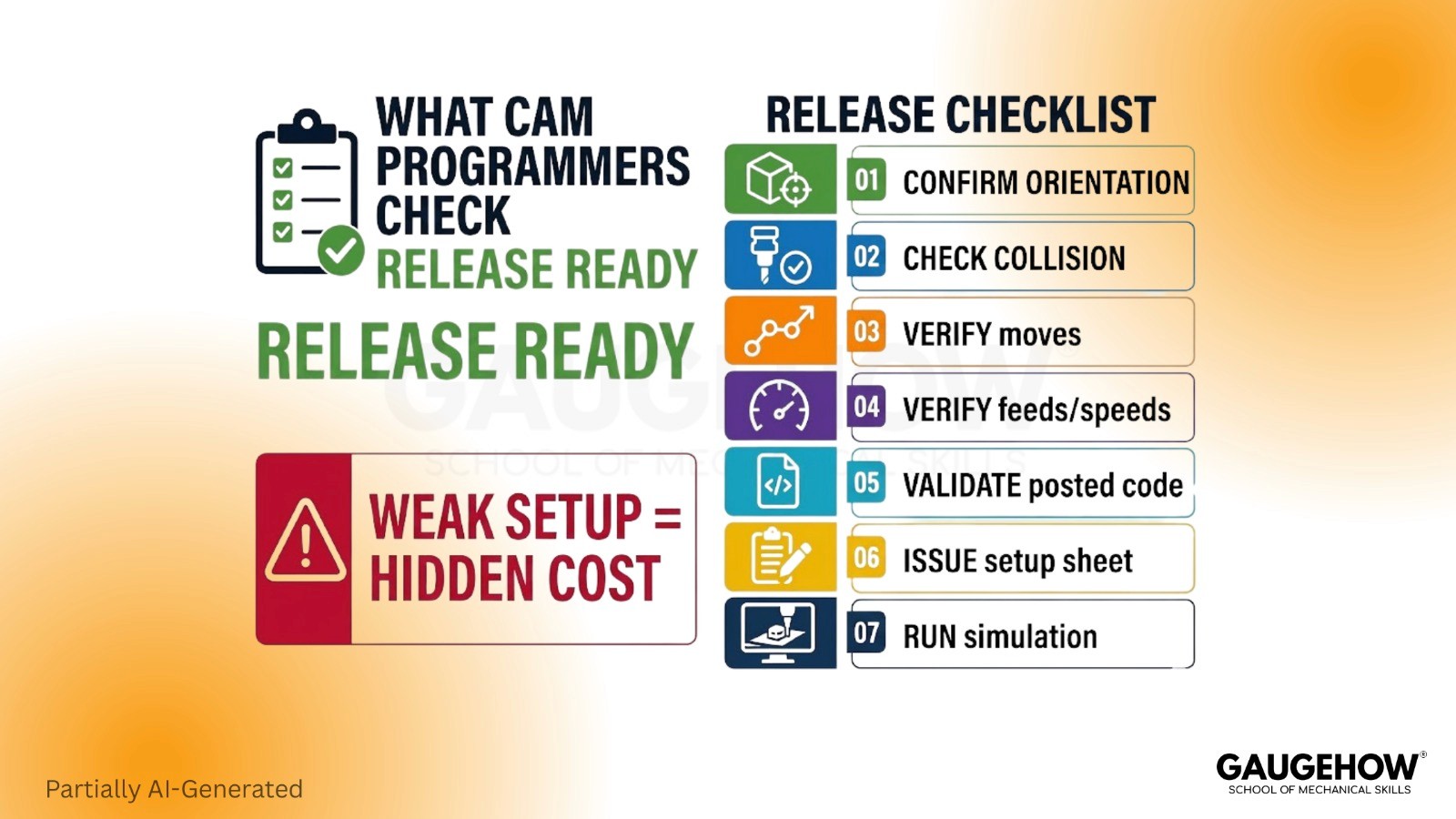
Post behavior decides release confidence. Most comparison pages stop too early. Real value appears during review, approval, and first-article readiness.
Release checks usually look like this:
● Confirm stock, WCS, and setup orientation
● Review the holder reach and collision clearance
● Verify tool entry, linking, and retract moves
● Check feeds, speeds, and stepdown logic
● Validate the posted code against the machine and control
● Release the setup sheet with clear handoff notes
● Run the final simulation before machine approval
The hidden cost appears after weak setup logic. Scrap risk is only one outcome. More common damage shows up as longer prove-out, delayed approval, extra edits, and operator confusion.
A practical example helps here. A revised aluminum housing needs deeper pocketing, new threads, and a cleaner floor finish. Deliverables are not only code. Deliverable includes updated setup, verified toolpath, reviewed post, and handoff notes clean enough for first-article approval.
Skills That Change Output Quality
Hard Skills | Output Capability |
Toolpath planning | Controls cycle time, load balance, and finish quality |
Post awareness | Protects machine-ready output |
Setup logic | Reduces prove-out delay and alignment errors |
Revision handling | Keeps the release current after design changes |
Soft Skills | Output Capability |
Review discipline | Catches weak logic before machine time starts |
Handoff clarity | Helps operators run jobs cleanly |
Change control | Keeps revision history usable |
Approval judgment | Stops weak programs from reaching production |
Benefits Of Fusion 360 And Mastercam
Fusion 360 reduces handoff drag for teams carrying design and manufacturing together. Revision chain stays shorter. Toolpath updates stay closer to model changes. The training path also feels lighter for mixed-role users.
Mastercam expands control for shops where programming depth creates profit. Toolpath behavior stays tighter. Machine-focused strategies feel more mature. Standardized shop output becomes easier to protect once internal methods are established.
Value shifts with workflow maturity. Lean teams usually gain more from connected flow. Production-heavy shops usually gain more from deeper CAM control.
Mastercam Pricing vs Fusion 360
Mastercam pricing vs Fusion 360 looks simple at first glance, yet ownership cost spreads across far more than the license price.
Fusion 360 has clearer public budgeting. Mastercam buying stays more scoped because package level, license path, and support model affect the final cost. Real comparison should include extension cost, posts, training, migration time, approval speed, and machine complexity. Entry price tells only the first layer.
Ownership cost decides more than sticker price. Prototype-heavy teams often prefer pricing clarity and lower entry drag. Production-heavy shops should compare total output cost over twelve months, not the first invoice only.
Shop-Fit Decision Table
Shop Condition | Main Friction | Stronger Software | Why | Proof Check Before Buying |
Product team with frequent design changes | Revision drag | Fusion 360 | Keeps model, setup, and toolpath in one chain | Revise one part twice and compare the update time |
Small shop with mixed CAD and CAM work | Training load | Fusion 360 | Shorter learning path for mixed-role users | Time first complete setup and posted program |
Job shop with repeat contract work | Programming consistency | Mastercam | Stronger CAM-centered workflow | Compare the operation control on repeat parts |
Multiaxis production environment | Toolpath depth | Mastercam | Tighter command over advanced machining | Run one complex surface-finishing test |
Model cleanup | Mastercam | Better aligned to the imported-part machining flow | Import three outside models and compare prep time | |
Internal tooling and fixture team | Fast revisions | Fusion 360 | Shortens design-to-CAM loop | Change fixture geometry and update CAM |
Pricing
When you compare pricing, Fusion gives you a clearer starting point. Autodesk India lists Fusion at ₹34,515 per year, reduced from ₹46,020, and teams that need more advanced machining can add the Fusion Manufacturing Extension for $1,465 per year. Mastercam works differently.
Price depends on package, license choice, and payment terms through a representative. That means Fusion is easier to budget early, while Mastercam usually needs a scoped quote before the total cost becomes clear. (Autodesk)
Fusion 360 vs Mastercam: Which Is Better For Real Shop Work?
Choose Fusion 360 when revision flow drives daily work, design, and manufacturing stay close, and one team handles more than one responsibility. Choose Mastercam when machine-side programming depth decides output, shop standards already exist, and harder toolpath control carries more value.
Do not switch platforms because one demo looked smoother. Do not buy based on sticker price alone when training, posts, and migration time will dominate the first-year cost. Fusion 360 vs Mastercam becomes clear once a real part is revised, programmed, posted, reviewed, and handed off under actual shop conditions.
Frequently Asked Questions
Is Fusion 360 enough for production machining?
For many 2.5-axis and 3-axis jobs, yes. Limits show up sooner in harder multiaxis work, deeper CAM control needs, and shops built around dedicated programming standards.
Does Mastercam replace CAD fully?
Not really. Mastercam supports model preparation well, but its core strength lies in machining strategy and programming output rather than a full product-development workflow.
Which one is easier to learn first?
Fusion 360 usually feels easier early on for mixed CAD-CAM learning. Mastercam asks for a stronger programming focus sooner, then rewards deeper machining control later.
Which platform handles customer-supplied files better?
Mastercam often feels stronger in programming-only environments, receiving outside models. Fusion 360 stays strong when imported geometry still needs connected design revision and CAM updates.
What should be tested before buying either one?
Use one real part. Add one design revision, one setup change, one post check, and one approval review. Trial results will reveal more than any feature list.
Mechanical Engineering Courses That Industry Actually Uses
Learn Tools of Design & CAD, Analysis & Simulation, Automation & Robotics, and Industry 4.0 used in modern factories.
Join 40+ Mech Courses like GD&T, Siemens NX, SolidWorks, CATIA V5, AutoCAD, ANSYS (FEA & Fluent), ABAQUS, Creo, Fusion 360, CNC Programming, Digital Twins, Python for Mechanical, and Industry 4.0.
Our Courses
Complete Course Library
Access to 40+ courses covering various fields like Design, Simulation, Quality, Manufacturing, Robotics, and more.


