Top CAM Software for CNC Machines
Learn More in This Video
Subscribe to GaugeHow for More
The best CAM software turns part geometry into efficient CNC output while matching your machine range, part complexity, revision load, and team capability. Strong software reduces programming friction, improves code quality, and gives you cleaner control over milling, turning, and multi-axis work.
By the end, you will have a sharper shortlist, a cleaner way to compare tools, and a practical route to decide what deserves a demo.
CAM selection usually goes wrong for one reason. Buyers compare brand popularity before they compare workflow depth.
One package looks polished in a sales walkthrough, then slows model updates, setup planning, or post output. Another asks for more budget early, then saves programming hours across every revision cycle.
A better selection process starts with definitions, then moves to machine scope, process depth, simulation quality, and learning demand. CAM software sits between CAD intent and machine execution.
That position gives it direct influence over programming time, code confidence, setup planning, and repeatability across similar jobs.
Market direction also supports a more careful choice. Fortune Business Insights values the global computer-aided manufacturing market at USD 3.76 billion in 2025 and projects it will reach USD 4.10 billion in 2026.
Siemens also states that automated prismatic part programming in NX X Manufacturing Standard can reduce programming time by up to 90 percent. Those numbers change the buying lens. Software is no longer just a tool choice. It is a process decision. (Fortune Business Insights)
What Is CAM Software for CNC?
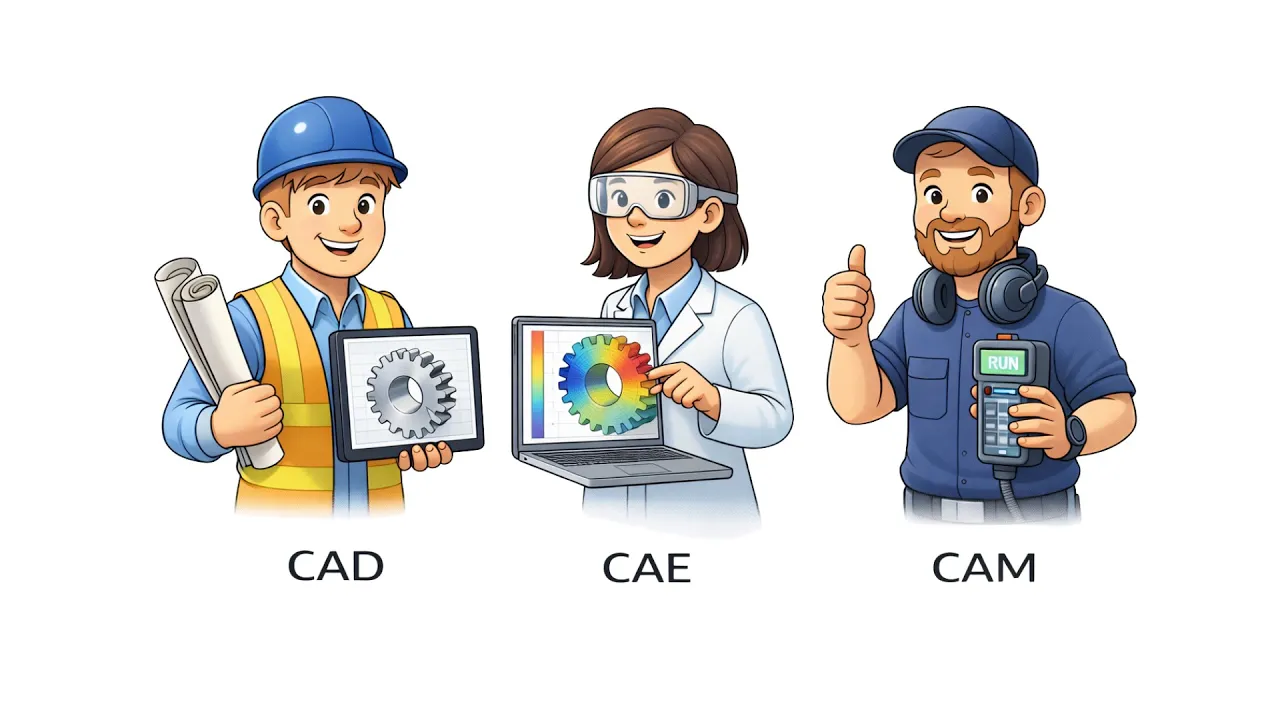
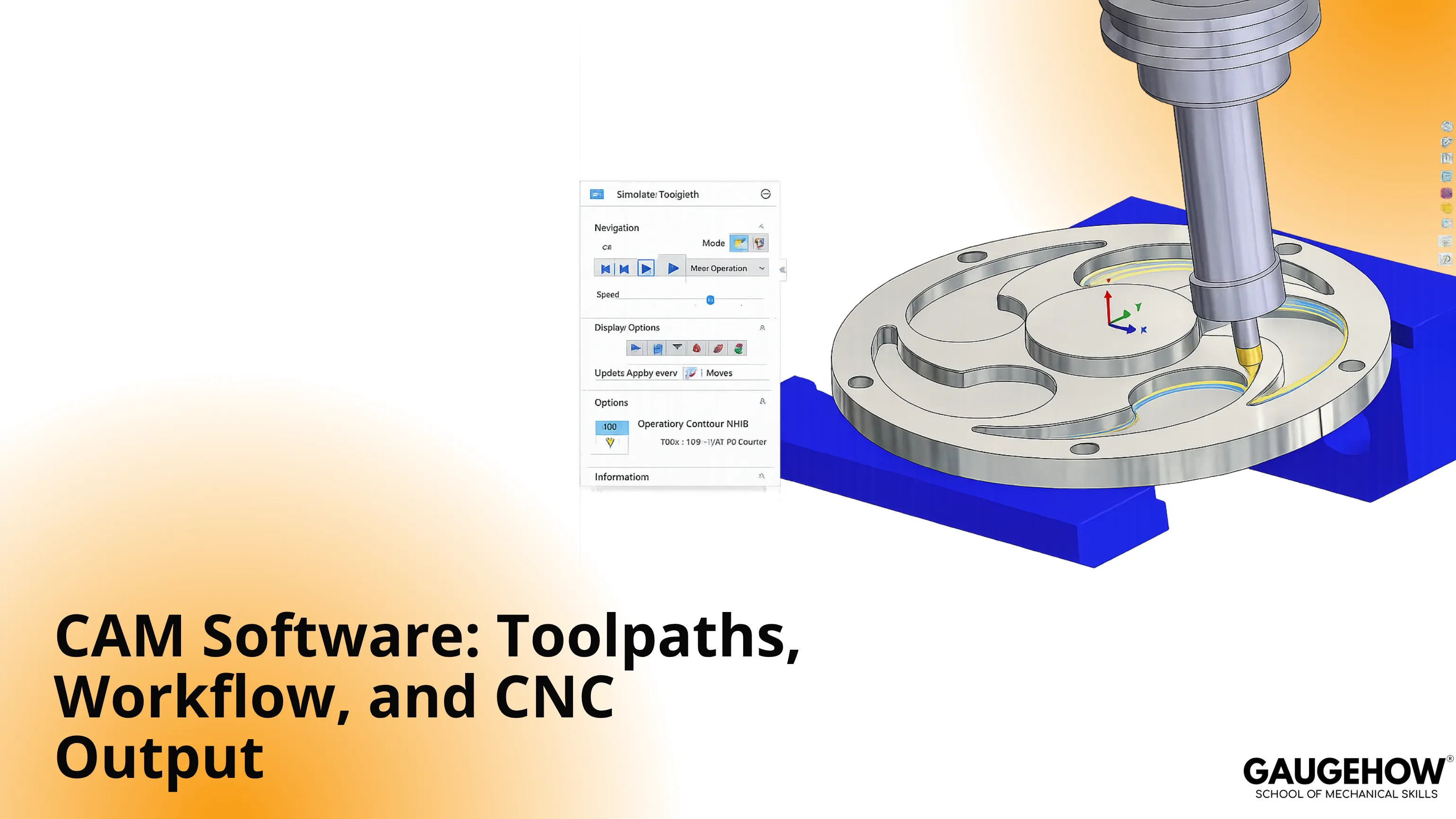
CAM software creates machining paths from geometry and converts them into output that a CNC machine can run. CAD defines the part shape. CAM defines how tools, operations, and cutting motion produce that shape.
That distinction needs to be clear early. Poor software choice rarely comes from missing features in a brochure.
Trouble usually starts when process depth, post quality, machine logic, or revision behavior does not match the work you actually do. A simple 3-axis production job, a mill-turn program, and an impeller all demand different software behavior.
CAD/CAM Software vs Standalone CAM
Integrated CAD/CAM software keeps design and machining in one connected environment.
That route works well when geometry changes often, design teams stay close to manufacturing, and update speed carries more value than maximum programming depth.
Standalone CAM takes a stronger position when incoming models are already stable, and the machining strategy drives the decision.
That pattern appears more often in mixed-machine environments, heavy turning work, complex multi-axis parts, and programming teams that receive finished geometry from another CAD system.
How to Choose the Best CAM Software
Start with five buying checks before comparing vendor claims.
First, confirm machine coverage. Milling, turning, mill-turn, Swiss, and simultaneous five-axis programming should already be clear. Second, judge post quality early because weak output creates hidden cleanup.
Third, look at simulation depth, not just path display. Fourth, test how the system reacts to a geometry change. Fifth, judge training effort with the same seriousness as toolpath quality.
A buyer choosing the best CAM software should also separate present need from future ambition. Many teams overbuy depth they will not use or underbuy capability they will need within a year. Good selection balances current workload, likely growth, and internal learning speed.
Top CAM Software for CNC Machines
Integrated CAD/CAM Systems
Fusion 360
Fusion 360 works best where design and manufacturing need to stay close. Product teams, small manufacturers, and engineering groups with frequent model changes usually get value from that connected structure.
Milling, turning, nesting, and cloud collaboration sit inside one environment, which keeps day-to-day work moving without software switching.
Limits appear when advanced machine logic, very deep automation, or enterprise-scale process control becomes the main priority.
Commercially, it opens the door at a lower level than most premium systems. Shortlisting makes sense when revision speed and broad utility lead the decision.
Siemens NX CAM
NX CAM sits in a different class. It is built for companies handling high-value parts, demanding geometry, and broader process standardization. Aerospace, medical, mold, and advanced industrial work often justify its depth because automation, integrated machining logic, and multi-axis strength are already part of the requirement.
Entry effort is higher, and adoption needs a stronger internal capability. Budget pressure also rises faster here. For complex programs with tight quality demands, it remains one of the clearest premium choices.
SolidCAM

SolidCAM earns attention when the engineering team already lives inside SOLIDWORKS, Solid Edge, or Inventor. That structure keeps machining work close to the model and reduces disruption during revision cycles.
Its Machining reputation, broad CNC coverage, and solid mill-turn depth make it commercially attractive for teams that want integrated programming without stepping into a very heavy enterprise platform. Value drops when your CAD stack is not aligned with it. In those cases, a neutral standalone route can be easier to scale.
CAMWorks

CAMWorks also serves design-linked programming well, especially for teams using SOLIDWORKS and looking for feature-based automation. It offers a practical blend of integrated workflow, machine learning feature recognition, and a reseller-backed ecosystem that many mid-sized firms still value.
It is less distinctive when you compare pure multi-axis ambition against higher-end platforms. Yet for businesses that want a controlled path from design model to machining plan, it remains a serious commercial option.
Standalone Production CAM
Mastercam
Mastercam stays near the center of most serious CAM comparisons because it covers such a wide operational range. Shops with broad machine portfolios, mixed work, and growing programming teams still treat it as a safe commercial baseline.
Milling, turning, wire, router, mill-turn, and five-axis support give it a strong range. Learning demand is not light, and the interface rewards experienced use more than casual adoption. Even so, breadth, ecosystem strength, and hiring familiarity keep it near the top of many shortlists.
GibbsCAM

GibbsCAM brings a different flavor. Programming logic feels cleaner for many users, especially in turning, mill-turn, and multitasking environments where machine structure gets complicated fast.
It is not discussed as loudly as Mastercam or NX, yet it continues to hold value where machine variety and practical programming speed count more than market noise. Buyers should look closely at reseller coverage and local training strength before making a final call.
EDGECAM
EDGECAM positions itself as a production-focused machining platform with broad support for milling, turning, and advanced multi-axis work. Its appeal rises in firms that want dependable process control without forcing every user into a large integrated CAD ecosystem.
The platform does not get the same general attention as some larger names, although machining depth is strong. For companies centered on repeat production and broad machine use, it deserves a harder look than it usually gets.
Advanced Multi-Axis and High-Complexity CAM
HyperMILL
HyperMILL is a strong candidate when complex surfaces, five-axis motion, and process quality are central to the business. Toolmaking, aerospace, medical, and advanced mold work often align well with its capabilities.
Surface finish, strategy depth, and machine behavior are stronger talking points here than simple ease of use. Buyers should be realistic about internal skills because this is not an entry-level platform. It becomes commercially sensible where part value is high,h, and machining difficulty already justifies premium software.
ESPRIT EDGE

ESPRIT EDGE stands out in high-complexity turning, multitasking, and Swiss-type work. That profile makes it especially relevant for users who need machine-aware control across combined operations rather than just strong milling cycles.
General three-axis buyers often ignore it, but that is not its natural home. Once the work moves into advanced mill-turn, Swiss, or machine-optimized process control, its value becomes much clearer.
Easier-Entry and Cost-Conscious Option
BobCAD-CAM
BobCAD-CAM continues to attract smaller firms that want usable CAM capability without stepping into premium pricing too early. Milling, turning, and multi-axis modules cover a respectable range, and the package remains approachable for teams building internal capability.
Buyers should not expect the same depth as the most advanced platforms in complex automation-heavy work. For cost-aware businesses that need solid functionality and a quicker start, it can still be a practical commercial move.
CNC CAM Software: Where Standalone Tools Win
Standalone CNC CAM software usually wins when machining depth carries more weight than CAD convenience.
That is common in production environments receiving finished models from customers, design departments, or external engineering teams. In those cases, process range, post control, and machine-specific behavior decide productivity more than built-in modeling tools.
CAM Programming Software for Complex Parts
Strong CAM programming software earns its value when setups become fewer, surfaces become harder, and machine behavior becomes less forgiving. Once parts move into simultaneous five-axis work, multitasking turning, or Swiss logic, software depth shifts from convenience to necessity.
Best Integrated CAD/CAM Software
The phrase best integrated CAD/CAM software only makes sense when revision speed, shared model context, and engineering continuity are part of the buying criteria.
Fusion 360, SolidCAM, CAMWorks, and NX CAM all serve that space, although each does so at a different technical and commercial level.
CAM Software for Mill-Turn Machines
Choosing CAM software for mill-turn machines requires more discipline than broad milling selection.
Channel synchronization, tool sequencing, spindle behavior, and combined operations should be reviewed in live examples. Mastercam, GibbsCAM, ESPRIT EDGE, SolidCAM, and EDGECAM all deserve attention here.
CAM Software for 5-Axis Machining
Good CAM software for 5-axis machining needs more than cycle availability on a feature list. Control over tool orientation, collision handling, surface strategy, and machine behavior determines whether programming stays efficient.
NX CAM, hyperMILL, Mastercam, SolidCAM, and EDGECAM all enter that conversation for serious reasons.
CAM Software Comparison Table
Check | Fusion 360 | Mastercam | NX CAM | SolidCAM |
Commercial position | Accessible entry to mid-tier | Premium mainstream | Premium enterprise | Mid to premium |
Core strength | Connected design plus machining flow | Broad process range | Complex part depth and automation | CAD-linked programming speed |
Best workload | Revision-heavy mixed work | Wide production mix | High-value advanced parts | SOLIDWORKS-led engineering flow |
Ramp-up demand | Moderate | Medium to high | High | Moderate |
Main caution | Less depth at the top end | Training effort rises fast | Cost and adoption load | CAD ecosystem dependency |
What Breaks After the Demo
Feature lists rarely expose the real failure points. Those appear after implementation.
Post-processor weakness is usually first. Code may run, yet the output quality may still need too much cleanup. Simulation depth is another blind spot because the path display often looks convincing until machine behavior gets more demanding. Revision handling can also become painful when geometry changes repeatedly, and the system forces too much rebuilding.
Training transfer creates another commercial problem. One strong programmer learns the platform well, but the rest of the team never catches up.
Set up sheet quality, reseller dependency, and slow support response,e then compound the problem. Demo success does not guarantee production comfort. Only workflow testing does.
Which CAM Software Fits Your Work?
● Choose Fusion 360 when a connected environment will remove friction across design and manufacturing.
● Choose Mastercam when the machine variety is wide, and you want a strong market standard.
● Choose NX CAM or hyperMILL when complex geometry and process ambition already justify premium depth.
● Choose SolidCAM or CAMWorks when SOLIDWORKS-led engineering drives daily work.
● Choose GibbsCAM, ESPRIT EDGE, or EDGECAM when turning, multitasking, or machine-focused programming carries more weight than general brand visibility.
FAQs
What is CAM software in CNC machining?
CAM software converts part geometry into machining paths and machine-ready code. It controls the operation sequence, tool motion, and cutting logic. In practical terms, it connects design intent with the CNC process that produces the final part.
What is the difference between CAM software and CAD/CAM software?
CAM software focuses on machining strategy and code output. CAD/CAM software combines design and manufacturing in one environment. Integrated systems usually improve update speed, while standalone systems often give deeper control for complex manufacturing programs.
Which CAM software is best for 3-axis CNC?
Fusion 360, Mastercam, CAMWorks, SolidCAM, BobCAD-CAM, and EDGECAM are all valid options for 3-axis work. Final choice should follow revision frequency, post quality, training demand, and whether integrated design-to-machining flow adds real value.
Which CAM software is best for 5-axis machining?
NX CAM and hyperMILL usually lead deeper five-axis discussions. Mastercam, SolidCAM, and EDGECAM also deserve review for serious work. Selection should follow surface complexity, machine type, collision control, and internal programming maturity.
How important are post-processors in CAM software?
Post-processors sit close to the center of software value. Weak output creates manual edits, unstable programs, and slower release cycles. Strong posts improve code trust, reduce cleanup, and support smoother results across repeat and difficult jobs.
Conclusion
Build your shortlist with discipline. Match software to machine range, process depth, post quality, simulation quality, revision behavior, and learning load. Then run one realistic trial on your own part before any commercial discussion gets serious.
If you want structured learning before you buy, switch, or scale, GaugeHow can help you build practical skill in Fusion 360, Siemens NX, and CNC programming so your software decision is driven by engineering judgment, not sales pressure.
Mechanical Engineering Courses That Industry Actually Uses
Learn Tools of Design & CAD, Analysis & Simulation, Automation & Robotics, and Industry 4.0 used in modern factories.
Join 40+ Mech Courses like GD&T, Siemens NX, SolidWorks, CATIA V5, AutoCAD, ANSYS (FEA & Fluent), ABAQUS, Creo, Fusion 360, CNC Programming, Digital Twins, Python for Mechanical, and Industry 4.0.
Our Courses
Complete Course Library
Access to 40+ courses covering various fields like Design, Simulation, Quality, Manufacturing, Robotics, and more.


