CAD Mistakes to Avoid: Practical Engineer Guide

Reliable CAD work looks boring in the best way. CAD mistakes to avoid become obvious when every model and drawing is treated like a handoff deliverable, not a screen image. Choose a stable template, build with clear intent, then verify with one cold-open test: reopen the file, change one key dimension, rebuild, export, and reopen the export.
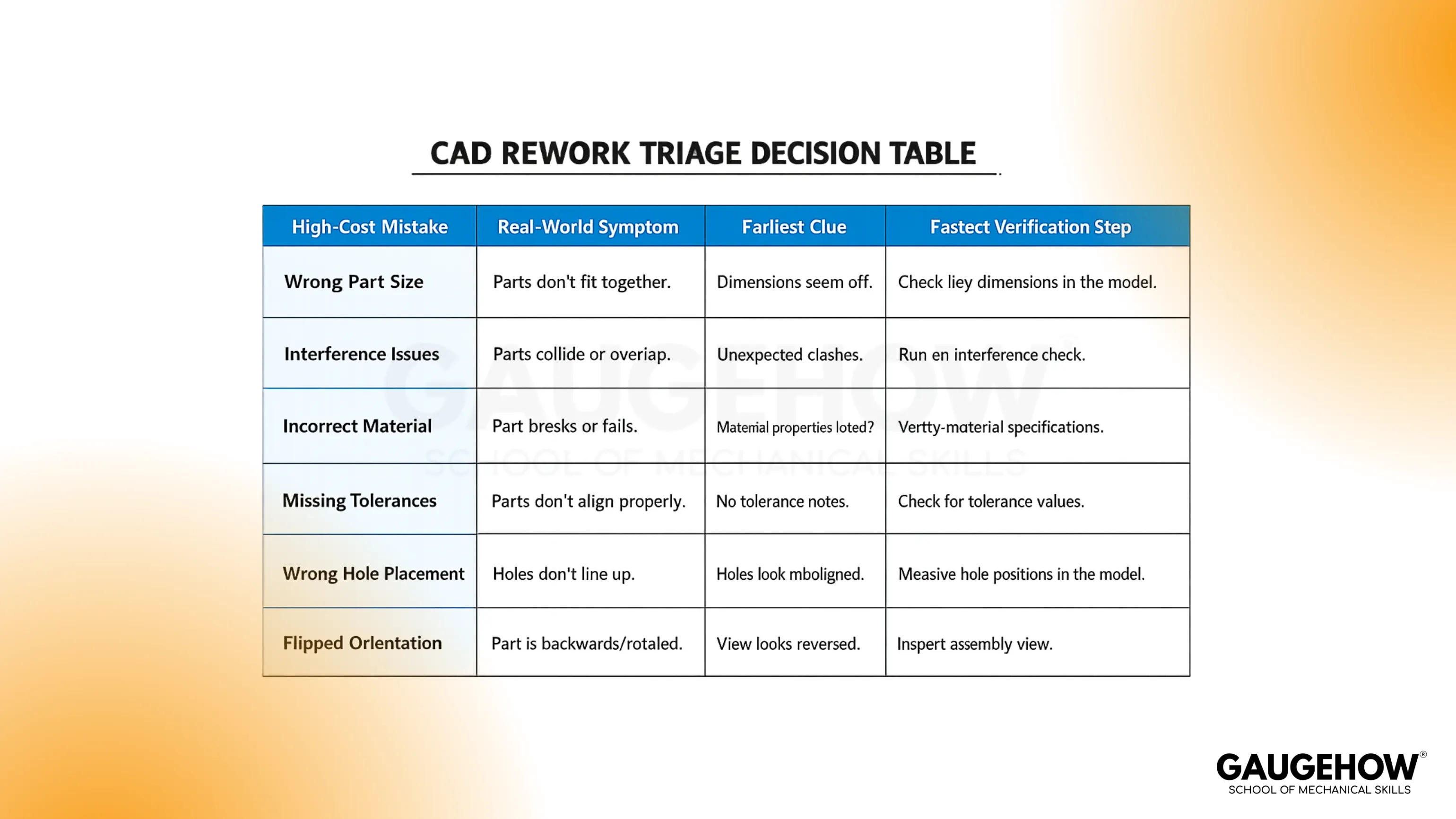
Calm confidence comes from a repeatable routine. Late surprises usually happen during revision, plotting, or export, because hidden assumptions finally get tested. Simple checks prevent that cycle, and the numbered chapters below make the common failure modes easy to scan.
Decision Table
Fast triage helps when time is short. Scan the symptom, run one verification step, then continue with the chapter that matches what’s breaking.
Mistake | What breaks | Early clue | Verification step |
Units set late | Wrong scale in plots/exports | Dimensions “feel off..” | Confirm units, then print a 1:1 check dimension |
Under-defined sketches | Edits distort geometry | Lines still “flo..at.” | Drag sketch geometry, confirm full definition. |
Fragile references | Features fail on edits | Warnings on rebuild | Suppress/unsuppress, then change a driving dimension |
Fillets too early | Rebuild errors | Fillets fail first | Roll back timeline, move fillets near the end |
Pattern without anchor | Arrays shift or flip | Pattern instances misalign | Rebuild after shifting the original plane or datum |
Assembly constraints weak | Motion feels random | Mates fight each other | Drive one mate, watch for solver conflicts |
Poor layer/plot control | Unreadable drawings | Lineweights inconsistent | Plot to PDF and review at 100% zoom |
Weak dimension scheme | Shop confusion | “Which dimension controls fit?” | Redimension from datums, remove duplicates |
Export not verified | The downstream tool fails | Import looks wrong | Reopen export in a viewer, check scale and edges |
No version discipline | Rework loops | “Which file is the latest?” | Compare revision notes, lock released files |
Top CAD design mistakes
Costly rework rarely comes from one dramatic error. Quiet drift causes most problems: edits that should be easy become stressful, drawings plot differently from last week, exports open with surprises, and revisions break features that seemed stable. CAD design mistakes are easiest to prevent by pairing each failure mode with a single verification step.
1. Units set late
Stable units should be decided before geometry starts. Scale trouble often stays hidden until a plot, import, or measurement check happens downstream. Solid practice means confirming units in the template, then verifying one known dimension at 1:1 in a PDF. Clean units remove a surprising amount of downstream noise.
2. Sketch intent left loose
Loose sketches behave politely until an edit arrives, then geometry drifts and features follow. Strong intent comes from fully defining profiles with constraints and meaningful dimensions, not “close enough” placements. A quick test helps: move geometry in sketch mode and confirm nothing slides unexpectedly. Predictable sketches make every later feature calmer.
3. Features tied to unstable edges
Fragile models often depend on edges or faces that change when earlier dimensions change. Robust models prefer sketches, datum planes, and stable references that survive edits. A practical check is simple: change one driving dimension and rebuild while watching which features fail first. Early cleanup here prevents rebuild roulette later.
4. Fillets added too early
Early fillets can look finished, yet they create extra faces that confuse later references and cause rebuild failures. Reliable order keeps core geometry first, then rounds and cosmetics near the end. A quick fix is often moving fillets later in the feature order, then rebuilding after a dimension change. Late fillets are easier to manage and easier to revise.
5. Patterns without anchors
Patterns behave well when their anchor is explicit and stable. Shaky patterns often rely on geometry that shifts or flips when an upstream feature changes. Better practice anchors patterns to datums, origin references, or clear construction geometry. A quick verification step is rebuilding after a small upstream change and checking alignment.
6. Assemblies constrained by feel
Assemblies become frustrating when mates constrain the same motion twice or leave the motion under-defined. Strong assembly health comes from defining functional degrees of freedom on purpose: what moves, what stays fixed, what slides. A simple check is driving one constraint and watching whether another mate fights it. Quiet assemblies rebuild cleanly and behave consistently.
7. Layers and lineweights left random
Unreadable drawings cause expensive back-and-forth, even when the model is perfect. Strong drafting discipline uses a small set of meaningful layers, consistent lineweights, and legible annotation styles. Plotting to PDF early exposes problems quickly, especially when reviewed at 100% zoom. Clear sheets reduce shop confusion more than extra notes do.
8. Dimensions that don’t control function
Dimensions should explain how the part works, not just describe its shape. Functional schemes start from datums, control fit features clearly, and avoid duplicates that fight each other. A practical test asks one question: which dimension controls clearance, which controls position, which controls thickness. Strong dimension logic prevents ambiguous builds.
9. Exports not reopened
Export success cannot be assumed just because a file exists. A healthy workflow includes exporting once, reopening the export, and confirming scale plus geometry before sharing. A short check avoids late pain in CAM, printing, or collaboration. Verified exports build trust across teams because surprises disappear early.
10. Versions not controlled
Confusion grows fast when “final” exists in three folders. Stable version discipline uses simple naming, dated releases, and locked outputs after release. Practical control also includes a short revision note inside the drawing or a companion text file. Clear versions reduce rework because the right file stays obvious.
Failure-mode triage
Time pressure makes problems feel bigger than they are. One short routine catches most issues without slowing work down. Practical teams run these checks before sending anything out, and the same approach applies when chasing CAD mistakes to avoid during learning.
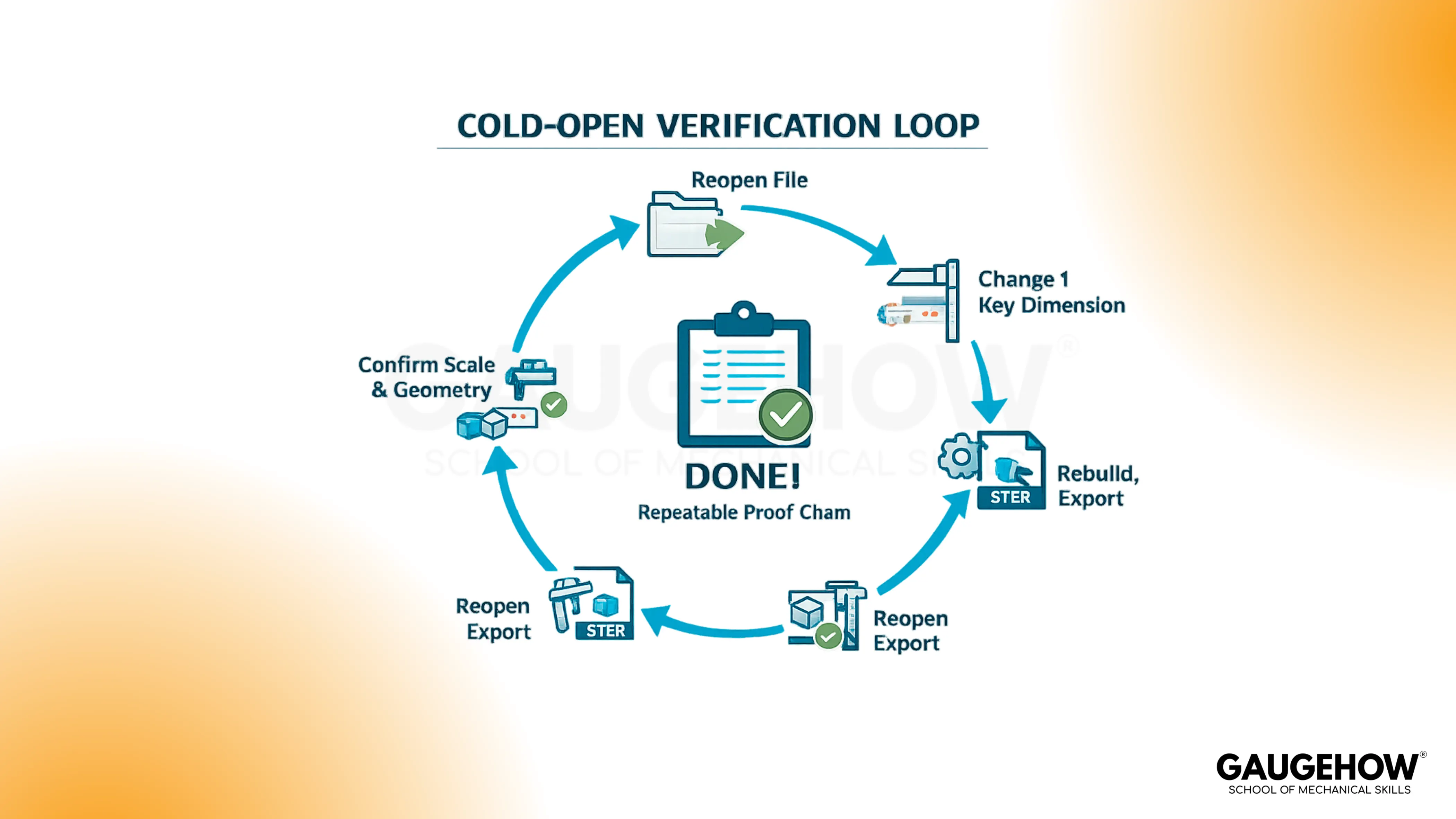
First, reopen the file and rebuild after changing one key driving dimension. Second, plot to PDF and review at full scale with a quick dimensional sanity check. Third, export the handoff format and reopen it, confirming geometry and scale in a neutral viewer or the next tool in the chain.
Beginner CAD errors that survive review
Early habits decide whether learning feels smooth or frustrating. Beginner CAD errors often pass unnoticed because the design looks correct on screen, yet the file is fragile under edits or inconsistent across machines. Consistent templates, intentional constraints, and simple export verification remove that fragility quickly.
Practical first-week habits stay small and repeatable: start every file from a trusted template, name key features clearly, and save a new revision before major edits. Reliable work also comes from one clean “edit loop” every session: change a dimension, rebuild, export, reopen. Smooth progress follows when that loop becomes routine.
Release gate evidence pack
Released work should be easy to defend. A short evidence pack prevents debate, reduces back-and-forth, and makes handoff feel professional without adding bureaucracy.
Plot PDF reviewed at 100% zoom with one scale sanity check
Export file reopened and checked for scale and missing geometry
Native file rebuild confirmed after one key dimension change
Simple revision note recorded (what changed and why)
Completion means the file survives a cold open, a rebuild, and a handoff export. That standard stays practical for beginners and still holds up in real project work.
Conclusion
Most CAD mistakes are not dramatic. They are small shortcuts that turn into drift after three revisions. Lock your datum scheme early, constrain sketches like you will edit them later, and stop trusting a model until it survives one change and a clean rebuild. Then export the file you will send and open it again, because that is what your supplier and inspector will see. Train this workflow end-to-end inside our online CAD course.
FAQs
1. Why does my model break after a small dimension change?
Predictable models depend on stable references. Constrain sketches fully, anchor features to sketches or datums, then run a rebuild after one key edit. Fix the first failing feature, not the last one.
2. Why does my export open at the wrong size?
Scale errors usually come from unit mismatches. Confirm document units, set export units deliberately, then reopen the export and measure one known dimension. Treat “export + reopen + measure” as part of done.
3. Why do my drawings plot each time differently?
Plot inconsistency comes from template drift and unmanaged styles. Lock a single template, standardize layers and lineweights, then plot to PDF and review at 100% zoom. Stable templates beat repeated fixing.
4. Why are my sketches still moving even after dimensions?
Dimensions alone don’t control intent. Add constraints until the sketch is fully defined, then drag-test geometry to confirm nothing floats. Fully constrained sketches make edits calm and keep features predictable.
5. How do I stop rework when sending files to someone else?
Build a simple release gate: rebuild after one edit, plot a PDF, export STEP, then reopen the export to confirm scale and geometry. Those three checks prevent most handoff surprises.
CAD-CAM-CAE Work Platform
Find or Post CAD, CAM and CAE freelance projects, full-time jobs and Internships.
GaugeHow is the platform built for core engineering work. Whether you need a freelancer for a CAD project, a full-time hire, or an engineering intern,post it here and get matched with the right person.























