10 Essential CAD Modeling Tips and Best Practices (2026)
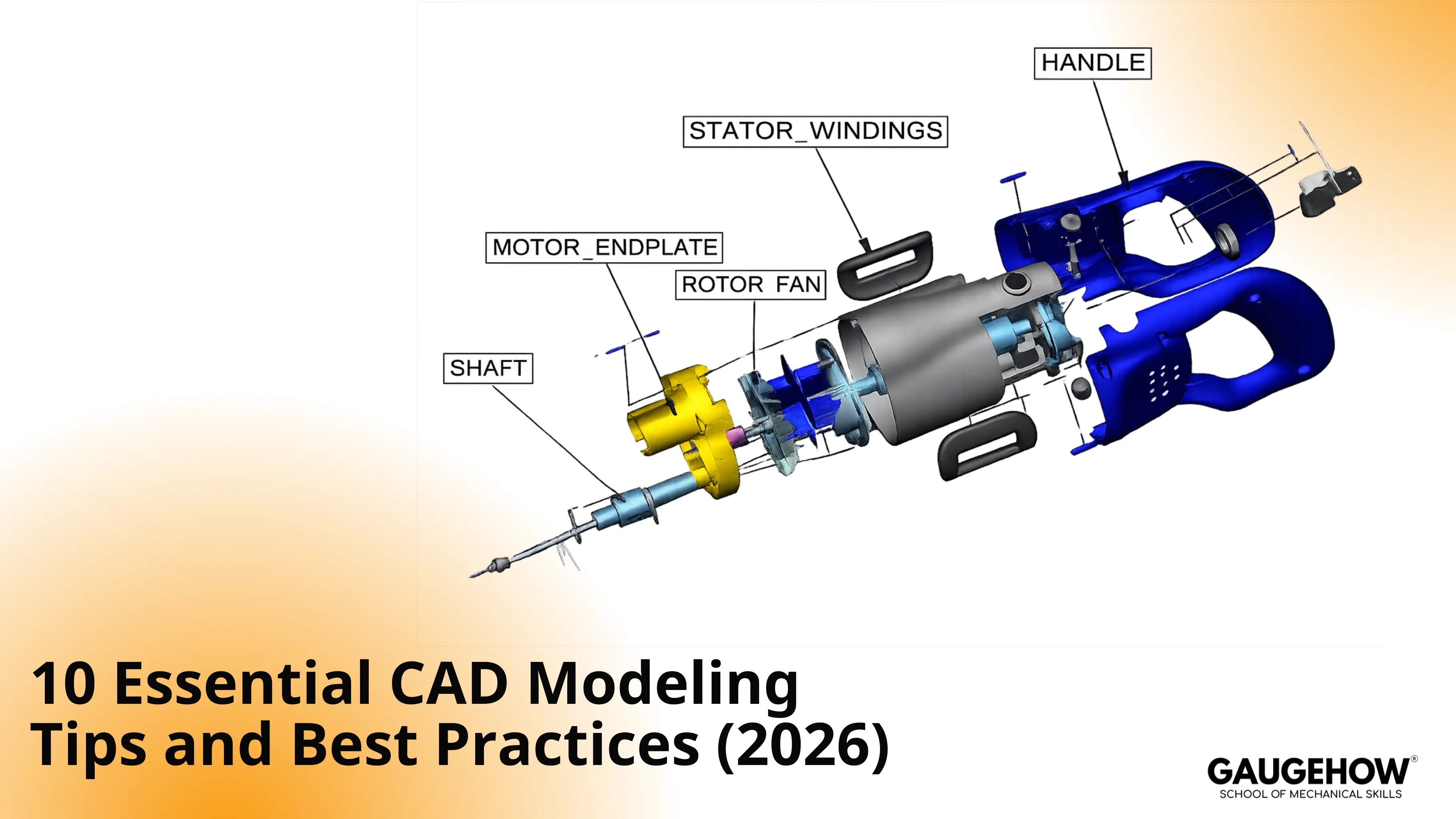
CAD modeling tips are repeatable habits that keep edits stable, rebuilds clean, and handoffs clear. A strong model changes the way you expect, keeps key faces steady, and stays readable after revisions. Focus on intent, drivers, constraints, feature order, reference choices, assembly interfaces, and revision discipline.
Top 10 CAD Modeling Tips
Design Intent In CAD
Driver Dimensions
Fully Defined Sketches
Parameters And Equations
Feature Tree Best Practices
Feature Order CAD Best Practices
Reference Hierarchy
External References
CAD Design Tips: Assembly Interfaces
CAD File Naming Conventions
Robust Model Edit Tests
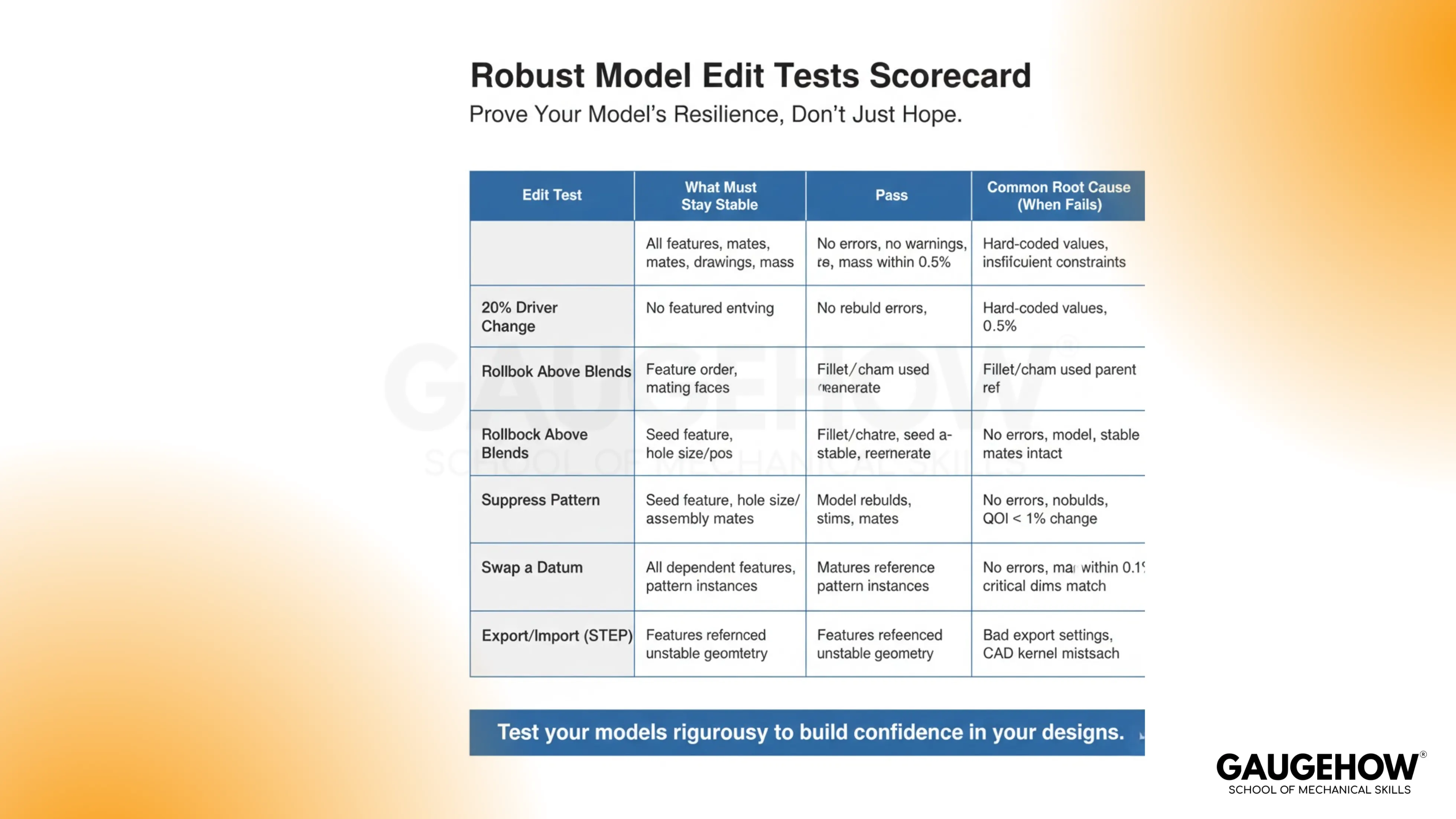
Field note from real projects: rebuild failures rarely start at the failure feature. The first crack usually sits in a sketch anchor, a reference picked for convenience, or a finish face acting as a parent.
1) Design Intent In CAD
Planned change behavior matters more than geometry style. Design intent in CAD means deciding what must stay put, what can change, and what stays symmetric. Set that intent before details grow, then revisions stay calm. Tie critical faces and patterns back to those early decisions, not late edges.
Quick check: run the 20% driver change test.
Avoid: letting a late edge become the parent reference.
2) Driver Dimensions
A model needs a small set of drivers. Pick two to five dimensions that control size and layout, then make everything else follow. Keep drivers easy to find in the tree and easy to edit without hunting. When drivers compete, edits push geometry sideways.
Quick check: change one driver and watch only one region move.
Avoid: sprinkling “one-off” dimensions across multiple features.
3) Fully Defined Sketches
Stable sketches keep downstream features predictable. Fully defined sketches work best when constraints follow a clean order: anchor first, symmetry next, then size. That sequence locks location and intent before details. Skip Fix/Ground as a crutch on parent sketches, because it hides the real relation.
Quick check: drag-test the sketch and see zero drift.
Avoid: leaving a parent sketch free to rotate or slide.
4) Parameters And Equations
A few named parameters make revisions faster and cleaner. Store values like wall thickness, pitch, and clearance once, then reuse them across features. One equation can replace a web of repeated dimensions and reduce mismatch during edits. Keep the parameter set small and tied to intent.
Quick check: change one parameter and confirm consistent updates.
Avoid: copying the same dimension into multiple sketches.
5) Feature Tree Best Practices
Tree structure drives edit speed. Feature tree best practices means grouping features by purpose: base shape, functional cuts and bosses, repeats, then finishing work. Clean up old helper features once they stop adding value. Patch features deserve special attention because they often hide the true driver.
Quick check: suppress one functional block and see a clean rebuild.
Avoid: leaving obsolete features as hidden parents.
6) Feature Order CAD Best Practices
Reliable edits come from a predictable order. CAD best practices for feature order keeps finish work late, because blends tend to change with revisions. Build the function first, then add fillets and chamfers once the shape is stable. That keeps rollback and rebuild work short.
Quick check: run the rollback above blends test.
Avoid: referencing blend faces inside sketches.
7) Reference Hierarchy
Reference choice decides what survives change. Prefer origin planes, primary datums, and stable functional faces. Treat edges, patterned faces, and blend faces as high-risk parents. A simple hierarchy makes day-to-day decisions consistent.
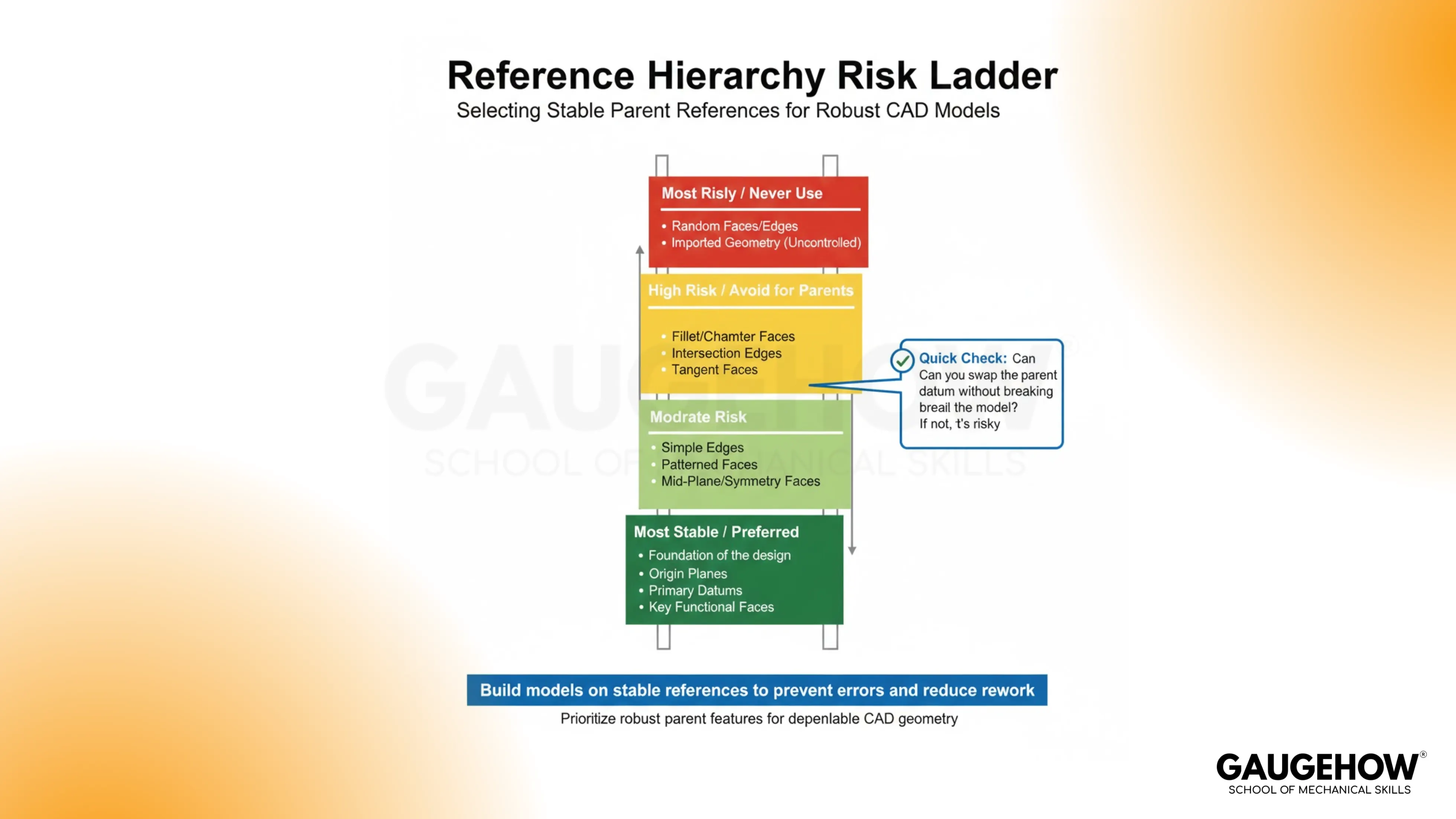
Stable: origin planes → primary datums → key functional faces
Risky: edges → patterned faces → fillet / chamfer faces
Quick check: run the swap a datum test.
Avoid: building a key feature from a small face.
8) External References
External links help during layout, but they break silently later. Allow them when the relationship must stay live and the parent geometry is stable. Break them when the part must stand alone, or when the reference comes from changing faces. Audit before release by listing external links and rebuilding with the parent suppressed.
Quick check: run the suppress pattern test on in-context features.
Avoid: shipping a part with unknown external links.
9) CAD Design Tips: Assembly Interfaces
Interfaces deserve a clear contract. CAD design tips that hold up start by defining planes, axes, and hole patterns that must not move. Then decide what can change, like ribs, pockets, and cosmetic blends. A quick example: mating holes drift after a spacing change when the pattern was built from a convenient edge. Build the pattern from a stable datum instead, then mates survive updates.
Quick check: mate using planes and axes, then run 20% change.
Avoid: matingwitho random faces that change with features.
10) CAD File Naming Conventions
Revision clarity prevents wrong builds and wrong exports. CAD file naming conventions should show identity, revision, and status without opening the file. Use a consistent pattern such as PartName_REV-B_WIP and PartName_REV-B_RELEASED. Match export names to the same revision and status. Keep one line in your process: CAD modeling tips don’t help if the wrong file ships.
Quick check: run export/import and confirm key faces.
Avoid: exporting STEP files with no revision in the name.
FAQ
What makes a model “easy to edit”?
Edits stay local, rebuilds finish cleanly, and key faces stay steady. Driver dimensions control changes, while references stay stable.
When should blends be added?
After functional geometry is stable. Late blends reduce rollback failures and keep the parent-child structure simpler.
What causes rebuild failures after small edits?
Sketch anchors that drift, edges used as parents, and finish faces acting as references. Hidden external links also trigger silent breaks.
How can external links be checked quickly?
List the links, suppress the parent context, then rebuild. Any failure points to a link that needs control or removal.
What should be verified before sending a model out?
Driver change behavior, rollback behavior above blends, pattern suppression behavior, and export/import stability of key faces.
CAD-CAM-CAE Work Platform
Find or Post CAD, CAM and CAE freelance projects, full-time jobs and Internships.
GaugeHow is the platform built for core engineering work. Whether you need a freelancer for a CAD project, a full-time hire, or an engineering intern,post it here and get matched with the right person.























