CAD vs Manual Drafting: 7 Reasons to Ditch Paper Now
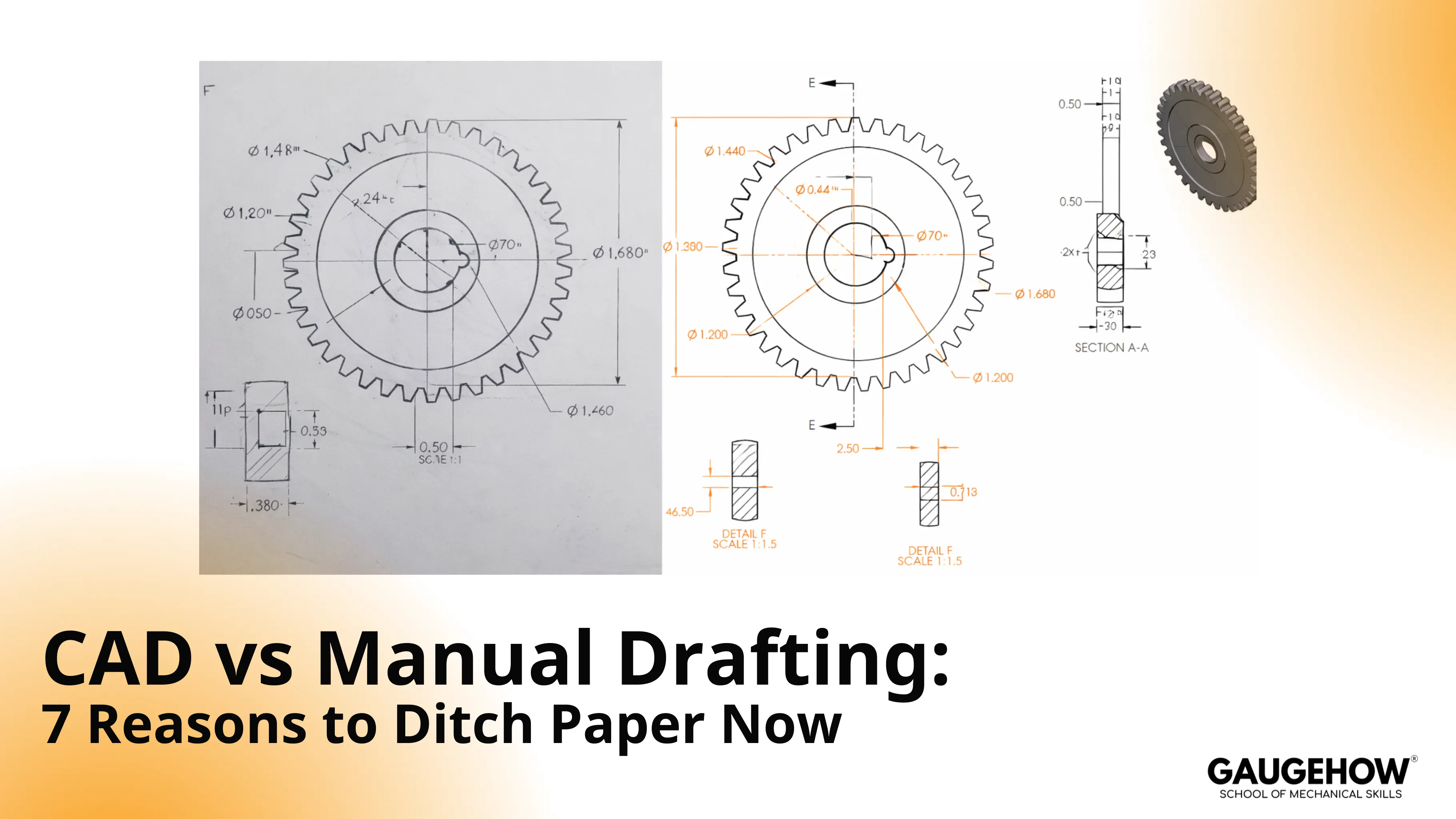
In CAD vs manual drafting, the real difference is whether your drawing survives change. Paper handles a clean first pass, then loses control when revisions, redlines, and supplier questions start piling up. CAD keeps geometry, dimensions, and release files aligned, so builds stay consistent. Hand sketching still helps early thinking, but paper drafting rarely survives production.
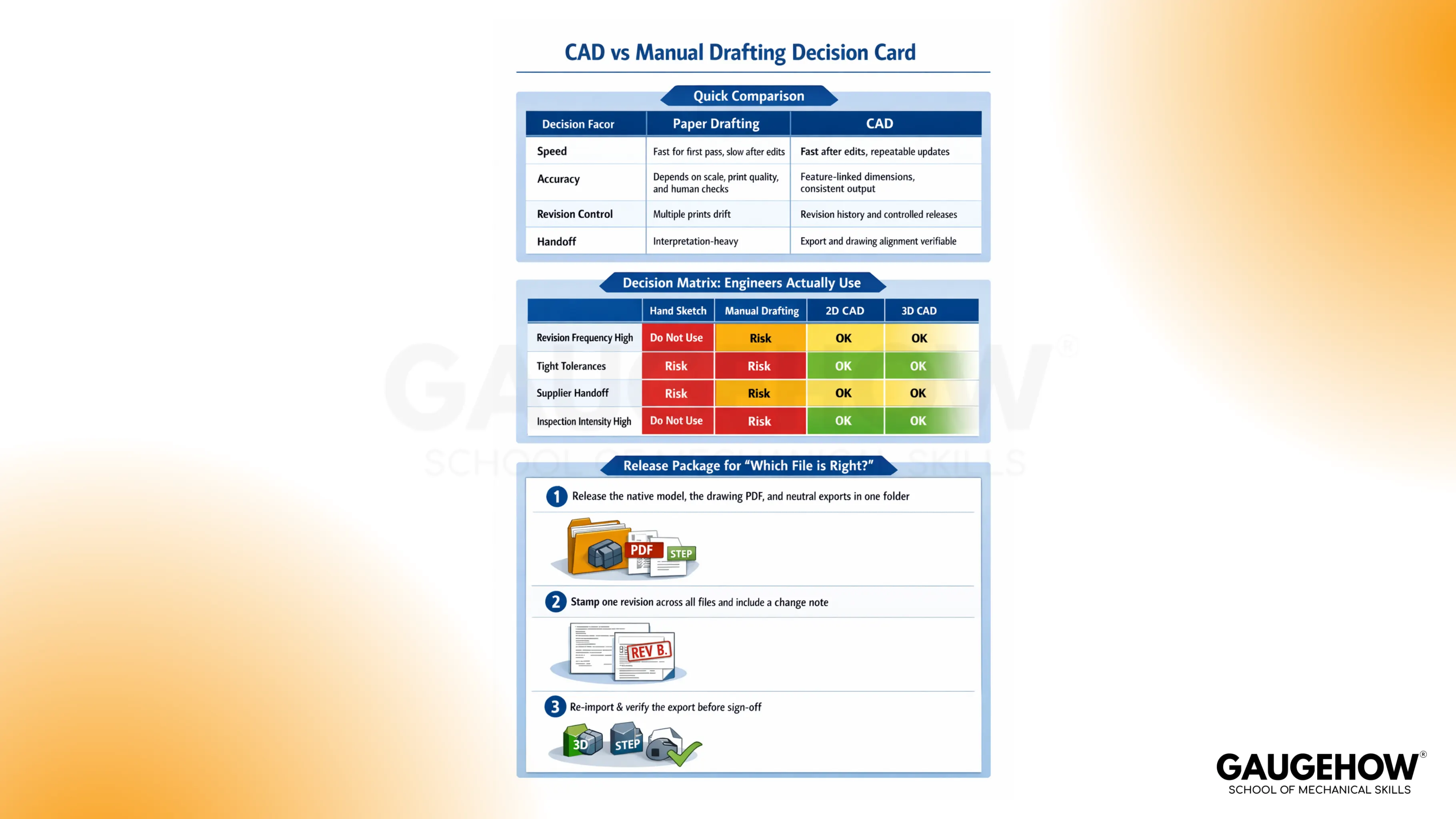
Quick Comparision
Decision Factor | Paper Drafting | CAD |
Speed | Fast for first pass, slow after edits | Fast after edits, repeatable updates |
Accuracy | Depends on scale, print quality, and human checks | Feature-linked dimensions, consistent output |
Revision Control | Multiple prints drift | Revision history and controlled releases |
Handoff | Interpretation-heavy | Export and drawing alignment are verifiable |
This table can be explained thoroughly while addressing the 7 reasons below.
CAD vs Manual Drafting
Paper drafting feels stable until the first engineering change request arrives. After that, every correction creates new risk: a view that does not match, a note that is retyped, and a print that never gets replaced on the shop floor.
CAD reduces that drift because geometry and dimensions stay tied together. Updates still need engineering judgment, but the work shifts toward verification instead of redraw.
A useful boundary keeps teams sane. Sketches can stay on paper, while anything that drives manufacturing, inspection, or supplier quoting should live in CAD vs manual drafting discipline with a controlled release habit.
7 Reasons Teams Ditch Paper Drafting
Accuracy And Precision
Tiny offsets hide inside thick lines, noisy scans, and inconsistent scale. Once a drawing gets copied a few times, line weight becomes a design decision by accident.
CAD holds geometry on coordinates, not on pencil pressure. Dimensions stay associated with features, so the print keeps meaning after a revision.
One check prevents surprises. Pick a hole axis and a mating face, then verify both after every change that touches the fit.
Edit Speed After A Change Request
A small paper edit rarely stays small. Thickness changes trigger redraw, then view cleanup, then dimension relocation, then a full recheck you did not plan.
CAD edits propagate through linked views. Time goes into verifying interfaces, not rebuilding the sheet from scratch.
Keep the verification targeted. Recheck only the interfaces that define function and inspection.
Scale, Line Weights, And Readability
Paper drawings lose signal underlow-quality printing. Hidden lines start reading like edges, arrows merge, and leaders turn ambiguous in scans.
CAD plotting stays consistent because line weights, layers, and annotation styles can be standardized and repeated.
A quick test catches most issues. Print a page at the supplier’s common size and review legibility before release.
Templates, Standard Notes, And Symbols
Manual drafting repeats the same title block and symbols by hand. Small inconsistencies creep in, and interpretation starts depending on who drew the page.
CAD templates lock those details. Title blocks, notes, symbols, and general tolerances stay consistent across projects and engineers.
Consistency reduces questions, and fewer questions reduce change churn.
Revision Control And Traceability
Paper fails at “which one is latest.” Multiple prints exist, markups live in photos, and teams build from whatever file arrived first.
CAD supports controlled release sets. Revision history stays visible, differences can be compared, and old versions can be retired without guessing.
A simple rule holds the line. Revision stamp, file name, and export set must match.
Review And Collaboration
Paper reviews depend on handwriting and interpretation. Comments like “move hole” land without a datum reference, direction, or measurable definition.
CAD reviews force clarity because features and dimensions can be referenced and tracked.
Make feedback measurable. Tie every comment to a datum, a feature ID, or a callout.
Manufacturing And Inspection Handoff
Paper handoff turns work into translation. Manufacturing recreates geometry, inspection debates references, and suppliers fill gaps with assumptions.
CAD improves downstream continuity when exports, drawings, and revisions stay aligned.
A repeatable control prevents the classic argument. Rebuild, regenerate drawings, export, re-import, then verify critical interfaces.
Decision Matrix Engineers Actually Use
A simple matrix prevents the wrong tool from entering the wrong phase. Most teams do not fail because they picked paper or CAD. Failure shows up because the method did not match the revision load and inspection intensity.
Work Reality | Hand Sketch | Manual Drafting | 2D CAD | 3D CAD |
Revision Frequency High | Risk | Do Not Use | OK | OK |
Tight Tolerances | Risk | Risk | OK | OK |
Supplier Handoff | Risk | Risk | OK | OK |
Inspection Intensity High | Risk | Do Not Use | OK | OK |
Early ideation can stay fast and loose. Once tolerances, supplier quoting, or inspection plans enter the picture, the matrix pushes you toward CAD.
CAD vs Drawing And Why Drift Happens
A drawing is the contract, while CAD is the system that controls the contract’s geometry and changes. Confusion starts when teams treat the drawing as the master and forget what generated it. That is where CAD vs drawing problems show up, especially under time pressure.
Where Drift Starts
Model changes land late, then someone exports before a rebuild. Another person prints an older PDF. A supplier measures from a face that changed identity after translation. Two versions exist, and both look plausible.
Release Package That Prevents “Which File Is Right”
A short release block removes most ambiguity.
Release the native model, the drawing PDF, and the required neutral exports in one folder.
Stamp one revision across all files and include a one-paragraph change note.
Re-import the export and verify the same functional interfaces before sign-off.
That routine looks boring, but it prevents expensive debates.
Where CAD Must Own The Truth First
Production gets cleaner when CAD takes ownership of the artifacts that cause the most disputes.
Title block and revision stamp
Datum scheme and references
Hole patterns and axes
Critical mating faces
Clearance and interference zones
General tolerances and notes
Thread callouts and fits
Section views and detail callouts
Weld symbols and joint notes
Sheet metal flat patterns
Inspection dimensions and datums
Supplier export formats and naming
Once those are stable, the rest follows.
Cost Buckets
Licenses and training are visible, so they get debated. Redraw loops and supplier clarifications are invisible, so they get ignored. That is why decisions around cad vs manual drafting cost often miss the real money.
A practical way to frame cost uses three buckets: software and hardware, training time, and process setup for templates and release habits. Hidden costs show up later as redraw hours, clarification cycles, and inspection disputes when prints drift.
One data point explains why teams feel time pressure even inside CAD workflows.
Tech-Clarity reported that engineers spend about 19% of their time, roughly a day a week, on non-value-added data management tasks around CAD work. (Tech-Clarity)
That wasted time often grows when file discipline is weak, not when CAD is used.
A believable ROI story fits one revision cycle. A bracket thickness changes after review, which shifts a hole pattern by 2 mm relative to a datum. Paper drafting forces a redraw and recheck across views, then a new print must replace the old one everywhere.
CAD updates the geometry and regenerates views, then verification focuses on the same interfaces: locating axis, mating face, and inspection datum callouts. Less redraw time lands immediately, while reduced confusion pays back over several releases.
Conclusion
Paper drafting is fine for the first sketch, but it starts failing the moment changes arrive. Prints drift, notes get retyped, and suppliers end up guessing. CAD wins because the geometry, dimensions, and updates stay linked, so one edit can flow through the model, drawing, and export without rewriting everything. Keep it boring: one revision stamp, one release folder, and a quick re-import check on key interfaces. Learn this workflow inside the CAD course online and stop rebuilding the same drawing twice.
FAQs
1) Is Drafting The Same As CAD?
Drafting is the act of communicating geometry and requirements. CAD is a toolset that creates, manages, and revises the definition with more control.
2) When Is Hand Drafting Still Used?
Early concept work and quick field markups still benefit from handwork. Anything that drives inspection, tolerances, supplier handoff, or release control should move into CAD.
3) What Is 2D Drafting vs 3D Modeling?
2D drafting focuses on views, dimensions, and notes. 3D modeling controls geometry and relationships, then generates drawings from the model, which reduces drift during revisions.
4) What Should A Beginner Learn First?
Start with drawing standards, dimensioning logic, and datums, then move into CAD tools. Tool skill without standards creates clean-looking mistakes.
5) What Makes CAD vs Manual Drafting Fail Even After Switching?
Weak file discipline causes drift. Standard templates, revision rules, and export verification prevent most failures.
CAD-CAM-CAE Work Platform
Find or Post CAD, CAM and CAE freelance projects, full-time jobs and Internships.
GaugeHow is the platform built for core engineering work. Whether you need a freelancer for a CAD project, a full-time hire, or an engineering intern,post it here and get matched with the right person.























