CATIA V5: Tutorial, Pricing & Student Version (2026)
Most teams learn CATIA V5 in the same order: interface habits, Sketcher constraints, Part Design features, assemblies, and then drawings. Pricing starts at $2,268 per quarter or $7,560 per year for a Mechanical Designer. Student access to V5 ended online, so the student route moves to 3DEXPERIENCE at $60 yearly.
CATIA V5 still matters in 2026 because suppliers and legacy programs still run it. A lot of content explains tools, but not the outputs that stay stable after revisions.
Pricing is often shown as a number, without the module and license context that drives the quote.
Here, the focus stays on repeatable learning order, role-based costing, and up-to-date student access.
What Is CATIA V5
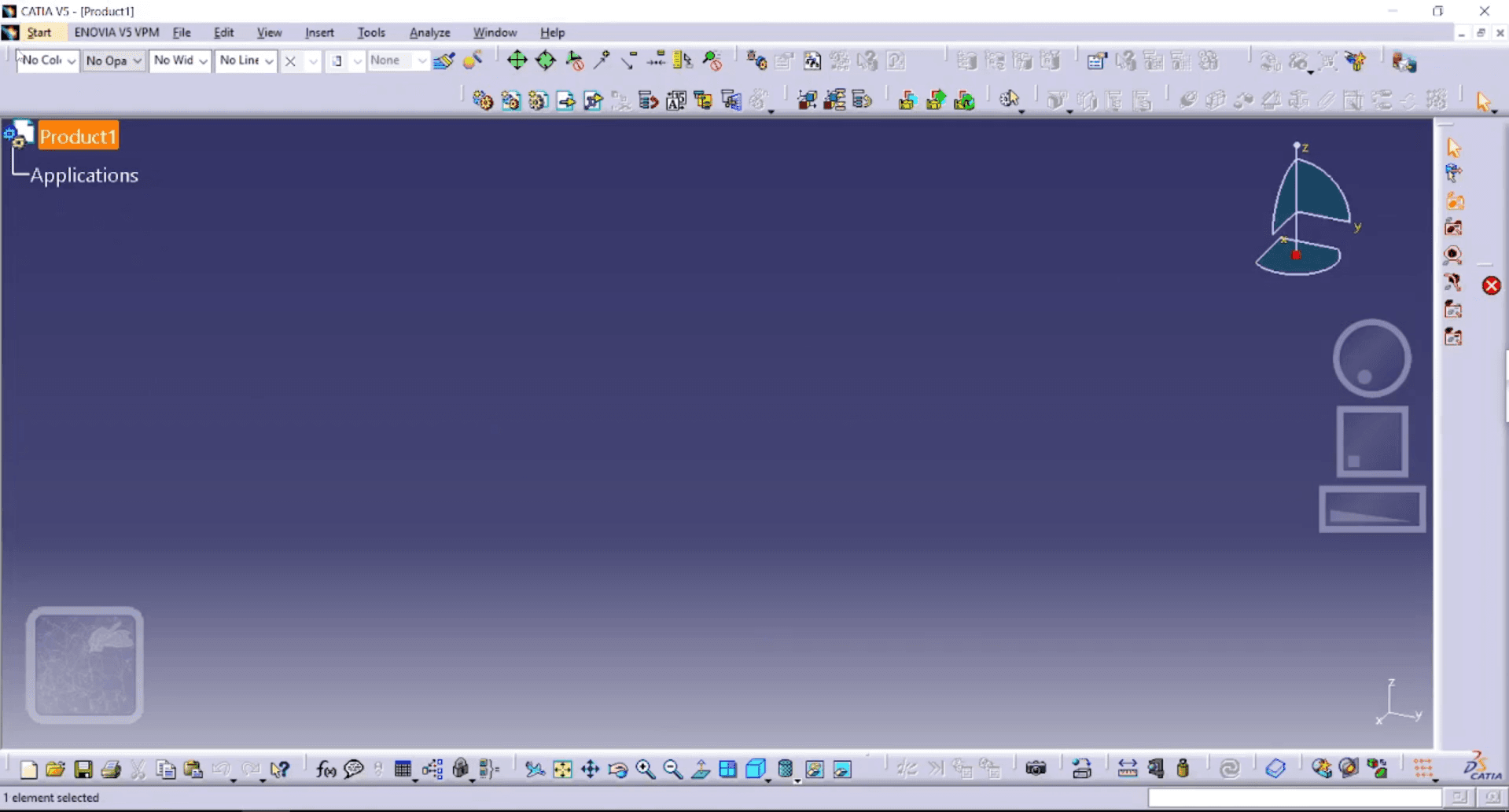
CATIA V5 is a parametric environment that links CAD, CAM, and CAE through controlled geometry, plus product creation workflows and data management.
Output | Role | Used for | Benefits |
Parametric part | Designer | Released component geometry | Clean edits without remodel loops |
Assembly structure | CAD engineer | Packaging and interfaces | Constraint-driven relationships |
Drawing pack | Detailer | Manufacturing and inspection | Clear dimensions and notes |
Surface model | Surfacing | Styling skins and continuity | Smooth control across shape changes |
CATIA V5 Tutorial
Most beginners fail because they start in the wrong workbench order. A proper CATIA V5 tutorial starts with the interface, then constraints, then features.
Workbench order
Pick a sequence and keep it, because order controls model stability. Jumping into assemblies early creates weak references that collapse later. Build confidence by finishing Sketcher, then Part Design, then drawings.
File discipline
Treat every file as if it will be reviewed tomorrow by someone else. Unnamed trees and random saves create confusion during revisions. Use consistent part names, feature names, and save points.
Interface control
Learn the specification tree and update behavior before chasing tools. Ignoring update warnings hides the first weak constraint. Make a habit of updating often and fixing the first failure.
Sketcher constraints
Decide that every sketch will be fully constrained, not mostly constrained. Under-defined sketches drift and break features after edits. Lock geometry with constraints, then drive size with dimensions.
Reference strategy
Choose reference planes and datums on purpose, not convenience. Edge references disappear after fillets and topology changes. Anchor sketches to stable planes and construction geometry.
Feature sequencing
Decide which features are structural and which are cosmetic. Early fillets often break when upstream geometry changes. Push fillets, chamfers, and patterns later in the tree.
Parameters and formulas
Use named parameters so changes stay controlled and repeatable. Unlinked dimensions create mismatched parts across similar features. Link key dimensions with simple formulas and reuse them consistently.
Part build workflow
Build from base shape, then primary cuts, then secondary details. Mixing detailed features early makes edits unpredictable and slow. Keep sketches simple, features clean, and limits obvious.
Assembly constraints
Constrain only what is necessary to define motion and position. Over-constraint creates conflict messages and unstable rebuilds. Mate to datums and reference geometry, not random faces.
Drafting outputs
Decide that drawings must match how the model is driven. Drafting fails when dimensions do not reflect driving parameters. Dimension functional faces, reference datums, and keep notes consistent.
Surfacing timing
Move into surfaces when solids and sketches already behave. Surfacing fails fast when curves lack continuity discipline. Build clean curves first, then control continuity and trimming.
Performance baseline
Match hardware to model size, not to marketing claims. Low memory and slow storage cause rebuild delays and crashes. Keep an SSD, enough RAM, and clean graphics drivers.
Specification | RAM | Storage | Role | Benefits | Advantages | Used for |
Entry laptop baseline | 16 GB | 512 GB SSD | Student, beginner | Stable practice | Smooth Sketcher and Part work | Parts and drawings practice |
Mid workstation baseline | 32 GB | 1 TB SSD | Designer | Faster rebuilds | Better assembly handling | Assemblies and detailing |
Heavy project baseline | 64 GB | 1–2 TB SSD | Advanced team | Large model stability | Fewer update delays | Complex assemblies and surfaces |
When you see searches like Catia V5 software download, keep the intent professional. Use official access routes and licensed installs, because stability matters more than shortcuts.
Stage | Focus | Output | Role | Benefits |
Week 1 | Sketcher + Part | One clean parametric part | Student | Controlled edits |
Week 2 | Assembly basics | Small assembly with stable constraints | Junior CAD | Predictable updates |
Week 3 | Drafting | Drawing pack tied to parameters | Detailer | Manufacturing clarity |
Week 4 | Advanced entry | One surfacing or sheet metal sample | Specialist track | Workbench readiness |
CATIA V5 Pricing
Pricing only makes sense after the deliverable and module scope are clear. On paper, CATIA V5 pricing looks simple, but license and module depth shift it.
For the CATIA Mechanical Designer subscription, the buying guide lists $2,268 per quarter or $7,560 per year. Your real number changes with license model, module set, deployment scope, support path, and partner involvement.
Many buyers search for Catia V5 cost because they want a quick anchor, but the anchor only helps after the role and module needs are defined.
Version-intent queries like Catia V5 R21 download also show up in the same pricing cluster. Treat that as a supportability question, not a shopping shortcut, because production work depends on compatible releases and IT policy.
Specification | Role | Used for | Benefits | Advantages |
Core mechanical | Mechanical designer | Parts, assemblies, drawings | Fast production output | Stable deliverables for releases |
Surfacing add-on | Surface designer | Complex skins and continuity | Better shape control | Cleaner transitions and trims |
Sheet metal focus | Manufacturing CAD | Bends, flanges, flat patterns | Faster fabrication-ready models | Less manual redraw work |
Mechanism motion | Design validation | Motion checks and interference | Early function validation | Fewer late surprises |
Review and markup | Lead, checker | Model review and feedback | Faster approvals | Cleaner change communication |
CATIA V5 Student Version
Student access needs clarity early, because old pages still circulate. Today, CATIA V5 student version access is no longer online, so students are moving platforms.
Dassault’s student path now points to 3DEXPERIENCE CATIA for Students at $60 per year, packaged with learning content and certifications. People still search for Catia V5 student edition because older references remain visible, so you need a clean plan that matches current access. Focus your student time on stable fundamentals, because hiring screens look for change-ready models.
Option | Price model | Includes | Best for | Notes |
3DEXPERIENCE student offer | Annual | Learning + certifications | New learners | Platform-first student route |
Institution access | Varies | Lab or managed seat | University labs | Depends on campus licensing |
Internship seat | Varies | Company workflow | Internship work | Best exposure to real deliverables |
CATIA V5 Workbenches
Tool choice matters less than output quality and revision behavior. These workbenches cover most beginner and production workflows.
Workbench | Role | Used for | Benefits | Advantages |
Sketcher | Designer | Constraint-based profiles | Stable edits | Predictable rebuilds |
Part Design | CAD engineer | Feature-based solids | Controlled geometry | Faster revision handling |
Assembly Design | Product CAD | Fit and interfaces | Modular structure | Manageable constraints |
Drafting | Detailer | 2D deliverables | Clear manufacturing intent | Inspection-ready packs |
Surface work | Surfacing | Styling and skins | Smooth continuity | Better control of complex shapes |
CATIA V5 in Industry
Industry use depends on ecosystems, suppliers, and program history. Automotive uses it heavily for packaging, assemblies, and drawing-driven release processes. Aerospace relies on it for complex structures and controlled changes across long programs. Industrial machinery keeps it where assemblies, mechanisms, and drawings remain central.
In those environments, CATIA V5 stays valuable because deliverables must match existing chains.
CATIA V5 vs 3DEXPERIENCE CATIA
Tool choice becomes clearer when you separate the desktop workflow from the managed platform workflow. V5 fits teams that depend on mature templates, native deliverables, and long-running releases. 3DEXPERIENCE fits learning ecosystems, collaboration-heavy work, and managed data expectations.
Area | V5 fit | 3DEXPERIENCE fit | Role impact |
File handling | Local or network storage | Managed platform storage | Changes handoff and review flow |
Collaboration | Process-driven sharing | Built-in sharing | Impacts team speed and traceability |
Learning path | Legacy workflows | Student ecosystem | Changes in onboarding pace |
Licensing | Seat and module-based | Packaged platform offers | Impacts budgeting and access |
FAQ
1) What is CATIA V5 used for?
Most teams use it for parts, assemblies, drawings, and controlled revisions. Value shows up when models survive changes without collapsing features.
2) How much does CATIA V5 cost?
The subscription anchor exists, but totals depend on scope and support needs. Many searches for Catia V5 cost ignore modules, deployment, and training time. Version intent, such as Catia V5 R21 download, belongs inside support and compatibility planning.
3) Is CATIA V5 Student Edition still available?
Online availability is no longer offered, so student access moves platforms. Older mentions persist, so Catia V5 Student Edition still appears in searches.
4) What should beginners learn first in CATIA V5?
Start with interface habits, then Sketcher constraints, then Part Design features. Assemblies and drawings follow once the parts are rebuilt cleanly.
5) Should you learn CATIA V5 or 3DEXPERIENCE CATIA in 2026?
Pick based on the environment you want to enter. V5 fits legacy deliverables and supplier chains, while the platform fits student packaging and collaboration expectations.
CAD-CAM-CAE Work Platform
Find or Post CAD, CAM and CAE freelance projects, full-time jobs and Internships.
GaugeHow is the platform built for core engineering work. Whether you need a freelancer for a CAD project, a full-time hire, or an engineering intern,post it here and get matched with the right person.























