SolidWorks vs Creo: Which CAD Tool Should You Choose? (2026)
Creo is the safer pick when your product has heavy surfacing, long revision cycles, or multi-thousand-part assemblies that must stay stable. SolidWorks fits faster-moving teams shipping machine design and drawing-heavy release packs, where hiring and onboarding speed matter. This SolidWorks vs Creo choice is about workflow risk, not features.
Picking CAD is easy when you only model parts. It gets expensive when revisions start landing, assemblies get reused, and suppliers feed you mixed quality data.
Most engineers hit the same wall. The software that feels quick on day one can feel fragile after ECO-3. The software that feels strict on day one can feel calmer once the model tree becomes a shared asset.
This guide helps you choose by workflow, complexity, industry fit, and budget.
Area | SolidWorks | Creo | Practical Impact |
Best fit | Machine design, drawing-heavy work | Complex products, long programs | Your revision load decides the pain later |
Modeling feel | Fast to start, broad adoption | Strong control for intent at scale | Team habits matter more than UI |
Large assemblies | Capable, but needs discipline | Typically steadier at high part counts | Stability beats speed after 2,000+ parts |
Surfacing work | Good for most mechanical shapes | Stronger for enclosure-class surfacing | Surface errors become tooling or fit issues |
Release pack | Strong drawings and conventions | Strong governance and enterprise flow | Your BOM and ECO process drives this |
Buying reality | Many options and bundles | Often quote-driven by tier | Total cost includes admin and ramp time |
What Is Creo
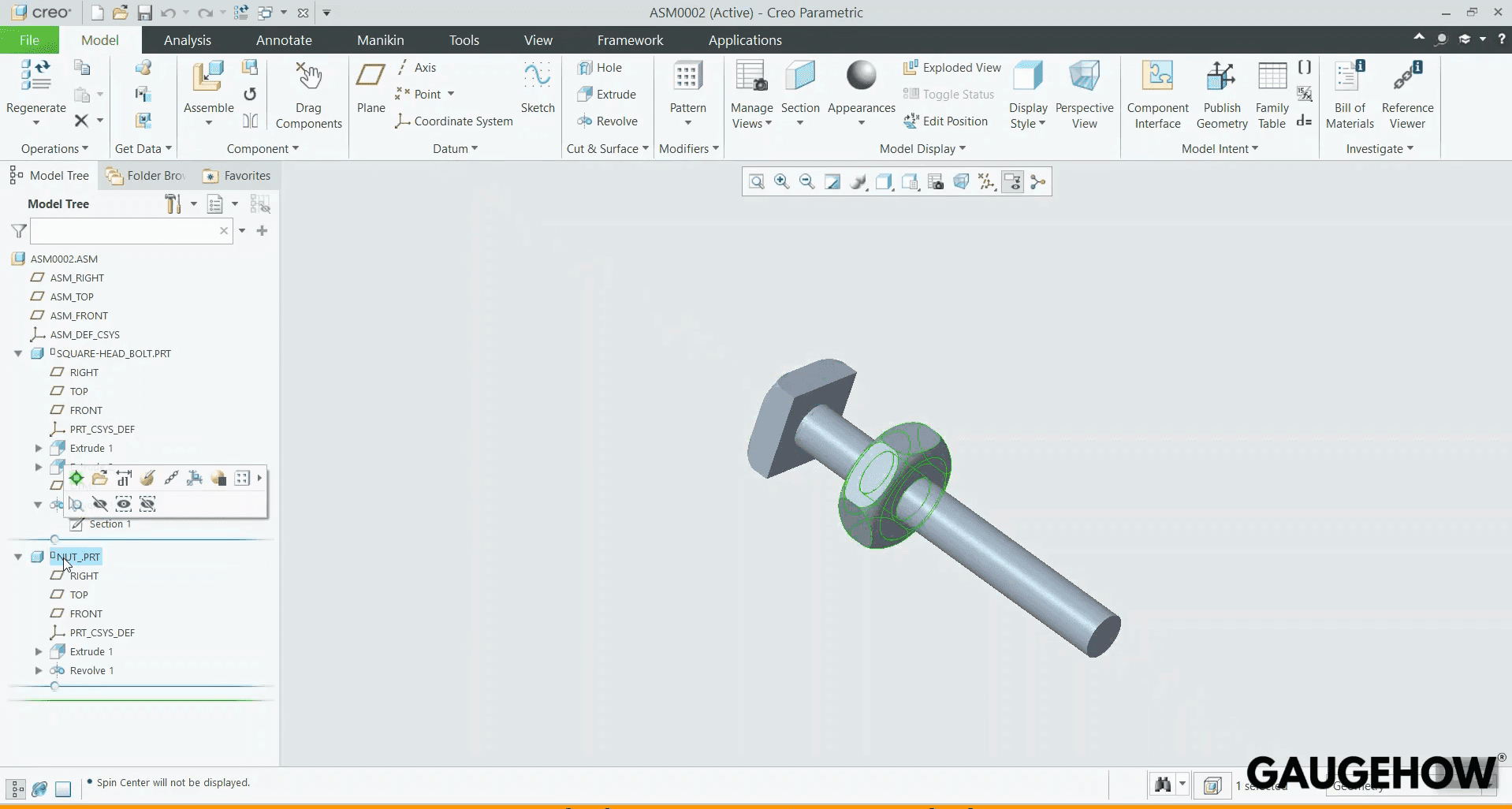
Creo is PTC’s flagship mechanical CAD line, and its roots trace back to Pro/ENGINEER, which commercially shipped in 1988.
It is built for parametric control that stays predictable under long revision chains. You see it often in automotive, aerospace, and regulated product environments where assembly management and change discipline matter.
What Is SolidWorks
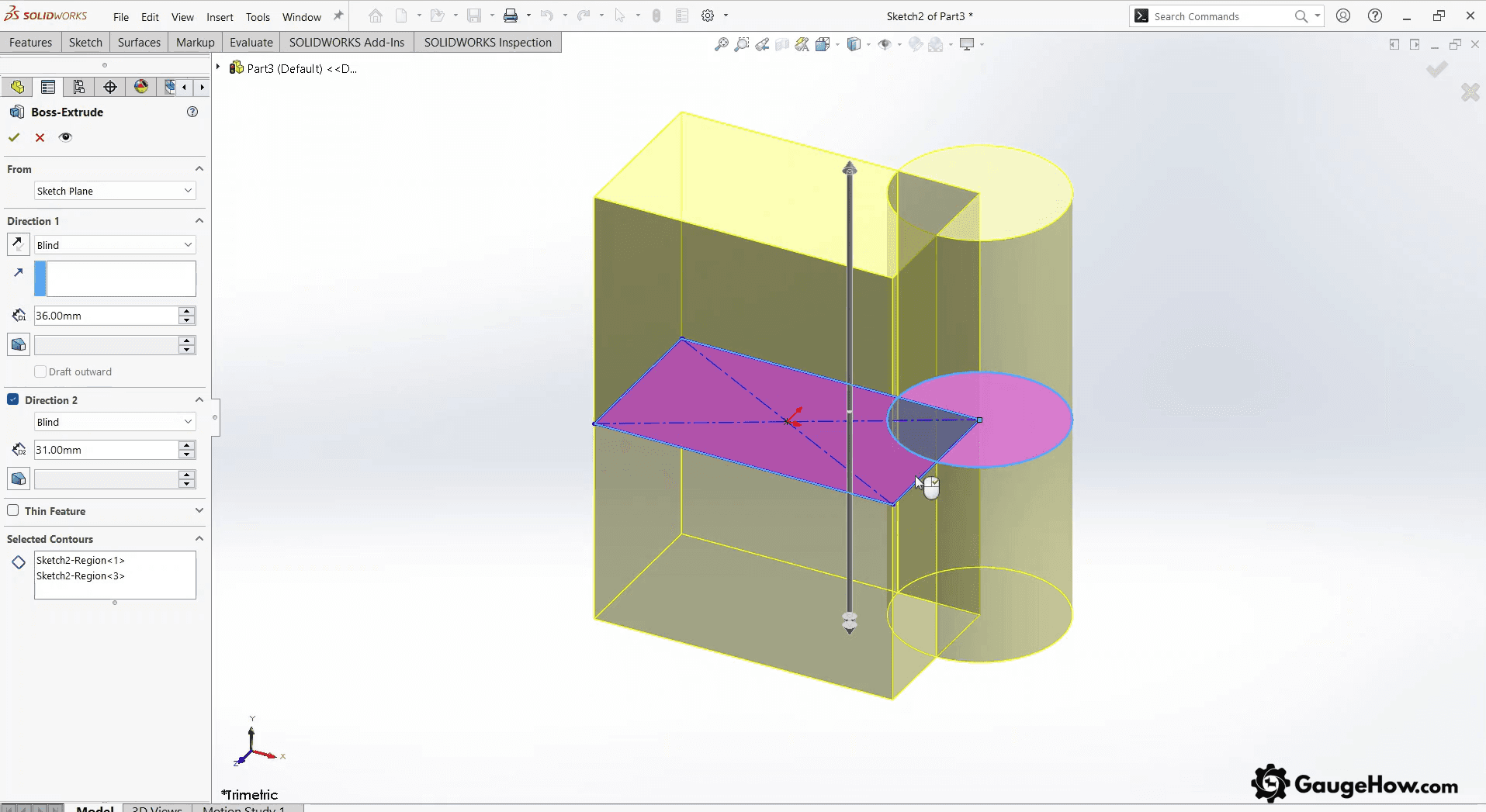
SolidWorks started as a desktop-first CAD company in 1993, and SolidWorks shipped in 1995 under the goal of making 3D CAD practical on Windows.
It optimizes for speed-to-output in mainstream mechanical design workflows. You see it widely across fabrication, industrial equipment, and product engineering teams that value fast onboarding and a deep add-in ecosystem.
Cost Of Creo Vs SolidWorks
Cost is not only the license fee. Training ramp costs time. Admin ownership costs attention. Data management choices can change the whole operating cost.
Here are defensible starting points in USD for common online purchase paths. Pricing changes by region. Reseller bundling shifts totals, so treat these as starting points.
Offer | Starting Price (USD) | Billing Unit | Usually Includes | What Moves The Quote |
Creo Design Essentials (Locked) | $2,780 | Per user, per year | Core CAD plus maintenance | Extensions, region, reseller packaging |
Creo Design Essentials (Floating) | $3,910 | Per concurrent user, per year | Core CAD plus maintenance | Seat sharing needs, extensions |
SOLIDWORKS Design Standard | $2,820 | Per named user, per year | Core CAD plus cloud services | Partner onboarding, region taxes |
SOLIDWORKS Design Professional | $3,456 | Per named user, per year | Standard plus Pro Tools | Add-ons, region taxes |
SOLIDWORKS Design Premium | $4,716 | Per named user, per year | Pro plus higher-tier tools | Add-ons, region taxes |
Creo vs SolidWorks pricing
Pricing for Creo vs SolidWorks pricing rarely decides the buy by itself, because two teams paying the same license can carry very different yearly costs. Treat the license as the entry fee, and plan the operating cost around people time.
In practice, two line items drive the gap. First is ramp time per seat, so you budget the weeks it takes for a designer to produce clean, revision-safe output.
Second is CAD administration and standards ownership, because templates, libraries, and release rules degrade fast without one accountable owner.
Benefits Of Creo
Better Control In Large Assemblies
Large assemblies usually stay more manageable here. Open, move, and update work feels steadier as the model grows. That helps on long projects where many designers work in one top-level assembly.
Stronger Surface Quality
Surface work is usually easier to control. Small shape problems are easier to catch before they spread into fit, tooling, or visible part quality. Enclosure-heavy products benefit the most from that control.Safer Late Design Changes
Late changes often create less damage when the model is built with clear intent. One edit is less likely to disturb many linked features. Teams spend less time repairing broken relations during change-heavy weeks.Easier Work With Supplier Files
Supplier geometry is easier to bring into the workflow, especially in mixed software setups. File exchange still needs care, but repeated clean-up work usually stays lower.Better Fit For Formal Release Work
Teams with strict change control often find a better match here. Part structure, revision habits, and template use support a more controlled release process. Compliance and traceability work also becomes easier to manage.
Benefits Of SolidWorks
Faster Start For New Engineers
New hires usually reach useful modeling speed sooner. Training is easier to find, and common workflows feel more familiar. Teams can add design capacity without a long learning period.Strong Support For Drawing-Led Work
Drawing packs stay central in many mechanical teams, and this tool fits that style well. Detailing, release notes, and shop communication remain easy to follow. That helps when drawings still guide production work.Wider Manufacturing Add-On Support
Extra tools are easier to add as work grows. CAM, routing, rendering, and similar needs can be covered without moving to a new platform. Small and mid-sized teams often value that flexibility.Easier Hiring And Staffing
Finding trained users is usually easier in many markets. Contractors are also easier to source when workload rises. That reduces staffing risk when deadlines are close.More Flexible Buying Options
Seat planning often feels easier for growing teams. Access can match team size, project demand, and short-term expansion needs. That helps managers scale without overcommitting too early.
Key Differences: SolidWorks vs Creo
Assembly Handling
Creo is often the safer choice when assemblies grow large and changes stay frequent. SolidWorks can handle large work, too, but teams usually need stronger habits earlier.Surface Work
Creo often gives more control when surface quality affects product success. SolidWorks works well for most mechanical parts, but advanced surface work can depend more on the user's method.Learning Speed
SolidWorks is usually easier for a new team to learn. Training paths are common, and daily workflows feel familiar sooner. Creo often takes longer, but disciplined teams may gain that time back later.Staffing And Ecosystem
SolidWorks usually has a broader market reach, more add-ons, and easier staffing. Creo often suits teams already working inside stricter product and release structures.Buying Style
SolidWorks often feels simpler to buy for a broad team. Creo buying more often follows project depth and program needs, so the path can feel more structured.
SolidWorks vs Pro/E
The SolidWorks vs Pro/E question still appears because many companies carry legacy Pro/ENGINEER data and habits into modern Creo workflows. The real decision is whether your current standards match strict, long-life parametric discipline or fast iteration with broad staffing coverage.
If your team already works with skeleton models, family tables, and strict change control, Creo will feel like a continuation of that discipline. If your team relies on fast iteration, common training, and drawing-driven releases, SolidWorks usually fits the existing operating rhythm.
Technical Specifications
Specs matter when they change open time, rebuild stability, view performance, and drawing regeneration. Treat hardware as a performance lever, not a checkbox.
Creo vs SolidWorks System Requirements
At a high level, both run best on modern Windows workstations. Creo vs SolidWorks system requirements look similar in broad categories. The difference shows up in how quickly performance drops when assemblies, drawings, and imports grow.
Here is the practical mapping that matters in real work:
Performance Condition | What You Notice | What Usually Helps |
Open time | Large files feel slow to load | SSD speed, clean file structure |
Rebuild stability | Features fail after edits | Intent discipline, CPU strength |
View performance | Pan and rotate stutter | Certified GPU, display settings |
Drawing regeneration | Views take forever | RAM headroom, simplified views |
RAM is the first bottleneck most teams hit. 32 GB is a safer floor once assemblies and drawing views grow. GPU matters when viewing performance is a daily problem.
Installation reality also matters. Named-user setups reduce license server friction. Floating setups increase flexibility, but IT must own the license uptime.
A Detailed Overview of Creo And SolidWorks
Interface And Ease Of Use
Daily ease is not about prettiness, because it is about how quickly you can recover from mistakes. SolidWorks tends to feel approachable early, so junior hires reach their first output faster. Creo tends to feel stricter, so errors show up sooner, which can reduce downstream surprises.
Modeling Approach
The modeling approach becomes real when a late change hits a foundational feature. SolidWorks workflows can be extremely robust, but they depend on clean parent-child planning. Creo workflows often reward explicit intent structure, which can make regeneration more predictable when models grow.
Assemblies And Scale
Assemblies become painful when your top-level structure changes weekly. SolidWorks can handle large assemblies well in disciplined teams, but the team must use lightweight strategies and careful external references. Creo tends to stay steadier when programs demand heavy assembly reuse across revisions.
Surfacing
Surfacing is not a “nice to have” when you ship plastics, enclosures, or complex ergonomic geometry. SolidWorks surface tools are sufficient for many mechanical shapes, but tricky continuity can demand careful technique. Creo surfacing depth tends to pay off when Class-A-like surfaces must survive repeated changes.
Drawings And Release
Release packs break when drawings do not match the model revision, or when the BOM drifts. SolidWorks fits drawing-heavy cultures because the drafting ecosystem is familiar to shops and suppliers. Creo fits governance-heavy cultures because the toolchain often expects structured control around revisions.
Simulation And Analysis
Simulation value depends on whether analysis changes geometry every week. If you run quick checks and move on, integrated tools in either ecosystem may be enough. If simulation drives design intent, the stronger fit is the platform your analysts and manufacturing team already trust.
Data Exchange
Supplier exchange fails when imports become “looks right” geometry that cannot be trusted. Both support neutral formats, but your risk comes from feature recognition, tolerances, and update behavior. A clean process here prevents the worst kind of late interference discovery.
PDM And PLM Reality
PDM is about file control and revision discipline. PLM is about BOM ownership, change control, and cross-team governance. SolidWorks ecosystems often start with PDM expectations. Creo ecosystems often pair naturally with PLM expectations.
Mismatch hurts in quiet ways. A PLM-driven organization will struggle with informal file storage. A small team will struggle if governance feels heavier than the work.
Micro-scenario: ECO-3 Assembly Change
You open the top-level assembly after ECO-3. Two subassemblies were swapped, so mates and references need a clean update. The tool that stays stable here saves hours every week.
Creo often feels calmer when intent is built for change. SolidWorks often feels faster when assemblies are structured with discipline. Your team's habits decide which advantage shows up.
Micro-scenario: Drawing Release To A Vendor
You push a drawing-heavy release pack to a vendor. A late change lands, so your views and BOM must regenerate cleanly. The tool that keeps drawings aligned to revisions reduces the “wrong revision” email loop.
SolidWorks tends to match drawing-driven vendor workflows. Creo tends to match governance-driven vendor workflows. Pick the one that matches how your company signs off on releases.
Industry Fit
Industrial machinery and fabrication teams often do best with SolidWorks when the work is drawing-heavy, and the assembly scale is moderate. Consumer products and plastics-heavy designs lean toward Creo when surface quality and repeated revisions dominate the program. Automotive environments often favor Creo because assemblies, variants, and long programs punish weak intent planning. Mold and tooling environments can go either way, but surfacing depth and downstream CAM integration should decide.
SME design teams usually value speed, hiring, and predictable cost, so SolidWorks is often a practical default. Enterprise CAD environments usually value governance, stability at scale, and lifecycle integration, so Creo is often the safer default.
Workflow Failure Patterns
The most common failure is choosing today’s project. The second failure is assuming hardware fixes unstable models. The third failure is underestimating surfacing risk, because one continuity issue can cascade into tooling changes.
Hiring mismatch is another real failure. A tool that is harder to staff becomes a schedule risk. PDM and PLM mismatch is also costly, because governance that does not match daily habits leads to workarounds and drift.
Supplier exchange planning fails quietly. Translation loops look fine until tolerance stack and fit issues show up.
Which Software To Choose
Here are the clean picks that match how teams actually operate:
Team Persona | Best Fit | Why It Usually Wins |
1–3 person machine design shop | SolidWorks | Onboarding speed and drawing output dominate |
5–20 person product engineering team | SolidWorks or Creo | Depends on surfacing load and revision discipline |
Enterprise program team | Creo | Governance and stability under change matter most |
Supplier-heavy multi-CAD environment | Creo | Mixed inputs and long change loops drive risk |
This is the point of a SolidWorks vs Creo choice. Pick the tool that reduces rework after the first major ECO, not the tool that feels nicest in week one.
FAQ
1) Which one is easier to learn for a new mechanical design hire?
SolidWorks is usually easier at first because common workflows are widely taught. Creo often takes longer because intent planning shows up earlier. A disciplined onboarding plan matters more than the UI.
2) Which one handles very large assemblies better in real projects?
Creo tends to stay steadier when assemblies keep growing, and revisions keep landing. SolidWorks can do large assemblies well, but it requires stricter habits. Your top-level structure and external references decide the outcome.
3) Can you open SolidWorks files in Creo, or move data both ways?
Neutral formats like STEP work in both, but they can strip parametric intent. Some workflows support multi-CAD collaboration, but behavior varies by license and version. Expect verification time after import, not magic.
4) Which one is better for surfacing and enclosure-heavy products?
Creo is often the safer choice when surface continuity must survive frequent changes. SolidWorks can produce strong surfaces, but tricky continuity requires more care. The deciding test is whether tooling and fit stay stable.
5) Which one is cheaper over a full year for a small team?
License price can be close depending on plan and region, but total cost includes training ramp and admin ownership. A cheaper license becomes expensive when rework and hiring friction show up. Budget for the full workflow.
CAD-CAM-CAE Work Platform
Find or Post CAD, CAM and CAE freelance projects, full-time jobs and Internships.
GaugeHow is the platform built for core engineering work. Whether you need a freelancer for a CAD project, a full-time hire, or an engineering intern,post it here and get matched with the right person.























