SolidWorks vs Inventor (2026): Features, Pricing, Workflow
SolidWorks fits teams that need stable parametric assemblies, mature drawing release workflows, and broad downstream support. Inventor fits teams already inside Autodesk workflows, especially when rules-based automation, fabrication modules, and Vault-centered collaboration drive day-to-day design speed.
Revision churn, assembly fit issues, drawing release delays, and license decisions usually decide this choice long before a feature checklist does.
Many teams search Inventor vs SolidWorks and still compare icons instead of workflow consequences.
This guide gives a fast decision path first, then a deeper engineering comparison for real project work.
Best Fit Fast
Role | Best Fit | Main Advantage | Typical Work | Watchout |
Product Design Engineer | SolidWorks | Strong assembly and drawing release rhythm | Parts, assemblies, production drawings | Add-on costs can rise with each package and add-ons |
Machine Design Team In Autodesk Stack | Inventor | Tight fit with the Autodesk ecosystem and Vault | Machine design, fabrication, and plant equipment | Team process quality matters for data consistency |
Drafting Heavy Documentation Team | Inventor | Strong title block, border, and Autodesk interoperability paths | Drawing updates, migration, detailing | Needs disciplined template control |
Mixed Supplier Handoff Team | SolidWorks | Broad industry usage and easier vendor familiarity in many markets | Job shop handoff, vendor reviews, revisions | Neutral export discipline still matters |
Design Automation Focused Team | Inventor | Built in iLogic for repeatable rule-driven variants | Standard products, configurable assemblies | Automation quality depends on parameter design |
Small Team Buying First CAD | Depends On Hiring Pipeline | Faster value comes from matching the employer stack and part type | Learning, pilot jobs, first releases | Wrong tool for local job market slows ROI |
Enterprise With Managed CAD Data | Depends On Existing PLM And IT | The best result comes from stack fit, not brand preference | Multi-user release, revision control | Migration cost can exceed license savings |
Schedule-Safe Pick
Drawing release and supplier handoff dominate weekly output. Start with SolidWorks when the team already reviewed and approved it in that ecosystem.
Configurable machine variants and rules-driven edits dominate weekly output. Start with Inventor when iLogic style automation and Autodesk stack alignment matter.
Team stack is already fixed around Dassault or Autodesk. Follow the stack first, then optimize the workflow inside it.
What Is SolidWorks
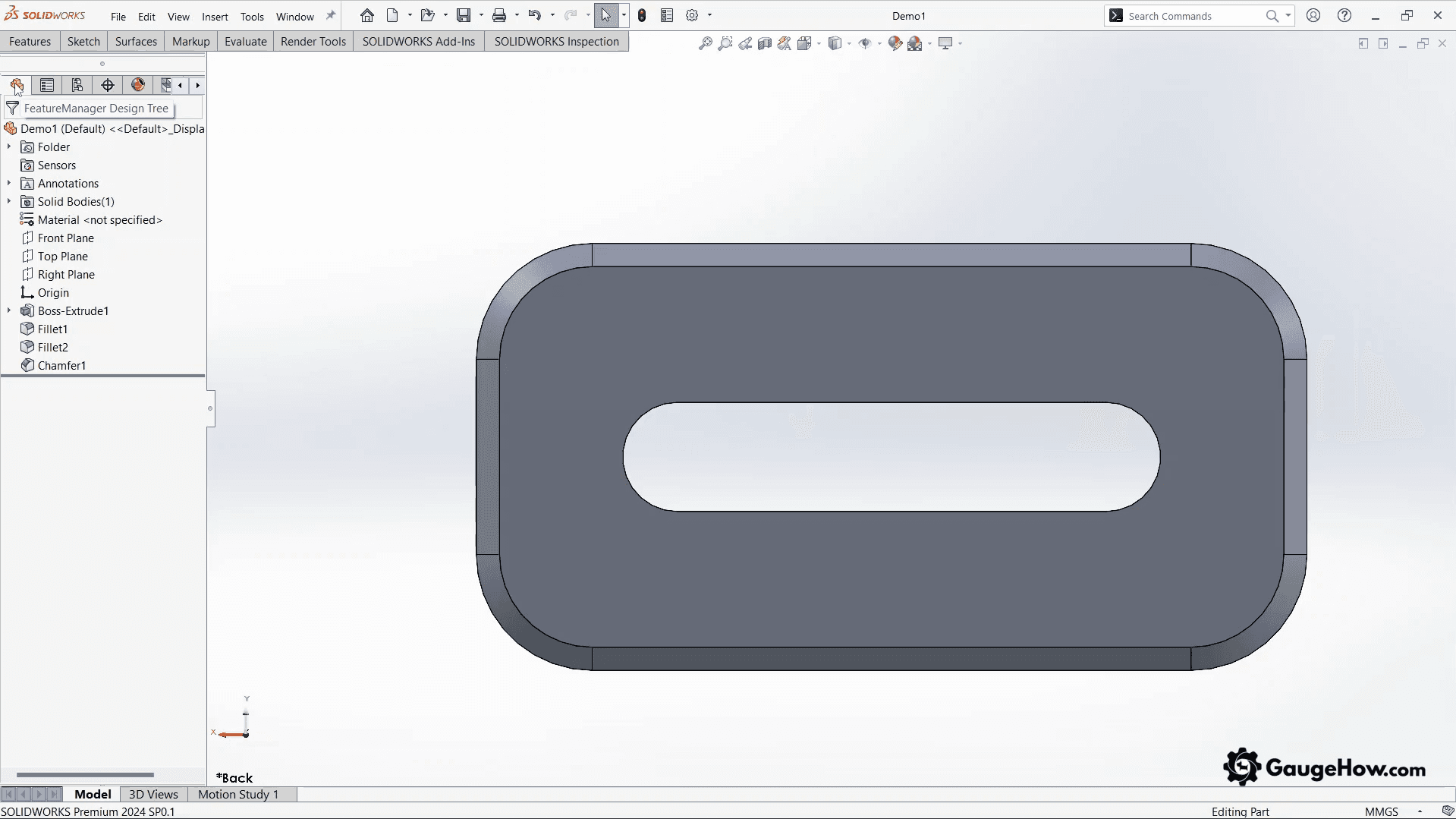
SolidWorks is a parametric 3D CAD platform used for parts, assemblies, and manufacturing drawings. It is widely used in mechanical product design, machine design, fixtures, and production support work.
In real engineering work, SolidWorks usually produces the full release set, part models, assembly models, drawings, BOM-linked documentation, and downstream neutral files for vendors. That matters because the tool is not only for modeling, it is part of the release process.
Many teams choose it when assembly relationships, drawing updates, and change control need a stable daily routine. It also fits organizations that already rely on resellers, PDM workflows, and a broad user hiring pool.
What Is Inventor
Inventor is Autodesk’s mechanical 3D CAD platform focused on design, documentation, and simulation, with strong support for machine design, fabrication workflows, and rule-driven automation. It is also a parametric system, but the workflow emphasis differs in several areas.
In practice, Inventor produces parts, assemblies, drawings, documentation, simulation-ready models, and configurable designs using parameters and iLogic rules. That becomes valuable when a product family shares repeated geometry and controlled dimensional rules.
Teams already running Autodesk tools choose Inventor when the ecosystem handoff must stay smooth. The software also fits groups that want automation and fabrication-oriented tools in one familiar environment.
Comparison Tables
Team Fit And Modeling Workflow
Feature Area | SolidWorks | Inventor | Practical Impact | Best For |
Core Modeling Style | Parametric feature-based modeling with a strong feature tree workflow | Parametric modeling with strong parameters and rules-driven options | Both can build production-grade models, but the design intent strategy feels different | Teams with established modeling standards |
User Experience | Familiar to many mechanical design teams and suppliers | Familiar to Autodesk users and teams already using AutoCAD or other Autodesk tools | Training speed improves when the team stack is already aligned | Hiring and onboarding driven decisions |
Large Project Handling | Mature workflows for assemblies and review modes | Strong machine design and assembly tools with Autodesk data workflows | Performance depends on model discipline more than brand | Large assemblies with good standards |
Variant Strategy | Configurations can be powerful but heavy when overused | Parameters and iLogic can scale repetitive variants well | Variant design speed depends on how often product families repeat | Configurable product lines |
Ecosystem Entry | Often reseller-led buying and deployment | Autodesk account-centered subscription path | Procurement and rollout experience can differ a lot | IT-controlled buying teams |
Assemblies And Drawings
Feature Area | SolidWorks | Inventor | Practical Impact | Best For |
Assembly Relationships | Mate-driven assembly behavior | Constraints, joints, and parameters | The assembly setup method affects later motion and simulation preparation | Teams that simulate assembly behavior often |
Interference And Fit Checks | Strong inspection tools and common shop floor adoption | Strong interference and assembly validation workflows | Fit issues are prevented by process discipline, not tool brand alone | Release teams that validate before drawings |
Drawing Workflow | Mature production drawing output and broad industry familiarity | Strong detailing workflows, especially in Autodesk-heavy environments | Release reliability depends on the template and revision standards | Drawing controlled manufacturing teams |
Title Blocks And Borders | Strong but often template discipline is needed | Often preferred in Autodesk drafting migration contexts | Documentation maintenance effort varies by team history | Teams migrating from AutoCAD-style drafting |
Neutral File Handoff | Strong export options and common vendor recognition | Strong export options and Autodesk ecosystem advantages | Export settings and validation checks prevent supplier surprises | Vendor handoff of heavy projects |
Simulation And Automation
Feature Area | SolidWorks | Inventor | Practical Impact | Best For |
Simulation Path | Available through integrated modules and package choices | Integrated simulation workflows with strong joint-based setup paths | The setup friction affects whether teams actually simulate early | Teams that need routine validation |
Motion And Mechanism Prep | Requires more setup when the assembly strategy is loose | Joints and constraints support mechanism thinking early | Better setup quality reduces late motion surprises | Equipment and mechanism design |
Design Automation | DriveWorks path and related automation ecosystem | iLogic is a strong built-in automation advantage | Repetitive products benefit from rules more than manual edits | Standard product families |
Parameter Driven Reuse | Good with equations and configurations | Strong parameter and rule-centered reuse | Rework drops when reuse is planned early | High repeat engineering |
Collaboration, Data, And Learning Curve
Feature Area | SolidWorks | Inventor | Practical Impact | Best For |
Data Management | Common PDM workflows and broad partner support | Vault is a strong path for Autodesk teams | CAD data quality depends on the release process and permissions | Multi-user teams |
Collaboration Style | Strong review and sharing options plus ecosystem tools | Strong Autodesk collaboration paths and shared view patterns | Review speed improves when non-CAD stakeholders can comment early | Cross-functional teams |
Learning Curve | Easier for many new mechanical CAD users in common training contexts | Easier for Autodesk users and parameter-minded teams | Previous software exposure changes this result | Students and switchers |
Community And Talent Pool | Very broad user base in many mechanical sectors | Strong Autodesk community and enterprise adoption | Hiring flexibility can influence long-term tool choice | Growing teams |
Engineering Workflow Differences
Competitors usually stop at feature checklists. Real teams feel the difference later, during revision pressure, drawing updates, and supplier handoff. This section stays focused on where time is lost and where release quality improves.
Revision Handling And Late Changes
Late changes expose model intent quality. Both tools can survive revisions, but the pain shows up differently depending on how features, references, and parameters were built.
SolidWorks wins when feature history is clean, and assemblies are organized with disciplined references. When that discipline is missing, mate errors and rebuild churn spread across the tree, and drawings start consuming review time.
Inventor wins when parameters and rule logic are planned from the start. Poorly planned parameter networks also create confusion, but recovery is usually faster in repeat product families because dimensions and logic are centralized.
Micro Example
A hole pattern changes late in a machine plate. The model updates, but drawing dimensions and assembly fit checks are not revalidated in the same review cycle. The result is a release delay, not because the edit was hard, but because the dependency check was weak.
Variant Control
Variant work decides productivity in many machine-building teams. A single custom part project is not the same problem as a 200-option product line.
SolidWorks saves time when configuration logic stays controlled, feature suppression is disciplined, and family size is moderate. Large configuration trees lose time when deadlines force copy-edit shortcuts.
Inventor saves time when variants are frequent and rule-based automation is part of the business model. iLogic reduces repetitive modeling and drafting effort when the rules are stable and tested.
Micro Example
A fixture line grows from 8 variants to 40. Manual copy-edit workflows that looked fast in the pilot phase start creating naming drift, parameter mismatch, and duplicate drawing maintenance. Automation and rule discipline become more important than raw modeling speed.
Assembly Fit And Validation
Assembly fit problems are expensive because they appear late and multiply across machining, purchased parts, and installation time. A tool only helps when the team validates interfaces before release.
SolidWorks wins when the team already runs mature mate practices, interference checks, and drawing release routines. Many suppliers also recognize SolidWorks workflows, which speed review conversations in mixed-vendor projects.
Inventor wins when machine design contexts rely on constraints, joints, and parameterized assemblies for repeated mechanism behavior. That reduces setup friction for motion-oriented checks when the team uses those tools consistently.
Drawing Release Reliability
Drawings fail in quiet ways. Title block drift, wrong revision notes, broken views, and unchecked tolerances cause more downtime than flashy modeling errors.
SolidWorks wins when companies maintain a controlled template library, revision process, and PDM discipline. The tool supports production-grade documentation, but reliability comes from standards plus review gates.
Inventor wins when Autodesk-centered environments already use drawing workflows aligned with existing drafting habits and Vault controls. Teams moving from AutoCAD-oriented documentation often value this continuity.
Simulation Setup Effort
Simulation value depends on timing. A perfect simulation after release is less useful than a good simulation before fabrication.
SolidWorks supports strong simulation workflows, but setup effort depends on package level, model quality, and how assemblies were prepared. Teams lose time when simulation is treated as a late step because the cleanup effort rises.
Inventor saves time when assembly constraints and joints already support a mechanism or stress setup logic. That helps when simulation is part of daily design decisions, not a final checkbox.
Vendor Handoff And Neutral Files
Vendor handoff is where CAD confidence gets tested. The model may look correct locally, but missing intent appears after export, import, or CAM preparation.
SolidWorks wins when broad vendor familiarity reduces review friction. Even then, neutral exports need a checklist, file format choice, units check, and geometry validation before release.
Inventor wins when Autodesk's heavy supply networks and fabrication ecosystems are already in place. The same rule applies here, too. Neutral files need validation because translation risk is a process issue, not a brand issue.
Micro Example
A STEP export reaches the machine shop with a unit mismatch. Geometry opens, but the part is scaled incorrectly in review. The rework cost is not the export itself. The cost is the lost review cycle and the trust hit during vendor handoff.
Collaboration And Data Management Fit
Single-user success does not guarantee team success. The real cost starts when multiple engineers edit similar assemblies across weeks.
SolidWorks teams win when folder standards, naming rules, and PDM adoption are defined before the design count grows. Inventor teams win when Vault roles, permissions, and release states are set early.
Without data rules, both tools create duplicate files, broken links, and revision confusion. With data rules, both scale reliably.
Pricing And Licensing
As Of March 2026
Pricing is part of the decision, but license model fit matters more than headline price. One wrong seat strategy creates hidden costs through idle licenses, admin friction, and slow onboarding.
Current Buying Paths
SolidWorks buying usually splits into two routes. The new online design offers subscriptions that can be purchased directly in listed packages, while many existing customers still expand seats through reseller channels. That matters because quoting, support, and deployment workflow often come through the reseller relationship.
Inventor follows Autodesk’s named-user subscription path with direct online purchase options, monthly or annual terms, and Flex token access for occasional use. This gives small teams a simpler entry point, but long-term cost depends on usage frequency and how many users are regular versus occasional.
Pricing Snapshot
Product | Access Path | Commercial Pricing Signal | Best Fit | Watchout |
SolidWorks Design Standard | Online design offer/reseller route | $2,820 per year | Core 3D CAD teams with standard modeling and drawings | Final cost varies by region, taxes, reseller terms, and add-ons |
SolidWorks Design Professional | Online design offer/reseller route | $3,456 per year | Teams needing libraries, rendering, standards checking, and broader productivity features | Package fit matters more than buying a higher tier by default |
SolidWorks Design Premium | Online design offer/reseller route | $4,716 per year | Teams needing routing and built-in analysis workflows | Overbuy risk when advanced modules are rarely used |
Inventor (Annual) | Autodesk online subscription | $216 per month paid annually | Regular daily users who want a predictable subscription cost | Check total team usage before scaling seats |
Inventor (Monthly) | Autodesk online subscription | $320 per month | Short projects, pilot phases, temporary staffing | Easy to overspend when temporary use becomes recurring |
Inventor Flex | Autodesk Flex tokens | 100 tokens minimum purchase | Occasional users, reviewers, and support staff with intermittent access | Token burn can become expensive for daily users |
Education And Learning Access Note
Do not compare education access with commercial seats during buying decisions. Autodesk education access can be free for eligible students and educators, while SolidWorks student and community access routes depend on eligibility and non-commercial use conditions. Use those paths for learning and training, not for production delivery.
Buyer Rule
Start by classifying users into three groups. Daily designers, weekly editors, and occasional reviewers. Then assign full seats only where the work pattern justifies it.
Cost Pattern View
For buyers, the decision becomes a cost pattern decision, not only a feature decision.
SolidWorks pricing depends on package level, license path, reseller support, and add-on needs. The practical question is not only the seat price. The bigger question is the total team cost after support, PDM, simulation modules, and training.
Inventor is easier to evaluate on subscription terms when Autodesk's buying and account management are already familiar inside the company. It also suits organizations that prefer predictable subscription budgeting and centralized user control.
A smart buying decision compares five cost layers:
Cost Layer | SolidWorks | Inventor | Buying Impact |
Base Seat Cost | Varies by package and license path | A subscription-based model is straightforward to compare | Impacts entry decision |
Add-On Capability Cost | Can increase with simulation, PDM, and advanced tools | Some capabilities are strong in the core workflow, while others depend on the Autodesk stack | Impacts total tool coverage |
Training Cost | Lower when hiring pool already knows it | Lower when Autodesk users switch internally | Impacts the ramp time |
Data Management Cost | PDM rollout and admin effort must be counted | Vault rollout and admin effort must be counted | Impacts scaling |
Migration Cost | High if replacing an established stack | High if replacing an established stack | Often bigger than license savings |
Three-Year Cost Pattern
License price is visible. Rework and admin costs are not. This table helps buyers avoid a low-price decision that becomes expensive in year two.
Buyer Type | Cost Drivers | Hidden Cost Risk | Better Starting Fit | Re-Check Trigger |
Student / Learner | Access eligibility, training time, and hardware availability | Learning on a non-commercial path and expecting production equivalence | Use eligible education access first | First paid freelance or production work |
Freelancer / Solo Contractor | Seat cost, project variability, customer file expectations | Buying a full-time seat for part-time usage | Pick the tool matching client deliverables and file ecosystem | Two or more recurring clients with mixed CAD ecosystems |
Small Engineering Team | Seat count, onboarding time, admin overhead, handoff errors | Mixing tools without file ownership rules | Match the existing stack and dominant deliverable | Revision delays, export rework, or duplicate drawing effort |
Machine Builder / Variant-Heavy Team | Automation setup, template discipline, vaulting, configuration governance | Underestimating variant growth and maintenance overhead | Choose based on repeatability and the rules workflow | Variant count rises and edit consistency drops |
Enterprise / Multi-Site Team | Governance, PDM/Vault rollout, support model, IT policy | Buying licenses before standardizing the release process | Follow the enterprise stack and data governance first | Cross-site rework, duplicate part libraries, and release conflicts |
Buyer Fit By Team Type
Buyer Type | Better Fit Tendency | Why |
Student | Match local hiring demand | Job readiness matters more than brand debates |
Freelancer | Depends on project mix and client file requirements | The client handoff format often decides |
Small Mechanical Team | Depends on the existing stack and the first three projects | Early rework cost matters more than feature count |
Fabrication And Machine Builder | Inventor wins when Autodesk stack and automation drive repeat work | Autodesk stack and automation can be valuable |
Broad Supplier Network Product Team | SolidWorks wins when vendor familiarity and hiring pool matter | Vendor familiarity and hiring pool can help |
Enterprise | Existing ecosystem wins | IT, data management, and training scale dominate |
System Requirements And IT Fit
This section should be handled like an IT planning note, not a marketing line. Both tools are heavy desktop CAD applications, and both demand disciplined workstation planning.
Specs affect stability, rebuild speed, and rollout friction. A fast CPU and certified graphics usually save more time than chasing cosmetic feature differences.
Practical System Requirements (Buyer And IT View)
IT Area | SolidWorks | Inventor | Practical Impact | Buyer Note |
Operating System | Windows only (version support depends on release and service pack) | Windows only (64-bit Windows 11 and Windows 10) | OS policy can decide the tool before feature comparison starts | Verify exact version support before purchase |
CPU | x86_64 Intel 64 or AMD64 | Minimum 2.5 GHz, recommended 3.0 GHz or greater with 4+ cores | Single-core performance still drives many modeling and rebuild tasks | Buy for model complexity, not just install the minimum |
RAM | 16 GB minimum, 32 GB recommended | 16 GB minimum, 32 GB or more recommended | Low RAM creates rebuild lag, drawing slowdowns, and import instability | 32 GB should be the practical floor for production use |
Graphics | Certified cards and drivers | Min 2 GB GPU (DirectX 11), recommended 8 GB GPU with higher bandwidth | Driver quality and certification affect view stability and crash risk | Use certified workstation-class setups where possible |
Disk / Storage | SSD recommended for optimal performance | 40 GB for installer plus full installation | SSD reduces open, save, rebuild, and temp file delays | Plan extra free space for projects and local cache |
Installation Model | Online offer path plus reseller-led deployment patterns for many teams | Autodesk Account download and admin deployment options | Deployment workflow affects IT effort and rollout speed | Check admin imaging and update policy before rollout |
Data Management Fit | Commonly paired with PDM in managed teams | Commonly paired with Vault in managed teams | File control strategy matters more as team size grows | Decide on file governance early, not after revision problems start |
Hardware Reality
Both tools benefit from strong CPU performance, enough RAM, SSD storage, and supported graphics hardware. Under-sized systems create false opinions about the software because lag gets blamed on CAD when the real problem is hardware or driver mismatch.
Large assemblies, drawings with many referenced models, and simulation workflows raise RAM and GPU pressure quickly. Teams should spec workstations by project size, not by minimum install requirement.
IT Admin Burden
SolidWorks and Inventor both need controlled versioning, driver discipline, and plugin management. The practical difference is usually in how the team already manages software accounts, deployment, and updates.
Inventor fits IT groups already managing Autodesk users and account policies. SolidWorks fits teams comfortably with reseller support channels and package-based rollout planning.
File Management And Team Fit
Single-user work can run on local storage for a while, but team work needs a data strategy early. File naming rules, template control, library management, and release states matter more than brand preference.
PDM or Vault decisions should be made before the team scales, not after link breakage starts. That one decision affects reliability more than many feature comparisons.
Use Cases By Role
Product Design Engineer
SolidWorks is often a strong choice when the role is centered on parts, assemblies, and drawing release for manufacturing vendors. The workflow feels familiar across many mechanical design teams, so supplier communication can be faster.
Inventor becomes the better choice when the same role sits inside an Autodesk-heavy company and needs close coordination with Autodesk-based assets or data systems. The best choice depends on the company's stack, not personal preference.
Machine Design And Equipment Builder
Inventor wins when machine design teams rely on repeated modules, parameter-driven variants, and fabrication-oriented workflows. iLogic can remove repetitive effort in families of conveyors, fixtures, frames, and machine options.
SolidWorks remains strong for machine design too, especially where the team already has mature assembly standards and drawing release practices. In many shops, the deciding factor is which system the manufacturing support team can review faster.
Tooling And Fixture Design
Both tools handle tooling and fixture work well. The decision usually shifts to template reuse, standard part libraries, and how often designs are modified after the first release.
SolidWorks saves time when custom tooling work includes frequent assembly iterations. Inventor saves time when fixture families are parameterized and repeated.
Manufacturing Support Engineer
This role often lives in change orders and urgent edits. Drawing clarity, revision control, and export reliability matter more than advanced surfacing headlines.
SolidWorks wins when suppliers expect common file formats and the team already runs established release steps. Inventor wins when Autodesk drafting and Vault are already part of the floor support process.
Drafting Heavy Documentation Teams
Inventor becomes the better choice when Autodesk-aligned documentation environments need workflow continuity. That is especially useful when legacy drawing practices still influence templates and review habits.
SolidWorks is still a strong drafting option when the release pipeline is built around SolidWorks models and PDM control. Documentation reliability comes from templates and checks, not branding.
Students and Job-Ready Learners
The best learning choice depends on the target job market, local employers, and the first role you want. Both tools can build solid CAD fundamentals, but early career ROI improves when your practice projects match the software used in interviews and training tests.
A student choosing by internet popularity alone can lose months. Choose by role type, employer stack, and the kind of deliverables you want to ship in your first year.
Small Teams And Enterprise Teams
Small teams should choose the tool that reduces setup delay and release risk in the first few paid projects. Enterprise teams should choose the tool that fits IT governance, data management, and training scalability.
This is why one company can truthfully say SolidWorks is better and another can truthfully say Inventor is better. Their constraints are different.
Final Choice
The real SolidWorks or Inventor decision is based on output type, revision pattern, and team stack, not interface preference.
Choose SolidWorks When
Assembly-driven product design and manufacturing drawings are the daily output.
Supplier network already works smoothly with SolidWorks-based releases.
Hiring speed matters, and local talent is stronger in SolidWorks.
Team already uses PDM or reseller support effectively.
The project demands a familiar release workflow with broad industry adoption.
Choose Inventor When
Autodesk ecosystem alignment is already a company-level decision.
Machine design and fabrication workflows benefit from parameters and iLogic.
Vault-based collaboration and Autodesk account management fit current IT practices
Repeated product variants drive more cost than one-off modeling speed.
The team wants stronger rule-based automation in the core workflow.
Use A Mixed Workflow When
Customers or suppliers force multiple native formats.
One team owns conceptual design, and another owns detailed fabrication.
Migration is planned in phases, and risk must be controlled.
Legacy projects cannot be moved immediately without release disruption.
FAQs
1. Is SolidWorks Better Than Inventor For Assemblies?
Both handle assemblies well, but the better choice depends on how the team builds relationships, validates fit, and manages revisions. SolidWorks usually wins when mature mate workflows and drawing release habits already exist. Inventor usually wins when constraints, joints, and Autodesk stack integration are part of daily engineering.
2. Which Is Easier To Learn For A New Mechanical Designer?
Learning speed depends on prior software exposure and the training environment. SolidWorks often feels easier in many mechanical design courses and supplier-driven jobs. Inventor often feels easier for Autodesk users and teams that think in parameters and rule-based automation.
3. Which Tool Is Better For Machine Design And Configurable Products?
Inventor is often a strong choice when repeated variants and automation rules are central to the business. SolidWorks can also do configurable design well, but teams should test real product family workflows before deciding.
4. Does SolidWorks Still Use Reseller Pricing?
Many SolidWorks buying paths still involve reseller support and quoting, especially for existing license expansion and managed deployments. Online pricing exists for standard offer packages, but the final commercial cost still varies by region, taxes, and support arrangement.
5. Is Inventor Better For Machine Design Automation?
Inventor becomes a strong choice when the team relies on repeated configurable designs and rules-driven edits. The gain comes from repeatability and reduced manual variation work, not feature count alone.
CAD-CAM-CAE Work Platform
Find or Post CAD, CAM and CAE freelance projects, full-time jobs and Internships.
GaugeHow is the platform built for core engineering work. Whether you need a freelancer for a CAD project, a full-time hire, or an engineering intern,post it here and get matched with the right person.























