Top 10 CAD projects for beginners (Step-by-Step)
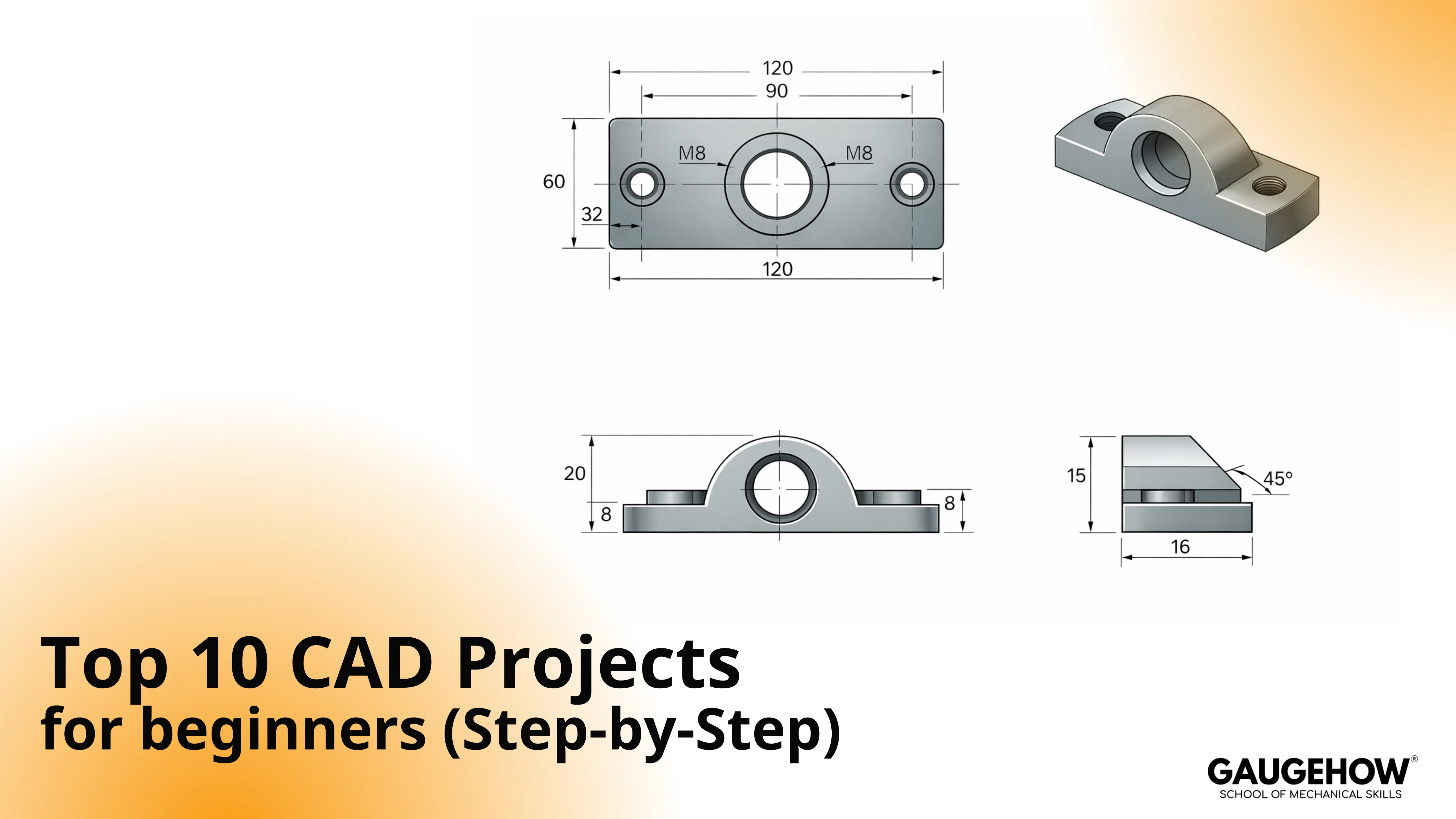
Which projects actually build CAD skills without wasted effort?
Choose a few CAD projects for beginners that finish with three outputs: a stable model, a clean export, and one change-proof check. Start with a simple bracket, edit one driving dimension, rebuild, then export and reopen to confirm scale. One constraint matters: the model must stay calm after revision.
Steady progress is more common than it feels. Early CAD is noisy, and that’s normal. Good practice just turns the noise into a repeatable loop.
Basics Table
Start goal | Begin with these three | Why they work |
Part control | Bracket, Hole Pattern Plate, Shaft + Keyway | Intent, patterns, fit |
3D print confidence | Clamp Body, Bracket, Pulley | Thickness, symmetry, export |
First assemblies | Two-Part Fit, Bracket, Shaft + Keyway | Mates after edits |
Portfolio-ready | Bearing Block, Fixture With Datums, Revision Challenge | Drawings + revision discipline |
CAD practice exercises that build control
Loose sketches fail later, even when they look fine now. That happens because intent was never locked with constraints and clean references. So keep practicing small, then test stability early.
Practical confidence comes from CAD practice exercises that survive a thickness change without drifting. Build one sketch, one feature chain, then change a driving dimension and rebuild. So drag-test the sketch before adding cosmetics.
CAD models to try for fast 3D confidence
Big models look impressive, yet they often collapse on revision. That happens because complexity arrives before control. So start with simple mechanical shapes that teach symmetry, patterns, and fit.
Early momentum comes from CAD models that still behave after edits and exports. Parts come first, assemblies come next, drawings come when communication matters. So delay complexity until the edit loop feels calm.
Top 10 CAD Projects for Beginners
Start with one clean part, then level up in the same order real CAD work does: patterns, interfaces, assemblies, and a final revision stress test. Keep each project small, finish it properly, and move to the next.
1) Dimensioned Bracket
Strong first pick for learning intent. Sketch a profile, fully constrain it, extrude, and place two holes from a datum. Fillets come late, because early rounds create fragile edges. Done looks like a thickness change that rebuilds clean and exports at the correct scale.
2) Hole Pattern Plate
Useful when accuracy matters. Build a plate, place one hole from a clear datum, then pattern it with a stable anchor. Drift appears when patterns reference “found edges,” so tie the pattern to a sketch or datum instead. Done looks like resizing the plate while the pattern stays centered.
3) Simple Clamp Body
Practical for thickness and clearance thinking. Create a base, cut a slot, add a boss, then finish edges near the end. Breaks usually show up at sharp inside corners, so keep the core geometry simple before cosmetics. Done looks like an export that reopens clean and measures correctly.
4) Shaft and Keyway
Most useful for fit logic. Revolve the shaft, cut the keyway from a plane, then add chamfers that match the function. Errors appear when keyways are tied to unstable edges, so locate them from planes and controlled dimensions. Done looks like changing the diameter without losing the keyway position.
5) Flanged Bearing Block
Reliable for drawing readiness. Build the base, add the bore, pattern bolt holes from a datum, then add finishing fillets late. Trouble appears when dimensions describe shape instead of controlling fit, so drive the bore and datums with intent. Done looks like the drawing is updating after a bore change.
6) Sheet Metal L-Bracket
Great for fabrication awareness. Define thickness, create a base flange, add an edge flange, then place holes away from bend zones. Surprises happen when flat pattern settings are ignored, so check the flat pattern before calling it done. Done looks like a thickness change that keeps the flat pattern sensible.
7) Two-Part Fit Test Assembly
Helpful for mate discipline. Model two simple parts with obvious references, assemble them, then apply one or two purposeful mates. Solver fights appear with over-constraint, so remove extra mates and keep motion intentional. Done looks like swapping one part size while mates are still solving.
8) Basic Pulley with Drawing
Clean for revolves and section views. Sketch a defined profile, revolve, add the bore, then create a drawing with one section that explains the groove. Failures show up when profiles are under-defined, so lock the sketch before detailing. Done looks like the section is updating after a groove change.
9) Small Fixture with Datums
Sharp for “engineering intent” habits. Choose datums, build the base, add locating features, then dimension from functional references. Confusion appears with stacked dimensions, so keep control dimensions tied to datums. Done looks like changing one locator while the rest stay stable.
10) Revision Loop Challenge
Best for proving real stability. Take any project above, change two key dimensions, rebuild, export, reopen, then repeat once more. Breaks often come from edge-based references, so reattach features to sketches or datums. Done looks like two revision passes with clean rebuilds and clean reopens.
Real-World CAD Mini Project
Shop reality shows up as a change request, not a perfect brief. That happens because parts evolve after reviews and constraints shift. So practice should include one controlled change, then a calm proof check.
Picture this message: “Make the bracket 6 mm thicker and move the holes 10 mm closer.” The model should not panic, and the drawing should not require hand fixes. So treat the change like a test, not an interruption.
Project Brief | Spec |
Constraints | Two mounting holes, symmetric layout, one filleted corner |
Deliverables | Native model, STEP export, drawing PDF |
Change request test | Thickness + hole spacing update |
Pass check | Rebuild clean, drawing updates, export reopens at scale |
So rebuild once after the change, then reopen the export.
Common Sticking Points
Beginner frustration arrives late, not early. That happens because weak intent stays hidden until an edit or export. So fix problems where they start: sketches, references, units, and mate discipline.
Sketches drift because constraints are incomplete.
Features fail because references move during edits.
Exports scale wrong because units were inconsistent.
Patterns shift because anchors were unclear.
Assemblies fight because mates over-constrain motion.
So cold-open the file, rebuild once, then reopen the export.
FAQs
What should I start with first?
Start with the bracket, the hole plate, and the shaft. Those three teach intent, patterns, and fit with low complexity. Many people call them easy CAD projects, but the real benefit is stable edits. So finish one before starting the next.
How long should each project take?
Aim for 30–60 minutes per session with one proof loop. Short sessions keep attention sharp, so mistakes show early, and fixes stay simple. Longer marathons often hide problems until the end. So stop after the export reopen check.
When should assemblies start?
Assemblies make sense after two parts survive edits. Start with the two-part fit test, keep mates minimal, then change one part size to prove stability. That single check prevents weeks of mate frustration. So delay assemblies until parts feel calm.
How do I know a project is done?
Done survives change and sharing. One key dimension change should rebuild clean, and the export should reopen at the correct scale and geometry. A drawing, when used, should update without manual patching. So treat “reopen and measure” as part of done.
Should I learn 2D before 3D?
The goal decides the order. Drafting-heavy work benefits from 2D CAD practice drawings early, because readability and dimension discipline transfer everywhere. Part-first goals can start in 3D and add drawings once edits stay stable. So start where the output matters most.
Conclusion
Good progress comes from finishing, not collecting ideas. Pick one small project, complete it, then repeat with a slightly harder one. Make one change and check everything still looks right, so you stop guessing and start building confidence. If you want a clear path, Gaugehow teaches this step by step, with guided projects, checkpoints, and a certificate you can actually show
CAD-CAM-CAE Work Platform
Find or Post CAD, CAM and CAE freelance projects, full-time jobs and Internships.
GaugeHow is the platform built for core engineering work. Whether you need a freelancer for a CAD project, a full-time hire, or an engineering intern,post it here and get matched with the right person.























