Mechanical Engineering Courses Online + Certification [2026]
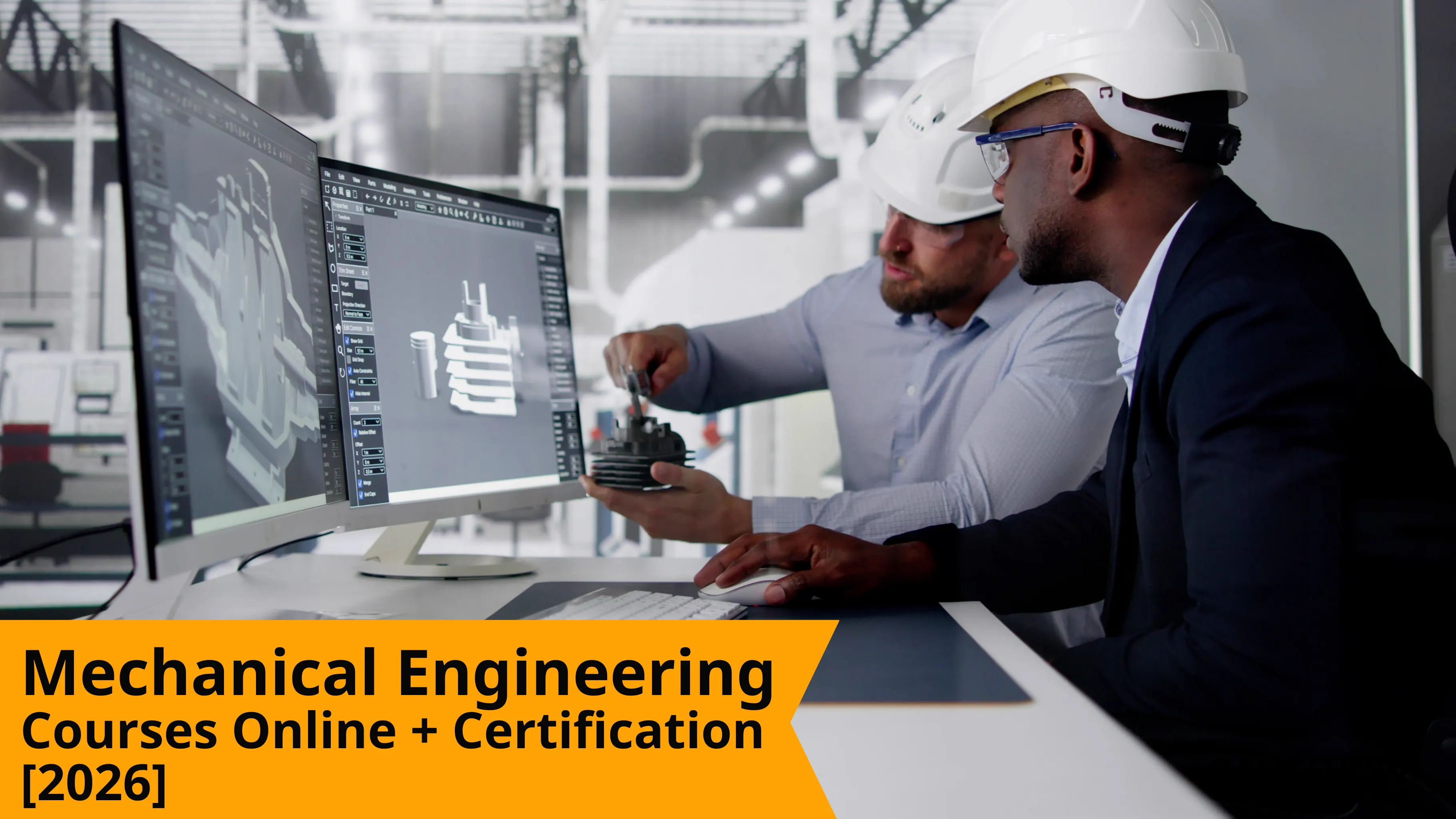
Mechanical engineering covers machines, thermal systems, manufactured parts, tools, and plant equipment used across factories, vehicles, HVAC systems, and energy work.
Mechanical engineering courses help you learn drawings, 3D design, simulation basics, revision control, and manufacturing sense, so your learning starts matching real engineering work.
By the end, you will know which course path fits your target role, how to choose the right learning mode, and where certification actually helps.
Table Of Contents
What Is Mechanical Engineering
Top 10 Mechanical Engineering Courses
How To Choose The Best Mechanical Engineering Courses
Mechanical Engineering Online Courses Vs Offline Training
How To Get a Mechanical Engineering Certification
You can finish a mechanical degree and still feel unsure what to learn next. That confusion is real because the field now splits into drafting, product design, simulation, manufacturing support, quality work, and factory technology.
Most people searching for courses for mechanical engineers after engineering are not looking for another broad explanation. They want a cleaner direction.
Use this guide to choose a course path with purpose. It links each tool to the work you will actually handle. Design roles need stronger drawings, revisions, assemblies, and tolerances.
Analysis roles need a cleaner setup, meshing logic, thermal studies, and CFD judgment. Choose the right path early, and your next step becomes easier to explain.
What Is Mechanical Engineering
Mechanical engineering deals with how machines and thermal systems are designed, built, tested, and improved so they perform reliably in real service.
It connects mechanics, materials, motion, heat, manufacturing, and performance into practical engineering used across products, plants, vehicles, utilities, and industrial equipment.
Its scope is broad because industry problems are broad. A mechanical engineer may work on parts, assemblies, fixtures, tooling, HVAC systems, pumps, production drawings, maintenance problems, thermal loads, or failure review, depending on the role.
In simple terms, mechanical engineering is applied engineering for real components, real processes, and real operating conditions.
Many readers search for courses for mechanical engineers after engineering because fundamentals alone do not tell you whether to begin with drawing work, product modeling, FEA, CFD, or factory-linked software.
Top 10 Mechanical Engineering Courses
When you compare CAD courses for mechanical engineers, it helps to sort them by real use, not by popularity. Some tools are for drawings and assemblies. Some are for structural checks. Some are for flow, heat, or coupled analysis.
AutoCAD
AutoCAD is the practical starting point for 2D drafting, detailing, dimensions, notes, and revision control. You use it for fabrication drawings, layout updates, and drawing corrections that need to stay clean. It suits you when your first role is likely to involve drawing, reading, drawing preparation, or release support.
SolidWorks
SolidWorks is used for part modeling, assemblies, and drawing generation. You learn it to build stable models, clearer assembly relationships, and better manufacturing drawings. It suits you when you want to move toward design support, machine design, product detailing, or sheet metal work.
CATIA V5
CATIA V5 fits complex surfaces, larger assemblies, and tighter geometry control. It is common that shape quality and assembly depth matter more, especially in automotive and aerospace-style work. You should choose it when your target path leans toward advanced design environments.
Siemens NX
Siemens NX suits production-scale engineering where design links closely with manufacturing work. It helps with structured product development, tooling-linked design, and machining-aware modeling. You should choose it when you want design work that stays close to plant and production realities.
PTC Creo
Creo is strong in parametric design and controlled updates. It fits products where parts, families, and revisions need to stay stable through change. You should choose it when you want stronger design discipline, cleaner updates, and fewer broken model relationships.
Fusion 360
Fusion 360 gives a faster entry into product design and prototype-oriented work. It fits learners who want a simpler path into modeling, assembly logic, and manufacturing-ready geometry. It suits you when you want practical progress without starting from a very heavy system.
FEA With ANSYS
FEA with ANSYS teaches structural thinking. You learn how loads move, how constraints affect results, and how meshing changes confidence in the study. It suits you when your path is more about strength, deformation, stiffness, and design improvement before release.
ANSYS Fluent
ANSYS Fluent is for flow and thermal studies. It suits ducting, cooling paths, pressure-drop studies, internal flow work, and heat transfer problems. You should choose it when HVAC, thermal management, or fluid systems interest you more than solid mechanics alone.
ABAQUS CAE
ABAQUS CAE fits deeper simulation work where contact, nonlinear response, and material behavior matter more. It is stronger for advanced CAE learning than for a quick beginner path. You should choose it when your interest moves toward research-linked or in-depth analysis work.
COMSOL Multiphysics
COMSOL Multiphysics is used when one physical effect influences another. It fits coupled thermal, structural, fluid, or electrical studies where one solver view is not enough. You should choose it when the engineering problem is more system-linked and less isolated.
How To Choose The Best Mechanical Engineering Courses
The best mechanical engineering courses are the ones that match one role path and one clear kind of engineering work.
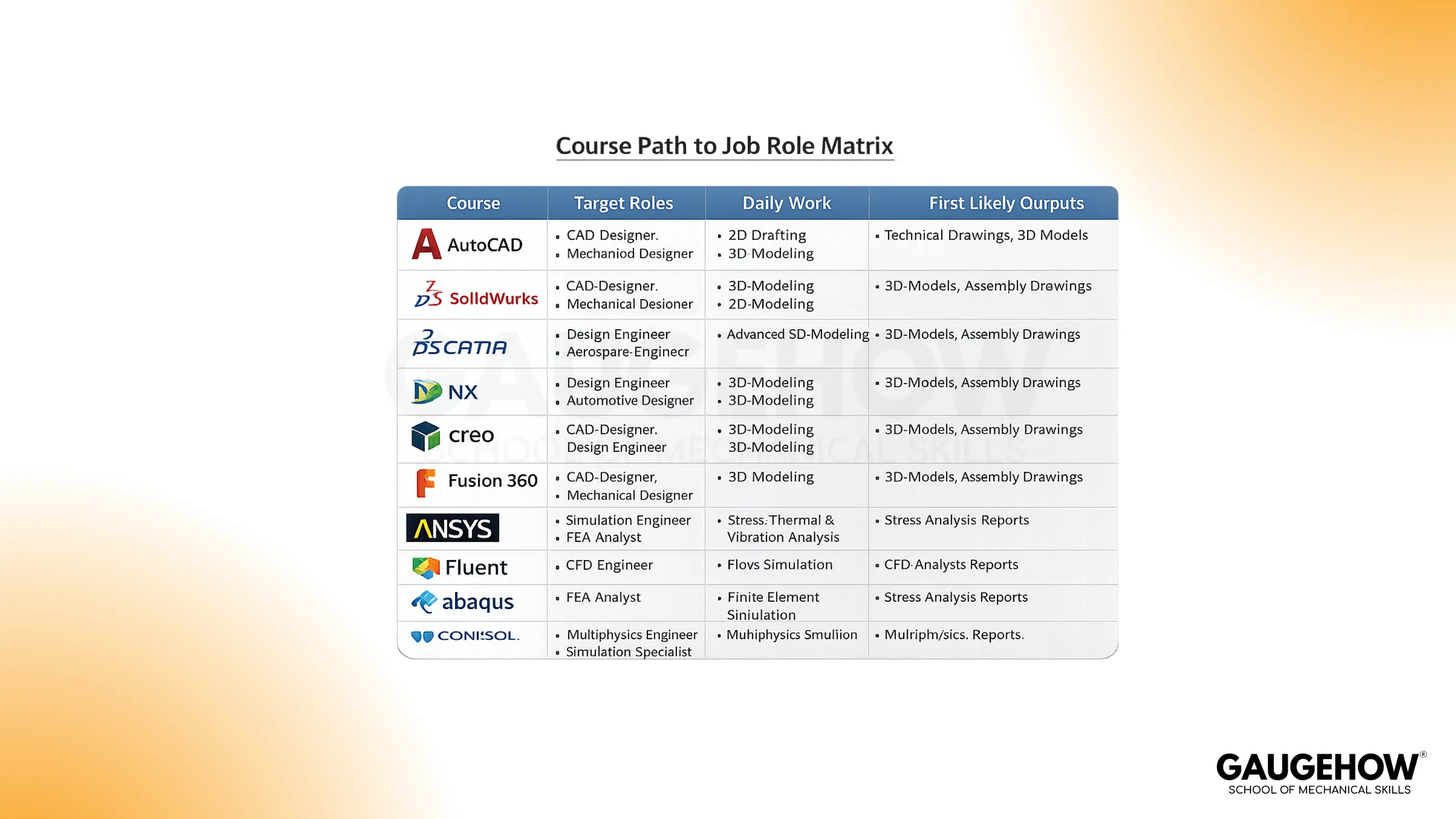
Job-oriented courses for mechanical engineers are still a broad category. The better choice is the course that matches the actual work in the target role, including drawings, assemblies, simulation setup, production support, or inspection-related decisions.
Role | Best Course | Main Benefit | Typical Use |
Drafting And Drawing Work | AutoCAD | Better dimensions, notes, and revision control | 2D drawings, layouts, fabrication sheets |
Product Design | SolidWorks | Better parts, assemblies, and drawing linkage | Brackets, housings, machine subassemblies |
Surface-Heavy Design | CATIA V5 | Better geometry control and assembly depth | Automotive and aerospace style design |
Production-Scale Design | Siemens NX | Better design and manufacturing continuity | Product development and tooling-linked work |
Controlled Product Changes | PTC Creo | Better parametric updates across revisions | Product families and structured design work |
Fast Product Modeling | Fusion 360 | Faster concept-to-model progress | Prototype-led product work |
Structural Analysis | FEA With ANSYS | Better load and stiffness understanding | Frames, supports, brackets, housings |
CFD And Thermal Work | ANSYS Fluent | Better flow and heat transfer judgment | Ducting, cooling, and pressure-drop studies |
Advanced CAE | ABAQUS CAE | Better nonlinear and contact analysis | High-depth simulation work |
Coupled Physics | COMSOL Multiphysics | Better system-linked engineering judgment | Thermal-structural and multiphysics studies |
A simple rule helps here. The best mechanical engineering courses are not the ones with the biggest list of features. They are the ones that make your first role easier to prepare for and easier to explain with confidence.
What Work These Courses Prepare You To Handle
Once you choose a course, the work in front of you becomes more specific. That matters because employers do not hire course names. They look for cleaner engineering judgment in the kind of work that the role handles every day.
Here are the responsibilities these tracks usually prepare you for:
Reading and correcting drawings, notes, and dimensions.
Building parts and assemblies that stay stable during edits.
Applying tolerances with better manufacturing sense.
Preparing models for release and revision cycles.
Setting up meshes, loads, and boundary conditions carefully.
Reading thermal, flow, or structural results with restraint.
Writing short engineering notes that support review meetings.
The skills also split cleanly when you look at them properly:
Hard Skills
Drawing standards
Part modeling
Assembly logic
GD&T basics
Meshing
Solver setup
Material selection
Result reading
Soft Skills
Review discipline
File control
Change communication
Concise note writing
Clear technical explanation during handoff
That middle layer is where many generic blogs stay weak. They name the software, but they do not explain the actual work the software prepares you to handle. The stronger page always closes that gap.
Mechanical Engineering Online Courses Vs Offline Training
Good mechanical engineering online courses work well when they include review, correction, and guided practice. The value does not come from recorded lessons alone.
It comes from whether someone checks your drawings, your assembly choices, your meshing decisions, and your written assumptions.
Offline learning still helps when you need direct lab access, hardware exposure, or faster intervention on difficult topics.
That is useful in some metrology, inspection, or machine-linked cases. But even then, the real test is still the same.
Use these filters before you choose any mode:
Can someone review your drawings and point out errors clearly?
Can your assembly logic or solver setup be corrected, not just watched?
Will you finish one full practice task, not only lesson modules?
Can you explain your decisions without depending on memorized lines?
Features | Online | Offline |
Flexibility | Learn from anywhere and repeat lessons at your own pace | Fixed schedule with classroom timing |
Review Quality | Strong when mentor feedback and correction are built in | Strong in live sessions with immediate interaction |
Lab And Hardware Exposure | Limited unless paired with software practice or a home setup | Better for machine handling, instruments, and physical lab work |
Cost And Travel | Usually lower total cost and no commute burden | Higher when travel, stay, and center fees are added |
Replay Value | Easy to revisit difficult topics and practice again | Depends on notes and memory after class |
Best Fit | CAD, CAE, drafting, and software-led learning | Lab-heavy, machine-linked, or instrument-focused training |
The better mechanical engineering online courses usually answer those questions well. If they do not, the learning may stay shallow even when the branding looks strong.
Where Most Learners Lose Time
Many learners lose months because they start in the wrong order, not because they are unwilling to work. A clear learning path saves time, builds stronger fundamentals, and makes your progress easier to use in real engineering work.
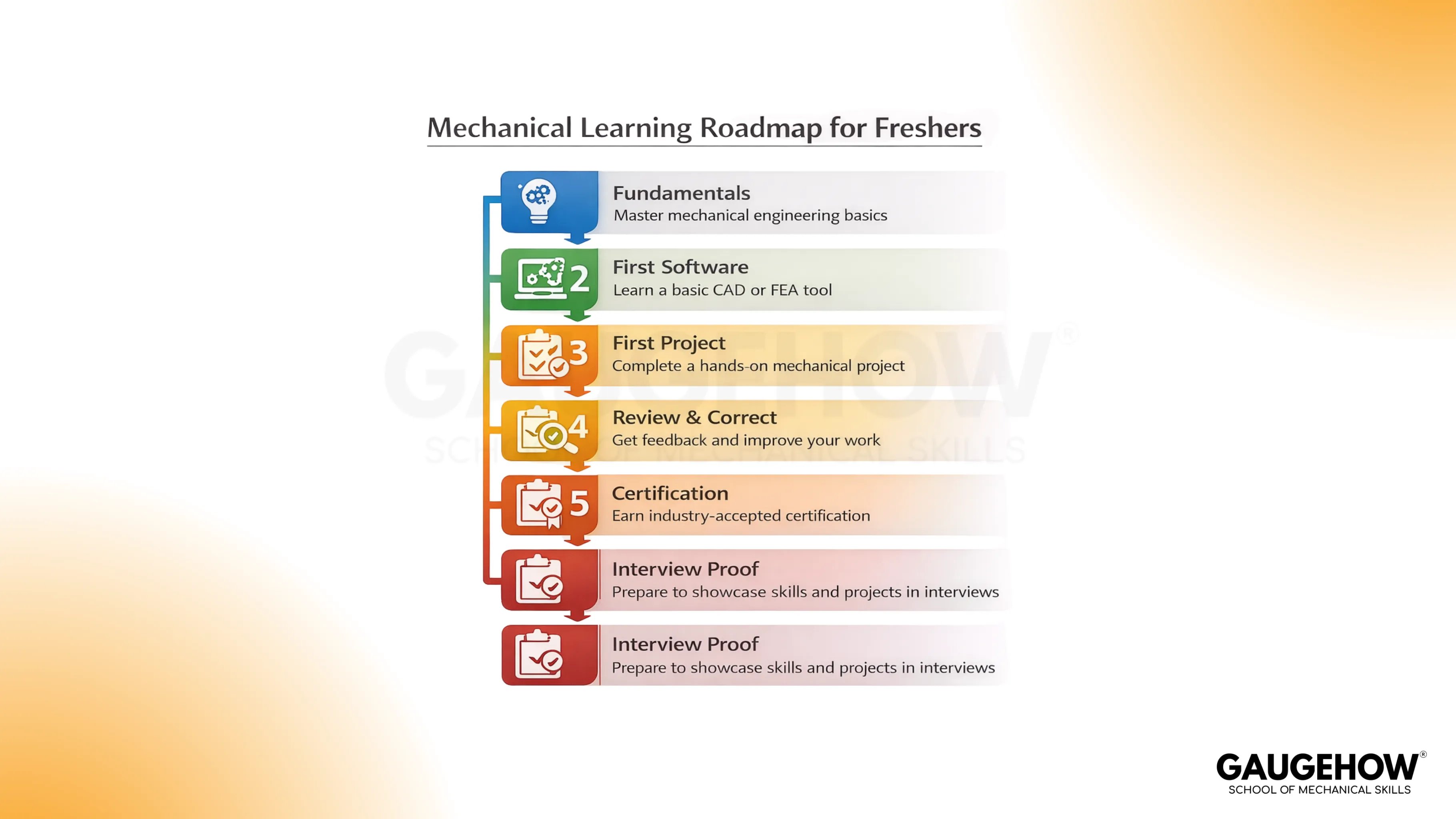
Do not start with too many tools at once. Learners open AutoCAD, SolidWorks, ANSYS, and CFD content together, and then nothing becomes strong enough. Others spend too long collecting certificates before they can read a drawing properly or confidently explain a simple mesh setup.
Use one tool path first and build control over it. Learn drawings, feature order, constraints, editing discipline, and output quality before moving into larger assemblies or advanced studies.
In design work, consistent 2D and part modeling practices should precede complex assembly workflows. That order reduces confusion, prevents weak fundamentals, and gives you cleaner engineering judgment.
For analysis-focused learning, setup quality should come first, because polished result plots can still hide poor engineering judgment.
Geometry cleanup, material input, boundary conditions, meshing logic, as well as basic validation checks, should be learned before deeper result reading.
A stronger setup reduces misinterpretations and builds confidence during technical discussions.
Get Certified With Job-Focused Training
Certification should follow learning that has shape and direction. It should not come first.
At GaugeHow, the cleaner approach is to start with one track, stay focused on one type of work, and learn through guided lessons, practical tasks, and a structured course flow, rather than random tool-hopping.
That matters because some readers need drafting and product design, while others need FEA, CFD, or manufacturing-linked software.
A structured course hub helps you pick the lane first, and then build skill in the right order. That makes your certificate more meaningful because it is based on real practice, not just screen time.
How To Get Mechanical Engineering Certification
For most juniors, the first formal certification path is the college route itself. A diploma or B. Tech in mechanical engineering gives you the academic base in mechanics, thermodynamics, manufacturing, materials, machine design, and engineering mathematics.
That degree matters because many companies still use it as the first eligibility filter. Still, degree completion alone usually does not prove software ability, drawing quality, revision discipline, or job-ready execution.
After college, a mechanical engineering certification is more useful when it is tied to a specific practical skill path. This is where mechanical engineering courses are most valuable.
Freshers, final-year students, diploma holders, career switchers, and even working engineers should apply for the role they want next, not based on course popularity.
If your target is drafting or design support, begin with AutoCAD or SolidWorks. If your target is CAE, move toward ANSYS, Fluent, ABAQUS, or COMSOL based on the type of analysis you want to handle.
Look at trainer depth, assignment quality, project review, correction support, certificate credibility, and whether the course helps you produce work you can explain in interviews.
A simple sequence works best here. Finish your degree or diploma foundation first. Choose one role path. Complete one core course fully. Stay with the assignments and corrections until the concepts no longer feel loose.
Then earn the certificate at the end of that path, not in the middle of scattered learning. That is the point at which certification starts to carry real value for your next job step.
Conclusion
Start with the mechanical engineering courses that match the first role you want, not the longest list you can collect. Pick one track today, begin with one serious course, and move through it in order on GaugeHow, so your next step stays clear.
FAQs
Which Courses For Mechanical Engineers After Engineering Should You Start With?
Start with the path closest to your first target role. AutoCAD fits drawing work. SolidWorks fits design support. FEA with ANSYS fits structural analysis. Fluent fits thermal and fluid work.
Are CAD Courses For Mechanical Engineers Enough For A Fresher?
They can be very helpful when you learn them properly. Drawings, assemblies, dimensions, revisions, and tolerances still matter. Software alone is not enough, but solid CAD basics still open many first-role paths.
Which Course Is Best For Product Design Roles?
SolidWorks is typically the cleanest starting point for product design roles. It helps you learn parts, assemblies, drawings, and revision logic in a single, connected path before moving on to more complex systems.
Is Online Learning Enough For Mechanical Roles?
It can be enough when the learning includes review, correction, and guided practice. If the course provides only videos and no feedback, your understanding may remain weak even after completion.
Should You Learn Simulation Before CAD?
Usually, no. Most learners benefit from first learning the basics of drawing and design, then moving into FEA or CFD. Simulation becomes easier when the geometry, materials, dimensions, and boundary logic are already clear.