Autodesk Netfabb
what is netfabb

What Is Netfabb? A Beginner-Friendly Guide for Students and Makers
If you have ever tried to 3D print a model and ended up with a failed, messy print, you already know the hard part isn't the printing. It's getting the file ready to print. That's the exact job Netfabb was built for. Let's break it down in plain language.
Overview: What Is Netfabb?
Netfabb is software that prepares 3D models for additive manufacturing (the technical name for 3D printing).
In simple words, it takes your 3D file, checks it for errors, fixes them, adds the parts a printer needs (like supports), and turns it into something your machine can actually build. It's made by Autodesk, the same company behind AutoCAD, Fusion, and Inventor.
Today it ships as part of a package called Autodesk Fusion with Netfabb, so it works closely with Autodesk's design tools.
Think of it as the bridge between "I designed a cool part" and "I printed a part that didn't fail."
Key Features of Netfabb
Here's what Netfabb actually does, without the marketing buzzwords:
Repairs broken models. It finds holes, flipped surfaces, and gaps in a mesh and patches them automatically.
Generates support structures. It builds the temporary scaffolding that holds up overhangs while printing.
Orients your part. It rotates the model to the best angle to save material and reduce failures.
Nests and packs parts. It arranges many parts inside one build space so you waste less room and print more at once.
Creates lattice structures. It replaces solid areas with lightweight internal patterns, so parts stay strong but use less material.
Hollows out models. It scoops out the inside of a part to cut weight and cost.
Slices and builds toolpaths. It converts the model into the layer-by-layer instructions a printer follows.
Simulates metal printing. Higher tiers can predict heat and warping before you waste expensive metal powder.
How to Use Netfabb
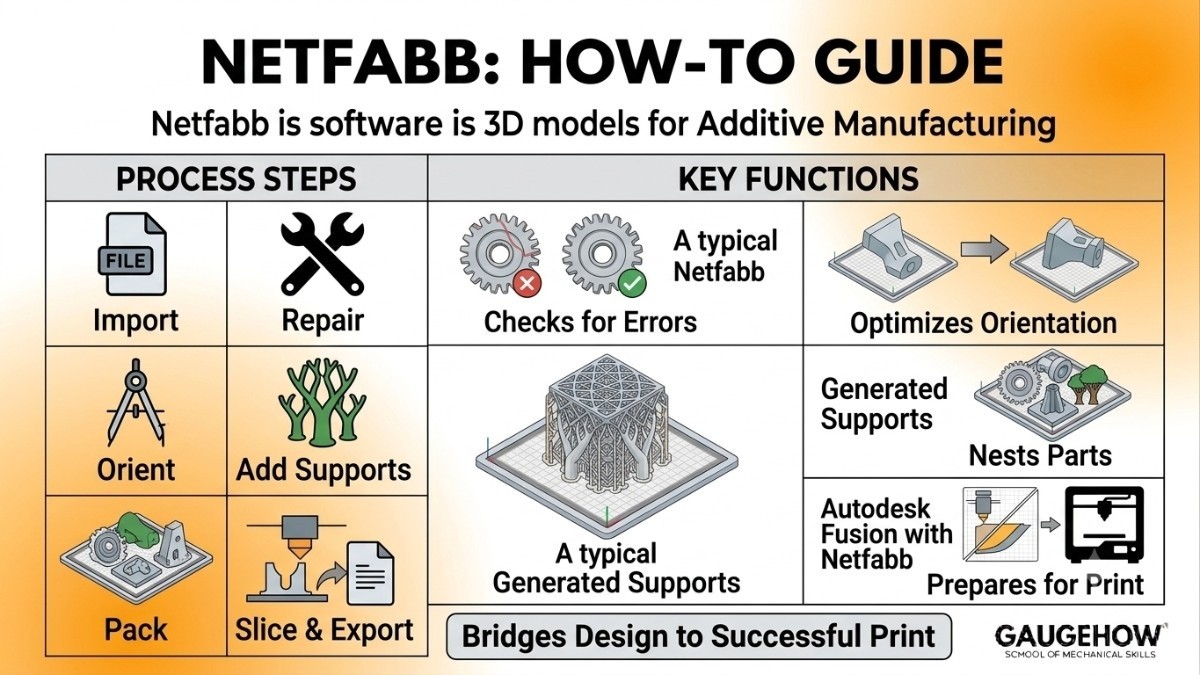
You don't need to be an engineer to follow the basic flow. A typical Netfabb session looks like this:
Import your file (STL, OBJ, 3MF, STEP, and other common formats all work).
Run a repair check to catch errors in the mesh.
Pick the best orientation so the part prints cleanly.
Add supports where the model needs them.
Pack the build plate if you're printing more than one part.
Slice and export the file to your printer or machine.
A small tip for students
Start with one simple part before loading a full build plate. It's much easier to learn each tool when you're not staring at fifty objects at once.
How to Repair an STL File in Netfabb
STL files break a lot. A "broken" STL usually has holes, loose triangles, or surfaces facing the wrong way, and most printers will refuse it or print garbage.
To fix one in Netfabb:
Open your STL file in Netfabb.
Look for a red or yellow warning icon. That means the software spotted problems.
Click the Repair tool (often shown as a small wrench or first-aid icon).
Hit Automatic repair. Netfabb closes holes and flips wrong-facing surfaces on its own.
Click Apply repair, then export the clean file.
For most school and hobby models, automatic repair is enough. You only need the manual tools when a part is badly damaged.
Autodesk Netfabb System Requirements
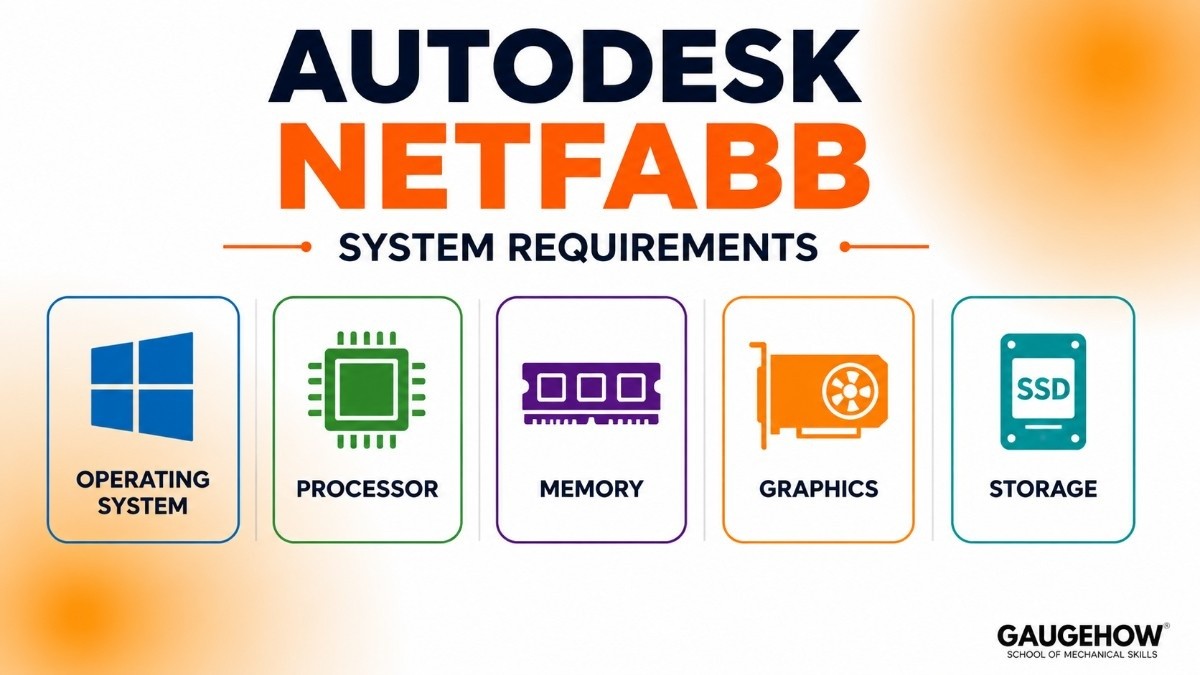
Netfabb is a desktop program, so your computer matters. These are typical recommended specs:
Operating system: Windows 10 or 11, 64-bit (Netfabb is built for Windows).
Processor: A modern multi-core CPU (Intel or AMD).
Memory: 16 GB of RAM or more. You can run it on 8 GB, but it gets slow with big files.
Graphics: A dedicated GPU with up-to-date drivers helps a lot with smooth 3D views.
Storage: A few GB of free space, ideally on an SSD.
Requirements change with each yearly version, so check Autodesk's official page for the exact specs of the release you're installing.
Netfabb Pricing: Is Netfabb Free?
This is the part most people search for, so let's be clear.
Netfabb is not free for regular commercial use. Autodesk sells it as a subscription only — there's no one-time purchase anymore. You can pay monthly, yearly, or for three years, and historically the main tier has cost roughly $5,000+ per year.
But there are two ways to use it without paying:
Free 30-day trial. Anyone can download and test the full software for a month.
Free for students and teachers. If you have a school email, you can get a one-year educational license through the Autodesk Education plan, and renew it while you're eligible.
So if you're a student, the answer is good news: you can almost certainly use Netfabb for free.
Pros and Cons of Netfabb
No software is perfect. Here's an honest look.
Pros
Very strong repair and support tools.
Excellent for metal 3D printing and lattice designs.
Works smoothly with Autodesk Fusion.
Supports 200+ printers and machine setups.
Cons
Expensive for individuals and small shops.
Windows only — no native Mac version.
The interface can feel overwhelming at first.
Some advanced features now require the bundled Fusion package, which adds to the cost.
Who Is Netfabb Best For?
Netfabb shines in professional and industrial settings, not casual desktop printing.
It's the right pick for engineers, product designers, and manufacturing teams working with metal additive machines, large build volumes, or serial production. Universities with additive manufacturing labs also use it heavily.
If you only print toys on a hobby printer at home, Netfabb is more power (and cost) than you need.
Netfabb Integrations
Netfabb plays well with other tools, which is a big reason companies choose it.
Autodesk Fusion: A direct design-to-print workflow, since both are Autodesk products.
CAD and mesh files: Imports and exports STL, OBJ, 3MF, STEP, and more.
Printer and OEM machines: Ready-made workspaces for brands like HP, Stratasys, EOS, and Formlabs.
ERP and databases: Through built-in scripting, it can pass data to systems that track production.
Netfabb Deployment: Cloud or Desktop?
Netfabb runs as installed desktop software on your own Windows machine, not in a web browser.
Its simulation engine, called Netfabb Local Simulation, also runs on your computer, which keeps your data in-house. Because it's bundled with the cloud-connected Fusion ecosystem, you still get cloud file sharing and team collaboration when you want it — but the core preparation work happens locally. That mix makes it easy to slot into an existing shop without rebuilding your whole setup.
Netfabb vs Materialise Magics
These two are the heavyweights of build-preparation software, so this comparison comes up a lot.
Feature | Netfabb | Magics |
Best for | Autodesk users | Many printer brands |
STL repair | Yes | Yes |
Lattice tools | Yes | Limited |
Metal simulation | Built in | Extra module |
Easy for beginners | Easier | Harder |
Materialise Magics is the long-time industry standard, especially in 3D printing service bureaus. It's machine-agnostic, with deep repair, support, and platform-prep tools, and it's built around a modular system you add to over time.
Netfabb is Autodesk's answer. It's strong in the same areas, but its real edge is tight integration with Fusion, plus solid lattice design and metal process simulation in one place.
The short version: pick Magics if you run a multi-brand print farm and want the established bureau standard. Pick Netfabb if you already live in the Autodesk world or want lattice and metal simulation built in.
Netfabb Alternatives
If Netfabb isn't the right fit, here are solid options to explore:
Materialise Magics — the professional bureau standard for data and build prep.
3DXpert — a strong all-in-one tool for metal additive manufacturing.
Ultimaker Cura — free, beginner-friendly slicer for desktop printing.
MeshLab — a free, open-source tool great for cleaning and repairing meshes.
Autodesk Meshmixer — a free, lightweight tool for basic repair and editing (older, no longer actively updated).
Frequently Asked Questions (FAQ)
Is Netfabb free?
Not for commercial use. There's a free 30-day trial, and students and teachers can get it free for a year through the Autodesk Education plan.
Is Netfabb discontinued?
No. The main version is still active and updated yearly. Autodesk did retire the old "Ultimate" edition and rebranded "Premium" as simply Netfabb, now sold as Autodesk Fusion with Netfabb.
Does Netfabb work on Mac?
Netfabb is built for 64-bit Windows. There's no native Mac version, so Mac users typically run it through a Windows environment.
What file types does Netfabb support?
Common ones like STL, OBJ, 3MF, and STEP, plus other CAD and mesh formats.
Is Netfabb good for beginners?
The interface takes some getting used to, but the automatic repair and support tools are beginner-friendly. Start with one simple part to learn the basics.
Netfabb vs Cura — which should I use?
Use Cura if you're a hobbyist printing on a desktop machine; it's free and simple. Use Netfabb for professional, industrial, or metal additive work that needs advanced prep and simulation.
Autodesk Netfabb helps students and engineers repair 3D models, create supports, optimize builds, and improve 3D printing accuracy and quality.























