materialise magics
materialise magics

Materialise Magics: The Standard for 3D Print Data Preparation
Overview
Materialise Magics is the industry-standard data preparation software for 3D printing — it takes a raw design file, fixes it, prepares it for the printer, and gets it print-ready faster than any other tool on the market.
Most 3D printing failures start before the printer is even switched on. A poorly repaired STL file, support structures in the wrong place, or a build platform that wasn't optimised these are the problems that waste material, time, and money. Magics was built specifically to eliminate them.
What is Materialise
the company? Materialise NV was founded in 1990 in Leuven, Belgium. It's one of the oldest companies in additive manufacturing — founded before the term "3D printing" was common and has spent three decades building software that industrial AM operators trust.
Magics is its flagship product, used by aerospace suppliers, medical device manufacturers, automotive R&D teams, and professional 3D printing bureaus worldwide.
The software is technology-neutral. Whether you're running powder bed fusion, SLA, FDM, metal laser sintering, or a multi-material system, Magics handles the data preparation workflow. You don't need different software for different machines.
Key Features
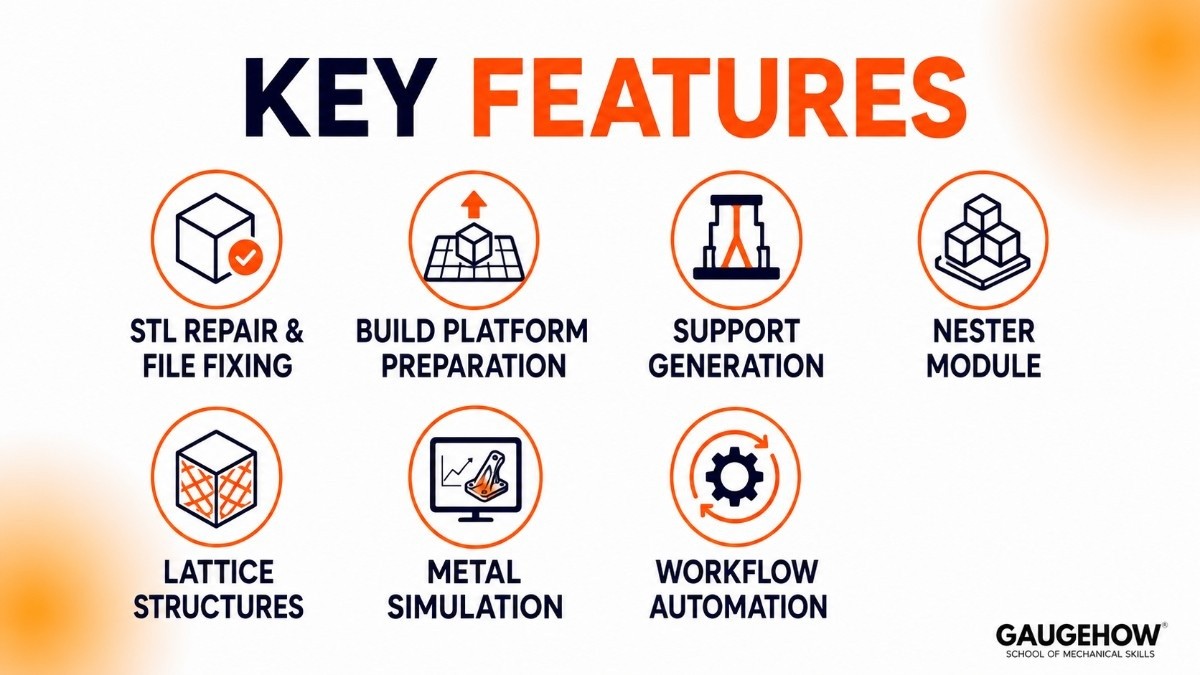
STL Repair & File Fixing
Magics automatically detects and fixes common file issues such as holes, overlapping surfaces, and geometry errors. Most problems can be repaired in just a few clicks.
Build Platform Preparation
Arrange, orient, and position parts on the build platform for better print quality and efficiency. Automatic tools help optimize placement before printing.
Support Generation
Create supports for metal, resin, and polymer 3D printing processes. Users can customize support placement to improve print success and simplify removal.
Nester Module
Automatically pack multiple parts into a single build to maximize printer space. This helps increase productivity and reduce printing costs.
Lattice Structures
Replace solid areas with lightweight lattice designs to reduce material usage and print time while maintaining part strength.
Metal Simulation
Simulate metal printing before production to identify possible deformation or build issues. This helps reduce failed prints and material waste.
Workflow Automation
Automate repetitive tasks such as file preparation, nesting, support generation, and exporting. This saves time and improves workflow efficiency.
Pricing
Materialise doesn't publish pricing publicly. Here's what is known:
What's confirmed
Subscription or perpetual licence. Magics is available both ways — annual subscription or a one-time perpetual purchase with optional maintenance.
Modular pricing. The base Magics licence covers core STL editing and build prep. Additional modules (Nester, e-Stage for metal supports, Simulation, Dental, Import module for more file formats) are priced separately.
Enterprise and volume pricing is available for large organisations and print service bureaus.
Educational licensing is available for universities and students — contact Materialise directly with proof of enrolment or academic affiliation.
Is Materialise Magics free?
No — Materialise Magics free access does not exist as a consumer offering. There is no permanently free version. A trial is available; you can request it through the official Materialise website and use the full platform for a limited period before deciding on a licence.
If cost is a barrier, Autodesk Netfabb has a free tier and Ultimaker Cura is fully free — though both have significant capability differences compared to Magics.
Pros and Cons of Materialise Magics
Pros
✅ Industry-standard 3D printing preparation software
✅ Powerful file repair capabilities
✅ Excellent support generation tools
✅ Works with many industrial printers
✅ Supports complex additive manufacturing workflows
✅ Trusted by professional manufacturers
Cons
❌ Higher cost than entry-level alternatives
❌ Learning curve for beginners
❌ Some advanced features require additional modules
❌ More functionality than hobby users may need
❌ Primarily designed for professional environments.
Best For

3D print bureausHigh-volume service providers preparing dozens of jobs daily. Nesting automation and batch workflows are where Magics earns its cost.
Aerospace & defenceMetal AM for structural parts where simulation, traceability, and first-time-right performance are non-negotiable.
Medical & dentalThe Dental module handles mass personalisation workflows for crowns, aligners, and surgical guides with full traceability.
Automotive R&DPrototyping and tooling teams working across multiple printer types who need one consistent data prep environment.
Industrial manufacturersAny operation using metal powder bed fusion or multi-material printing where build failures are costly.
Not the right fit for: hobbyists or desktop FDM users (Cura is free and does the job), Mac-only design studios, or individuals who need a quick free repair tool rather than a professional workflow platform.
Integrations
Magics connects to the machines, file formats, and enterprise systems already in your workflow.
File formats supported
STL3MFAMFOBJSTEP / STPIGESSolidWorks (.sldprt)Rhino (.3dm)SketchUp (.skp)CATIASiemens NX
3D printing technologies
SLS / MJFSLA / DLPFDM / FFFDMLS / SLM (metal)Binder jettingMaterial jettingDental / bioprinting
Platform & enterprise
Materialise CO-AM platformERP via CO-AM connectorsMES integrationEOS machines3D Systems ProXStratasys printers
Magics 29 added native BREP (CAD boundary representation) processing, meaning you can now work with native CAD geometry throughout the entire Magics workflow — not just after converting to mesh. This closes a major gap that forced extra steps in previous versions.
While Materialise Magics focuses on file repair, build preparation, support generation, and additive manufacturing workflows, it is often used alongside slicers such as PrusaSlicer. Many users prepare and optimize models in Magics before exporting them to a slicer like PrusaSlicer, which then generates the layer-by-layer instructions needed for 3D printing.
Deployment
Desktop application (Windows only)
Magics runs as a desktop application on Windows. There is no web-based or cloud-hosted version of the core software. You install it locally, and it processes files on your machine. This gives you full processing power without network dependency — important for large metal build files that are gigabytes in size.
Licence server for teams
For organisations with multiple users, Materialise offers a network licence server model. Licences are checked out from a central server, which means engineers share a licence pool rather than each needing an individual seat active at all times. Useful for teams where not everyone uses Magics simultaneously.
CO-AM cloud platform integration
While Magics itself is desktop-based, it integrates with Materialise's CO-AM cloud platform for production tracking, order management, and multi-site coordination. CO-AM sits above Magics in the workflow — Magics prepares the build, CO-AM connects it to production planning and traceability records.
No brownfield barriers
Magics connects to virtually any 3D printer via Build Processors — dedicated software modules that translate the prepared build into machine-specific instructions. If your facility runs machines from multiple vendors (EOS, 3D Systems, Stratasys, and others), each gets its own Build Processor. One software environment, every machine.
Alternatives to Materialise Magics
Autodesk Netfabb
Netfabb offers file repair, support generation, and build preparation tools for 3D printing. It is a popular choice for users already working within the Autodesk ecosystem.
Ultimaker Cura
Cura is a free and widely used slicing software for FDM 3D printers. It is ideal for hobbyists and small businesses that need basic print preparation tools.
Amphyon
Amphyon focuses on metal 3D printing simulation and build optimization. It helps users predict print issues before production and improve build success rates.
3DXpert
3DXpert combines design, simulation, build preparation, and printing tools in one platform. It is commonly used by organizations working with 3D Systems printers.
GrabCAD Print
GrabCAD Print simplifies print preparation and workflow management for Stratasys 3D printers. It is known for its easy-to-use interface and printer integration.
Frequently Asked Questions
What is Materialise Magics used for?
Materialise Magics is used to repair, edit, optimize, and prepare 3D models for additive manufacturing. It helps ensure parts are ready for successful printing.
Is Materialise Magics free?
No. Materialise Magics is a commercial software platform. Trial versions may be available, but long-term use generally requires a paid license.
What is Materialise Magics 29?
Materialise Magics 29 is a newer version of the software that includes workflow improvements, enhanced build preparation tools, and expanded printer support.
Can students learn Materialise Magics?
Yes. Many universities and research institutions use Magics to teach additive manufacturing workflows and build preparation techniques.
What printers work with Materialise Magics?
The software supports many industrial 3D printing systems, including printers from EOS, HP, Stratasys, Renishaw, and 3D Systems.
Final Thoughts
Materialise Magics has become one of the most trusted software platforms in additive manufacturing because it solves one of the most important challenges in 3D printing: preparing parts correctly before production.
Its powerful file repair, support generation, build optimization, and printer compatibility features make it a valuable tool for engineers, manufacturers, and additive manufacturing professionals.
For students learning about 3D printing, Materialise Magics provides an excellent introduction to the real-world workflows used in professional additive manufacturing environments.
Materialise Magics is a 3D printing software that repairs files, creates supports, and prepares models for printing, improve print quality and efficiency.























