PrusaSlicer
What Is PrusaSlicer

What Is PrusaSlicer? A Simple Guide for Students and New 3D Printers
Your 3D printer can't read a model file on its own. It needs a list of exact moves, written line by line. The software that creates that list is called a slicer, and PrusaSlicer is one of the most trusted ones out there. Let's break down what it is and how to use .
Overview: What Is PrusaSlicer?
PrusaSlicer is free software that turns your 3D model into instructions your printer can follow.
If you're comparing different slicing software, you can also read our guides on UltiMaker Cura and OrcaSlicer to see how they differ from PrusaSlicer. It's made by Prusa Research, a company that builds 3D printers, and it grew out of an older open-source project called Slic3r.
Even though Prusa makes it, the software works with tons of other printer brands too.
Think of PrusaSlicer as the bridge between your design and a finished part.
Key Features of PrusaSlicer
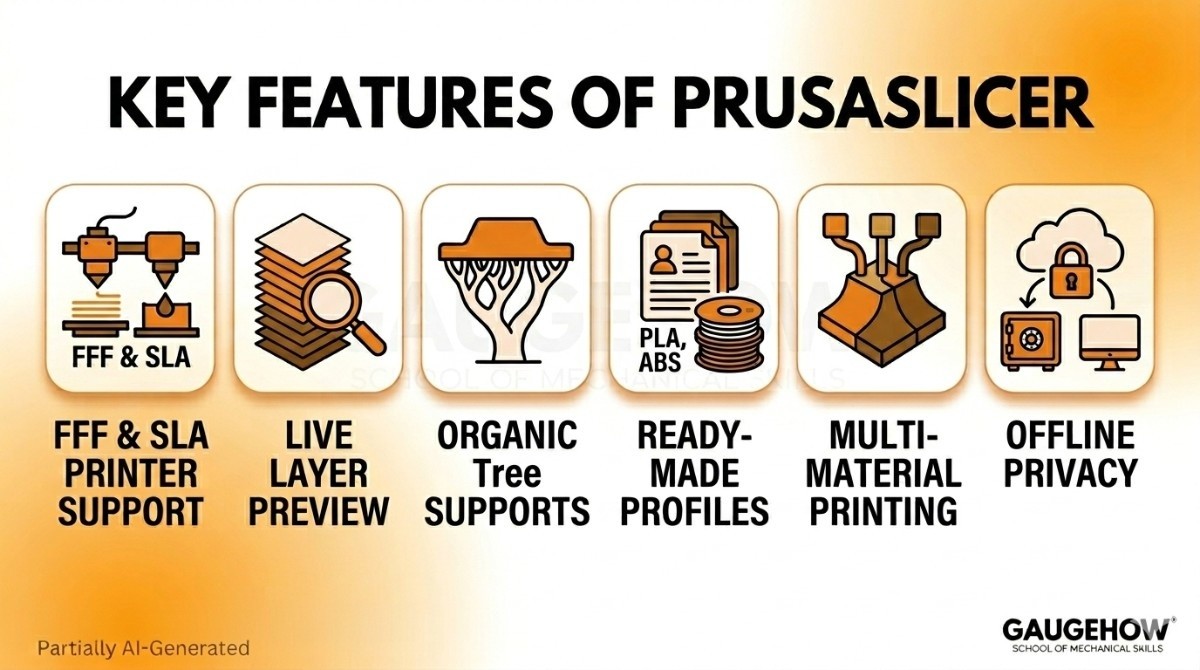
Here's what PrusaSlicer actually does, without the sales talk:
Slices for two printer types. It works with both regular (FFF) printers and resin (SLA) printers.
Live layer preview. You can scroll through every layer before you waste any filament.
Organic supports. It can grow tree-like supports that are easy to snap off.
Ready-made profiles. It already knows good settings for many printers and filaments.
Multi-material printing. It handles prints that use more than one color or material.
Saved custom profiles. Tweak your settings once, then reuse them anytime.
Runs offline. All slicing happens on your computer, so your files stay private.
This is especially useful for engineers working with CAD software before preparing models for repair and manufacturing workflows in Autodesk Netfabb or Materialise Magics.
How to Use PrusaSlicer
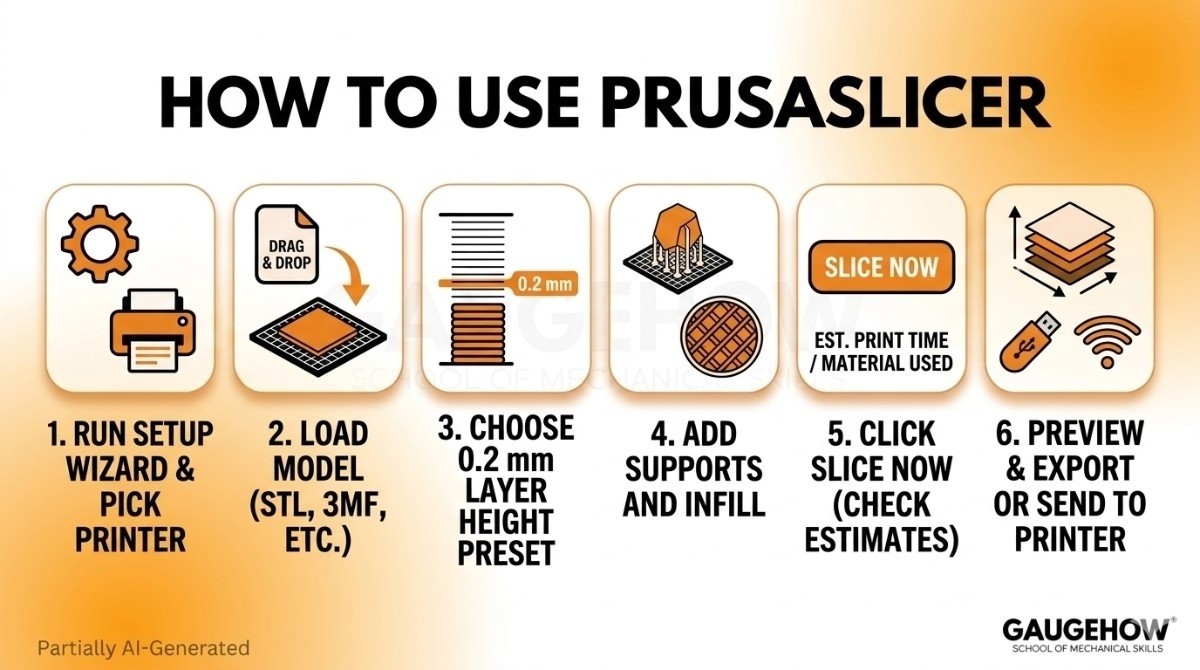
You don't need any experience to make your first print. The basic steps are short:
Run the setup wizard the first time you open it, and pick your printer.
Load your model by dragging an STL, OBJ, 3MF, or STEP file onto the build plate.
Choose a quality preset — start with a standard 0.2 mm layer height.
Add supports and infill if your model needs them.
Click Slice now. It shows the print time and how much material you'll use.
Preview the layers, then export the file to a USB drive or send it to your printer.
A quick tip for students
Always check the layer preview before printing. Spotting a missing support or a floating piece on screen saves you a failed print and wasted material.
Is PrusaSlicer Free?
This is the simplest pricing section you'll read.
PrusaSlicer is 100% free. There's no subscription, no paid version, and no trial that runs out. It's open-source, which means anyone can use it for personal or commercial projects at no cost, and the code is public for anyone to study or improve.
You only pay for your printer, your filament, and your power bill. The software itself never charges you.
Best PrusaSlicer Settings for PETG
PETG is strong and a little flexible, but it can string and ooze if your settings are off. These starting points clear up most problems:
Nozzle temperature: 230–245°C (try 235°C first).
Bed temperature: 70–85°C.
Print speed: Slower than PLA — around 40–50 mm/s.
Retraction: Keep it modest so the nozzle doesn't ooze or clog.
Cooling fan: About 30–50%. Too much cooling weakens PETG layers.
Z-hop / lift Z: Turn it on so the nozzle doesn't scrape the print.
Every printer behaves a bit differently, so use these as a base and adjust from there.
Pros and Cons of PrusaSlicer
No tool is perfect. Here's the honest take.
Pros
Completely free and open-source.
Strong, reliable default profiles that often "just work."
Handles both filament and resin printers.
Clean, organized layout that isn't too crowded for beginners.
Cons
Profiles are tuned best for Prusa machines.
Other printer brands may need extra setup.
Some newer features show up in rival slicers first.
Very complex models can slow it down on older computers.
Who Is PrusaSlicer Best For?
PrusaSlicer fits a wide range of users, but it shines in a few clear cases.
It's a great pick for Prusa printer owners, who get the best out-of-the-box results. It's also strong for students and beginners who want reliable settings without endless tweaking, and for anyone who needs offline, private slicing — handy in schools, labs, or secure workplaces.
If you want a free slicer that's dependable and works on filament and resin, it's an easy choice.
PrusaSlicer Integrations
PrusaSlicer connects to the rest of your workflow in a few ways.
CAD files: It imports STL, OBJ, 3MF, AMF, and STEP formats.
Prusa Connect: It links to Prusa's network tools to manage printers remotely.
Printables: It ties into Prusa's free model library so you can grab designs.
Many printer brands: It supports non-Prusa machines like Creality, Voron, and others.
PrusaSlicer Deployment: Desktop or Cloud?
PrusaSlicer is desktop software you install and run on your own computer — Windows, Mac, or Linux (with mobile and web options now too).
All the slicing happens locally, so your models and files never leave your machine unless you choose to send them. That makes it safe for offline or secure setups.
If you want remote features, Prusa Connect adds cloud monitoring, but the core program runs fully offline. Because it supports so many printers and file types, it fits easily into a setup you already own.
PrusaSlicer vs OrcaSlicer
This comparison comes up a lot, so let's keep it clear.
Feature | PrusaSlicer | OrcaSlicer |
|---|---|---|
Best For | Prusa printer users | Mixed printer brands |
Ease of Use | Simple and reliable | Feature-rich and flexible |
Print Profiles | Stable and well-tested | Frequently updated |
Advanced Features | Strong core tools | Advanced calibration tools |
Development | Backed by Prusa Research | Community-driven |
Key Skills | Slicing, print setup, support generation | Slicing, calibration, print optimization |
Choose If... | You want reliability and consistency | You want the latest features and tools |
PrusaSlicer is known for stable, well-tested default profiles and a tidy interface. It's backed directly by Prusa Research and is a safe, steady choice, especially on Prusa machines.
OrcaSlicer is a newer, community-driven slicer that often gets cutting-edge features first, like advanced calibration tools and broad support for many printer brands out of the box. Many users like how quickly it adds new tricks.
Quick Take:
PrusaSlicer is ideal for users who want a stable, proven slicer, especially for Prusa printers.
OrcaSlicer is better for users who want advanced calibration tools, faster feature updates, and support for many printer brands.
PrusaSlicer Alternatives
If PrusaSlicer isn't the right fit, here are solid options:
OrcaSlicer — feature-rich and fast-growing, with great calibration tools.
UltiMaker Cura — free, beginner-friendly, with the biggest user community.
Bambu Studio — polished and quick, tuned mainly for Bambu Lab printers.
SuperSlicer — a PrusaSlicer fork with extra advanced settings.
Frequently Asked Questions (FAQ)
Is PrusaSlicer free? Yes, completely. It's open-source with no paid tiers or subscriptions.
Does PrusaSlicer work with non-Prusa printers? Yes. It supports many brands like Creality, Voron, and others, plus custom printer profiles.
What file types does PrusaSlicer open? Common ones like STL, OBJ, 3MF, AMF, and STEP. It then outputs G-code or resin layers.
Does PrusaSlicer need the internet? No. Slicing happens fully offline on your computer. You only need a connection for cloud features or updates.
Can PrusaSlicer do resin printing? Yes. It supports both filament (FFF) and resin (SLA/MSLA) printers.
PrusaSlicer vs Cura — which is better? PrusaSlicer is known for reliable default settings and a clean workflow, while UltiMaker Cura offers broader printer support and a larger plugin ecosystem. Beginners can succeed with either platform.
PrusaSlicer is a free 3D printing slicer for students and makers. Learn slicing, support generation, print settings, and optimization skills.























