Seeq
Seeq

Seeq: The Process Analytics Tool Engineers Actually Use
Industrial facilities generate huge amounts of process and operational data every day. The challenge is not collecting that data—it's finding useful insights that help improve production, quality, reliability, and efficiency.
This is where Seeq comes in.
Whether you're a student learning about industrial analytics or a professional evaluating process intelligence software, this guide explains what Seeq is, how it works, its features, pricing, deployment options, integrations, and alternatives.
What Is Seeq?
Seeq is an industrial analytics platform that helps engineers and operations teams analyze process data, identify trends, and improve operational performance.
Developed by Seeq Corporation, the platform is designed for manufacturing, energy, chemical, pharmaceutical, mining, and process industries.
It connects to industrial data sources and makes it easier to investigate production issues, monitor equipment, and uncover opportunities for improvement.
Unlike traditional reporting tools, Seeq focuses on time-series data analysis and process intelligence.
Key Features
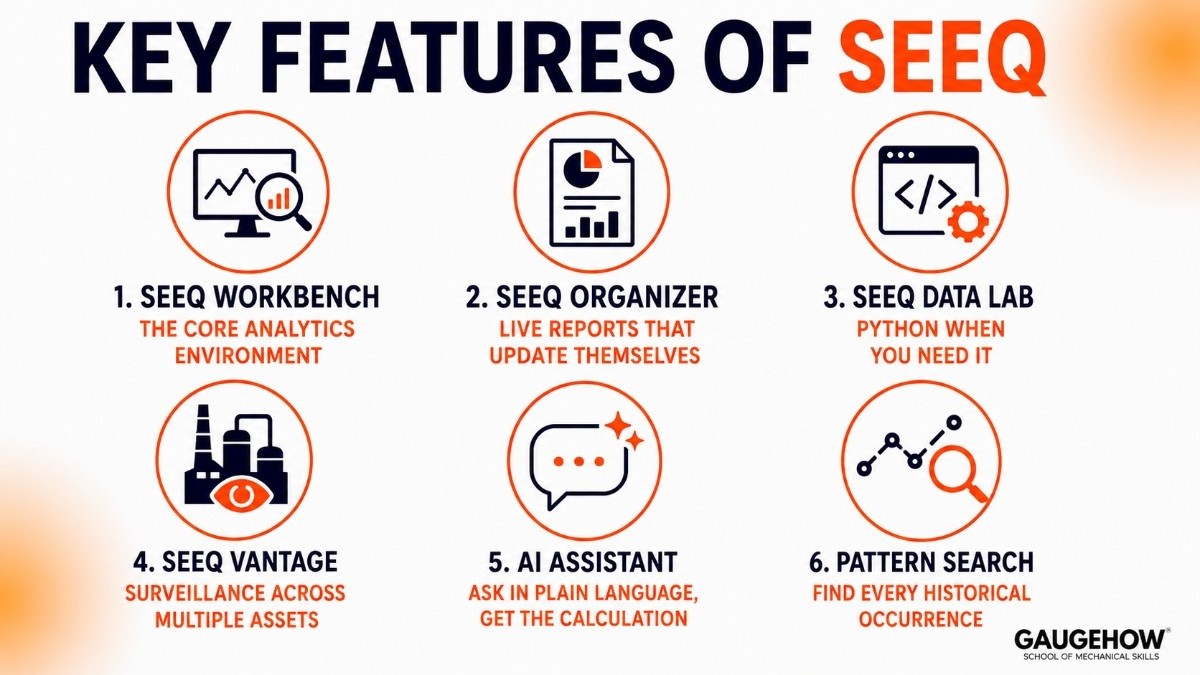
Seeq Workbench — the core analytics environment
Seeq Workbench is where engineers spend most of their time. Pull historian signals, apply calculations, overlay trends, detect events, and annotate findings — all in a browser, no code required. You can zoom into a trip event from six months ago, compare it with past occurrences, and document what you found in one session.
Seeq Organizer — live reports that update themselves
Build shift handover notes, reliability reports, and dashboards that pull live data from Workbench. Every chart updates automatically when new historian data arrives. Management reads a current report without anyone refreshing it manually.
Seeq Data Lab — Python when you need it
A Python environment built into the same platform. Data scientists write custom models and calculations using the same historian connections as Workbench, then share the outputs back to the team. Engineers benefit without needing to know Python.
Seeq Vantage — surveillance across multiple assets
Launched 2024. Gives operations leaders automated monitoring across many units or sites simultaneously, flags what needs attention, and prioritises the team's time. Built on Workbench's engine, oriented toward daily surveillance rather than deep investigation.
AI Assistant — ask in plain language, get the calculation
Type "show me downtime events on Unit 3 longer than 20 minutes last quarter" and the AI Assistant builds the calculation for you. Significantly lowers the learning curve for new users and removes the "which function do I use?" barrier.
Pattern search — find every historical occurrence
Define a signal pattern (a good production run, a pre-failure signature) and Seeq finds every time the data looked similar in your historian. Used to require a specialist data scientist. In Seeq, a process engineer does it in minutes.
Pricing
Seeq doesn't publish pricing publicly. Here's what independent sources confirm:
What's known
Annual subscription — not monthly, not perpetual.
Per-user or per-site — scales with team size and deployment type.
Mid-to-upper range for industrial analytics — comparable to TrendMiner, less than a full AspenTech APM rollout.
No free trial. Evaluation goes through a demo and a scoped proof-of-concept.
Products can be bought separately — Workbench, Organizer, and Data Lab are modular.
What Is Seeq Workbench?
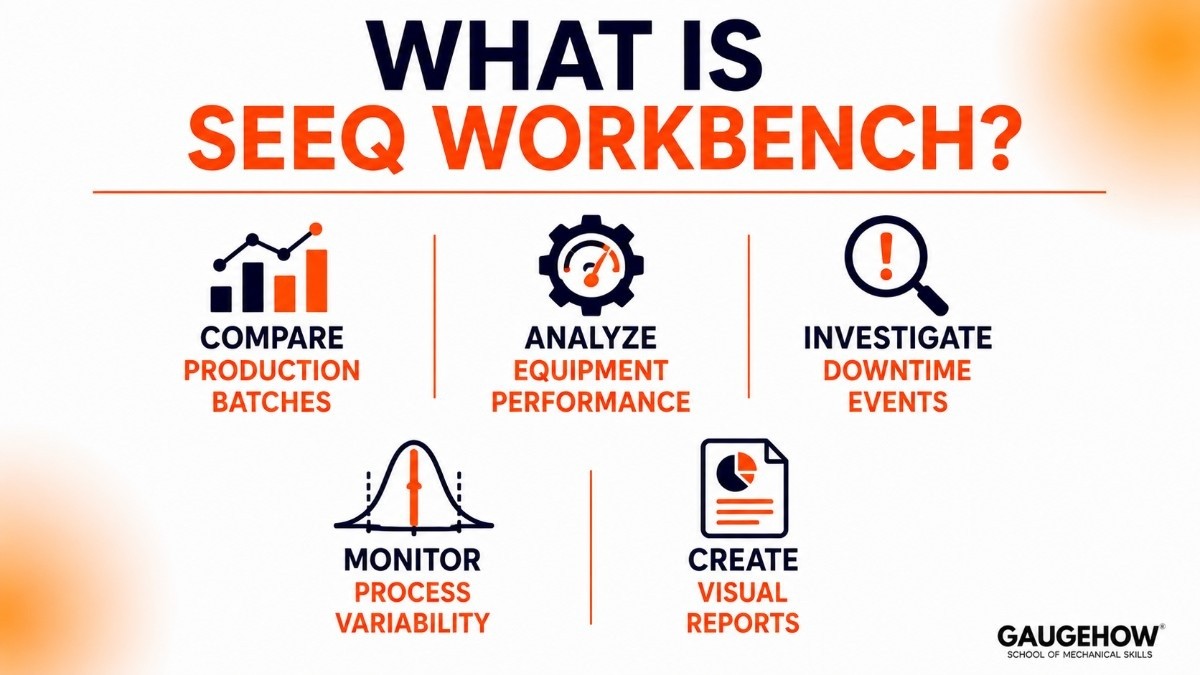
One of the most popular components of the platform is Seeq Workbench.
Seeq Workbench is the primary analysis environment where engineers explore and investigate process data.
Using Workbench, users can:
Compare production batches
Analyze equipment performance
Investigate downtime events
Monitor process variability
Create visual reports
It is designed to help engineers answer operational questions without requiring advanced programming skills.
Best For
Oil & gasRoot cause analysis, reliability monitoring, and process optimisation in refineries and upstream operations.
PharmaceuticalsBatch analysis, yield optimisation, deviation investigation. Complements batch execution systems.
ChemicalsUnderstanding how process variables affect product quality in continuous plants.
Energy & utilitiesTurbine performance, heat rate analysis, and asset reliability tracking.
Food & beverageProcess consistency, CIP cycle analysis, and energy monitoring.
Not the right fit for: Discrete manufacturers who require the factory-floor data contextualization offered by platforms like Sight Machine, teams without an existing historian, or plants that primarily need real-time operator displays.
Pros and Cons of Seeq
Pros
✅ Easy-to-use analytics interface
✅ Strong process investigation capabilities
✅ Excellent trend analysis tools
✅ Works with existing industrial data systems
✅ Widely used in process industries
✅ Reduces time spent analyzing operational data
Cons
❌ Pricing is not publicly available
❌ Advanced analytics may require training
❌ Implementation depends on data quality
❌ Best suited for industrial environments
❌ Smaller facilities may not need all features
Integrations
Seeq reads from what you already have. No historian replacement, no data migration required.
Process historians
OSIsoft PI / AVEVA PIAspenTech IP.21Honeywell PHDGE ProficyYokogawa ExaquantumEmerson DeltaVWonderware InSQL
Control systems & cloud
DCS (Honeywell, Emerson, ABB)SCADA via OPC-UASQL databasesAWS & AzureREST APISAP ERP
Deployment
Cloud (SaaS)
Hosted on AWS or Azure. Seeq manages infrastructure and updates. Your historian data stays on-site — Seeq connects to it. Fastest path to getting started.
On-premises
For GxP-regulated pharma plants, refineries with strict data requirements, or classified OT networks. Identical platform, your IT team manages the servers.
Brownfield readiness
Works with any historian regardless of age. If your PI system has been running since 2003, Seeq connects to it. No new sensors, no infrastructure changes needed.
Alternatives
TrendMiner — best for visual pattern search
Seeq's most direct competitor. TrendMiner wins on intuitive visual pattern matching — drawing a signal shape and finding historical matches. Seeq wins on calculation depth and Python extensibility. Try both if pattern discovery is your primary need.
AVEVA PI Vision — for teams fully committed to the PI ecosystem
OSIsoft's own analytics layer. Better for real-time operator displays. Seeq is stronger for engineering investigation, collaboration, and live reports.
AspenTech — for full APM programmes
Deeper in process simulation and asset performance management. More expensive, longer implementation. Choose Seeq when the goal is making historian data useful to engineers fast.
Falkonry — for autonomous anomaly detection
Falkonry watches data automatically and comes to engineers with findings. Seeq requires an engineer to drive the investigation. Different workflows — choose based on whether your team wants to hunt or be notified.
FAQ
What does Seeq do in one sentence?
It connects to your plant historians and gives process engineers a browser tool to investigate, calculate, and share data insights — no code, no Excel, no waiting for IT.
Where is the Seeq login page?
There's no single public login. Seeq login URLs are specific to each company's deployment — your IT administrator or Seeq site admin provides your credentials and access URL during onboarding. New users contact their internal admin, not Seeq directly.
Seeq vs TrendMiner — which should I choose?
TrendMiner for visual pattern discovery. Seeq for calculation depth, Python via Data Lab, and publishing live collaborative reports. If your team is mainly investigating process incidents and sharing findings with stakeholders, Seeq is stronger. If visual pattern matching is the daily workflow, test TrendMiner too.
Is Seeq cloud-based?
Yes — available on AWS and Azure. On-premises is also available for compliance-sensitive environments. Your historian data stays in your existing infrastructure either way; Seeq connects to it remotely.
What's it like to work at Seeq?
Seeq careers suit engineers and technical people who want domain-relevant work without the bureaucracy of a large company. Reviews mention strong technical culture, interesting customers (O&G, pharma, chemicals), and genuine impact on product direction. Open roles at seeq.com/careers.
Seeq is an industrial analytics platform that helps teams analyze process and find trends, solve issues faster, and improve operational performance.























