PTC ThingWorx
PTC ThingWorx

What Is ThingWorx? A Student's Guide to PTC's Industrial IoT Platform
If you have been learning PLC programming with tools like TIA Portal, Studio 5000, or CODESYS, you have been working at the control layer telling machines what to do.
ThingWorx sits one level above that. It is the platform that connects those machines, collects their data, and turns it into dashboards, analytics, and applications that help people make better decisions.
Industrial IoT is one of those terms that sounds abstract until you see it working. ThingWorx makes it concrete: connect a machine, build a dashboard, watch live data flow. This guide explains what it is, what you can actually do with it, how much it costs, and how to start learning — all from a student's perspective.
What is ThingWorx used for?
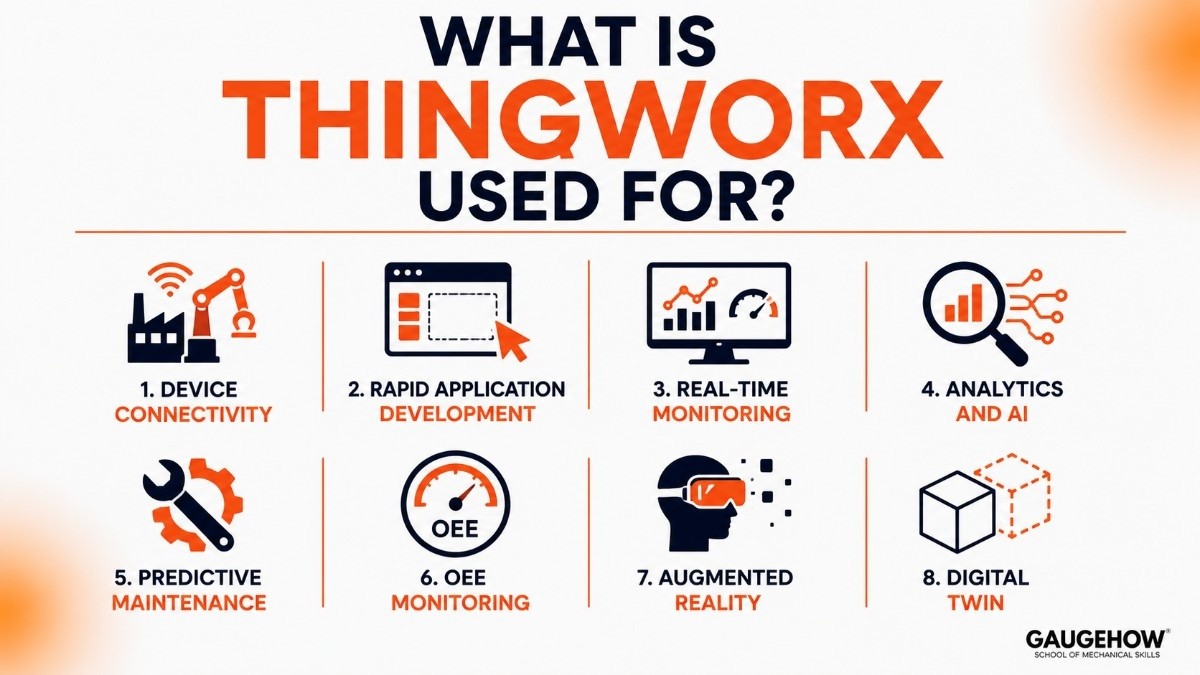
ThingWorx is PTC's Industrial Internet of Things (IIoT) platform, built for connecting industrial devices, developing IoT applications, and analyzing operational data.
It is made by PTC (Parametric Technology Corporation), a major American software company known for CAD (Creo), PLM (Windchill), and IoT. PTC acquired ThingWorx in 2014 and has since made it the center of their IIoT strategy.
The platform recently became part of Velotic, a new industrial software company spun out from PTC to accelerate IIoT innovation — so you may start seeing both names.
In practical terms, here is what ThingWorx does:
Device connectivity: Connects to PLCs, sensors, and machines through Kepware (KEPServerEX), which speaks protocols like OPC UA, Modbus, and EtherNet/IP — the same networks your PLCs use.
Rapid application development: Build IoT dashboards and apps using the Mashup Builder, a drag-and-drop tool that does not require deep coding skills.
Real-time monitoring: Watch live data from the factory floor — temperatures, cycle counts, machine status — in one place.
Analytics and AI: Process large volumes of sensor data to spot patterns, predict failures, and optimize performance.
Predictive maintenance: Use data trends to predict when a machine will need service, instead of waiting for it to break.
OEE monitoring: Track Overall Equipment Effectiveness — availability, performance, and quality — which is one of the first metrics any manufacturer cares about.
Augmented reality: Through PTC's Vuforia integration, overlay digital information onto physical equipment for training and maintenance.
Digital twin: Create virtual representations of physical assets that update in real time with live data.
For a student, the short version: ThingWorx is the tool that takes raw machine data and turns it into something useful — a dashboard an operator can read, an alert a maintenance team can act on, or an analysis a manager can use to improve a line.
ThingWorx tutorial for beginners
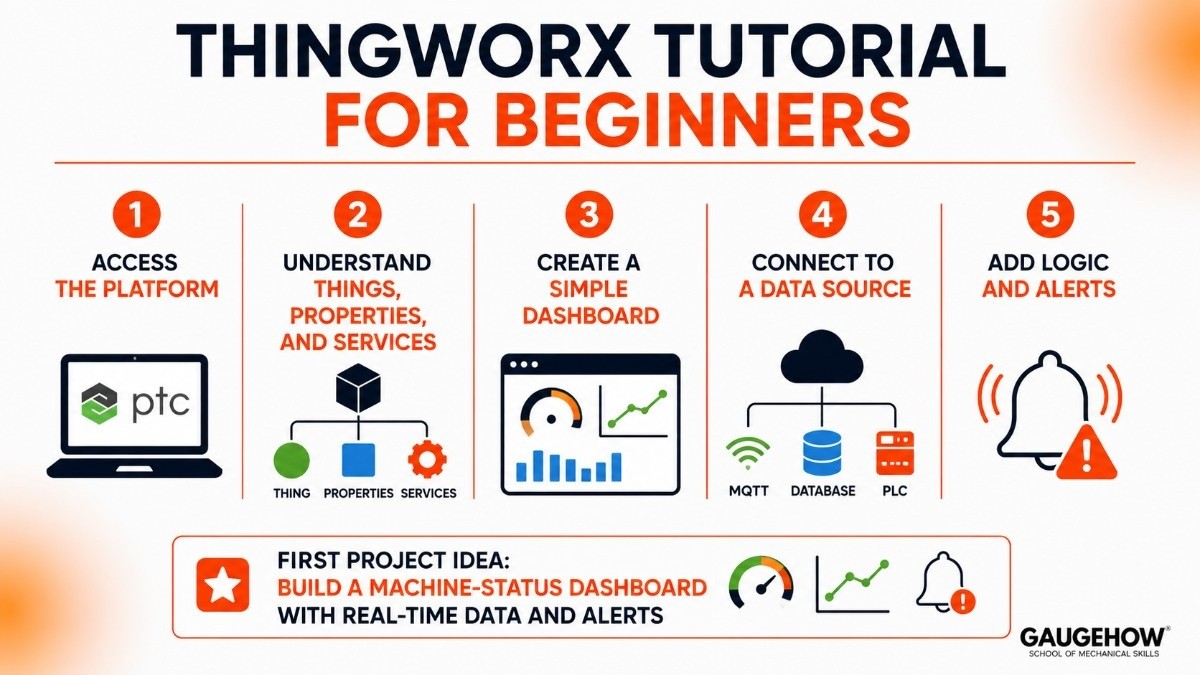
You do not need to be an IoT expert to get started. Here is the learning path most beginners follow.
Step 1: Access the platform
PTC offers a free trial and a developer portal where students can get hands-on access. Create an account on the PTC developer site, and you will get a ThingWorx environment to work in — no local install required for the hosted version.
Step 2: Understand Things, Properties, and Services
ThingWorx is built around a model-driven approach. The core concepts are:
A Thing represents a real-world object (a pump, a conveyor, a sensor).
Properties are the data points on that Thing (temperature, speed, status).
Services are actions or logic you can run (calculate an average, send an alert).
Once you understand this pattern, everything else builds on top of it.
Step 3: Create a simple dashboard
Use the Mashup Builder to drag widgets (gauges, charts, grids) onto a canvas and bind them to your Thing's properties. This is where it clicks — you build a live dashboard in minutes, not days.
Step 4: Connect to a data source
For learning, you can simulate data or connect to a real device using Kepware. If you have a Raspberry Pi or an Arduino sending data over MQTT or REST, you can connect that too — a popular student project.
Step 5: Add logic and alerts
Set up rules: "If temperature exceeds 80 degrees, trigger an alert." This is where ThingWorx moves from monitoring to actually helping someone act on data.
A good first project: build a machine-status dashboard that shows whether a simulated device is running, idle, or faulted, with a chart of its performance over the last hour. It teaches Things, Properties, Mashups, and alerts all at once.
ThingWorx pricing
This matters, so here is the honest breakdown.
ThingWorx uses an enterprise subscription model. Pricing is not published as a flat public list — it depends on the number of connected devices, the modules you need (analytics, Kepware, Vuforia), and the deployment model (cloud or on-prem). You request a quote through PTC or a partner.
In practical terms, ThingWorx is priced for companies, not individuals. Licenses run into the thousands to tens of thousands annually, depending on scale.
What about students?
PTC offers several paths for learning at no cost:
Free trial: A time-limited, hosted environment through the PTC developer portal.
Academic programs: PTC partners with universities and provides academic licenses. Ask your department whether they have access.
ThingWorx Developer Portal: Free resources, guides, and sandbox environments for building skills.
For a student, you should not need to spend anything. The free trial and academic routes cover learning entirely.
Pros and cons of ThingWorx
A balanced view.
Pros
Purpose-built for industrial IoT — not a generic cloud platform adapted for factories.
The Mashup Builder makes it possible to build dashboards without deep coding.
Kepware integration provides best-in-class industrial device connectivity (OPC UA, Modbus, hundreds of protocols).
Strong analytics and predictive maintenance capabilities built in.
Vuforia AR integration is unique — few IIoT platforms offer augmented reality out of the box.
Named the leading IIoT platform in the 2025 QKS SPARK Matrix assessment.
Cons
Enterprise pricing puts it out of reach for individual purchase — students rely on free trials and academic access.
The learning curve is real; the platform is deep, and documentation can be dense.
Primarily a monitoring and analytics tool — it does not replace your PLC programming software.
The recent Velotic spin-off may cause short-term confusion about branding and support.
Smaller community of beginner-friendly tutorials compared to PLC tools like TIA Portal.
Who is ThingWorx best for?
ThingWorx suits manufacturers, machine builders, and service organizations that need to connect equipment, monitor performance, and act on data — common in discrete manufacturing, automotive, aerospace, consumer goods, and field service.
It scales from a pilot connecting a handful of machines to an enterprise rollout across multiple factories. The Rockwell partnership (ThingWorx powers parts of the FactoryTalk Innovation Suite) also makes it relevant in Allen-Bradley environments.
For students, it is an excellent way to learn IIoT concepts — connecting devices, building dashboards, working with real-time data — skills that sit right above PLC programming on the modern automation career ladder.
Integrations: what ThingWorx connects to
ThingWorx is built to be the glue between factory devices and business systems:
PLCs and controllers: Through Kepware/KEPServerEX, connecting to Siemens, Allen-Bradley, Schneider, Mitsubishi, and hundreds of other devices via OPC UA, Modbus, EtherNet/IP, and more.
ERP and MES: Connects to SAP, Oracle, and manufacturing execution systems through REST APIs and standard connectors.
Cloud platforms: Runs on Microsoft Azure and AWS for cloud-hosted deployments.
PTC's own ecosystem: Windchill (PLM) through ThingWorx Navigate, and Vuforia for augmented reality.
MQTT and REST APIs for lightweight IoT and custom integrations.
The Kepware connectivity layer is genuinely one of the strongest in the industry — it supports over 150 device protocols, which means ThingWorx can talk to almost any industrial equipment you will encounter.
Deployment: cloud, on-premise, and edge
ThingWorx offers flexible deployment — more flexible than most PLC tools:
Cloud: Hosted on Azure or AWS, managed by PTC or a partner. Fastest to start, no infrastructure to maintain.
On-premise: Installed on your own servers behind the firewall, for organizations that need data to stay local.
Hybrid / edge: A mix, with edge devices collecting data locally and syncing to the cloud.
For brownfield work (existing equipment), ThingWorx is strong. Kepware can connect to legacy PLCs and older devices that are already running, which means you do not need to replace anything to start collecting data. That makes it practical for factories that want IoT without ripping out working equipment.
ThingWorx alternatives
To see where ThingWorx fits among other IIoT platforms:
Siemens MindSphere / Insights Hub — Siemens' cloud-based IoT operating system, tightly tied to Siemens hardware.
Microsoft Azure IoT — a general-purpose cloud IoT platform with broad integration.
Ignition by Inductive Automation — a popular, flexible SCADA and IoT platform with a strong community.
Schneider EcoStruxure — Schneider's IoT architecture spanning machines, buildings, and power.
Frequently asked questions
Is ThingWorx free?
Not for commercial use — it is enterprise-priced. But PTC offers a free trial, a developer portal, and academic programs so students can learn at no cost.
Is ThingWorx cloud-based?
It can be. ThingWorx supports cloud (Azure/AWS), on-premise, and hybrid deployments depending on the organization's needs.
What is Kepware, and why does it matter?
Kepware (KEPServerEX) is the connectivity engine that lets ThingWorx talk to industrial devices — PLCs, sensors, drives — across over 150 protocols. It is often the first piece you set up in any ThingWorx project.
What is Velotic?
Velotic is the new industrial software company that ThingWorx now belongs to, spun out from PTC to focus specifically on IIoT innovation. The ThingWorx product and platform continue under this new umbrella.
ThingWorx vs Azure IoT — which should a student learn?
ThingWorx if you want a purpose-built industrial platform with strong manufacturing features. Azure IoT if you want a broader, general-purpose cloud IoT foundation that works across industries. Both are valuable.
Do I need to know PLC programming to use ThingWorx?
Not strictly, but it helps. Understanding what a PLC does and how industrial protocols work makes the connectivity and data side of ThingWorx much easier to learn.
Final thoughts
So what is ThingWorx? It is the platform that takes the machines your PLCs control and makes them visible, measurable, and predictable — through dashboards, analytics, and connected applications.
For a student, it sits right at the intersection of automation and IT, which is exactly where the industry is heading. Start with the free developer portal, build a simple machine-status dashboard, and you will understand IIoT far better than any textbook can teach it.
The skills you build here connecting devices, working with live data, building applications are the ones manufacturers are hiring for right now.
PTC ThingWorx is an industrial IoT platform that connects machines, sensors, and data to help businesses monitor, analyze, and optimize operations.























