Rockwell Studio 5000
Studio 5000 System Requirements

Studio 5000 System Requirements: What Your PC Needs to Run It
If you are learning Allen-Bradley PLCs, Studio 5000 is the software you will live in. But before you download it, there is a practical hurdle worth clearing first: your computer has to be able to handle it.
Studio 5000 is professional industrial software, and it is not light students regularly run into slow installs, laggy projects, and "unsupported operating system" errors that could have been avoided.
This guide breaks down the real Studio 5000 system requirements in plain language, then covers the things that trip beginners up next: version compatibility, whether it is free, and how it relates to the older RSLogix 5000 name you have probably seen floating around. Let us get you set up properly.
What is Studio 5000?
Studio 5000 is Rockwell Automation's engineering software for programming Allen-Bradley Logix controllers.
Its main application, Studio 5000 Logix Designer, is where you write the control logic for Rockwell's ControlLogix, CompactLogix, and GuardLogix PLCs.
It is part of a larger software family that also includes View Designer for building operator screens. The current release is version 38, and the software is used across North American industry in particular, where Allen-Bradley hardware is everywhere.
In short, Studio 5000 is the tool that turns a Rockwell PLC into a working machine controller.
What is Studio 5000 used for?
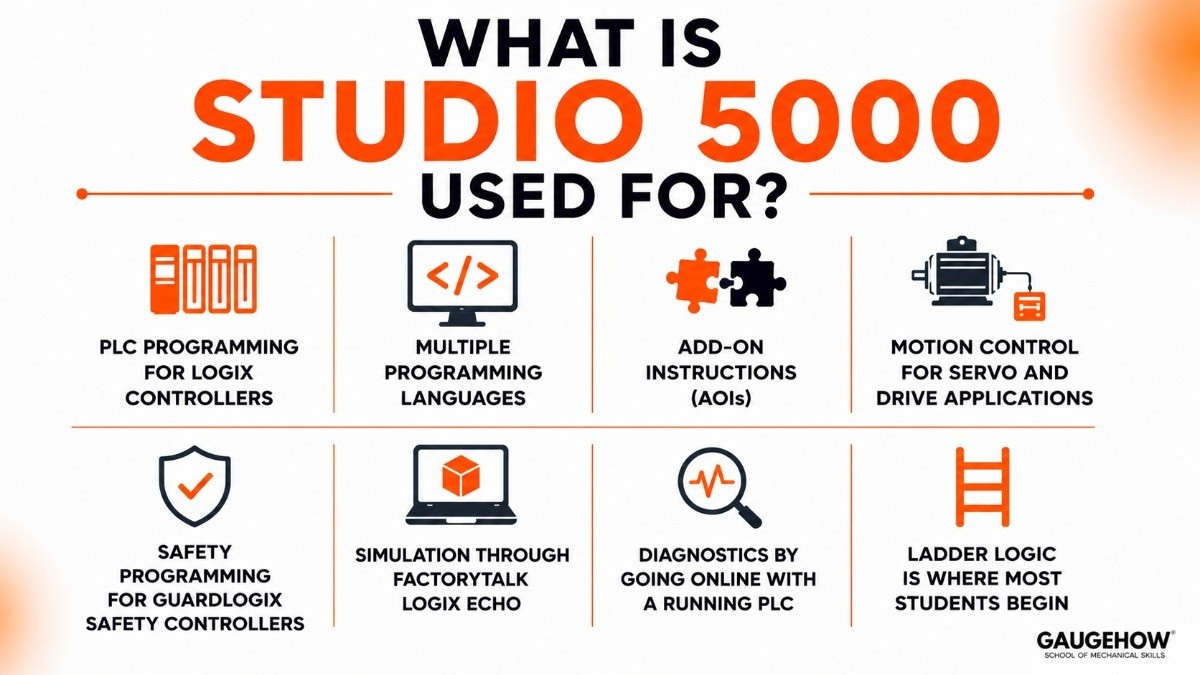
Here are the concrete jobs it handles, minus the marketing fluff:
PLC programming for Logix controllers like ControlLogix and CompactLogix
Multiple programming languages — ladder logic, function block, structured text, and sequential function chart
Add-On Instructions (AOIs), so you can build reusable custom blocks of logic
Motion control for servo and drive applications
Safety programming for GuardLogix safety controllers
Simulation through FactoryTalk Logix Echo, which emulates a controller so you can test without hardware
Diagnostics by going online with a running PLC to monitor and troubleshoot
Ladder logic is where most students begin, since it resembles an electrical wiring diagram and is easy to read.
Studio 5000 system requirements
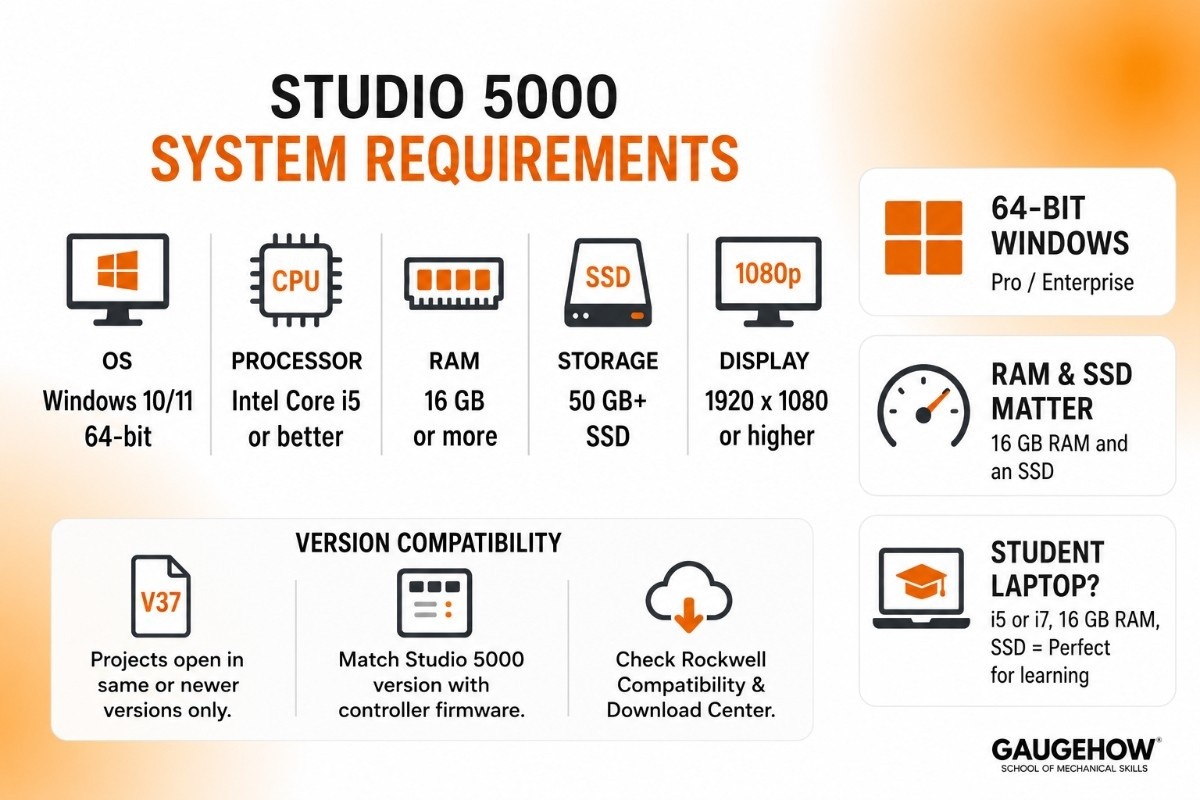
This is the main event. Studio 5000 is demanding, and exact figures change between versions, so always check the release notes for your specific version.
That said, the table below is a dependable rule of thumb for recent releases (V37 and V38).
Component | Minimum (will run) | Recommended (runs well) |
|---|---|---|
Operating system | Windows 10 64-bit (Pro/Enterprise, 22H2) | Windows 11 64-bit (Pro/Enterprise) |
Processor | Intel Core i5 | Intel Core i7 or better |
RAM | 8 GB | 16 GB or more |
Storage | 20 GB free, SSD | 50 GB+ free, fast SSD |
Display | 1920 × 1080 | 1920 × 1080 or higher |
A few honest points that matter:
Windows must be 64-bit (and the right edition)
Recent Studio 5000 versions do not run on 32-bit Windows at all. They also officially support the Pro and Enterprise editions of Windows 10 and 11, not always the Home edition.
If you are on Windows Home, you can usually still install it, but you may hit support gaps — something to know before you start.
RAM and an SSD make the biggest difference
Eight gigabytes will launch it, but 16 GB is where larger projects stop feeling sluggish. And like most heavy engineering software, Studio 5000 is far happier on an SSD than a spinning hard drive.
Can a student laptop run it?
Yes, if it is reasonably modern. A current i5 or i7 with 16 GB of RAM and an SSD handles learning and small projects comfortably. You do not need a powerful workstation — just avoid old, low-memory machines with hard drives.
A note on virtual machines
Many students run Studio 5000 inside a virtual machine to keep versions cleanly separated. That works, but give the VM enough memory and cores, or the performance hit will be obvious.
Studio 5000 version compatibility
This is where beginners lose hours, so it is worth understanding early.
Studio 5000 projects are tied to the version that created them. A project saved in V37 will not open in V35, because older versions cannot read newer files. You can upgrade an older project to a newer version, but not the other way around.
There is a second layer too: the controller firmware has to match the software's major version. A V37 project generally pairs with V37 controller firmware. Mismatches are a common cause of "won't download to the PLC" frustration.
A few practical tips:
You can install multiple Studio 5000 versions side by side on one PC, which is normal practice in industry.
Note which version your school or workplace uses and try to match it.
Rockwell's online Compatibility and Download Center is the place to check which versions and firmware go together.
Knowing this upfront saves you the classic "why won't this file open" headache.
Is Studio 5000 free?
No, Studio 5000 Logix Designer is paid software. But there are two things students should know.
First, Rockwell offers a time-limited trial you can download to learn on. Second — and this is the part few people mention — Rockwell has a genuinely free product called Connected Components Workbench (CCW).
CCW is used to program the smaller Micro800 family of controllers, and while it is not the full Studio 5000 experience, it is a real, no-cost way to start learning Rockwell-style programming.
If you are at a college, also check whether your department has Studio 5000 licenses through Rockwell's education programs. Many engineering schools do. As always, steer clear of "free full version" download sites — they are typically pirated and often carry malware.
Studio 5000 price and licensing
Studio 5000 uses a paid, edition-based model, sold and licensed through Rockwell distributors. Logix Designer comes in tiers — commonly Lite, Standard, Full, and Professional — where higher editions unlock more programming languages and features. There are also subscription options in addition to traditional licenses.
Exact pricing is not posted as a simple public list; it depends on the edition, region, and distributor, and it runs into the hundreds to thousands in your local currency.
For students, the trial, the free CCW, and education licenses are the right routes — you should not need to buy anything to learn.
Pros and cons of Studio 5000
A balanced view, with the hardware angle in mind.
Pros
The standard for Allen-Bradley PLCs, which makes it very employable, especially in North America.
Supports all the major IEC programming languages in one environment.
FactoryTalk Logix Echo lets you practice without buying a controller.
Add-On Instructions make your code reusable and tidy.
A large professional community and plenty of learning resources.
Cons
Paid and pricey outside of trials, CCW, and education licenses.
Rockwell-only; it does not program other brands.
Strict version and firmware matching can frustrate beginners.
Heavy on system resources, as the requirements above show.
Windows-only, with no Mac or full cloud version.
Who is Studio 5000 best for?
Studio 5000 suits anyone working with Allen-Bradley Logix hardware, from a single machine up to a large plant — common in automotive, food and beverage, packaging, and water treatment, and especially across North American industry.
For students, it is one of the most career-relevant tools to learn if you are aiming at the US or Canadian job market, where Rockwell is the dominant PLC brand.
Integrations: what Studio 5000 connects to
Studio 5000 sits at the control layer of a plant and connects to:
Allen-Bradley hardware: ControlLogix, CompactLogix, and GuardLogix controllers, plus Kinetix drives.
Industrial networks: EtherNet/IP is the primary one, along with support for OPC UA.
HMI and SCADA: through FactoryTalk View, Rockwell's visualization software.
Higher-level systems: FactoryTalk connects upward toward MES and analytics tools.
Simulation and scripting: FactoryTalk Logix Echo for emulation, and a newer SDK for automating repetitive tasks.
To be clear, it talks to the machines and the control network. It reaches MES and ERP through the wider FactoryTalk ecosystem rather than being that business software itself.
Deployment: cloud, on-premise, and brownfield
Studio 5000 is on-premise desktop software that runs on a Windows PC — no Mac version, and the core tool is not cloud-based. Rockwell does have a newer, cloud-based design environment called FactoryTalk Design Studio, but classic Logix programming still happens in the desktop Studio 5000.
For brownfield work (existing equipment), it is well-suited. It opens and upgrades older RSLogix 5000 projects, and it continues to support long-running Logix controllers, so it works for both new builds and updates to lines already in service.
Studio 5000 vs RSLogix 5000
Many beginners think these are different software tools, but they are actually the same product.
RSLogix 5000 was the original name used up to Version 20.
Studio 5000 Logix Designer became the new name starting with Version 21.
Rockwell continued developing the software under the Studio 5000 brand.
In simple terms: If you see RSLogix 5000, think of it as an older version of Studio 5000.
Category | RSLogix 5000 | Studio 5000 |
|---|
Status | Older name | Current name |
Versions | Version 20 and earlier | Version 21 and later |
Release Period | Before 2012 | 2012–Present |
Purpose | PLC programming software | PLC programming software |
PLC Support | ControlLogix & CompactLogix | ControlLogix & CompactLogix |
Current Development | No | Yes |
Recommended for Learning | No | Yes |
Bottom Line
If you're learning Rockwell PLC programming today, focus on Studio 5000. However, you may still see the name RSLogix 5000 in older manuals, training materials, and industrial facilities.
Studio 5000 alternatives
If you want to see where Studio 5000 fits among other PLC software, these are the main ones:
Siemens TIA Portal — the dominant alternative, used for Siemens PLCs and stronger in Europe and Asia.
CODESYS — a free, hardware-independent option that works across many brands.
Mitsubishi GX Works3 — the programming software for Mitsubishi PLCs.
Schneider EcoStruxure Machine Expert — Schneider Electric's automation environment.
Frequently asked questions
How much RAM do I need for Studio 5000?
8 GB will run it, but 16 GB or more is recommended for larger projects to stay responsive.
Does Studio 5000 run on Windows 11?
Yes. Recent versions support 64-bit Windows 11 (Pro and Enterprise editions). Note that 32-bit Windows is not supported at all.
Does Studio 5000 work on a Mac?
Not natively. It is Windows-only, though you can run it on a Mac through a Windows virtual machine with enough resources.
Is Studio 5000 free?
No, the full software is paid, but there is a trial, and Rockwell's Connected Components Workbench is free for programming Micro800 controllers.
Is RSLogix 5000 the same as Studio 5000?
Essentially yes. RSLogix 5000 is the old name (up to version 20); Studio 5000 Logix Designer is the same product from version 21 onward.
Can I open an RSLogix 5000 project in Studio 5000?
Yes. Studio 5000 can open and upgrade older RSLogix 5000 projects, though you cannot save them back to the older format.
Final thoughts
Studio 5000's system requirements boil down to a simple checklist: a 64-bit copy of Windows 10 or 11, a modern i5 or i7, ideally 16 GB of RAM, and an SSD with room to spare. Match your version to your school or workplace, use FactoryTalk Logix Echo to practice without hardware, and remember that RSLogix 5000 is just the old name for the same tool.
Get those basics right and you can spend your energy on the part that matters — learning to program, not fighting the install.
Rockwell Studio 5000 helps engineers program PLCs, configure automation systems, and streamline machine control from a single platform.























