CODESYS
CODESYS Simulator

CODESYS Simulator: How to Practice PLC Programming Without Any Hardware
Here is a problem every automation student runs into: you want to practice PLC programming, but real PLCs cost hundreds of dollars and you do not have one sitting on your desk.
This is exactly where the CODESYS simulator earns its place. It lets you write industrial control logic and run it on your own laptop — no PLC, no wiring, no money down.
Even better, CODESYS is free to download, which is why it has become one of the most popular ways for students and hobbyists to learn.
This guide explains what the simulator is and how to use it, then walks through downloading and installing CODESYS, what is free and what is not, and how it compares to a tool like TwinCAT. Let us get you simulating.
What is CODESYS?
CODESYS is a hardware-independent software environment for programming industrial controllers, based on the IEC 61131-3 standard.
It is made by CODESYS GmbH, a German company founded in 1994 (originally as 3S-Smart Software Solutions). What makes CODESYS unusual is that it is not tied to one PLC brand.
Instead, hundreds of hardware manufacturers — names like WAGO, Festo, and Bosch Rexroth — use CODESYS as the programming software for their controllers. So learning it gives you a skill that transfers across many devices.
In short, CODESYS is one program that can program a huge range of PLCs.
What is CODESYS used for?
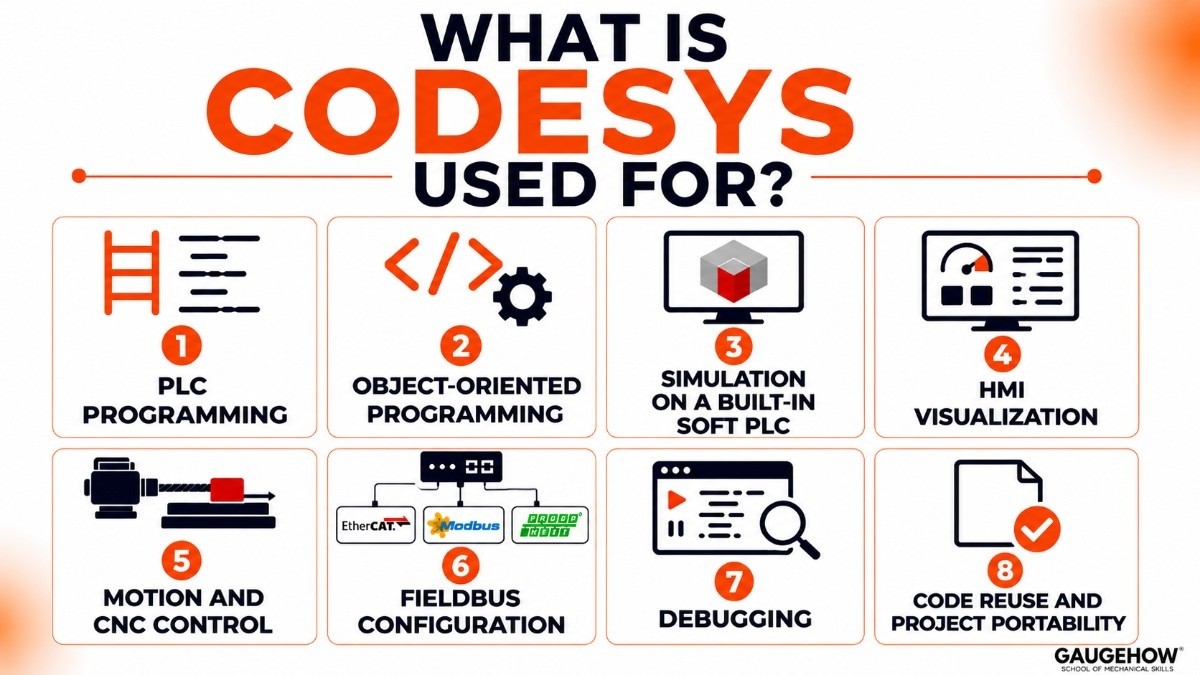
Here are the concrete things you can do with it, minus the fluff:
PLC programming in all five IEC 61131-3 languages — ladder, function block, structured text, sequential function chart, and instruction list
Object-oriented programming for cleaner, reusable code in larger projects
Simulation of your logic on a built-in soft PLC, with no hardware needed
HMI visualization using an integrated editor to build and test operator screens
Motion and CNC control for axis and machine applications
Fieldbus configuration for networks like EtherCAT, Modbus, and PROFINET
Debugging with online monitoring, breakpoints, and live variable values
Structured text is worth learning early, since it looks like normal programming code and is widely used in modern projects.
The CODESYS simulator: practicing without a PLC
This is the part that makes CODESYS so useful for students. The simulator is a soft PLC built right into the development environment — it runs your program on your PC as if it were a real controller.
You do not need to buy anything or configure hardware. You write your logic, switch into simulation mode, and watch it execute in real time. For learning timers, counters, state machines, and basic control logic, it is all you need.
How to use the CODESYS simulator
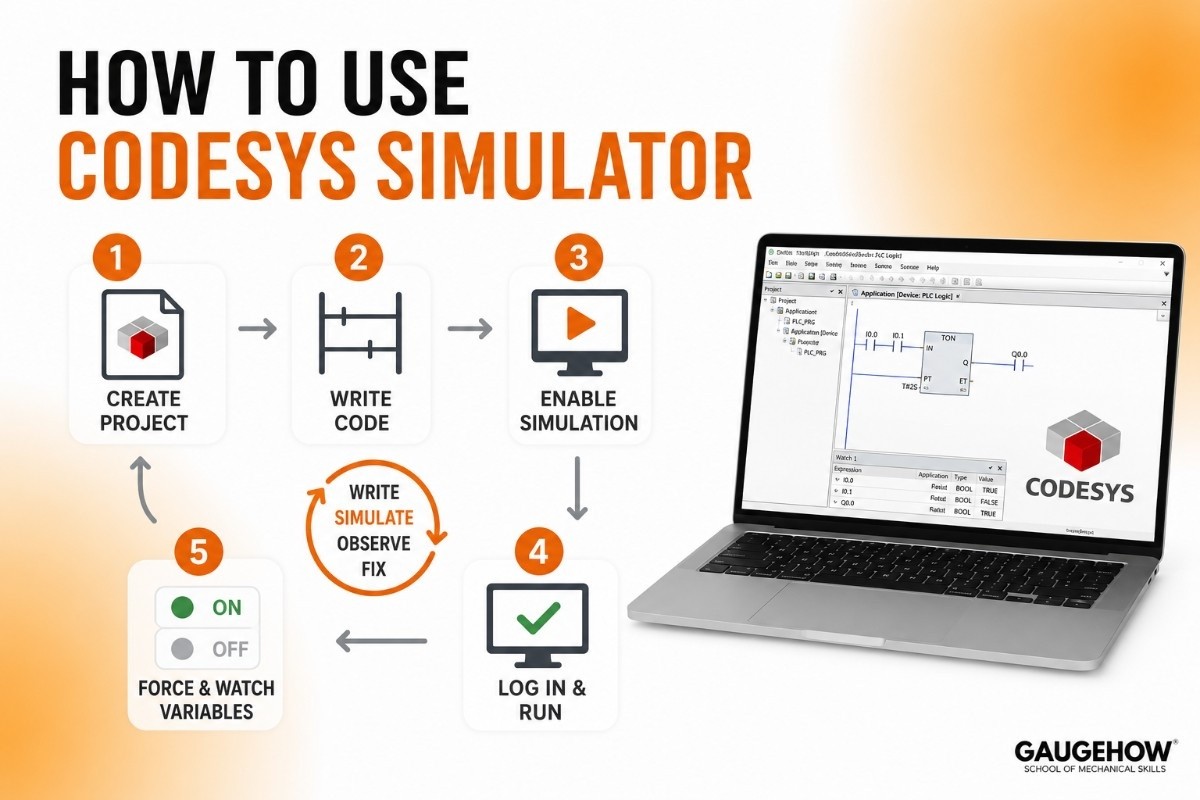
Getting a program running takes only a few steps:
Create a new project and choose a CODESYS controller as the device.
Write your code in any of the IEC languages — ladder logic is a friendly starting point.
Turn on simulation mode from the Online menu (so it runs on your PC, not a real device).
Log in and start the program. Your logic now runs live.
Force and watch variables to see how your program reacts.
That loop — write, simulate, observe, fix — is the core skill you are building, and you can repeat it as much as you like for free.
What the simulator can and cannot do
The simulator is excellent for learning logic and testing visualization screens. You can map variables to buttons and indicators and watch your HMI respond, all without a panel.
Its main limit: it cannot talk to real industrial networks or physical I/O. There is no actual sensor or motor on the other end. To test communication with real devices, you eventually need the CODESYS runtime on real hardware. For learning to program, though, the simulator covers the ground that matters.
How to download CODESYS
Downloading CODESYS is straightforward and legitimate — this is genuinely free software, not a cracked copy.
Go to the official CODESYS Store, create a free account, and download the CODESYS Development System (the V3 version). A free account is all you need. Avoid random "free download" mirror sites; the official store is safer and always has the current version.
How to install CODESYS
Once the installer is downloaded, installation is quick by industrial-software standards.
Run the installer as administrator.
Accept the license agreement and pick your components.
Let it install — it needs roughly 500 MB of disk space and runs on Windows.
Open CODESYS, and optionally add packages later (for example, the Raspberry Pi runtime) through the built-in installer.
Compared to heavyweight tools like TIA Portal, CODESYS is light and fast to set up, which is another reason students like it.
Is CODESYS free?
Yes — and this is its biggest draw — but with one important detail to understand.
The CODESYS Development System is completely free to download and use, and that includes the simulator and the visualization editor.
You can learn, write, and simulate full programs without paying anything. There is no time limit on the development tools.
The catch is on the hardware side, which the next section explains.
What is CODESYS runtime?
The runtime is the piece that actually runs your program on a real device. Think of it this way: the Development System is where you write the code, and the CODESYS Control runtime is what executes it on a physical PLC.
Here is the key point students miss: while the Development System is free, running your program on commercial hardware needs a runtime license.
Many manufacturers include that license with their PLCs. For learning, you sidestep this entirely by using the simulator. And if you want to run on a Raspberry Pi, CODESYS offers a runtime that works in a free trial mode (it runs for a couple of hours, then needs a restart unless licensed) — perfect for experimenting.
CODESYS pricing and licensing
CODESYS uses a free-to-program, paid-to-deploy model, which is unusual and worth understanding.
Development System: Free, no license needed, including the simulator.
Runtime licenses: Paid, needed to run on commercial hardware (often bundled by the PLC maker).
Professional Developer Edition: A paid add-on with extras like Git integration, static analysis, and automated testing, with a 30-day free demo.
For a student, the practical takeaway is simple: everything you need to learn is free. You only pay when you deploy to real industrial hardware, and even then the cost is often handled by the device manufacturer.
Pros and cons of CODESYS
A balanced look.
Pros
The Development System and simulator are completely free — ideal for learning.
Hardware-independent: the skill works across hundreds of PLC brands.
Runs on a Raspberry Pi, so you can build a cheap real-world setup.
Supports all five IEC languages plus object-oriented programming.
Light and quick to install compared to vendor-specific tools.
Cons
The free-versus-runtime licensing confuses beginners at first.
Less polished, brand-specific integration than tools tied to one vendor's hardware.
Smaller beginner-tutorial ecosystem than Siemens or Allen-Bradley.
Runtime licensing for commercial deployment adds real cost.
The simulator cannot test real fieldbus communication.
Who is CODESYS best for?
CODESYS suits anyone who wants vendor-neutral PLC skills — engineers and machine builders working with the many brands that use it, and especially students and hobbyists who want to learn without buying expensive hardware. It fits everything from a small Raspberry Pi project to full industrial machines.
For a student on a budget, it is arguably the best entry point into PLC programming, because the cost of practicing is zero and the concepts transfer to paid tools like TIA Portal and Studio 5000 later.
Integrations: what CODESYS connects to
CODESYS works across a wide range of devices and networks:
Fieldbuses and protocols: EtherCAT, PROFINET, EtherNet/IP, Modbus, CAN, and PROFIBUS.
OPC UA, the common bridge to higher-level systems like SCADA and MES.
Hundreds of hardware brands that run the CODESYS runtime, including Raspberry Pi.
CODESYS Automation Server, a cloud platform for managing fleets of controllers.
Engineering tools like Git and SVN through the Professional Developer Edition.
It operates at the control layer and reaches up to MES and ERP systems through standards like OPC UA, rather than being that business software itself.
Deployment: cloud, on-premise, and brownfield
The CODESYS Development System is Windows desktop software. Your finished program is then deployed in one of several ways: onto a vendor's PLC, onto a soft PLC running on an industrial PC, or onto something small like a Raspberry Pi.
There is also the cloud-based CODESYS Automation Server for managing many devices at once.
For brownfield work (existing equipment), it depends on the hardware — since CODESYS runs on so many brands, support for older devices comes down to what runtime that device can take. New projects, soft PLCs, and Raspberry Pi setups are where it shines for learners.
CODESYS vs TwinCAT
Feature | CODESYS | TwinCAT 3 |
|---|---|---|
Best For | Learning and multi-brand PLCs | Beckhoff automation systems |
Hardware Support | Many PLC brands | Primarily Beckhoff |
Development Environment | CODESYS IDE | Microsoft Visual Studio |
Cost to Start | Free | Free development, licensed runtime |
Motion Control | Good | Excellent |
Flexibility | High | Beckhoff-focused |
Beginner Friendly | Yes | Moderate |
Bottom Line: Choose CODESYS for learning, flexibility, and support across multiple PLC brands. Choose TwinCAT 3 if you're working with Beckhoff hardware and need advanced motion control and PC-based automation.
CODESYS alternatives
To see where CODESYS fits among other PLC software:
Siemens TIA Portal — the dominant tool for Siemens PLCs, paid and Siemens-specific.
Rockwell Studio 5000 — the standard for Allen-Bradley PLCs, strong in North America.
Beckhoff TwinCAT — Beckhoff's PC-based automation platform.
Mitsubishi GX Works3 — the programming software for Mitsubishi PLCs.
Frequently asked questions
Is the CODESYS simulator free?
Yes. The simulator is built into the free CODESYS Development System, so you can practice PLC programming on your PC at no cost.
Do I need a PLC to use CODESYS?
No. The built-in simulator runs your programs on your computer, so you can learn the basics without any hardware at all.
Is CODESYS free?
The Development System and simulator are free. You only pay for a runtime license when you deploy your program to commercial hardware.
What is the difference between CODESYS and the CODESYS runtime?
The Development System is where you write and simulate code (free). The runtime is what executes that code on a real device (licensed for commercial hardware).
Can CODESYS run on a Raspberry Pi?
Yes. CODESYS offers a runtime for the Raspberry Pi, including a free trial mode, which is a popular cheap way to run real programs.
CODESYS vs TwinCAT — which should a student learn?
CODESYS, for most beginners. It is free, brand-neutral, and quick to set up. TwinCAT is better if you specifically work with Beckhoff hardware.
Final thoughts
The CODESYS simulator removes the biggest barrier to learning PLC programming: you no longer need hardware to start. Download the free Development System, switch on simulation mode, and build a simple ladder-logic program — that first running simulation teaches you more than hours of reading.
From there, you can grow into structured text, add a Raspberry Pi for real-world practice, and carry the concepts straight into the paid tools you will meet on the job. For a student, it is the cheapest and most flexible way into industrial automation there is.























