Beckhoff TwinCAT
Is twincat free

Is TwinCAT Free? A Student's Guide to Beckhoff's Automation Software
When you are exploring PLC programming software, the price tag matters — especially on a student budget. Siemens TIA Portal is expensive. Rockwell Studio 5000 is expensive.
So when someone says "TwinCAT is free," it naturally catches your attention. But is it actually free, or is there a catch?
The short answer: the engineering tools are genuinely free, and you can learn on them indefinitely. The longer answer involves understanding what the runtime is and when licensing kicks in.
This guide breaks that down clearly, then covers everything else a student needs to know — what TwinCAT is, who Beckhoff are, how to download it, and how TwinCAT 2 compares to TwinCAT 3. No marketing, just the facts.
What is TwinCAT?
TwinCAT (The Windows Control and Automation Technology) is Beckhoff's software platform that turns a standard Windows PC into a real-time industrial controller.
That idea running PLC, motion, and HMI logic on a regular PC instead of a dedicated hardware box is what makes TwinCAT different from traditional PLC platforms.
The current version is TwinCAT 3.1 (Build 4026), and it integrates directly into Microsoft Visual Studio, which means you program automation the same way a software developer writes code. It supports all five IEC 61131-3 languages alongside C/C++ and even MATLAB/Simulink, which is unusual and powerful.
What is Beckhoff?
Beckhoff Automation is a German, family-owned company founded in 1980 by Hans Beckhoff, headquartered in Verl, Germany.
They pioneered the concept of PC-based control — using industrial PCs as controllers instead of traditional PLCs — and they invented EtherCAT, one of the fastest industrial fieldbuses in the world, which was introduced in 2003 and is now a global standard used well beyond Beckhoff hardware.
Today, Beckhoff makes industrial PCs, I/O terminals, servo drives, and the TwinCAT software. They employ around 6,500 people and do over two billion euros in annual revenue.
For students, the important thing to know is that Beckhoff is a serious, well-established automation company — not a startup — and learning their technology counts on a resume, especially in Europe.
Key features of TwinCAT 3
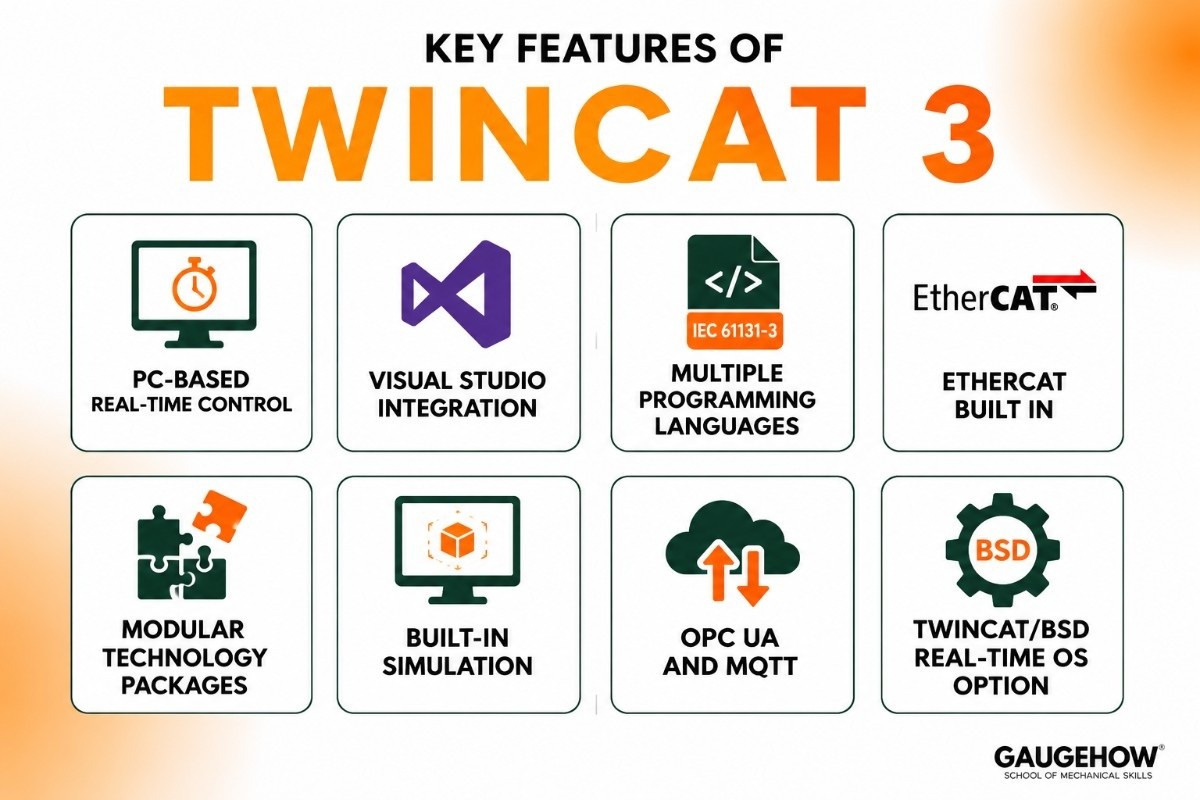
Here are the concrete capabilities that matter, minus the brochure talk:
PC-based real-time control: Runs PLC logic on a Windows PC with hard real-time performance, no dedicated hardware needed.
Visual Studio integration: You program in the same environment software developers use, which is a skill that transfers.
Multiple programming languages: All five IEC 61131-3 languages (ladder, function block, structured text, sequential function chart, instruction list) plus C/C++ and MATLAB/Simulink.
EtherCAT built in: Native support for EtherCAT, one of the fastest fieldbuses in industrial automation.
Modular technology packages: Add motion control, CNC, robotics, machine vision, analytics, or safety as needed.
Built-in simulation: Test your logic on your PC without connecting to any hardware.
OPC UA and MQTT: Modern communication for connecting to higher-level systems and IoT platforms.
TwinCAT/BSD: A FreeBSD-based real-time OS option, so TwinCAT can also run without Windows.
Is TwinCAT free?
This is the section that matters, so here is the clear, honest breakdown.
What is free
The TwinCAT XAE (eXtended Automation Engineering) environment the part where you write, compile, debug, and simulate your programs is completely free to download and use. There is no time limit on the engineering tools.
You can also use the free XaeShell, a standalone editor that does not require a paid Visual Studio license.
For a student, this means you can install TwinCAT, write programs in structured text or ladder logic, and simulate them on your own laptop for as long as you like, at zero cost.
What costs money
The TwinCAT XAR (eXtended Automation Runtime) — the part that actually executes your program on a real controller requires a license when deployed on Beckhoff industrial PCs. Licenses are tied to the hardware's "platform level," and more powerful platforms cost more.
On top of that, optional technology function packages (motion control, CNC, robotics, vision, analytics) are licensed separately.
How the trial works
When you install TwinCAT on any PC, the runtime starts in a 7-day trial mode that is fully functional. After seven days it stops, but you can restart the trial — which is why many students and hobbyists use it for learning without paying.
The practical takeaway for a student: everything you need to learn is free. You only hit licensing costs when you deploy on commercial Beckhoff hardware in a real production setting.
TwinCAT pricing and licensing
TwinCAT uses a modular, platform-based licensing model that splits into three layers:
Engineering (XAE): Free. No license needed.
Runtime (XAR): Licensed per Beckhoff IPC, priced by platform level (higher performance = higher cost).
Technology packages (TF codes): Licensed separately per function — motion control, safety, analytics, and so on.
Exact runtime and package pricing is not posted as a flat public list; it depends on the hardware and configuration, and you request a quote through Beckhoff or a distributor. For students, the free engineering tools and the 7-day resettable trial cover learning entirely.
How to download TwinCAT 3
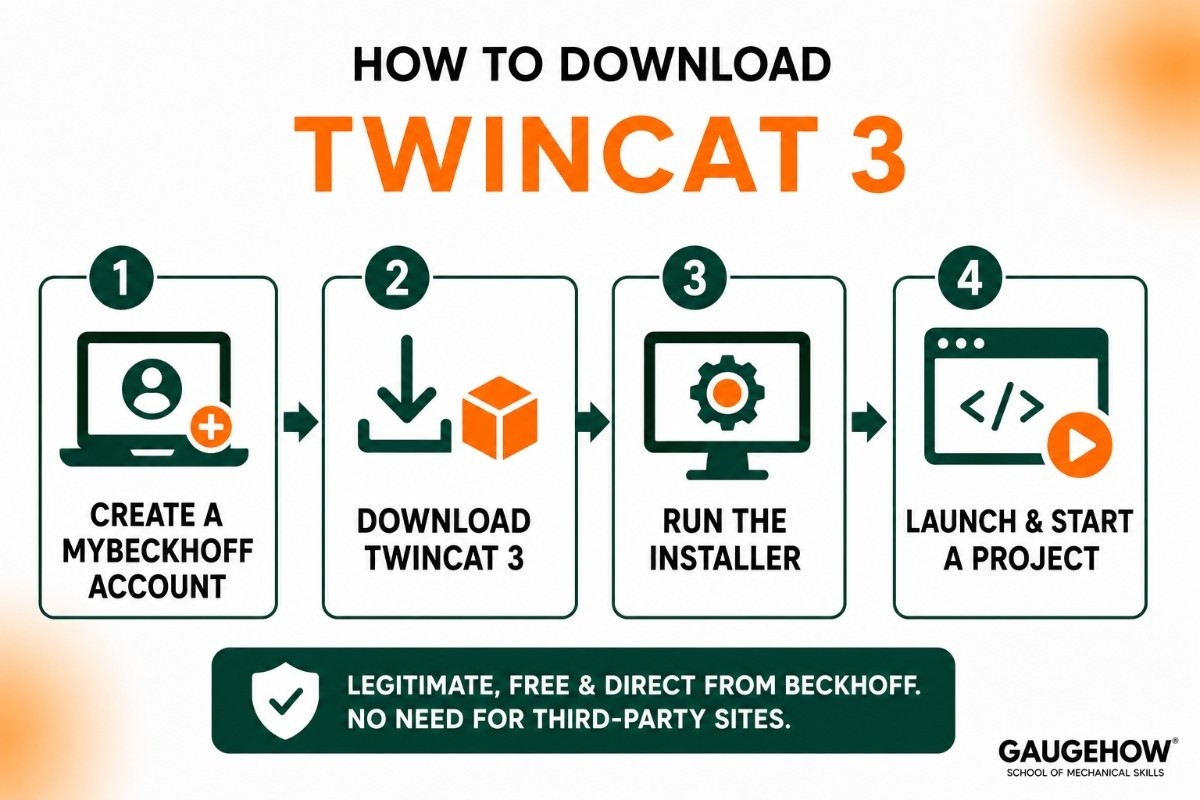
Getting TwinCAT installed is straightforward:
Go to the Beckhoff website and create a free myBeckhoff account.
Navigate to the TwinCAT 3 download section and grab the XAE installer (or the full XAE + XAR package if you want the runtime trial too).
Run the installer — it integrates into Visual Studio if you have it, or installs the standalone XaeShell if you do not.
Launch and start a new project. You are ready to program and simulate.
The download is legitimate, free, and directly from Beckhoff. No need for third-party mirror sites.
TwinCAT 2 vs TwinCAT 3
This comes up often in older tutorials and forum posts, so it is worth understanding.
Feature | TwinCAT 2 | TwinCAT 3 |
|---|---|---|
Status | Legacy version | Current version |
Platform | Based on CODESYS V2.3 | Built on Microsoft Visual Studio |
Programming Languages | IEC 61131-3 only | IEC 61131-3, C/C++, MATLAB integration |
Engineering Environment | Separate IDE + System Manager | Unified Visual Studio environment |
Hardware Configuration | Standalone System Manager | Integrated into the project |
Extensibility | Limited | Modular technology packages |
New Development | Rare | Active development |
Recommended for Learning | No | Yes |
Quick Takeaway
TwinCAT 2 is the older, legacy platform still found on some existing machines.
TwinCAT 3 is the modern version used for current Beckhoff automation projects.
The PLC programming concepts are similar, but the tools and workflow are quite different.
Pros and cons of TwinCAT
A balanced view.
Pros
Engineering tools are genuinely free — a real advantage over TIA Portal and Studio 5000.
Visual Studio integration gives you a modern, familiar coding environment.
Supports C/C++ alongside IEC languages, which is unique in PLC software.
EtherCAT is fast and widely adopted, making the skill transferable.
Strong in high-performance applications like semiconductor equipment and precision motion.
Cons
Beckhoff-focused; the runtime is designed for Beckhoff IPCs, not other brands.
Steeper learning curve than simpler PLC tools — Visual Studio can overwhelm beginners.
Smaller beginner-tutorial ecosystem than Siemens or Allen-Bradley.
Runtime licensing is confusing until you understand the XAE/XAR split.
Less dominant in general manufacturing than TIA Portal or Studio 5000.
Who is TwinCAT best for?
TwinCAT suits high-performance machine builders, system integrators, and engineers working with Beckhoff hardware — common in semiconductor, packaging, printing, wind energy, and precision motion applications. It scales from small embedded PCs to powerful multi-core industrial servers.
For students, it is an excellent pick if you want to learn PC-based control and modern automation thinking (real-time plus IT), especially if you are aiming at European industry or advanced machine building where Beckhoff is strong.
Integrations: what TwinCAT connects to
TwinCAT sits at the control layer and reaches outward through:
EtherCAT, Beckhoff's ultra-fast fieldbus, for I/O, drives, and sensors.
OPC UA and MQTT for connecting to MES, SCADA, IoT platforms, and cloud services.
ADS (Automation Device Specification), Beckhoff's own protocol for internal communication between TwinCAT modules.
Python and .NET APIs through TwinCAT Analytics, for data analysis and custom tooling.
Beckhoff hardware: industrial PCs, EtherCAT terminals, servo drives.
It connects upward toward MES and ERP through OPC UA and MQTT, but it is primarily a control-layer tool, not a business system.
Deployment: cloud, on-premise, and edge
TwinCAT is primarily on-premise software that runs on Beckhoff industrial PCs or standard Windows PCs (for development and simulation).
There is also TwinCAT/BSD, a FreeBSD-based operating system that runs TwinCAT without Windows, used in smaller embedded and edge devices.
For brownfield work (existing equipment), TwinCAT handles it well as long as the plant uses Beckhoff hardware and EtherCAT. Migrating from TwinCAT 2 to TwinCAT 3 is supported but requires project rework, since the platforms are fundamentally different.
TwinCAT alternatives
To see where TwinCAT fits among other PLC software:
Siemens TIA Portal — the dominant tool for Siemens PLCs, strongest in general manufacturing.
Rockwell Studio 5000 — the standard for Allen-Bradley, dominant in North America.
CODESYS — free, hardware-independent, and historically the foundation of TwinCAT 2.
B&R Automation Studio — another strong PC-based control platform, now owned by ABB.
EcoStruxure Machine Expert — Schneider Electric's CODESYS-based environment, popular in energy management and building automation.
Frequently asked questions
Is TwinCAT completely free?
The engineering tools (XAE) are free with no time limit. The runtime (XAR) runs in a 7-day trial mode, then needs a license for commercial deployment on Beckhoff hardware.
Do I need Beckhoff hardware to learn TwinCAT?
No. You can install the free XAE, write programs, and simulate them on your own PC without any Beckhoff hardware.
Is TwinCAT based on CODESYS?
TwinCAT 2 was built on CODESYS V2.3. TwinCAT 3 is Beckhoff's own platform, built on Microsoft Visual Studio, and is not based on CODESYS.
TwinCAT vs TIA Portal — which should a student learn?
TIA Portal if you are heading into general Siemens-based manufacturing. TwinCAT if you are interested in PC-based control, high-performance machines, or European machine building where Beckhoff is strong.
What is EtherCAT?
EtherCAT is an ultra-fast industrial fieldbus invented by Beckhoff and now used globally. TwinCAT has native EtherCAT support built in.
Can I use TwinCAT with Visual Studio Community (free)?
Yes. TwinCAT 3 integrates with Visual Studio Community edition, which is free, or you can use the standalone XaeShell at no cost.
Final thoughts
So, is TwinCAT free? For a student, the answer that matters is yes — the engineering tools, the simulation, and even a resettable runtime trial are free. You can learn PC-based control, write structured text and ladder logic, explore C++ in automation, and build working simulations without spending anything.
Licensing only enters the picture when you deploy commercially on Beckhoff hardware. That makes TwinCAT one of the most accessible ways to learn modern, high-performance automation — right alongside CODESYS — and the skills you build carry directly into the real industry.
Beckhoff TwinCAT is an automation software platform that turns a PC into a PLC, helping engineers program, control, and monitor industrial machines.























