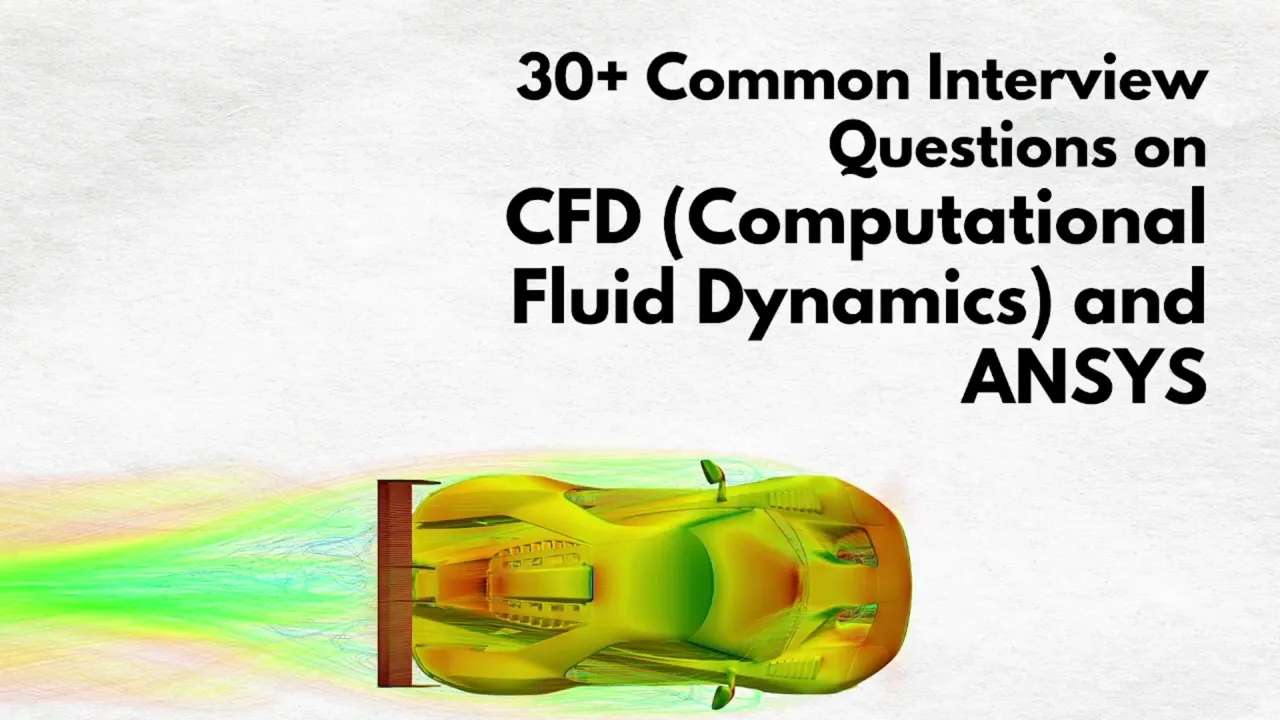
30+ ANSYS Interview Questions and Answers (Workbench & APDL)


Deepak S Choudhary
Learn More in This Video
Subscribe to GaugeHow for More
ANSYS interviews tend to mix conceptual simulation knowledge with very specific, software-level questions, so interviewers can quickly tell whether you've genuinely worked inside the tool or just watched a few tutorials.
Basic ANSYS Concepts
1. What is ANSYS, and what is it primarily used for?
ANSYS is a widely used simulation software suite for performing finite element analysis, computational fluid dynamics, and other physics-based simulations on engineering designs.
It's used to predict how a product will behave under structural loads, thermal conditions, or fluid flow before it's physically built. Engineers across automotive, aerospace, and industrial sectors rely on it heavily during design validation.
2. What is the difference between ANSYS Workbench and ANSYS APDL?
ANSYS Workbench is a graphical, project-based environment that simplifies setting up and managing simulations through a visual interface. APDL, or ANSYS Parametric Design Language, is the underlying scripting language that allows direct, command-level control over the solver.
Workbench is generally faster for standard analyses, while APDL offers more flexibility for highly customized or automated workflows.
3. What types of analysis can be performed in ANSYS?
ANSYS supports structural, thermal, modal, fatigue, fluid flow, electromagnetic, and multiphysics analysis, among others. Most engineers specialize in one or two of these areas depending on their industry and role.
The specific analysis type chosen depends entirely on what physical behavior the engineer needs to predict.
4. What is the typical workflow for setting up a simulation in ANSYS Workbench?
The typical workflow includes importing or creating geometry, assigning material properties, generating a mesh, applying boundary conditions and loads, solving, and finally reviewing and post-processing results.
Each step depends on the one before it, so errors early in the process tend to compound later. Building hands-on familiarity with this workflow through a course like FEA with ANSYS is one of the most direct ways to prepare for this kind of interview.
5. What file formats does ANSYS commonly work with for geometry import?
ANSYS commonly imports geometry through neutral formats like STEP and IGES, as well as native files from major CAD platforms through direct plug-ins.
Using a clean, simplified geometry file generally leads to a smoother meshing and solving process. Import errors or geometry defects are a common early source of simulation problems.
6. What is a Design Modeler or SpaceClaim used for within the ANSYS environment?
Design Modeler and SpaceClaim are geometry preparation tools within the ANSYS ecosystem, used to clean up, simplify, or modify CAD geometry before meshing. They're often used to remove small features like tiny fillets or holes that aren't relevant to the simulation but would otherwise force an unnecessarily fine mesh.
Simplifying geometry appropriately is a skill that significantly affects both solve time and mesh quality.
7. What is the difference between a solid, shell, and beam element in ANSYS?
Solid elements are used for fully three-dimensional parts where thickness and internal stress distribution matter. Shell elements are used for thin-walled parts where thickness is much smaller than the other dimensions, simplifying the model and reducing solve time.
Beam elements are used for long, slender members like frames or trusses, modeled along their centerline. Choosing the right element type is one of the first and most important modeling decisions.
8. What is the difference between a 2D and 3D analysis in ANSYS?
A 2D analysis simplifies the problem to a single plane, often using assumptions like plane stress or plane strain, which is faster to solve and appropriate for certain symmetric or thin geometries.
A 3D analysis captures the full geometry and is necessary when the behavior genuinely varies in all three dimensions. Using 2D where appropriate can dramatically reduce solve time without sacrificing accuracy.
Meshing and Setup
9. What meshing methods are available in ANSYS Workbench?
Common meshing methods include automatic, tetrahedral, hex-dominant, and sweep meshing, each suited to different geometry types. Tetrahedral meshing handles complex, irregular geometry well, while sweep meshing produces a more structured mesh on simpler, extrudable shapes.
Choosing the right method depends on the geometry's complexity and the accuracy needed in critical regions.
10. What is mesh refinement, and when would you apply it?
Mesh refinement increases element density in specific regions of a model, typically areas with high stress gradients, sharp geometry changes, or critical features.
Applying refinement selectively, rather than uniformly across the whole model, keeps solve time reasonable while still capturing the detail that matters. It's a routine step whenever initial results show high stress concentrated in a small area.
11. What is mesh quality, and what metrics are used to evaluate it?
Mesh quality describes how well-shaped the individual elements are, since distorted or poorly shaped elements can introduce numerical errors into the solution.
Common quality metrics include element skewness, aspect ratio, and orthogonal quality. ANSYS Workbench provides built-in mesh quality checks that flag elements falling outside acceptable thresholds before solving.
12. What is the purpose of named selections in ANSYS Workbench?
Named selections let you label specific faces, edges, or bodies in a model so they can be easily referenced when applying boundary conditions, loads, or mesh controls.
They make the setup process faster and far less error-prone, especially on complex assemblies with many surfaces. Named selections are also essential when scripting or parameterizing a simulation for repeated use.
13. What is symmetry, and how is it used to simplify a simulation?
Symmetry takes advantage of a model's geometric and loading symmetry to simulate only a fraction of the full part, applying symmetry boundary conditions at the cut plane.
This significantly reduces model size and solve time without sacrificing accuracy, as long as the symmetry assumption genuinely holds. It's a useful technique whenever a structure and its loading are both symmetric about a clear plane.
14. What is a contact region, and what types of contact are available in ANSYS?
A contact region defines how two separate bodies interact when they touch or potentially touch during the simulation. Common contact types include bonded, frictionless, frictional, and no separation, each representing a different physical interaction assumption.
Choosing the correct contact type significantly affects both accuracy and solver convergence behavior.
15. What is the difference between bonded and frictional contact in ANSYS?
Bonded contact behaves like the two surfaces are permanently glued together, with no relative sliding or separation allowed, and is the simplest and fastest to solve. Frictional contact allows surfaces to slide relative to each other based on a defined friction coefficient, which is more realistic for bolted or assembled parts but considerably harder to converge.
Using bonded contact when frictional behavior actually matters is a common modeling mistake.
APDL and Scripting
16. What is APDL, and why would an engineer use it instead of Workbench?
APDL, or ANSYS Parametric Design Language, is a command-based scripting language that gives direct control over every aspect of an ANSYS simulation.
Engineers use it when they need highly customized analysis setups, batch automation, or precise control that the Workbench graphical interface doesn't easily expose. It's especially valuable for running large numbers of parametric studies efficiently.
17. What is a typical structure of an APDL script?
A typical APDL script includes a preprocessing section for geometry, materials, and meshing, a solution section for boundary conditions and solving, and a postprocessing section for extracting and reviewing results. Each section uses specific APDL commands rather than graphical interactions. Understanding this structure makes it much easier to read and modify existing scripts.
18. What is a macro in APDL, and why is it useful?
A macro is a reusable block of APDL commands saved as a script that can be executed repeatedly, often with different input parameters. It's useful for automating repetitive tasks, like running the same analysis across multiple load cases or design variations.
Engineers who work frequently in APDL build up libraries of macros to speed up common workflows.
19. How do you define material properties using APDL commands?
Material properties in APDL are defined using commands like MP for basic properties such as elastic modulus and Poisson's ratio, assigned to a specific material number that elements then reference.
Multiple materials can be defined and assigned to different parts of a model within the same script. Getting material property units consistent with the rest of the model is a common early mistake.
20. What is the purpose of the SOLVE command in APDL?
The SOLVE command triggers the actual numerical solution of the model once geometry, mesh, materials, and boundary conditions have all been defined.
Everything before this command is setup; everything after is typically postprocessing. It's essentially the equivalent of clicking "Solve" in Workbench, but from a script.
21. How would you extract specific results, like maximum stress, using APDL commands?
Results extraction in APDL typically uses postprocessing commands like ETABLE or PRNSOL to query specific result quantities at nodes or elements after solving. These can be scripted to automatically report key values like maximum stress or displacement without manually browsing the graphical results.
This is especially valuable when running many simulations and needing consistent, automated reporting.
Solver Settings and Results
22. What is the difference between a direct and iterative solver in ANSYS?
A direct solver solves the system of equations exactly using matrix decomposition, which is robust but can be memory-intensive for very large models.
An iterative solver approximates the solution through repeated refinement, often using less memory and scaling better for very large models, though it may be less robust for certain problem types. The choice depends on model size and the type of analysis being performed.
23. What does it mean if a nonlinear ANSYS simulation fails to converge?
A failure to converge means the solver couldn't reach a stable solution within the allowed number of iterations, often due to issues like excessive deformation, contact instability, or an unstable model setup.
It doesn't necessarily mean the model is wrong, but it does mean the result can't be trusted as-is. Troubleshooting usually starts by reviewing contact settings, mesh quality, and load application method.
24. What is the purpose of substeps in a nonlinear ANSYS analysis?
Substeps break a single load step into smaller incremental stages, allowing the solver to gradually apply load and update the model's nonlinear behavior at each small increment rather than all at once.
This significantly improves convergence stability for nonlinear problems. Too few substeps is a common cause of convergence failure in complex nonlinear analyses.
25. What is a load step in ANSYS, and how is it different from a substep?
A load step represents a distinct phase of loading or boundary conditions within an analysis, such as applying a force and then later removing it. Substeps are the smaller increments within a single load step used to help the solver converge gradually.
Multiple load steps are common in analyses simulating a sequence of real-world events.
26. How do you interpret stress results shown in ANSYS post-processing?
Stress results are typically viewed as color-coded contour plots, with results often reported as von Mises stress for ductile material yield assessment. It's important to check results against mesh convergence and to be cautious of artificially high stress at singularities like sharp corners.
Reading the legend scale carefully is essential, since default auto-scaling can sometimes make minor stress variations look more dramatic than they are.
27. What is the role of MATLAB alongside ANSYS in a typical CAE workflow?
MATLAB is often used to post-process exported ANSYS result data, automate parametric studies by scripting multiple ANSYS runs, or perform custom calculations the solver doesn't handle directly.
Many engineers pair APDL scripting with MATLAB to build more flexible, automated simulation pipelines. Comfort with a tool like MATLAB complements ANSYS skills well for engineers working on larger simulation studies.
Troubleshooting and Practical Scenarios
28. A simulation in ANSYS Workbench shows unexpectedly high stress at one small area. What would you check?
First, check whether the high stress is occurring at a sharp corner or point load location, which often indicates a stress singularity rather than a genuine physical concern.
Refining the mesh slightly in that area and seeing whether the value keeps increasing without bound is a good diagnostic. If it's a true singularity, the practical fix is usually a fillet in the geometry rather than chasing mesh refinement indefinitely.
29. A colleague asks you to automate a repetitive analysis that's currently done manually in Workbench every week. How would you approach it?
Consider rebuilding the workflow in APDL as a parameterized script, since it allows the same analysis to be rerun automatically with different inputs without manual interaction. Workbench's own parameter and design point features can also achieve this for simpler cases without needing full APDL scripting. The right approach depends on how much customization and control the specific workflow actually needs.
30. A CFD-adjacent thermal-structural problem requires data to be passed between a fluid and structural solver. How would you approach this in ANSYS?
This typically uses a coupled or multiphysics workflow within Workbench, where results like temperature or pressure from a fluid analysis tool like ANSYS Fluent are passed as loads into a structural analysis. Workbench's system coupling features are designed specifically to manage this kind of data transfer between solvers. Understanding which physics genuinely needs to be coupled, versus simplified as an assumption, is an important judgment call.
Frequently Asked Questions
Q: Is ANSYS a good tool to specialize in for mechanical engineering students?
A: Yes ANSYS is one of the most widely used simulation platforms across industries, and strong ANSYS skills are consistently in demand for CAE, structural, and thermal engineering roles.
Q: Should I learn Workbench or APDL first?
A: Workbench is the more practical starting point for most beginners, since it builds intuition for the overall simulation workflow before introducing the added complexity of scripting in APDL.
Q: Do interviewers expect candidates to write APDL scripts from memory?
A: Not usually for entry-level roles. Interviewers more commonly ask conceptual questions about what APDL is used for and why, rather than expecting memorized syntax.
Q: What other software pairs well with ANSYS skills for a CAE career?
A: Familiarity with tools like ABAQUS CAE broadens your understanding of alternative solver approaches, while MATLAB is valuable for automation and post-processing.
Q: How should I structure my answers as a fresher candidate?
A: Keep answers short, specific, and grounded in practical reasoning rather than memorized definitions. Interviewers respond better to clear, applied thinking than to long, recited answers.
Conclusion
ANSYS interviews consistently come back to a few core ideas: understanding the full simulation workflow from geometry to results, knowing how meshing and boundary conditions shape accuracy, and being comfortable enough with both Workbench and basic APDL concepts to explain why you'd choose one approach over another.
If you can explain those fundamentals clearly and reason through a troubleshooting scenario, you'll be well prepared for almost any question an interviewer asks.
To turn this preparation into job-ready skills, explore GaugeHow's FEA with ANSYS course and ANSYS Fluent course, or browse all engineering courses. You can even start free today. Good luck — you've got this.























