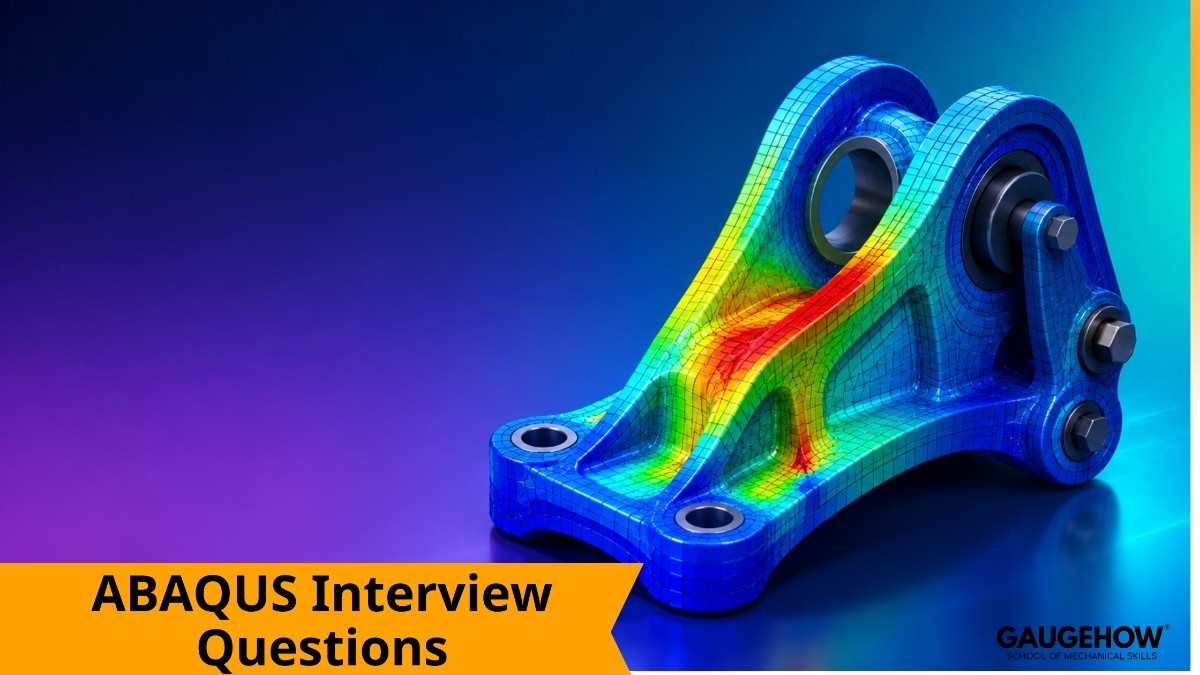
ABAQUS Interview Questions and Answers for CAE Roles

Deepak S Choudhary
Learn More in This Video
Subscribe to GaugeHow for More
ABAQUS interviews tend to dig deeper into nonlinear behavior and advanced solver concepts than a typical entry-level FEA interview, since the software is often chosen specifically for problems that simpler tools struggle with.
If you're a student or fresher preparing for a CAE, structural simulation, or research-focused role involving ABAQUS, this guide covers 30 commonly asked questions with short, clear answers so you can revise quickly and explain concepts confidently in your own words, whether the interviewer asks about CAE setup, nonlinear analysis, contact, or solver behavior.
Basic ABAQUS Concepts
1. What is ABAQUS, and what makes it different from other FEA software?
ABAQUS is a finite element analysis software widely known for its strong capability in handling complex nonlinear problems, including large deformation, material nonlinearity, and contact.
It's commonly chosen over other tools specifically for problems involving severe nonlinearity, like rubber, plastics, or crash simulation. Its robustness in these areas is a major reason it's used heavily in research and advanced industrial applications.
2. What is the difference between ABAQUS/Standard and ABAQUS/Explicit?
ABAQUS/Standard uses an implicit solver, well suited for static or slowly applied loading problems where stability matters more than raw speed. ABAQUS/Explicit uses an explicit time-marching solver, better suited for highly dynamic, short-duration events like impact or crash analysis.
Choosing the right solver type for the problem is one of the first and most important decisions in any ABAQUS analysis.
3. What is ABAQUS/CAE, and how does it relate to the solver?
ABAQUS/CAE is the graphical pre- and post-processing environment used to build the model, define boundary conditions, and review results. The actual solving is done separately by the ABAQUS/Standard or ABAQUS/Explicit solver, with CAE acting as the interface that generates the input file and displays the results. Building hands-on familiarity with this environment through a course like ABAQUS CAE is one of the most effective ways to prepare for this kind of interview.
4. What is an input file (.inp) in ABAQUS, and why is it important?
An input file is a plain-text file containing all the keywords and data defining a model's geometry, material, boundary conditions, and solver settings. It's the actual file the solver reads, regardless of whether it was generated through CAE or written manually.
Understanding input file structure is valuable for troubleshooting and for advanced users who script or modify models directly.
5. What types of analysis steps are available in ABAQUS?
ABAQUS supports a wide range of step types including static, dynamic, frequency (modal), buckling, and heat transfer, each representing a different physical scenario.
A model can include multiple steps in sequence, simulating a series of real-world events like applying a load, then removing it. Choosing the correct step type is essential for getting physically meaningful results.
6. What is the difference between a general static and a static, Riks step in ABAQUS?
A general static step is used for standard linear or moderately nonlinear problems where load increases monotonically. A static, Riks step uses arc-length control to track a structure's response even past instability points, like buckling or snap-through behavior, where a standard static step would fail to converge.
Riks analysis is specifically chosen when post-buckling behavior needs to be captured.
7. What is the role of a part and an assembly in ABAQUS modeling? A part represents an individual component's geometry, defined independently of its position in the final model. An assembly brings multiple part instances together into their correct relative positions, where interactions like contact and constraints are then defined. This separation lets the same part definition be reused multiple times within an assembly if needed.
8. What is a section, and why is it needed in ABAQUS?
A section assigns material properties and geometric characteristics, like thickness for shells or cross-section for beams, to a specific region of a part. Without a properly assigned section, ABAQUS has no way of knowing what material or thickness to use when solving. Section assignment is a required step before a model can be meshed and solved correctly.
Meshing and Element Selection
9. What element types are commonly used in ABAQUS, and how do you choose between them? Common element types include solid (continuum), shell, beam, and membrane elements, each suited to different geometric and physical scenarios.
Solid elements suit fully three-dimensional parts, shells suit thin-walled structures, and beams suit long slender members. Choosing the right element type depends on the part's geometry and which stress or deformation behavior actually needs to be captured.
10. What is the difference between first-order and second-order elements in ABAQUS?
First-order elements use linear interpolation between nodes, are computationally cheaper, but can be less accurate for bending-dominated problems unless heavily refined.
Second-order elements use quadratic interpolation, capturing curved deformation more accurately with fewer elements, at the cost of higher computational expense per element. The choice often depends on a balance between accuracy needs and available computing time.
11. What is hourglassing in ABAQUS, and why does it occur?
Hourglassing is a numerical instability that can occur in reduced-integration elements, where the mesh deforms into a zigzag pattern that doesn't correspond to real physical strain.
It happens because reduced integration doesn't fully capture certain deformation modes, allowing them to develop with little resistance. ABAQUS includes hourglass control options specifically to suppress this artifact when reduced-integration elements are used.
12. What is the difference between full integration and reduced integration elements?
Full integration elements evaluate the stiffness matrix at more integration points, generally improving accuracy but increasing computational cost and sometimes causing shear locking in bending problems.
Reduced integration elements use fewer integration points, reducing cost and avoiding shear locking, but introducing the risk of hourglassing if not properly controlled. Most practical ABAQUS models use reduced integration with hourglass control as a balanced default.
13. What is mesh seeding in ABAQUS, and how is it used?
Mesh seeding defines the target element size or density along edges before the actual mesh is generated, giving the user direct control over local mesh refinement.
It's commonly used to refine areas with expected high stress gradients while keeping the mesh coarser elsewhere to save solve time. Good seeding strategy is one of the more practical skills that separates an experienced ABAQUS user from a beginner.
14. How do you check mesh quality in ABAQUS before solving?
ABAQUS includes built-in mesh verification tools that check for distorted elements, excessive aspect ratios, and other quality issues that could cause solver problems.
Running this check before solving helps catch issues early rather than discovering them after a long solve fails or produces questionable results. It's a quick, routine step that's easy to skip but saves significant time when done consistently.
Nonlinear Analysis and Contact
15. What types of nonlinearity can ABAQUS model, and how do they differ?
ABAQUS can model geometric nonlinearity (large deformation), material nonlinearity (plasticity, hyperelasticity), and contact nonlinearity (changing contact conditions during loading).
These can occur independently or together within the same analysis, and each adds computational complexity in a different way. Recognizing which type of nonlinearity actually matters for a given problem is key to setting up an efficient, accurate model.
16. What is the NLGEOM setting in ABAQUS, and when should it be turned on?
NLGEOM activates geometric nonlinearity, accounting for changes in stiffness as a structure deforms significantly during loading. It should be turned on whenever deformations are large enough that the small-deflection assumption of linear analysis no longer holds, such as buckling, large bending, or significant shape change.
Leaving it off for a genuinely large-deformation problem will produce inaccurate results.
17. What is hyperelastic material behavior, and how is it modeled in ABAQUS?
Hyperelastic behavior describes materials like rubber that can undergo large elastic deformation and return to their original shape, which standard linear elasticity can't accurately represent.
ABAQUS models this using strain energy density functions, like Mooney-Rivlin or Ogden, fit to experimental material test data. Hyperelastic modeling is one of the areas where ABAQUS's strength in nonlinear materials is most commonly applied.
18. What contact formulations are available in ABAQUS?
ABAQUS offers several contact formulations, including general contact and contact pairs, with options for surface-to-surface or node-to-surface discretization.
General contact is often easier to set up for complex assemblies with many potential contact interactions, while contact pairs offer more direct control over specific interactions. Choosing the right formulation affects both setup effort and solver robustness.
19. What is the difference between hard and soft contact in ABAQUS?
Hard contact prevents surfaces from penetrating each other and transmits unlimited pressure once contact is established, modeling rigid, non-penetrating behavior.
Soft contact allows some penetration governed by a defined pressure-overclosure relationship, useful for modeling more compliant or gasket-like interfaces. The choice depends on whether the real physical interface behaves more like a rigid stop or a compressible material.
20. What is friction modeling in ABAQUS contact, and why does it add complexity?
Friction modeling defines resistance to relative sliding between contacting surfaces, typically through a Coulomb friction coefficient. It adds complexity because frictional contact is inherently nonlinear and history-dependent, often making convergence significantly harder than frictionless or bonded contact.
Engineers often start with simplified contact assumptions and add friction only once the basic model is solving reliably.
21. What is a cohesive element, and when would you use one in ABAQUS?
A cohesive element models the bonding behavior between two surfaces, including how that bond degrades and eventually fails under loading, commonly used to simulate delamination or adhesive joint failure.
It's especially relevant in composite materials and bonded assembly analysis. Cohesive zone modeling is a more advanced ABAQUS capability often introduced after mastering basic contact and material setup.
Solver Behavior and Results
22. What does it mean when an ABAQUS/Standard analysis fails to converge?
A failure to converge means the implicit solver couldn't find a stable equilibrium solution within the allowed iterations, often due to excessive nonlinearity, unstable contact, or an ill-defined model.
It's a signal that something in the model setup needs investigation, not necessarily that the underlying physics is impossible to solve. Common fixes include refining the mesh, adjusting contact settings, or breaking the load into smaller increments.
23. What is automatic time incrementation, and why is it useful in ABAQUS?
Automatic time incrementation lets the solver dynamically adjust the size of each load increment based on how easily the previous increment converged, taking larger steps when the solution is stable and smaller steps when it's struggling.
This balances solve time and stability without requiring the user to manually guess the right increment size. It's the default and generally recommended approach for most nonlinear ABAQUS analyses.
24. What is the difference between ABAQUS/Standard and ABAQUS/Explicit in terms of time stepping?
ABAQUS/Standard uses relatively large, automatically adjusted time increments since it solves the full system implicitly at each step. ABAQUS/Explicit uses extremely small, fixed time increments determined by stability requirements related to element size and material wave speed.
This is why explicit analyses, despite their small time steps, are often still faster for very short-duration dynamic events than implicit alternatives would be.
25. How do you check whether an ABAQUS/Explicit simulation result is reliable?
Key checks include confirming the kinetic energy stays small relative to internal energy for quasi-static problems, and verifying the model wasn't run with artificially increased mass scaling that distorts dynamic behavior. Reviewing energy balance plots is a standard part of validating any explicit ABAQUS result.
Skipping these checks is a common reason explicit results get misinterpreted by less experienced users.
26. What is mass scaling in ABAQUS/Explicit, and why is it sometimes used?
Mass scaling artificially increases element mass to allow larger, more computationally efficient time increments, often used to speed up quasi-static problems run through the explicit solver.
It needs to be used carefully, since excessive mass scaling can introduce unrealistic dynamic effects into what should be a near-static result. Checking the kinetic-to-internal energy ratio is the standard way to confirm mass scaling hasn't distorted the result.
27. How do you extract and interpret stress and strain results in ABAQUS post-processing?
Results are typically reviewed as contour plots in the Visualization module, with stress commonly reported as von Mises for ductile material assessment, alongside displacement and strain fields.
It's important to check results against mesh convergence and be cautious of artificially high stress at geometric singularities. Path plots and history outputs at specific points are also commonly used for more detailed, quantitative review.
28. What role does scripting or automation play in advanced ABAQUS workflows?
ABAQUS supports Python scripting for automating repetitive modeling tasks, running parametric studies, and post-processing large batches of results programmatically.
Engineers working on iterative design studies often pair this with tools like MATLAB for additional data processing or custom calculations outside ABAQUS itself. Scripting becomes increasingly valuable as analysis volume and complexity grow.
Troubleshooting and Practical Scenarios
29. An ABAQUS/Standard simulation with contact keeps failing to converge. What would you check first?
Start by reviewing whether the contact interaction is properly defined, including correct surface assignment and an appropriate contact formulation for the geometry involved.
Checking for excessive initial penetration or poorly defined contact stiffness is also a common early step. Reducing the initial increment size to help the solver establish contact more gradually often resolves early-stage convergence issues.
30. A model produces very different results depending on whether you use ABAQUS/Standard or ABAQUS/Explicit. What might explain this?
This often indicates the problem characteristics don't clearly favor one solver type, or that the explicit analysis has introduced excessive mass scaling or dynamic effects that the implicit static analysis doesn't capture.
Reviewing whether the loading is genuinely dynamic or should be treated as quasi-static is the first thing to clarify. Comparing energy balance in the explicit run against expected static behavior usually reveals where the discrepancy is coming from.
Frequently Asked Questions
Q: Is ABAQUS a good tool to specialize in for a CAE career?
A: Yes ABAQUS is widely respected for handling complex nonlinear problems, and strong ABAQUS skills are valued in research, automotive, aerospace, and biomedical simulation roles in particular.
Q: How is ABAQUS different from ANSYS for someone starting out?
A: Both cover similar core FEA capabilities, but ABAQUS is generally considered stronger for advanced nonlinear and contact problems, while ANSYS has a broader multiphysics ecosystem; familiarity with both, through resources like FEA with ANSYS, is a strong combination.
Q: Do I need to know Python scripting for an ABAQUS interview?
A: Not usually for entry-level roles, but understanding what scripting is used for and why it matters for automation is a reasonable expectation even for freshers.
Q: Should I focus more on ABAQUS/Standard or ABAQUS/Explicit first?
A: ABAQUS/Standard is generally the better starting point, since most foundational FEA concepts are easier to learn through static analysis before introducing the added complexity of dynamic, explicit time stepping.
Q: How should I structure my answers as a fresher candidate?
A: Keep answers short, specific, and grounded in practical reasoning rather than memorized definitions. Interviewers respond better to clear, applied thinking than to long, recited answers.
Conclusion
ABAQUS interviews consistently come back to a few core ideas: understanding when to use Standard versus Explicit, knowing how nonlinearity and contact affect convergence, and being able to validate results rather than blindly trusting a completed run. If you can explain those fundamentals clearly and reason through a troubleshooting scenario, you'll be well prepared for almost any question an interviewer asks.
To turn this preparation into job-ready skills, explore GaugeHow's ABAQUS CAE course and FEA with ANSYS course, or browse all engineering courses. You can even start free today. Good luck — you've got this.























