Abaqus
Abaqus

What Is Abaqus? A Complete Beginner’s Guide to Abaqus Software
What Is Abaqus Software?
Abaqus is advanced engineering simulation software used for finite element analysis (FEA), structural analysis, and multiphysics simulation. It helps engineers test how products and materials behave under real-world conditions before they are physically built.
Abaqus is one of the most trusted tools for solving complex engineering problems related to structural mechanics, nonlinear analysis, heat transfer, contact interactions, and material behavior.
The software is developed by Dassault Systèmes under its SIMULIA portfolio.
For beginners and students, Abaqus is often introduced as a powerful simulation platform that helps engineers predict product performance digitally.
Overview of Abaqus Software
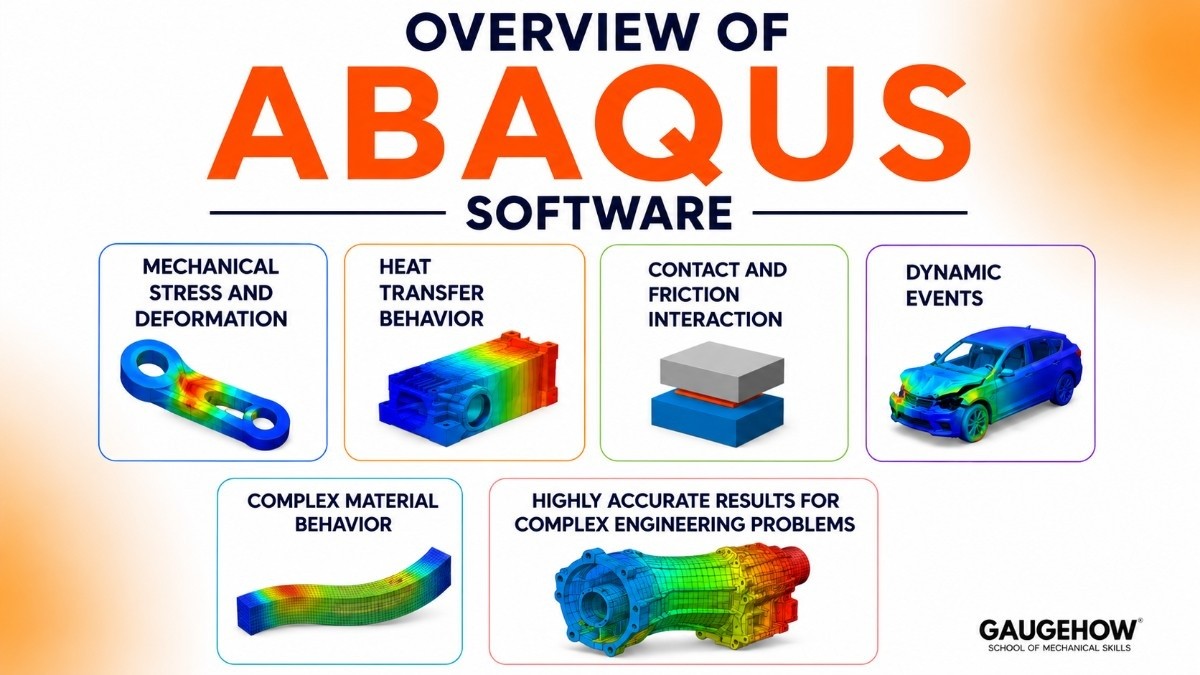
Abaqus is a computer-aided engineering software platform designed for simulation-driven product design and structural analysis.
It allows engineers to create digital models and simulate real physical conditions, such as:
Mechanical stress and deformation
Testing how materials bend, stretch, or break.
Heat transfer behavior
Analyzing temperature effects on structures.
Contact and friction interaction
Studying how surfaces interact under load.
Dynamic events
Simulating impact, crash, and vibration.
Complex material behavior
Testing nonlinear and advanced material properties.
Abaqus is widely used because it delivers highly accurate results for complex engineering problems that are difficult to solve with simpler simulation tools.
What Can Abaqus Do for You in Engineering Design and Analysis?
Abaqus provides practical benefits for engineers, researchers, and students.
Help You Perform Structural Analysis
Abaqus calculates stress, strain, displacement, and deformation.
This helps engineers ensure product safety and reliability.
Simulate Real-World Failure Conditions
It predicts how products behave under:
High loads
Extreme temperatures
Impact conditions
Fatigue cycles
Analyze Complex Nonlinear Problems
Abaqus is especially strong in nonlinear simulation.
This includes:
Large deformations
Plastic material behavior
Contact analysis
Hyperelastic materials
Optimize Product Performance
Engineers can improve product efficiency by testing multiple design alternatives.
Reduce Product Development Costs
Virtual simulation reduces the need for repeated physical testing.
Support Research and Innovation
Researchers use Abaqus for advanced material and structural studies.
Key Features of Abaqus
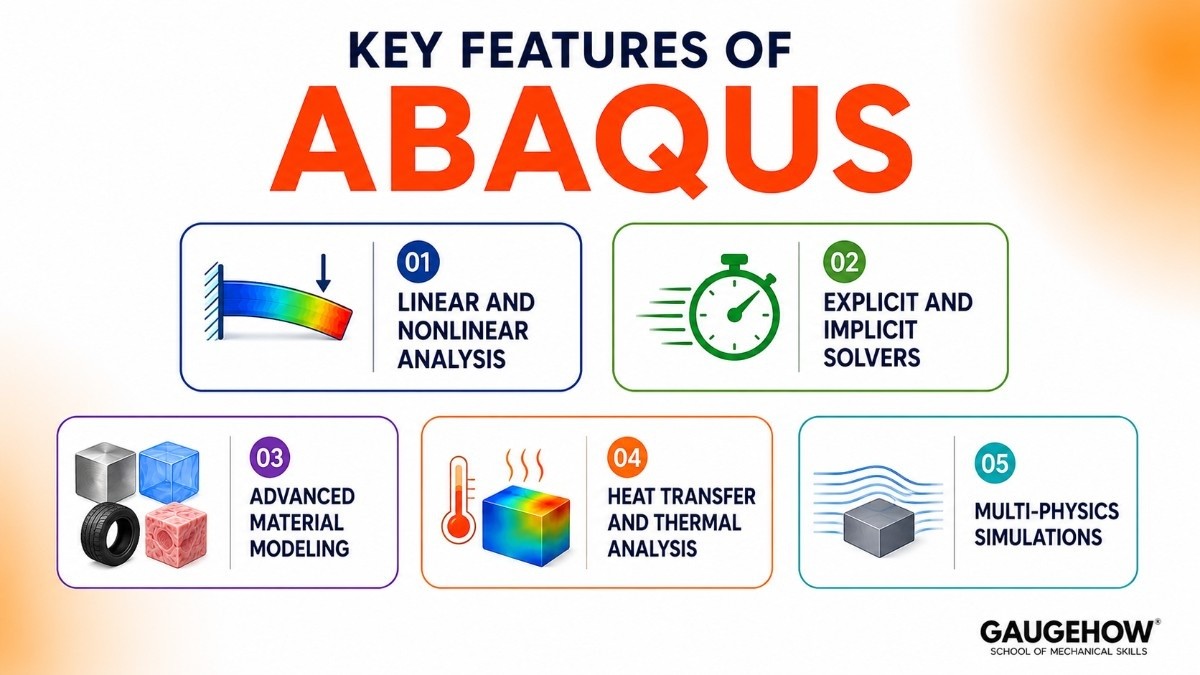
Unlike basic design programs, this software is packed with advanced technical capabilities that can handle complex physics equations. Here are its core features explained simply:
1. Linear and Nonlinear Analysis
Linear Analysis: This handles simple situations where materials return to their original shape after a force is removed, such as a light-weight pressing on a steel beam.
Nonlinear Analysis: This is where the software truly shines, calculating complex situations where materials permanently deform, stretch, or tear apart under extreme pressure.
2. Explicit and Implicit Solvers
Abaqus/Standard (Implicit): This solver is perfect for steady or slow-moving events, such as calculating the stress on a bridge over time or analyzing a bolted joint.
Abaqus/Explicit: This solver is designed for high-speed, dynamic events that happen in milliseconds, such as a smartphone dropping onto a concrete floor or a ballistic impact.
3. Advanced Material Modeling
Metals and Plastics: It can accurately simulate how different metals bend or how plastics stretch and deform under heat.
Rubber and Biomaterials: The software includes specialized mathematical models to simulate highly elastic materials like car tires or human tissue.
4. Heat Transfer and Thermal Analysis
Temperature Distribution: It calculates how heat moves through an object over time, which is crucial for designing engine components or electronics.
Thermal Stress: It helps engineers see how materials expand or warp when they get hot, preventing structural failures caused by temperature changes.
5. Multi-Physics Simulations
Fluid-Structure Interaction: It can simulate how a moving fluid or gas interacts with a solid object, such as wind pressing against a flexible skyscraper.
Piezoelectric Analysis: It models smart materials that generate electrical signals when compressed, which is widely used in modern sensors.
Abaqus Student Version and Learning Access
Students can access Abaqus Student Edition for learning purposes.
This version is designed for:
Engineering students
Academic researchers
Beginners learning finite element analysis
It includes:
Core FEA tools
Structural simulation features
Learning tutorials
The student edition may have limitations on model size and computational scale.
Abaqus Pricing and Licensing Tiers
Understanding the cost is crucial for businesses planning budgets and students looking for affordable ways to learn. The pricing model relies on a token system and varies depending on your organization type.
Commercial Licenses: Paid licenses for companies are highly customized and expensive, usually costing several thousand dollars per year, depending on the number of CPU cores you need to run simulations.
Academic and Student Editions: Dassault Systèmes offers a free student version that allows beginners to practice, though it limits the size and complexity of the models you can build.
Token-Based Licensing Model: Companies buy "tokens" or tokens-on-demand; running larger, faster simulations across multiple computers consumes more tokens simultaneously.
Pros & Cons of Using Abaqus
No software is perfect, and while this tool is an industry standard, it comes with specific advantages and drawbacks that you should consider.
The Pros (Advantages)
Unmatched Accuracy: It is globally trusted because its mathematical formulas deliver highly accurate results that match real-world physical tests perfectly.
Excellent Material Library: It can simulate almost any material known to science, from soft rubber and living human bones to reinforced concrete and carbon fiber composites.
Massive User Community: Because it is so popular, there are thousands of online tutorials, forums, and academic papers available to help you troubleshoot errors.
The Cons (Disadvantages)
Steep Learning Curve: The software user interface is highly technical and can feel overwhelming, clunky, and difficult to navigate for absolute beginners.
High System Requirements: Running complex simulations requires expensive, high-performance computers with powerful CPUs, heavy RAM, and professional graphics cards.
Very Expensive Licensing: The high cost of commercial licenses makes it difficult for small startups or independent consultants to afford without significant capital.
Best For: Ideal Users and Industries
This software is not a one-size-fits-all tool; it is tailored for specific engineering demands and organizational scales.
Ideal Company Size: It is best suited for medium to large-scale enterprises and research universities that have the financial budget and computing power to support it.
Key Industries: It is heavily utilized in the aerospace industry for aircraft design, the automotive industry for crash safety tests, and the biomedical field for artificial joint testing.
Primary Use Cases: It is perfect for teams who are dealing with complex structural problems, high-velocity impacts, and advanced material research that simpler tools cannot handle.
Software Integrations
To fit into modern manufacturing workflows, this software connects smoothly with various engineering and corporate digital systems.
CAD Software Integration: It integrates directly with 3D design tools like CATIA, SolidWorks, and Autodesk Inventor, allowing you to import complex shapes without losing geometric data.
Optimization Tools: It works seamlessly alongside optimization packages like I-Sight and Tosca to automatically alter designs to make them lighter or stronger.
Python Scripting: It features a built-in Python programming interface, enabling engineers to automate repetitive modeling tasks and write custom data analysis scripts.
Deployment Options
Depending on your company’s IT infrastructure and security needs, the software can be set up in a few different environments.
On-Premise Deployment: Traditionally installed directly on powerful local workstations or private company server clusters, keeping sensitive design data entirely offline and secure.
Cloud-Based Deployment (3DEXPERIENCE): Dassault Systèmes now offers cloud options, letting you submit heavy simulation calculations to powerful remote cloud servers so your local computer doesn't freeze up.
Brownfield Readiness: It easily connects with legacy IT setups and older high-performance computing (HPC) networks, making it easy to adopt without replacing your current hardware.
Top Alternatives to Abaqus
If you want to look at other choices in the market, here are the top competing tools used for computer-aided engineering simulations:
Ansys Mechanical: The biggest direct competitor, known for its user-friendly interface and highly powerful multi-physics capabilities across all industries.
Altair HyperWorks: A great alternative that specializes in high-speed impact simulations and offers an excellent suite for optimizing product weight.
SimCenter Nastran: A powerful simulation solver created by Siemens that is heavily relied upon by the aerospace industry for structural vibration analysis.
COMSOL Multiphysics: An alternative tool that excels at coupling different physical phenomena together, such as chemical reactions interacting with fluid dynamics.
Frequently Asked Questions (FAQ)
Is Abaqus software cloud-based or on-premise?
It can be deployed in both ways, depending on your subscription preferences. While traditionally run as an on-premise installation on local machines, it is now integrated into Dassault Systèmes' cloud-based 3DEXPERIENCE platform for remote computing.
What is the difference between Abaqus and Ansys?
Both are industry leaders, but they excel in slightly different areas. Abaqus is widely considered the king of highly complex, nonlinear, and advanced material simulations, while Ansys is praised for its friendlier user interface and broader multi-physics integration.
Can I get Abaqus software for free as a student?
Yes, Dassault Systèmes provides a free Student Edition intended for educational use. It includes access to the full user interface, but it restricts your models to a maximum of 1,000 nodes for structural problems.
What programming language does Abaqus use for scripting?
The software uses Python as its official scripting and automation language. You can write Python code to build geometry, assign material properties, run simulations automatically, and extract data reports without opening the visual interface.
Abaqus is engineering simulation software that helps students and engineers test designs,solve structural problems and product performance virtually.























