FactoryTalk View
FactoryTalk View

FactoryTalk View: The Honest Guide for Industrial Teams (2026)
1. Overview — What Is FactoryTalk View?
One-line definition: A scalable HMI and SCADA platform from Rockwell Automation, built for Allen-Bradley environments, available in two editions — Site Edition (SE) for plant-wide SCADA and Machine Edition (ME) for machine-level panels.
FactoryTalk View is made by Rockwell Automation, the Milwaukee-based industrial giant behind the Allen-Bradley PLC family. It's been the dominant HMI choice in North American manufacturing for over two decades — and it holds roughly 70% market share in A-B-heavy environments.
The platform replaced the older RSView32 software and has evolved significantly since. In 2026, it comes in two distinct products that serve very different needs:
• FactoryTalk View Site Edition (SE) — plant-wide SCADA, distributed server-client architecture, multiple concurrent operators
• FactoryTalk View Machine Edition (ME) — machine-level HMI, runs on PanelView Plus terminals, standalone or small networked setups
Both are developed and configured inside FactoryTalk View Studio, the shared development environment. They share a common look-and-feel but have fundamentally different architectures — choosing the wrong one is one of the most common (and expensive) mistakes new Rockwell users make.
2. Key Features — What It Actually Does
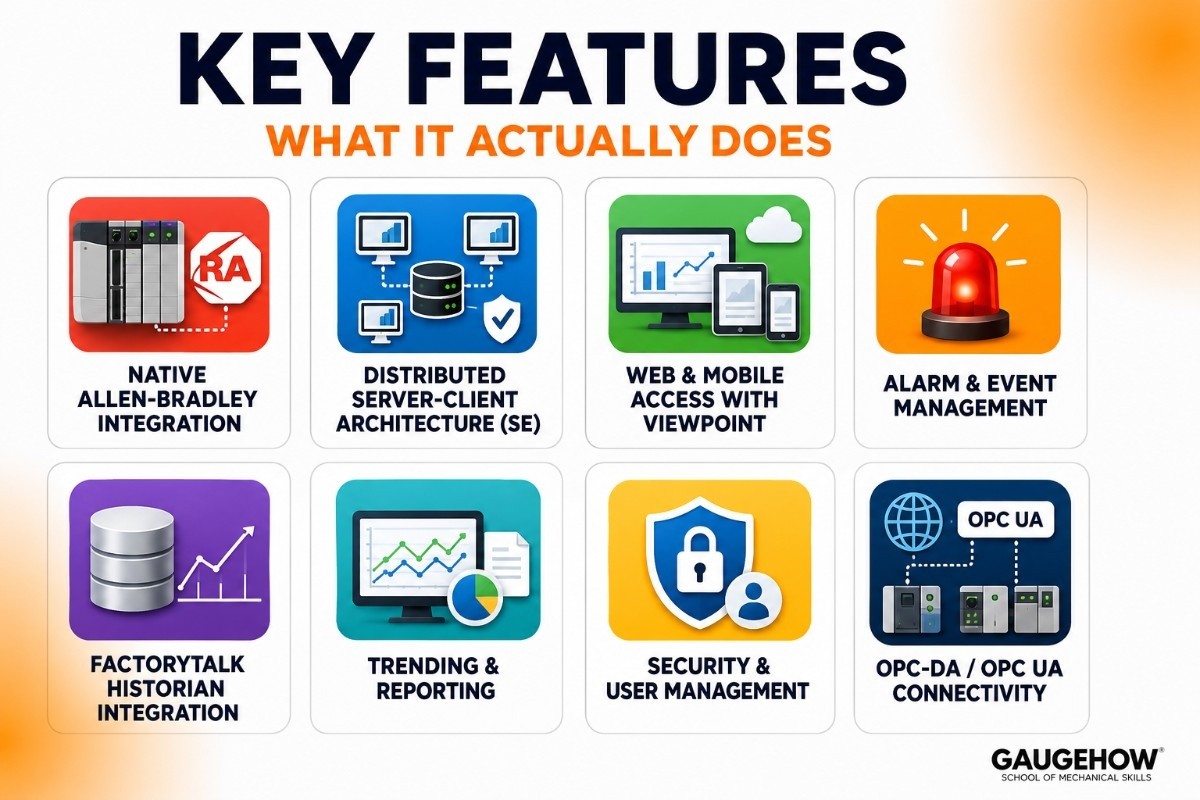
Here's what matters in practice, based on how real engineering teams use it day-to-day:
Native Allen-Bradley Integration
• Directly reads ControlLogix, CompactLogix, MicroLogix, and SLC 500 tag databases
• No separate tag mapping needed — changes in Studio 5000 propagate to your HMI automatically
• This alone saves 30–40% engineering time vs multi-vendor setups that require manual tag synchronization
Distributed Server-Client Architecture (SE)
• SE supports multiple HMI servers, alarm servers, and data log servers in a single distributed system
• Clients can connect from any workstation — operators, engineers, and management on the same live data
• Built-in failover and redundancy — if a server goes down, clients reconnect to the standby automatically
FactoryTalk ViewPoint — Web & Mobile Access
• Provides browser-based access to SE displays — no client software needed on the viewing device
• Works on tablets, phones, and standard browsers for remote monitoring
• Read-only monitoring by default; write access requires explicit configuration and security setup
Alarm and Event Management
• Alarm servers handle thousands of alarm points across the plant
• Alarm shelving, suppression, and acknowledgement built in
• Full audit trail and alarm history — required in pharma and food-grade environments
• Alarms can be tied directly to PLC tags — no separate configuration for already-defined A-B alarms
FactoryTalk Historian Integration
• SE connects natively to FactoryTalk Historian for time-series data collection
• Tag-based licensing (250-tag starter, up to unlimited) with volume discounts at scale
• Push data to SQL Server, PI System (OSIsoft), or cloud analytics platforms
Trending and Reporting
• Built-in trend displays — XY plots, time-based trends, and data grid views
• Real-time and historical data side-by-side on the same screen
• Reports can be scheduled, triggered by events, or run on-demand
Security and User Management
• Role-based security with Active Directory integration
• FactoryTalk Security provides centralized authentication across all FactoryTalk products
• Full audit logging — who did what, when, and from which workstation
• 21 CFR Part 11-ready with electronic signatures for regulated industries
OPC-DA / OPC UA Connectivity
• Connects to third-party PLCs via OPC-DA or OPC UA — Siemens, Mitsubishi, Schneider
• Works best with Allen-Bradley; expect extra integration effort with non-Rockwell hardware
• MQTT support is limited — if you need a Unified Namespace architecture, Ignition handles this better
3. FactoryTalk View License Pricing — What You'll Actually Pay
Rockwell doesn't publish prices publicly. Here's the honest picture based on distributor data and engineering community reports. Overall range: $3,000 – $25,000+ depending on edition, scale, and options.
Edition / Component | Licensing Model | Typical Cost Range | What's Included |
FTV View Studio (Dev) | Per developer seat — one-time | $3,000–$6,000 | ME + SE development environment, Studio license |
FTV View ME Runtime | Per terminal — one-time | $800–$2,000 / panel | Runtime for each PanelView Plus or Windows HMI |
FTV View SE Station | Per display count (not tags) | $2,500–$8,000+ | 15, 25, 100, 250, or unlimited display objects |
FTV View SE Server | Per display count + server license | $4,000–$15,000+ | HMI Server for distributed SE deployments |
FactoryTalk ViewPoint | Add-on to SE license | $1,500–$4,000 | Web-based client access for SE systems |
FactoryTalk Historian SE | Per tag count (250–unlimited) | $2,000–$12,000+ | Process data historian; sold separately |
Free Trial / Evaluation | Time-limited, non-production | Free | Full Studio access, 2-hour runtime, eval version |
Important licensing note: Unlike Siemens WinCC, which charges per tag, FactoryTalk View SE uses a display-count model — you pay for the number of graphic screens, not the number of I/O points. This can work out cheaper for tag-heavy systems but more expensive for display-heavy projects.
4. Pros & Cons — The Honest Assessment
Most reviews are written by vendors or resellers. These cons are real — they come from engineering forums, Gartner Peer Insights reviews, and system integrators who've built hundreds of FactoryTalk projects.
✅ What Works Well | ⚠️ Watch Out For |
Deepest native integration with Allen-Bradley PLCs — nothing comes close | Expensive — total cost of ownership is high vs platforms like Ignition |
Mature, battle-tested platform with 20+ years in production environments | Display-count licensing can be hard to predict in large projects |
SE and ME share a common development environment — one tool to learn | Poor fit for non-Rockwell PLC environments — OPC integration is workable but painful |
FactoryTalk Security centralizes auth across all Rockwell products | No cloud-native option — hybrid add-ons exist, but it's fundamentally on-prem |
Strong compliance features — 21 CFR Part 11, audit logs, e-signatures | Steep learning curve — typically 4–8 months to reach productive competency |
Excellent alarm management for large, complex multi-unit facilities | MQTT / IIoT architecture support is limited vs modern platforms |
ViewPoint adds web access without additional client software installs | Requires SQL Server for advanced data logging — adds infrastructure cost |
Strong North American support network and certified system integrators | ViewPoint web client has limited functionality vs the full-fat client |
5. Best For — Who Should Actually Use FactoryTalk View?
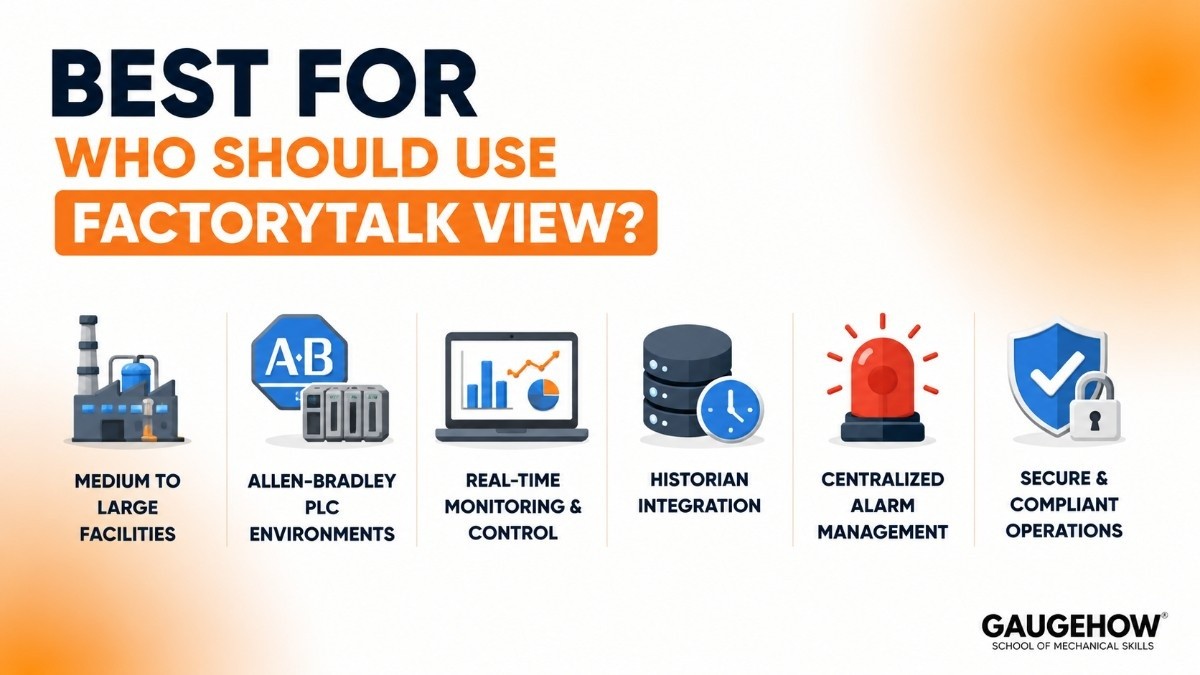
FactoryTalk View isn't the right choice for everyone. Here's where it genuinely makes sense — and where it doesn't.
Plant Size
• ME: Single machines to small lines — packaging equipment, conveyors, standalone process units
• SE: Medium to large facilities — typically 500+ I/O points and multiple concurrent operator stations
• Not ideal for very small operations (under 200 tags) where the cost and complexity don't justify it
Industries Where It Excels
• Automotive manufacturing — dominant platform in North American auto plants with Rockwell infrastructure
• Food & beverage — OEE tracking, batch control, and A-B PLC integration out of the box
• Pharmaceutical — 21 CFR Part 11 compliance, audit trails, and validated environments
• Oil & gas — pipeline SCADA, remote monitoring with ViewPoint, and Historian integration
• Water & wastewater — multi-site monitoring with distributed SE architecture
• Discrete manufacturing — high-speed production lines with ControlLogix PLCs
Use Cases Where FactoryTalk View Is the Right Call
• Your entire plant runs Allen-Bradley PLCs and your team is already Studio 5000-trained
• You need tight FactoryTalk Historian integration for compliance-grade data archiving
• You're replacing RSView32 and want a proven migration path with familiar tooling
• Multi-shift operations needing centralized alarm management and full audit trails
• You have access to a Rockwell-certified system integrator and a realistic budget
FactoryTalk View SE vs. ME:
When deploying human-machine interfaces within a Rockwell Automation ecosystem, engineers frequently choose between two primary paths: FactoryTalk View Machine Edition (ME) and FactoryTalk View Site Edition (SE). While both share a similar design environment inside FactoryTalk View Studio, they target completely different operational scales.
Here is a direct, feature-by-feature comparison to help you choose the right architecture for your industrial application.
Feature / Metric | FactoryTalk View ME (Machine Edition) | FactoryTalk View SE (Site Edition) |
Primary Scope | Machine-Level: Designed for standalone, localized operation on single pieces of equipment. | Supervisory-Level (SCADA): Built for plant-wide control, distributed systems, and multiple manufacturing lines. |
Hardware Environment | Dedicated Panels or Single PCs: Runs primarily on Allen-Bradley PanelView Plus terminals or local Windows PCs. | Server-Client Infrastructure: Runs on dedicated servers, central control room PCs, and thick/thin clients across a network. |
System Architecture | Standalone: Self-contained application where the project, tags, and data stay on the local terminal. | Distributed or Network Station: Features centralized servers that feed data out to multiple concurrent client monitors. |
Display Limitations | Strictly Tiered: Licenses are scaled strictly by the number of screens (e.g., 15, 30, 75, 250, or 500 displays). | Unlimited Options: Standard versions include unlimited displays per server bundle to accommodate massive plants. |
Alarm Integration | Uses a basic, manual internal HMI alarm log commonly managed or modified via spreadsheet imports. | Native integration with Logix instruction alarms (ALMD/ALMA) for direct, sub-millisecond PLC time-stamping. |
Data & Trend Logging | Localized & Brief: Logs data directly to the local internal memory or an onboard SD/USB card. | Enterprise-Grade: Integrates natively with Microsoft SQL databases and FactoryTalk Historian SE for long-term tracking. |
Web-Based Access | Built directly into newer PanelView hardware via FactoryTalk ViewPoint, but restricted to a single device. | Includes unlimited web clients via FactoryTalk ViewPoint for browser-based, plant-wide remote monitoring. |
Key Technical Takeaways
1. Machine-Level Focus vs. Distributed SCADA Power
The most critical choice factor between FactoryTalk View ME and SE is your physical network layout.
FactoryTalk View ME is the industry standard for a standalone machine interface. If you are building a specific processing skid, packaging machine, or conveyor line that only needs an equipment-mounted screen, ME provides a lightweight, reliable, self-contained environment.
FactoryTalk View SE is a full-scale SCADA solution. If your plant floor has multiple production lines, a dedicated central control room, and supervisors who need to view live diagnostics from their office desks simultaneously, SE’s server-client framework is required to manage that data volume.
2. Alarm Management and Accuracy
In high-stakes automation environments, pinpointing exactly when a fault occurs is vital.
In ME applications, alarms are evaluated at the HMI level. The terminal polls the PLC for updates, meaning minor timing delays can occur between when an error hits the controller and when it registers on the screen.
In SE applications, the software interacts directly with Rockwell’s native controller instructions like
ALMD(Alarm Digital) andALMA(Alarm Analog). The alarm is stamped by the PLC processor the exact millisecond it happens, ensuring perfect historical record alignment during post-downtime troubleshooting.
3. Sizing and Licensing Layout
Rockwell Automation structures its licensing differently depending on the version:
ME Station licensing focuses on your total screen budget. If your project outgrows its display threshold (e.g., expanding from 25 screens to 40), you must upgrade your runtime license tier.
SE licensing is bundle-driven. It eliminates display limitations on standard tiers and instead bases licenses on the number of active operators or computer clients that need access to the central server database simultaneously.
Summary Recommendation: Deploy FactoryTalk View ME if your goal is to push code directly onto an equipment-mounted PanelView terminal for isolated machine control. Choose FactoryTalk View SE if you need a centralized control room, massive historical data logging, and an expansive network of linked operator stations.
6. Integrations — What FactoryTalk View Connects To
PLCs and Field Devices
• Allen-Bradley ControlLogix, CompactLogix, MicroLogix, SLC 500 — native, deep integration
• Siemens S7 series, Mitsubishi FX/Q, Schneider Modicon — via OPC-DA or OPC UA
• Third-party devices via Rockwell's RSLinx Classic or RSLinx Enterprise communication layers
• HART field instruments and smart devices via Ethernet/IP gateways
ERP and MES Systems
• SAP ERP — via Rockwell's PlantPAx or third-party middleware (SQL-based data bridges are common)
• Microsoft Dynamics 365 — via REST API or SQL data exchange
• Plex Smart Manufacturing Platform — Rockwell partnership integration
• Generic MES platforms via OPC or direct SQL Server data feeds
Historian and Analytics
• FactoryTalk Historian SE — tightest, native integration, no additional configuration
• OSIsoft PI System — industry standard in oil & gas and utilities; integrates via PI connectors
• Microsoft Power BI and Azure — via SQL Server data bridge or FactoryTalk Analytics
• Seeq operational analytics — reads from FactoryTalk Historian or PI System
Cloud and IIoT
• FactoryTalk Hub (Rockwell's cloud SaaS layer) — limited cloud-native capabilities
• Microsoft Azure IoT Hub — via FactoryTalk Edge Gateway
• AWS IoT Core — possible via Ignition-based middleware or third-party gateways
• MQTT broker support is limited — if your architecture needs Sparkplug B natively, Ignition is better suited
7. Deployment — On-Prem, Cloud, and Brownfield
On-Premises (Standard)
• The primary and most mature deployment model — Windows Server in the plant or local datacenter
• SE distributed architecture: HMI servers, alarm server, data log server — all on-prem
• Recommended for regulated industries, air-gapped networks, and high-latency-sensitive control
Cloud-Connected (Hybrid)
• FactoryTalk Hub allows cloud-connected dashboards and remote access to SE data
• FactoryTalk Edge Gateway bridges on-prem data to cloud analytics platforms
• True cloud-native SCADA is not FactoryTalk View's strength in 2026 — the platform is on-prem first
How to Configure FactoryTalk View SE — Basic Setup Flow
For engineers new to the platform, here's the real-world setup sequence for a Site Edition deployment:
• Install FactoryTalk View Studio on the engineering workstation
• Install FactoryTalk Services Platform — this runs in the background and manages security, data, and communications
• Create a new SE application in FactoryTalk View Studio
• Set up the RSLinx Classic or RSLinx Enterprise communication bridge to your PLCs
• Define your OPC or direct tag data sources linking to your A-B controllers
• Build your graphic displays — use the supplied symbol library and faceplate templates
• Configure the Alarm and Events server — set thresholds, priorities, and routing
• Add operator stations (SE Station licenses) and configure client access
• Test in simulation mode before connecting live I/O
• Deploy and commission — activate licenses via FactoryTalk Administration Console (FTAD)
Brownfield Readiness
• RSView32 migration tooling is well-developed — Rockwell provides automated conversion utilities
• Most experienced SIs can migrate a 5,000-tag RSView32 project to SE in 3–6 weeks
• Existing PanelView Plus terminals running ME apps migrate smoothly — same development environment
• Legacy DCOM-based communication may require updates if migrating to newer Windows OS versions
8. Alternatives — How Does FactoryTalk View Compare?
Choosing the wrong platform is a multi-year commitment. These are the most relevant alternatives worth evaluating:
Platform | Best For | Pricing Model | vs FactoryTalk View |
Ignition (Inductive Automation) | Multi-vendor plants, IIoT, greenfield projects | Unlimited tags, ~$3,500/server | Much cheaper; modern OPC UA + MQTT native; weaker A-B integration vs FTV |
Siemens WinCC / WinCC Unified | Siemens S7-heavy environments | Tag-based; quote pricing | Best-in-class for Siemens PLCs; not ideal for Rockwell shops |
Enterprise multi-site, pharma, oil & gas | Subscription; $20k–$500k+ | Stronger enterprise historian; more complex; higher total cost | |
Schneider EcoStruxure | Schneider-heavy environments, utilities | Quote-based | Strong in the energy sector; not vendor-neutral; similar to A-B limitation |
GE Proficy iFIX / CIMPLICITY | Utilities, power gen, process industries | Quote-based; similar tier | Comparable feature set; smaller North American install base than FTV |
FactoryTalk View vs Ignition — The Head-to-Head
This is the most common comparison question, and it's worth addressing directly:
• Choose FactoryTalk View if: your plant is all Allen-Bradley, your team is Rockwell-trained, you need 21 CFR Part 11 compliance, or you're migrating from RSView32
• Choose Ignition if: you have a mixed PLC environment, you want unlimited tags without per-point costs, you're building a cloud-connected or Sparkplug B / Unified Namespace architecture, or you want faster deployment with lower upfront cost
• The licensing model difference is significant: FactoryTalk charges by display count (SE) or per terminal (ME). Ignition charges a flat server fee with unlimited tags. For large tag counts, Ignition is almost always cheaper.
Frequently Asked Questions
What is the difference between FactoryTalk View SE and ME?
FactoryTalk View SE (Site Edition) is designed for plant-wide SCADA systems with multiple users and distributed monitoring. FactoryTalk View ME (Machine Edition) is built for single-machine HMI applications and smaller production lines. Both use the same development environment, but they serve different industrial automation needs.
Is FactoryTalk View cloud-based?
FactoryTalk View is mainly an on-premises industrial automation platform. While cloud connectivity is available through Rockwell’s digital tools, the main SCADA runtime operates locally for reliable plant control.
How much does FactoryTalk View cost?
Pricing depends on the version and deployment size. Smaller machine-level setups cost less, while enterprise-level FactoryTalk View SE systems can require a much larger software investment.
Can FactoryTalk View work with non-Allen-Bradley PLCs?
Yes, it can connect with third-party PLCs using OPC protocols. However, it performs best with Allen-Bradley hardware because of deeper native integration.
Where can I download FactoryTalk View?
FactoryTalk View can be downloaded from Rockwell Automation’s official customer and software download portals. Trial versions are also available for evaluation.
FactoryTalk View vs Ignition: Which is better?
FactoryTalk View is best for plants already using Rockwell systems. Ignition is often better for mixed-vendor environments, lower licensing costs, and greater flexibility.
Final Verdict
FactoryTalk View earns its place as the dominant HMI/SCADA platform in Allen-Bradley environments. The native PLC integration, mature alarm management, and deep compliance features are genuinely hard to replicate elsewhere in a Rockwell ecosystem.
The honest caveat: it's expensive, on-premises-first, and doesn't compete well outside its native environment. If you're evaluating it for a greenfield project or a mixed-PLC plant, run the Ignition comparison seriously before committing.
For existing Rockwell shops? It's almost certainly the right choice — and it will almost certainly pay for itself.
Discover what FactoryTalk View does, how SE and ME editions differ, and why it's the 1 SCADA choice for Allen-Bradley plants. Full guide inside.























