Siemens WinCC
Siemens WinCC software

The Ultimate Guide to Siemens WinCC Software: Features, Pricing, and Alternatives
In the world of industrial automation, data is king. But data is useless if you can’t visualize it, control it, or analyze it in real time. That is where Siemens WinCC software comes into play, serving as the central nervous system for countless manufacturing plants worldwide.
Whether you are upgrading a legacy factory floor or designing a smart facility from scratch, understanding your Supervisory Control and Data Acquisition (SCADA) and Human-Machine Interface (HMI) options is critical.
This comprehensive guide breaks down everything you need to know about WinCC, its modern evolutions, and how it stacks up against the competition.
Overview
Siemens WinCC software is a scalable SCADA and HMI system designed to visualize, monitor, and control industrial processes.
Developed by the German automation giant Siemens AG, it acts as the interface between the human operator and the programmable logic controllers (PLCs) running the plant floor.
It collects real-time data from machines, archives it in databases, and displays it via graphical dashboards so operators can make informed decisions, track production efficiency, and respond to critical alarms instantly.
What is Siemens WinCC Used For?
At its core, what Siemens WinCC is used for comes down to bridging the gap between hardware and human decision-making. It is primarily deployed to create interactive plant dashboards, track key performance indicators (KPIs), manage automated recipes, and log historical process data.
By translating complex machine code into visual charts, pumps, and valves, it allows operators to manage entire factory floors, water treatment facilities, or energy grids from a centralized control room.
Key Features
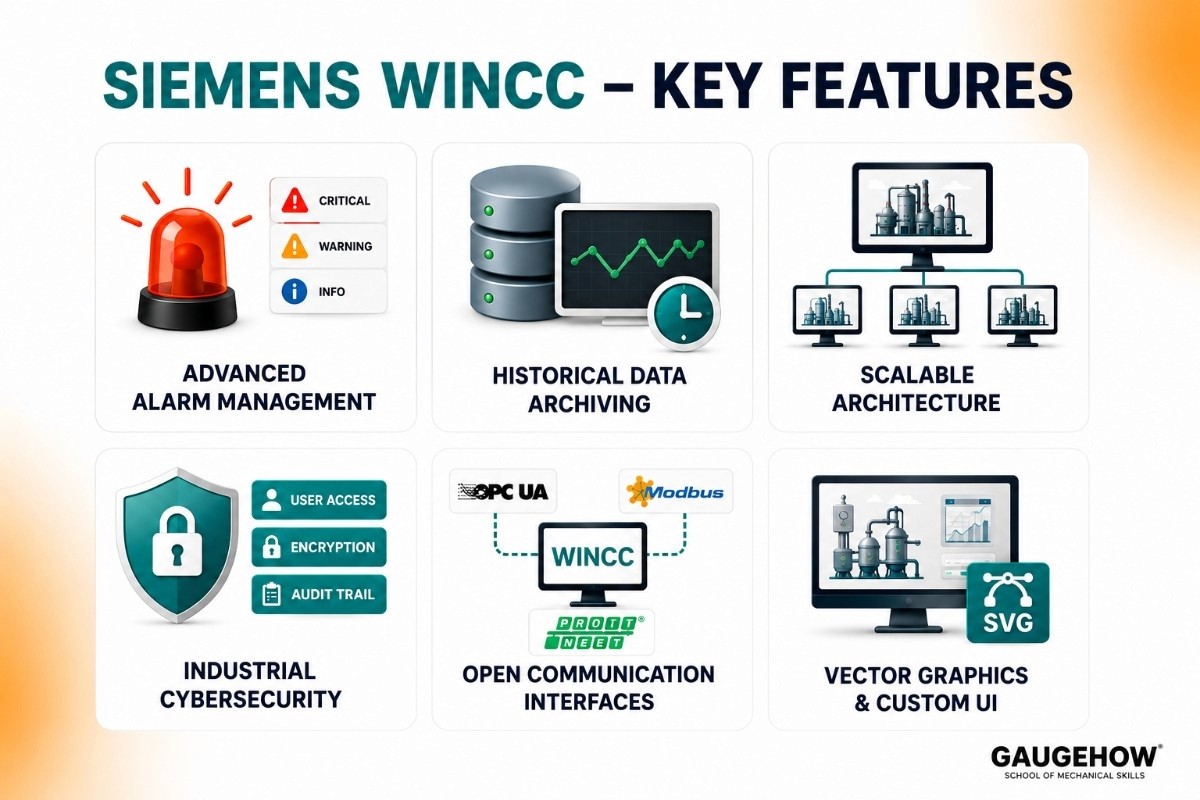
Siemens WinCC is built for heavy-duty industrial environments, moving past basic visualization into deep process diagnostics.
Advanced Alarm Management: Categorizes, prioritizes, and logs system faults, ensuring that critical safety or production issues are immediately flagged for operators.
Historical Data Archiving: Features a built-in SQL database that continuously logs process variables, enabling long-term trend analysis and regulatory compliance reporting.
Scalable Architecture: Operates seamlessly on everything from simple, single-user panel stations to complex, redundant multi-client server systems spanning entire plants.
Industrial Cybersecurity: Integrates secure user access control, encrypted communication protocols, and audit trails to protect critical infrastructure from cyber threats.
Open Communication Interfaces: Supports major industrial protocols like OPC UA, Modbus, and Profinet, allowing it to talk to both Siemens and third-party hardware.
Vector Graphics and Custom UI: Offers an extensive library of pre-built industrial objects and supports scalable vector graphics (SVG) for crisp displays on any screen size.
Pricing, Tiers, and Downloads
Siemens utilizes a modular licensing model based on the complexity of your architecture and the number of WinCC tags (external data points connected to PLCs) you need to monitor.
License Tier | Target Hardware / Use Case | Pricing Model |
WinCC Basic | Basic HMI panels (Siemens Comfort/Basic panels). | Low-cost, perpetual license per engineering seat. |
WinCC Comfort/Advanced | Advanced panels and single-user PC runtime systems. | Mid-range, scaled by runtime vs. engineering needs. |
WinCC Professional | Full SCADA multi-user server-client architectures. | Premium, tier-priced by the number of active WinCC tags. |
WinCC Unified | Modern web-based panels and distributed Edge/PC systems. | Subscriptions and flexible web-client licensing available. |
Free Trial and Downloads
If you want to test the environment before purchasing, a Siemens WinCC download is available via the Siemens Industry Online Support (SIOS) portal.
Siemens typically offers a 21-day fully functional trial license for the TIA Portal framework, which includes the WinCC engineering environment, allowing system integrators to build and test projects before deployment.
Siemens WinCC vs AVEVA: Quick Comparison
Feature | Siemens WinCC | AVEVA System Platform |
|---|---|---|
Architecture | Device & Tag-Based | Object-Oriented Templates |
Hardware Support | Best with Siemens PLCs | Works with All Major PLC Brands |
PLC Integration | Native Siemens Integration | OPC UA & Driver-Based Integration |
Licensing | Tag-Based Licensing | Tag or Client-Based Licensing |
Web Access | WinCC Unified (HTML5) | Mature Cloud & Mobile Access |
Best For | Siemens-Based Plants | Multi-Brand Enterprises |
Scalability | Single Plant to Large Facility | Enterprise-Wide Deployments |
Cloud Readiness | Modernized with WinCC Unified | Strong AVEVA Insight Platform |
When to Choose Siemens WinCC
Choose Siemens WinCC if you:
Use S7-1200 or S7-1500 PLCs
Need fast deployment and commissioning
Work primarily with Siemens automation hardware
Want native diagnostics and alarm management
Operate a single plant or production facility
When to Choose AVEVA
Choose AVEVA System Platform if you:
Have multiple PLC brands in the same facility
Need enterprise-wide SCADA standardization
Manage multiple plants or remote sites
Want reusable templates for faster scaling
Need advanced cloud analytics and reporting
Final Recommendation
Choose Siemens WinCC
Best for Siemens-based factories that need fast integration, lower engineering effort, and native hardware diagnostics.
Choose AVEVA
Best for large enterprises and mixed-vendor environments that need centralized management, scalability, and long-term standardization.
Quick Verdict
Siemens Plant → WinCC
Multi-Brand Enterprise → AVEVA
Pros & Cons
Pros
Deep Siemens Integration: Native, seamless connectivity with S7-1200, S7-1500, and legacy PLCs without requiring tedious address mapping.
Massive Scalability: You can easily scale a project up from a tiny local touchscreen to an enterprise-wide control room.
Global Support: Backed by Siemens' massive global network of certified engineers, documentation, and system integrators.
Cons
High Licensing Costs: The price escalates rapidly as you add more WinCC tags and client connections, making it expensive for smaller operations.
Steep Learning Curve: The software framework is incredibly complex and requires specialized training to master, especially when utilizing scripting (VBS, C, or JavaScript).
Heavy Hardware Demands: The engineering environment (TIA Portal) is resource-heavy, requiring high-end engineering laptops to run smoothly without lag.
Best For
Siemens WinCC is ideal for medium to enterprise-scale industrial plants that rely heavily on a Siemens automation ecosystem. It is the gold standard in highly regulated, high-downtime-cost industries such as automotive manufacturing, pharmaceuticals, food and beverage processing, and water/wastewater treatment.
If your plant requires complex data logging, strict user audit trails, and multi-user control rooms, WinCC is built for your scale.
Integrations and Deployment
Systems Connectivity
WinCC bridges the gap between operational technology (OT) and information technology (IT). It connects downward to sensors and PLCs via Profinet, Ethernet/IP, and Modbus.
Upward, it integrates with Manufacturing Execution Systems (MES) and Enterprise Resource Planning (ERP) tools like SAP via OPC UA or custom SQL database connections, allowing production data to inform business logistics.
Deployment Flexibility
On-Premises: The traditional deployment model utilizes physical local servers and client PCs on a dedicated, air-gapped plant network.
Industrial Edge: Deployable on physical edge devices right next to the machines for localized data processing and low-latency visualization.
Brownfield-Readiness: Excellent backward compatibility; it can connect to decades-old legacy machinery using specialized communication processors and legacy drivers.
What is WinCC Unified?
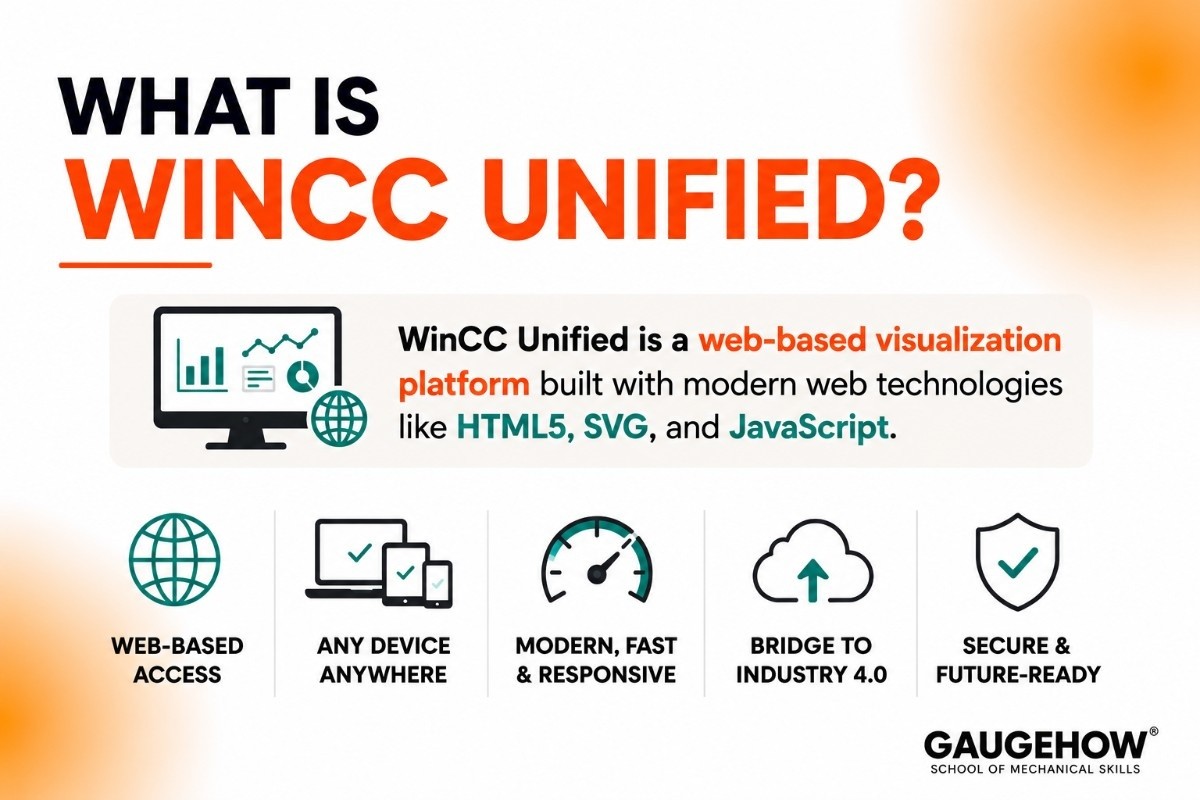
As industrial automation moves toward smart manufacturing, Siemens introduced WinCC Unified.
So, what is WinCC Unified? It is an entirely new, web-based visualization platform built from the ground up using modern web technologies like HTML5, SVG, and JavaScript.
Unlike traditional WinCC, which relies on proprietary operating system environments, WinCC Unified allows operators to view and run their plant dashboards natively on any modern web browser, smartphone, or tablet, making it the bridge to Industry 4.0 and cloud-connected factory floors.
Alternatives to Siemens WinCC
The industrial software market in 2026 offers several high-performance alternatives that often outperform WinCC in specific areas like pricing, web-deployment, or multi-vendor flexibility.
Alternative | Best For | Key Advantage |
Ignition (Inductive Automation) | Rapid Scaling | Unlimited tags and clients for one flat price; fully web-based. |
FactoryTalk View (Rockwell) | North American Plants | The "Gold Standard" for Allen-Bradley hardware ecosystems. |
VTScada (Trihedral) | Utilities & Infrastructure | Built-in redundancy and excellent telemetry for water/power grids. |
GE Vernova iFIX | Situational Awareness | High-performance HMI templates that reduce operator fatigue. |
OpenSCADA | R&D & Tech Teams | Zero licensing costs; ideal for developers who want total code control. |
Why look beyond WinCC?
While WinCC is unmatched for Siemens S7 hardware, users often switch to these alternatives to avoid per-tag licensing costs which can become astronomical in large plants.
Additionally, platforms like Ignition offer a modern "Perspective" module that runs natively on mobile devices without needing the complex "WinCC Unified" migration path.
FAQ
Is Siemens WinCC cloud-based?
Traditional Siemens WinCC is primarily an on-premises SCADA system designed to run on local servers for security and low latency.
However, the newer WinCC Unified platform is fully cloud-ready, allowing you to host visualization dashboards on cloud infrastructure and access them securely via any web browser.
What is the difference between WinCC Basic and WinCC Professional?
WinCC Basic is a limited, low-cost tool used exclusively to configure simple, machine-level Siemens Basic HMI operator panels. WinCC Professional, on the other hand, is a full-blown SCADA suite designed for multi-user PC operating systems, advanced database archiving, and large-scale plant visualization.
Can WinCC talk to non-Siemens PLCs?
Yes, WinCC is an open SCADA system. While it is optimized for Siemens hardware, it includes native drivers for Allen-Bradley, Modicon, and Omron controllers, and can connect to virtually any modern machine using the industry-standard OPC UA protocol.
This flexibility is one reason manufacturers often evaluate GE Proficy and WinCC side by side in mixed-vendor automation environments.
What are WinCC tags?
A tag is a single data point or variable within the WinCC database that corresponds to a real-world memory address in a PLC (such as a motor speed, a temperature reading, or a valve status).
Siemens licenses much of its runtime software based on the total number of active tags your system needs to monitor.
Siemens WinCC software is a SCADA and HMI platform that helps industries monitor, control, and automate production processes in real time.























