NetSuite
what is NetSuite

What Is NetSuite? The Complete Guide for 2026
Overview: What Is NetSuite?
NetSuite is a cloud-based ERP (Enterprise Resource Planning) platform built by Oracle that helps small and mid-size businesses manage finance, inventory, sales, supply chain, and e-commerce from one unified system.
Most growing businesses reach a point where spreadsheets and disconnected tools stop working.
Accounting lives in QuickBooks, inventory in a separate tool, customer records in a third system — and stitching them together consumes more time than running the actual business. NetSuite was built to solve exactly this problem.
Founded in 1998 by Evan Goldberg with early backing from Oracle co-founder Larry Ellison, NetSuite holds the distinction of being one of the first cloud-native ERP systems ever created.
Oracle acquired it fully in 2016, bringing enterprise-grade infrastructure and global reach behind the product. Today, more than 43,000 organisations across 200+ countries use NetSuite to run their operations — from early-stage startups that have outgrown QuickBooks to publicly listed mid-market companies managing multi-subsidiary global operations.
The core promise is simple: instead of buying five separate software tools and spending months connecting them, you get one system where finance, operations, inventory, CRM, and reporting all share the same database and update in real time.
NetSuite Oracle ERP Review: What Does It Actually Do?
Understanding what NetSuite does is easier when you see it through the lens of a real business scenario.
Imagine a wholesale distributor with 60 employees. On Monday morning:
A sales rep closes a new customer order in NetSuite CRM
The order flows automatically into inventory — NetSuite checks stock levels and allocates the items
If stock is insufficient, a purchase order to the supplier is triggered automatically
The warehouse team sees a pick list generated in the warehouse management module
When the order ships, the customer invoice is created and posted to the general ledger in real time
The finance team sees the revenue, the inventory adjustment, and the accounts receivable entry — all without anyone entering data twice
That end-to-end flow — from customer order to financial close — happening in one system, without manual handoffs or data re-entry, is what NetSuite delivers.
It is not a revolutionary concept, but the execution matters enormously: the same data flowing through every department, with no gaps or delays.
Oracle NetSuite at a glance:
Founded: 1998 (acquired by Oracle in 2016)
Deployment: Cloud-only (SaaS), hosted on Oracle Cloud Infrastructure
Customers: 43,000+ organisations globally
Target market: Small to mid-market businesses ($5M–$500M revenue)
G2 rating: 4.0/5 (based on 3,500+ reviews as of 2026)
Gartner recognition: Visionary in the Cloud ERP for Product-Centric Enterprises Magic Quadrant
NetSuite Modules: What's Inside the Platform?
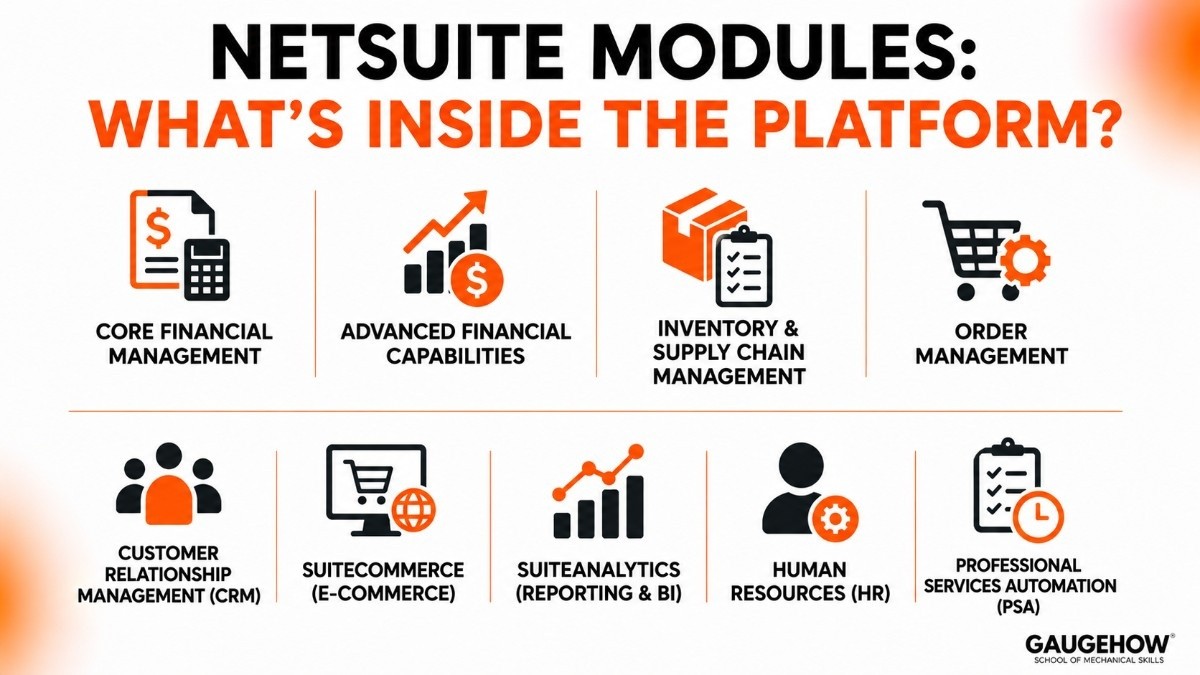
NetSuite uses a modular ERP architecture. Businesses start with core financials and add modules as they grow. Since all modules share a single database, data flows automatically across departments without manual re-entry.
Core Financial Management
Financial Accounting
The Financial Management module is the foundation of NetSuite and is included in every subscription.
It helps businesses manage:
General Ledger
Accounts Payable (AP)
Accounts Receivable (AR)
Fixed Assets
Multi-Currency Accounting
Multi-Subsidiary Management
Advanced Financial Capabilities
As businesses grow, NetSuite supports more advanced finance operations, including:
Financial Consolidation
Revenue Recognition (ASC 606 & IFRS 15)
Multi-Book Accounting
Budgeting & Forecasting
Project Accounting
Financial Close Management
This is one of the strongest areas of the NetSuite platform.
Inventory and Supply Chain Management
Inventory Management
NetSuite provides real-time visibility into inventory across multiple locations.
Key capabilities include:
Inventory Tracking
Lot & Serial Number Tracking
Demand Planning
Reorder Automation
Purchase Order Management
Landed Cost Tracking
Warehouse Management (WMS)
The Warehouse Management module helps improve warehouse efficiency through:
Barcode Scanning
Bin Management
Picking & Packing Workflows
Shipping Integration
Order Management
The Order Management module handles the complete quote-to-cash process.
Key features include:
Quotes & Sales Orders
Subscription Billing
Returns Management (RMA)
Customer Pricing Rules
Automated Invoicing
Customer Relationship Management (CRM)
Sales and Customer Management
NetSuite CRM helps businesses manage customer interactions and sales activities.
Features include:
Lead Management
Opportunity Tracking
Sales Forecasting
Customer Support Cases
Marketing Campaign Tracking
For advanced sales automation, many businesses integrate Salesforce or HubSpot.
SuiteCommerce (E-Commerce)
Built-In Online Store
SuiteCommerce is NetSuite's native e-commerce platform.
Benefits include:
Real-Time Inventory Visibility
Customer-Specific Pricing
Unified Customer Records
Direct ERP Integration
It is especially useful for B2B and mid-market e-commerce businesses.
SuiteAnalytics
Reporting and Business Intelligence
SuiteAnalytics provides built-in reporting and dashboard capabilities.
Key tools include:
Saved Searches
Financial Reports
KPI Dashboards
Workbooks
Scorecards
For most SMBs and mid-sized businesses, SuiteAnalytics eliminates the need for a separate BI tool.
Human Resources (HR)
Workforce Management
NetSuite HR helps manage employee information and workflows.
Features include:
Employee Records
Onboarding & Offboarding
Time Tracking
Expense Management
Performance Reviews
Professional Services Automation (PSA)
Project-Based Business Management
Designed for consulting and service organizations.
Key capabilities include:
Project Planning
Resource Allocation
Time & Expense Tracking
Project Billing
Profitability Analysis
NetSuite vs Acumatica: The Most Common Mid-Market Comparison
NetSuite and Acumatica are the two most frequently compared cloud ERP platforms in the $10M–$200M revenue segment. Both are genuine cloud-native platforms with strong mid-market capabilities, but they make very different trade-offs.
The Core Differences
Dimension | NetSuite | Acumatica |
|---|---|---|
Ownership | Oracle (public company) | Private equity backed |
Pricing model | Per user + base platform + modules | Consumption-based (compute, not per user) |
Best for many users | More expensive as user count grows | More cost-effective — no per-user charge |
Multi-entity strength | Industry-leading for mid-market | Strong, but not as deep as NetSuite |
Manufacturing depth | Moderate — basic discrete mfg | Strong — better shop floor execution |
E-commerce | SuiteCommerce (native) | Via partner connectors |
UI and usability | Steeper learning curve | Generally rated easier to use |
Implementation time | 4–9 months typical | 3–6 months typical |
Partner ecosystem | Larger, more mature | Smaller but growing fast |
AI capabilities | Embedded (anomaly detection, forecasting) | Growing (AI features added 2024–2026) |
Which Should You Choose?
Choose NetSuite if:
Multi-subsidiary financial consolidation is a core requirement
You run a SaaS, subscription, or professional services business needing ASC 606 automation
You want native e-commerce (SuiteCommerce) deeply integrated with the ERP
Your organisation has fewer than 50 users where per-user pricing is manageable
You are in wholesale distribution and need mature NetSuite distribution SuiteSuccess configuration
Choose Acumatica if:
You have a large number of system users (100+) — consumption pricing becomes dramatically cheaper than NetSuite's per-user model
You are a manufacturer needing real shop floor execution and production scheduling
You want faster implementation and a more modern user interface
Your budget is tighter and you need more predictable, lower total cost of ownership
You are in construction, field service, or retail verticals where Acumatica has strong pre-built editions
Key Features
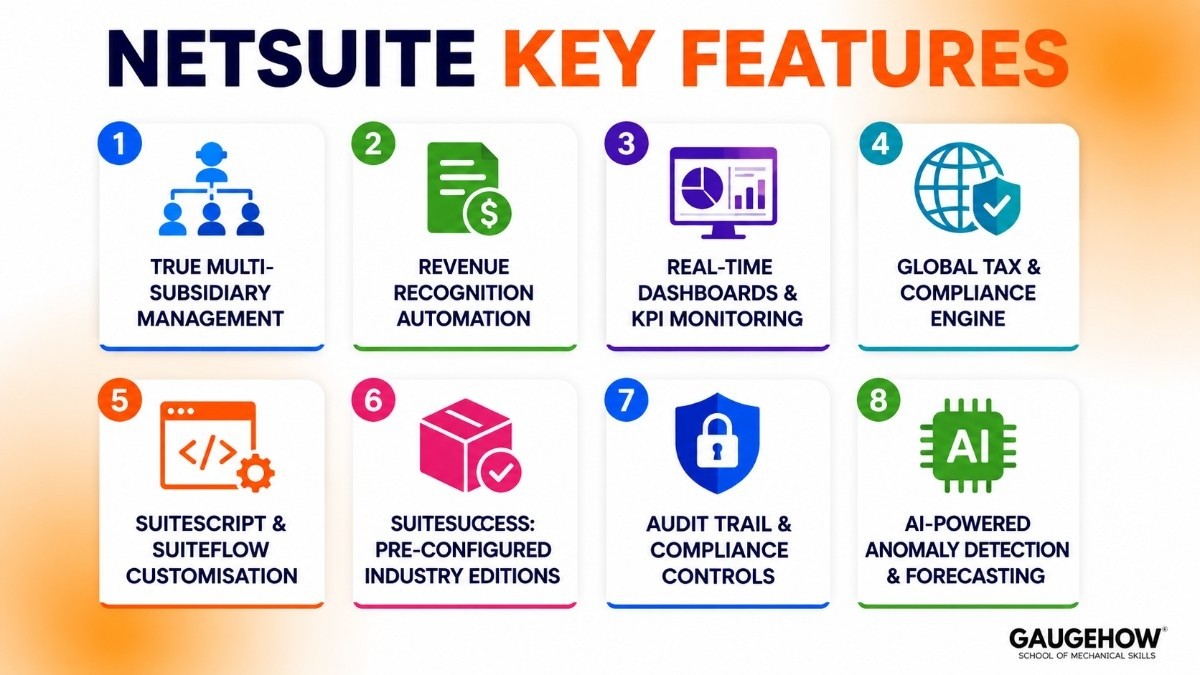
1. True Multi-Subsidiary Management
Manage multiple legal entities — subsidiaries, joint ventures, holding companies — from a single NetSuite account
Automated intercompany eliminations at month-end close
Consolidated financial statements across all entities in multiple currencies
This capability alone is why many growing businesses choose NetSuite over simpler accounting tools: it scales with the corporate structure without requiring a second ERP implementation
2. Revenue Recognition Automation
Built-in compliance with ASC 606 and IFRS 15 revenue recognition standards
Automatically creates and manages recognition schedules based on contract terms
Critical for SaaS companies, subscription businesses, and professional services firms where revenue recognition is complex and audit-sensitive
Reduces the manual spreadsheet work that finance teams in growing companies typically spend significant time on
3. Real-Time Dashboards and KPI Monitoring
Every user logs into a role-based dashboard showing their most relevant metrics live
A CEO sees consolidated revenue, cash position, and headcount
A warehouse manager sees open orders, inventory by location, and pending receipts
A sales rep sees their pipeline, quota attainment, and overdue customer invoices
No overnight data refreshes, no data export to Excel — live data from the moment a transaction is posted
4. Global Tax and Compliance Engine
Automated VAT, GST, and sales tax calculations based on the transaction location and nature
Country-specific statutory reporting templates for 40+ jurisdictions
Nexus-aware tax calculation for US businesses selling across multiple states
Integrates with Avalara and TaxJar for advanced sales tax compliance in high-volume e-commerce scenarios
5. SuiteScript and SuiteFlow: Customisation Without Losing Upgrades
SuiteScript — JavaScript-based scripting environment for building custom logic, automations, and integrations
SuiteFlow — no-code workflow builder for non-technical users to automate approval processes, notifications, and record updates
Critically: all customisations live in a separate layer from the core NetSuite code, meaning Oracle's automatic updates do not break your customisations
This is a genuine advantage over older on-premise ERP systems where every upgrade required extensive regression testing
6. SuiteSuccess: Pre-Configured Industry Editions
NetSuite ships pre-configured editions — called SuiteSuccess — for specific industries: wholesale distribution, manufacturing, SaaS/software, professional services, nonprofits, food and beverage, and more
Each SuiteSuccess edition includes pre-built KPIs, dashboards, workflows, and reports specific to that industry
Reduces implementation time and configuration effort by starting at an industry baseline rather than a blank platform
In practice, SuiteSuccess accelerates go-live timelines by 2–4 months for businesses that fit the standard industry profile
7. Audit Trail and Compliance Controls
Every record change is logged with the user, timestamp, and before/after values — automatically, without any configuration
Role-based permissions control exactly what each user can view, create, edit, or delete down to the field level
SOC 1 Type II and SOC 2 Type II certified — important for businesses that are audited or handle sensitive financial data
Segregation of duties controls prevent the same user from both creating and approving transactions
8. AI-Powered Anomaly Detection and Forecasting
Machine learning models analyse historical transaction patterns and flag unusual activity — unexpected expense spikes, abnormal vendor payments, outlier inventory movements
AI-assisted demand forecasting in the inventory module uses sales history, seasonality, and trend data to generate reorder recommendations
Intelligent cash flow forecasting combines AR ageing, AP due dates, and historical payment patterns to project the 13-week cash position
These features are built into NetSuite as of 2025–2026 and do not require a separate AI subscription
Pricing
NetSuite does not publish a public price list. The figures below reflect publicly available market data, partner benchmarks, and customer-reported costs from 2025–2026.
How NetSuite Pricing Works
NetSuite uses three cost components:
Base platform licence — a flat monthly fee for the core platform, regardless of user count
User licences — a per-user monthly fee for each named user who needs full access
Module add-ons — additional monthly fees for modules beyond the core (WMS, SuiteCommerce, PSA, advanced manufacturing, etc.)
All three are bundled into an annual contract — typically a 1–3 year commitment — and billed annually upfront.
Estimated Pricing Ranges (2026)
Component | Estimated Cost |
|---|---|
Base platform licence | $999–$1,999/month |
User licences | $99–$199/user/month (full access) |
SuiteCommerce (e-commerce) | $1,000–$2,500/month add-on |
Advanced WMS | $500–$1,500/month add-on |
PSA (Professional Services) | $500–$1,000/month add-on |
Implementation (first year) | $30,000–$300,000+ (partner fees) |
Typical first-year all-in costs:
Business size | Users | Estimated year-one cost |
|---|---|---|
Small (startup to 30 users) | 10–30 | $40,000–$100,000 |
Mid-market (30–100 users) | 30–100 | $100,000–$300,000 |
Upper mid-market (100+ users) | 100+ | $300,000–$700,000+ |
Is There a Free Trial?
NetSuite does not offer a self-serve free trial
Guided demos are available through Oracle's website and certified NetSuite partners
Some partners offer sandbox access during active evaluation conversations
The absence of a self-serve trial is a genuine friction point — competing platforms like Acumatica and Sage Intacct offer easier exploratory access
What Drives Costs Higher
Heavy customisation — SuiteScript development billed at $150–$300+/hour through partner firms
Module accumulation — each additional module adds to the monthly subscription; the "module tax" is a common complaint from NetSuite customers
Annual renewal increases — Oracle typically increases renewal pricing 5–15% per year; this is one of the most consistent pain points cited in customer reviews
Implementation complexity — multi-subsidiary, multi-currency, or highly customised deployments can push implementation fees above $500,000
Pros and Cons
✅ Pros
Best-in-Class Multi-Subsidiary Management
Strong Financial Consolidation & Multi-Currency Support
All-in-One ERP Platform
Automated Revenue Recognition
Real-Time Dashboards & Reporting
Mature Cloud Infrastructure
Enterprise-Grade Security & Compliance
Built-In Analytics (SuiteAnalytics)
Automatic Updates & Maintenance
Scales Well for Growing Businesses
⚠️ Cons
Pricing Is Not Transparent
Annual Renewals Can Be Expensive
Additional Modules Increase Costs
Long Implementation Time
Data Migration Can Be Complex
Manufacturing Features Are Limited
Often Requires MES for Advanced Manufacturing
Some Screens Feel Dated
Steeper Learning Curve for New Users
Mobile Experience Is Average
CRM Is Basic Compared to Salesforce or HubSpot
Best For
NetSuite is a strong fit when:
You are a growing SMB or mid-market business with $5M–$500M in revenue that has clearly outgrown QuickBooks, Xero, or a similar accounting tool
You operate multiple subsidiaries or legal entities — NetSuite's multi-entity management is the best in its price tier
Your business runs a subscription or SaaS model — revenue recognition automation is genuinely differentiating
You are in wholesale distribution, professional services, software/technology, retail, or nonprofits — these are NetSuite's strongest verticals
You want one system for finance, inventory, CRM, and e-commerce without building an integration layer between separate tools
Your IT team is lean — the cloud-only architecture means you are not maintaining servers, managing upgrades, or running a data centre
NetSuite is probably not the right fit if:
Your primary need is complex discrete manufacturing — shop floor execution, APS scheduling, and engineer-to-order workflows are weak compared to Epicor or Infor
You are a very small business (under $3M revenue, under 10 users) — the base cost and implementation investment are difficult to justify; QuickBooks Enterprise or Xero are more appropriate
You need deep industry-specific logic for healthcare, aerospace, fashion, or chemicals — Infor CloudSuite's vertical-specific editions go much deeper
You have a fixed budget under $50,000 for year one — mid-market NetSuite deployments rarely come in under this threshold all-in
Your organisation requires on-premise deployment — NetSuite does not offer this
Integrations
NetSuite connects to external systems through native connectors, the SuiteApp marketplace, and its SuiteTalk (SOAP/REST) API.
Category | Examples |
|---|---|
Payroll | ADP, Paychex, Ceridian (native connectors) |
Tax compliance | Avalara AvaTax, TaxJar (certified integrations) |
E-commerce | Shopify, Amazon, Magento (via SuiteApp or middleware) |
CRM | Salesforce (two-way sync via certified connector) |
Payments | Stripe, PayPal, Braintree, American Express |
EDI | SPS Commerce, TrueCommerce (SuiteApp) |
HR and benefits | Workday, BambooHR, Rippling |
3PL and fulfilment | ShipBob, Amazon FBA, 3PL Central |
BI and analytics | Power BI, Tableau, Looker (via data export or API) |
Expense management | Expensify, Concur |
Developer APIs | SuiteTalk REST API, SOAP API, SuiteScript hooks |
The SuiteApp marketplace — NetSuite's equivalent of an app store — has over 700 partner-built applications covering niche industry functionality, vertical add-ons, and integrations with tools not covered by native connectors.
Quality varies; certified SuiteApps from Oracle-verified partners are generally more reliable than community-built solutions.
Deployment
Cloud SaaS (The Only Option)
NetSuite is cloud-only — there is no on-premise, private cloud, or hybrid deployment option. Every NetSuite customer runs on Oracle's shared multi-tenant infrastructure.
What this means operationally:
Oracle handles all infrastructure management, security patching, disaster recovery, and capacity planning
Your organisation needs no dedicated ERP infrastructure team
Updates are applied by Oracle — you receive the new release automatically, with a preview period in a sandbox environment before it reaches your production account
Data residency options exist across 11 global data centre regions for compliance-sensitive organisations
Implementation Approach: SuiteSuccess
NetSuite's structured implementation methodology is called SuiteSuccess. It uses pre-configured industry editions as the starting point — rather than building from a blank system — which theoretically reduces implementation time.
SuiteSuccess in practice:
Faster for businesses that fit the standard industry profile closely (typical wholesale distributor, typical SaaS company, etc.)
Longer and more expensive when the business has non-standard processes, heavy customisation requirements, or complex multi-subsidiary structures
The quality of implementation depends heavily on the partner — NetSuite does not implement directly; certified implementation partners (Solution Providers) handle all deployments
Migration from Legacy Systems
Migration scenario | Typical complexity | Notes |
|---|---|---|
QuickBooks / Xero → NetSuite | Moderate | Most common migration; well-documented process, strong partner tooling |
Sage 100 / Sage 300 → NetSuite | Moderate-high | Different data structures; data cleaning is typically the biggest challenge |
Dynamics GP → NetSuite | High | Different accounting model; expect 6–9 months minimum |
Custom / legacy ERP → NetSuite | High | Requires custom data mapping; plan for data quality work upfront |
SAP → NetSuite | Very high | Rarely done (usually the other direction); significant process redesign required |
Alternatives Worth Evaluating
Dynamics 365 Business Central
Microsoft's cloud ERP for SMBs — the most commonly compared alternative to NetSuite in the $10M–$500M range.
Advantages: transparent per-user pricing ($80–$110/month), native Microsoft 365 integration, faster to implement. Disadvantages: weaker multi-entity consolidation, less mature e-commerce capability, and no revenue recognition automation comparable to NetSuite.
Sage Intacct
The strongest alternative for finance-first organisations — accounting firms, nonprofits, healthcare organisations, and financial services companies. Sage Intacct's financial management and multi-entity consolidation rival NetSuite's at a lower price point.
Disadvantages: far weaker inventory, supply chain, and e-commerce functionality. Best for organisations where operations are simple but financials are complex.
Acumatica
See the dedicated comparison section above. The best alternative for manufacturers, field service companies, and businesses with large user populations where per-user pricing becomes prohibitive.
SAP Business One
Oracle's primary competition in the very small to small business manufacturing segment. SAP Business One has deeper discrete manufacturing logic than NetSuite and a lower entry price. Disadvantages: older architecture, less cloud-native, weaker at multi-entity consolidation and subscription businesses.
Odoo
An open-source ERP with a cloud-hosted option that covers CRM, finance, inventory, manufacturing, and e-commerce. Dramatically lower price point than NetSuite. Advantages: highly customisable, good for technical teams, modular pricing. Disadvantages: less mature financial management, requires more technical setup, thinner partner ecosystem for enterprise-level implementations.
Frequently Asked Questions
Is NetSuite cloud-based?
Yes, Oracle NetSuite is fully cloud-based. This means businesses can access it online without installing software on their own servers.
How much does NetSuite cost?
NetSuite pricing depends on the number of users and features needed. It usually starts at a few thousand dollars per month for small businesses.
What is the difference between NetSuite and QuickBooks?
QuickBooks is mainly accounting software. NetSuite is a complete ERP system that manages accounting, inventory, customer data, and business operations in one platform.
Which industries use NetSuite?
NetSuite is widely used in retail, e-commerce, manufacturing, software companies, wholesale, and service businesses.
How long does it take to implement NetSuite?
Implementation usually takes 3 to 12 months, depending on the company’s size and business requirements.
What is SuiteAnalytics in NetSuite?
SuiteAnalytics is NetSuite’s reporting tool. It helps businesses track data, create reports, and monitor performance easily.
Final Thoughts
NetSuite is a powerful ERP solution for growing businesses. It helps manage finance, inventory, sales, and operations in one system.
Its biggest benefits include:
Easy access through the cloud
Better business reporting
Managing multiple business processes in one platform
Scalable for business growth
However, it can be expensive for small businesses and may take time to implement properly.
For students, learning NetSuite is valuable because it is widely used in the ERP industry. For businesses, it is a strong choice if they need an all-in-one cloud business management solution.
Learn how Oracle NetSuite helps businesses manage accounting and daily operations in one cloud-based system for better efficiency and business growth.























