SAP S/4HANA
what is sap s/4hana

SAP S/4HANA 2026: Complete Guide for Beginners, Students and Career Starters
SAP S/4HANA is one of the most in-demand enterprise software skills in the world right now — and 2026 is one of the best years to start learning it. With SAP ECC support ending in 2027, companies everywhere are actively migrating, and the demand for people who understand S/4HANA has never been higher.
This guide covers everything: what it is, how it works, how to learn it for free, what migration approaches mean, and what interviewers actually ask.
Whether you are a student, a career switcher, or an IT professional upskilling — this is the place to start.
What Is SAP S/4HANA?
One-line definition: SAP S/4HANA is the latest version of SAP's ERP (Enterprise Resource Planning) software — built on a fast, in-memory database called HANA that processes data in real time.
SAP stands for Systems, Applications, and Products in Data Processing. It is a German software company founded in 1972 and is today one of the largest software companies in the world.
SAP ERP has been used by large enterprises for decades to manage everything from finance and payroll to manufacturing and supply chain.
S/4HANA — launched in 2015 — is the modern, redesigned version of that system. The "S/4" means it is the fourth generation of SAP's Business Suite, and "HANA" refers to the in-memory database it runs on.
The key difference from older SAP versions is speed and simplicity. Traditional SAP systems stored data on disk and needed separate reporting databases.
S/4HANA stores everything in memory (RAM), which makes queries and reporting happen in seconds rather than minutes.
Key Features of SAP S/4HANA
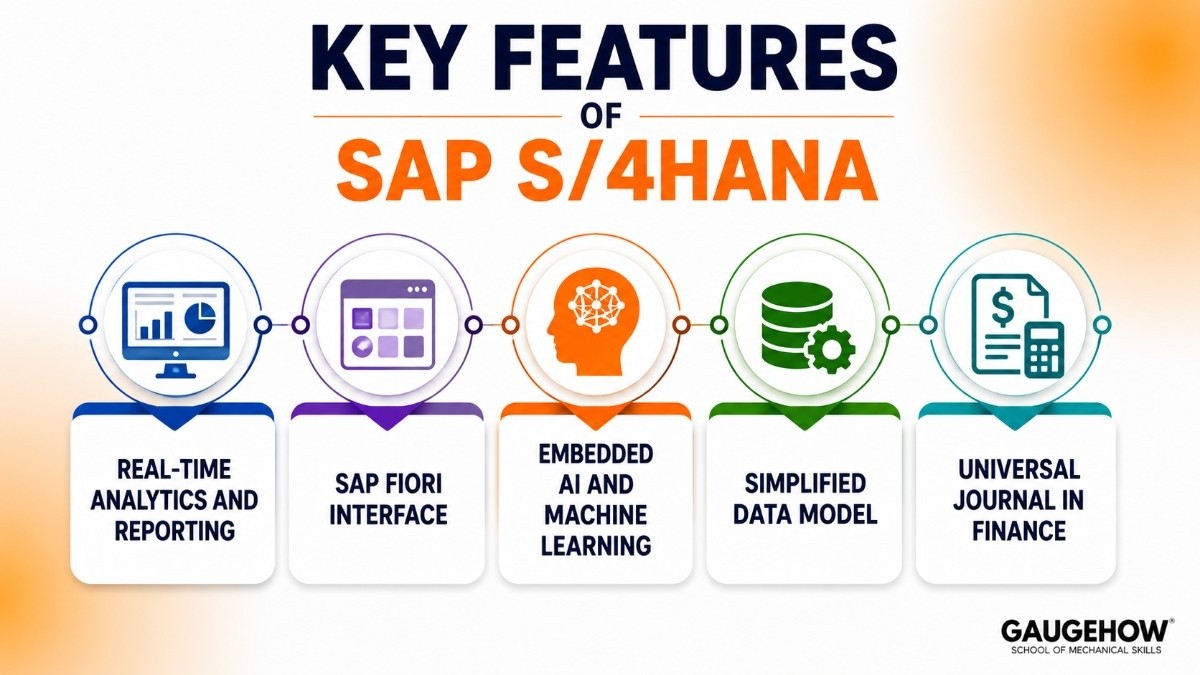
Real-Time Analytics and Reporting
Because all data lives in the HANA in-memory database, reports and dashboards update instantly. There is no overnight batch processing or separate data warehouse needed for basic reporting.
For businesses, this means a finance team can see live profit and loss figures during the day — not figures from yesterday's batch run.
SAP Fiori Interface
SAP Fiori is the modern, clean user interface that replaced the old SAP GUI. It works on any device — desktop, tablet, or phone — and is organized around role-based apps.
Each user sees only the tasks and data relevant to their job. An accounts payable clerk sees invoice-related apps. A production planner sees scheduling and material apps.
This is a significant improvement from the older, one-size-fits-all SAP GUI that required weeks of training just to navigate.
Embedded AI and Machine Learning
S/4HANA includes built-in AI features — automated invoice matching, cash flow prediction, payment delay alerts, and intelligent recommendations across modules.
These are not add-ons — they are built into core workflows and activate when you use the standard system.
Simplified Data Model
Older SAP systems (ECC) used many redundant tables and required multiple databases to handle transactions and reporting separately. S/4HANA has a cleaner, simplified data model that reduces total data volume by as much as 70–90%. This makes the system faster and easier to maintain.
Universal Journal in Finance
One of the most important technical changes in S/4HANA is the Universal Journal — a single table (ACDOCA) that stores all accounting entries in one place. In SAP ECC, financial data was split across multiple tables, making reconciliation complex.
In S/4HANA, everything is in one place, which simplifies reporting and auditing significantly.
SAP S/4HANA Course for Beginners: How to Learn It
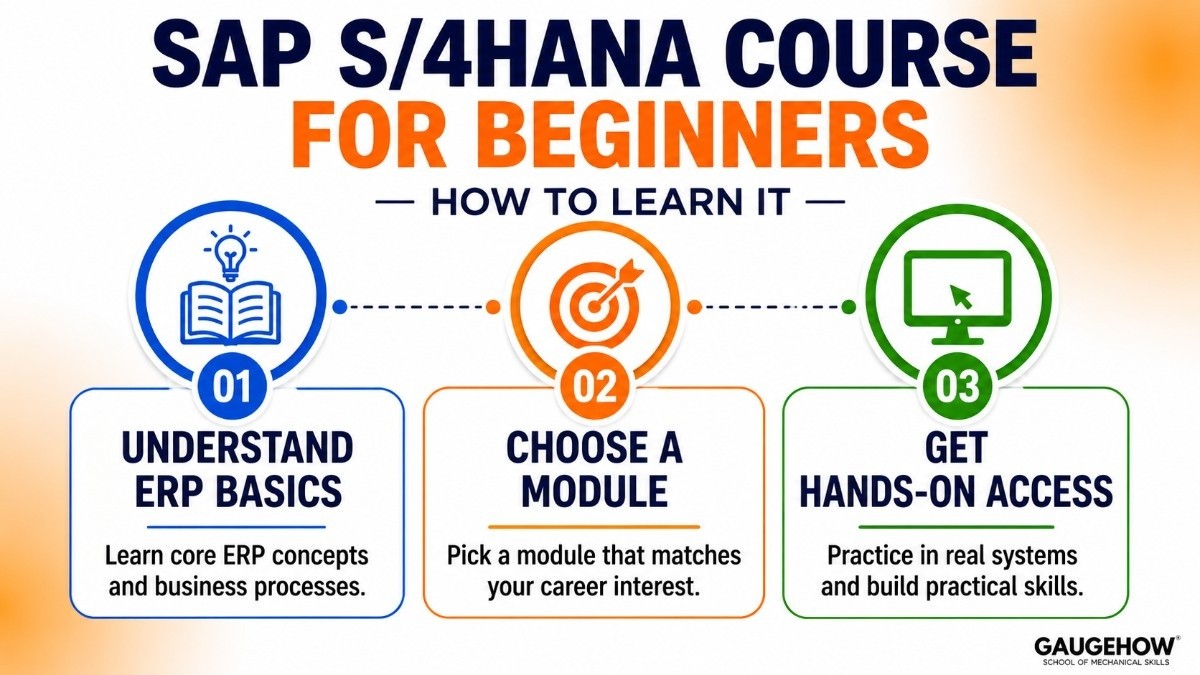
If you are new to SAP S/4HANA, the learning path can feel overwhelming. Here is a clear, step-by-step approach that works whether you are a student or a working professional.
Step 1: Understand ERP Basics First
Before touching SAP software, spend a few hours understanding what an ERP system is and what business problems it solves. If you understand concepts like purchase-to-pay, order-to-cash, and record-to-report, everything inside S/4HANA will make much more sense.
Step 2: Choose a Module to Focus On
S/4HANA is enormous. No one learns all of it. Start with one module that aligns with your career interest:
Finance / Accounting background → start with FI-CO (Financial Accounting and Controlling)
Supply chain / procurement → start with MM (Materials Management)
Manufacturing or operations → start with PP (Production Planning)
Sales or customer service → start with SD (Sales and Distribution)
Technical / developer → start with ABAP programming or SAP BTP
Step 3: Get Hands-On Access
Reading about SAP is not enough. You need to click through the system. Options for hands-on practice include:
SAP Learning Hub — SAP's own learning platform, includes access to practice systems
SAP BTP Trial — free cloud-based sandbox environment from SAP
University programs — many universities have SAP University Alliance licenses that give students free access to a full S/4HANA system
Learn SAP S/4HANA Free: Best Resources in 2026
You do not need to spend thousands on classroom training to learn SAP S/4HANA. Here are the best free and low-cost options available right now.
SAP Learning (learning.sap.com)
SAP's official learning platform offers hundreds of free courses, tutorials, and missions. The free tier covers S/4HANA fundamentals, module-specific content, and certification preparation. This is the first place anyone should start.
Look for content tagged "Learning Journey" — these are structured, step-by-step paths through a specific module or role.
openSAP (open.sap.com)
OpenSAP is SAP's free MOOC (Massive Open Online Course) platform. Courses are taught by SAP experts and cover everything from S/4HANA basics to specific functional areas. Most courses are free to audit. You pay only if you want a verified certificate.
Recommended starting course: "Discover SAP S/4HANA" — a beginner-friendly introduction that requires no prior SAP experience.
YouTube
Search "SAP S/4HANA tutorial for beginners" and you will find dozens of free video series from both SAP and independent trainers.
Channels like SAP's official YouTube channel and independent educators regularly publish walkthroughs of real S/4HANA screens and processes.
SAP Community (community.sap.com)
A free forum where SAP professionals ask and answer questions. Useful for beginners who get stuck on specific topics or want to understand how things work in real-world projects.
Udemy (Paid but affordable)
If you want structured, recorded courses with practice exercises, Udemy regularly offers SAP S/4HANA courses for $15–$20 during sales. Not free — but affordable compared to formal SAP training, which can cost $1,000–$3,000 per course.
Pricing
How SAP S/4HANA Is Priced
SAP does not publish a standard price list. Pricing is based on the number of users, the modules deployed, the deployment model, and the size of the organization.
It is sold through SAP's direct sales team and certified implementation partners.
Realistic Cost Ranges
For a mid-sized company (500–2,000 employees), total cost of ownership for an S/4HANA implementation typically falls between $1 million and $5 million over three years, including software licensing, implementation services, and internal IT costs.
For large enterprises with global operations, this can reach $20 million or more.
For SAP S/4HANA Cloud Public Edition — SAP's standardized SaaS offering — pricing starts around $150–$200 per user per month for core finance and operations functionality.
Free Access Options for Students
SAP University Alliance — if your university is a member, you may have free access to a full S/4HANA environment
SAP BTP Free Tier — a free sandbox environment for learning and development
SAP Learning Hub — the free tier covers most foundational content without needing a live system
Pros and Cons
What SAP S/4HANA Does Well
Industry-leading depth — no other ERP matches S/4HANA's coverage across finance, supply chain, manufacturing, and HR for large, complex enterprises
Real-time performance — the HANA database genuinely delivers analytics and reporting speed that older ERP systems cannot match
SAP Fiori — the modern UI is a real improvement. Role-based apps and mobile accessibility make the system significantly more usable than legacy SAP GUI
Massive ecosystem — thousands of certified implementation partners, consultants, and third-party integrations available globally
Career value — SAP S/4HANA skills are among the highest-paid in enterprise IT. Certified consultants command strong salaries worldwide
AI embedded natively — unlike many ERP platforms that bolt on AI as an add-on, S/4HANA's AI features are built into core processes
Where SAP S/4HANA Falls Short
High cost — among the most expensive ERP platforms available. Licensing and implementation costs put it out of reach for small businesses
Long implementation — a typical S/4HANA implementation takes 12 to 24 months. Some large projects have taken 3 to 5 years
Steep learning curve — even with Fiori, S/4HANA is complex. New users require significant training time before they are productive
Customization complexity — heavily customized ECC systems are painful to migrate. Custom ABAP code often needs to be rewritten, which adds significant cost
Vendor dependency — once deep inside the SAP ecosystem, switching to a competitor is extremely difficult and expensive
SAP's push toward cloud can feel forced — some customers on long-term on-premises contracts feel pressured toward cloud migration timelines that do not suit their business
Best For
Industries That Use SAP S/4HANA Most
Manufacturing — production planning, quality management, plant maintenance, and supply chain all work together natively
Retail and consumer goods — inventory management, demand planning, and omnichannel order management
Oil and gas — complex asset management, project accounting, and regulatory compliance
Healthcare and pharmaceuticals — compliance tracking, batch management, and supply chain visibility
Financial services — advanced financial consolidation, regulatory reporting, and treasury management
Public sector — government agencies in many countries run SAP for finance and HR
Ideal Organization Size
SAP S/4HANA is designed for large and mid-to-large enterprises — typically organizations with 500 or more employees, operating across multiple countries or business units.
Smaller organizations (under 200 employees) are better served by SAP Business One (small businesses), SAP Business ByDesign (mid-market), or non-SAP alternatives like NetSuite or Microsoft Dynamics 365 Business Central.
Integrations
Within the SAP Ecosystem
SAP Ariba — procurement and supplier management, integrates natively with S/4HANA MM for end-to-end procure-to-pay
SAP SuccessFactors — cloud HR and human capital management, connects to S/4HANA HR/Payroll
SAP Concur — travel and expense management, integrated with S/4HANA Finance for cost posting
SAP IBP (Integrated Business Planning) — supply chain planning and forecasting connected to S/4HANA supply chain modules
SAP BTP (Business Technology Platform) — SAP's cloud platform for building extensions, integrations, and custom apps without modifying core S/4HANA
Third-Party Systems
Salesforce — CRM integration for lead-to-cash processes, connecting customer data with S/4HANA sales and finance
Microsoft Office 365 and Teams — native integration for document management, approvals, and collaboration
Manufacturing Execution Systems (MES) — Siemens Opcenter, Rockwell Plex, and DELMIA Apriso all have documented integrations with S/4HANA for shop floor-to-ERP data flow
EDI systems — electronic data interchange for supplier and customer transaction exchange
Custom APIs — SAP BTP and standard OData APIs allow integration with virtually any third-party system
SAP Greenfield vs Brownfield vs Bluefield
When a company migrates from SAP ECC (or any other system) to SAP S/4HANA, they have to choose one of three migration approaches. This is one of the most important decisions in any S/4HANA project — and one of the most common topics in interviews and discussions.
Greenfield (New Implementation)
What it means: You start completely fresh. You design your S/4HANA system from scratch, following SAP best practices, without carrying over any of your old ECC customizations, configurations, or data structures.
Who it is for: Companies that want to clean up years of accumulated technical debt, standardize processes, and fully leverage new S/4HANA capabilities from day one.
The upside: You get a clean, modern system aligned with SAP best practices. No legacy baggage. Maximum use of new features.
The downside: You lose all historical data and existing customizations. It is the longest, most expensive approach. Business disruption during go-live is higher because everything changes at once.
Brownfield (System Conversion)
What it means: You convert your existing SAP ECC system directly to S/4HANA. Your data, configurations, and customizations move across as-is, and you then adapt them to work in the new environment.
Who it is for: Companies with stable, working SAP ECC systems that cannot afford to redesign everything and need to maintain business continuity.
The upside: Faster and cheaper than Greenfield. Historical data is preserved. Less business disruption.
The downside: You carry existing problems and technical debt into the new system. Some legacy customizations will not work in S/4HANA and need to be cleaned up anyway, which can erode the cost advantage.
Bluefield (Selective Data Transition)
What it means: A hybrid approach — sometimes called Selective Data Transition or Shell Conversion. You build a new S/4HANA system but selectively migrate only the data, processes, and customizations you want to keep. You leave behind what is not needed.
Who it is for: Companies that want the clean-slate benefits of Greenfield but cannot afford to lose historical data or rebuild everything from scratch.
The upside: Best of both worlds. You can adopt new S/4HANA processes while keeping valuable historical data and specific configurations that work well.
The downside: The most complex approach to plan and execute. Requires careful data mapping and testing. Often requires specialist tooling from SAP or third-party providers.
Quick Comparison
Approach | Timeline | Cost | Data kept | Best for |
|---|---|---|---|---|
Greenfield | Longest | Highest | No (fresh start) | Process redesign, heavy debt |
Brownfield | Moderate | Moderate | Yes (all carried over) | Stable ECC, fast migration |
Bluefield | Moderate | Variable | Selective | Balance of both goals |
Deployment Options
On-Premises
S/4HANA runs on servers you own and manage. Full control over customization, data, and security. Preferred by large enterprises in regulated industries (defense, banking, pharmaceuticals) with strict data residency requirements.
Requires significant internal IT infrastructure and staffing.
Private Cloud
S/4HANA hosted on a dedicated cloud environment — either managed by SAP, a hyperscaler (AWS, Azure, Google Cloud), or a third-party hosting provider. You get cloud flexibility without sharing infrastructure with other organizations.
SAP S/4HANA Cloud Public Edition
SAP's standardized, multi-tenant SaaS offering. You run on SAP's cloud infrastructure alongside other customers.
Less customization is allowed — you configure, not customize — but implementation is faster and cost is lower than on-premises or private cloud.
Best for mid-market companies or business units that need to go live quickly and do not have complex legacy requirements.
RISE with SAP
RISE with SAP is a bundled package — software, infrastructure, migration support, and cloud services combined into one commercial offering.
It is SAP's preferred path for moving ECC customers to the cloud and is increasingly the default recommendation for new S/4HANA projects.
It includes S/4HANA Private Cloud, SAP BTP credits, business process intelligence tools, and migration support — all under one contract and one vendor relationship.
Alternatives to SAP S/4HANA
Oracle Fusion Cloud ERP
The closest direct competitor at the enterprise tier. Particularly strong in financial management and professional services. Better cloud-native architecture than SAP, but less depth in manufacturing and supply chain for industrial companies.
Microsoft Dynamics 365 Finance and Supply Chain
A strong choice for mid-to-large organizations already embedded in the Microsoft ecosystem (Azure, Teams, Power BI). Faster to implement and lower TCO than SAP for many use cases. Less suitable for very large, complex global enterprises needing deep industry-specific functionality.
Workday
Primarily a finance and HR platform. Excellent for financial planning, HR management, and professional services companies. Does not cover manufacturing, supply chain, or procurement with the depth that SAP does. Better suited for service businesses than product companies.
NetSuite (Oracle)
The leading cloud ERP for small to mid-market businesses. Much faster to deploy and significantly cheaper than S/4HANA. Strong for e-commerce, wholesale, and software companies. Not suited for complex global manufacturing or regulated industries requiring SAP-level depth.
Infor CloudSuite
Industry-specific ERP with strong solutions for manufacturing, healthcare, and hospitality. A credible alternative to SAP in specific verticals — particularly for manufacturers that find SAP over-engineered for their needs.
SAP S/4HANA Interview Questions: What to Expect in 2026
If you are preparing for an SAP S/4HANA job interview — whether as a functional consultant, technical developer, or project manager — here are the real questions that come up most often.
Beginner-Level Questions
1. What is the difference between SAP ECC and SAP S/4HANA?
Answer:
SAP ECC uses traditional databases and separate systems for transactions and reporting. SAP S/4HANA uses the HANA in-memory database, offers faster performance, a simpler data model, and a modern SAP Fiori interface.
2. What is the Universal Journal (ACDOCA)?
Answer:
The Universal Journal combines Finance, Controlling, Asset Accounting, and Profitability data into a single table (ACDOCA), making reporting and reconciliation much easier.
3. What is SAP Fiori?
Answer:
SAP Fiori is the modern user interface for SAP S/4HANA. It is role-based, user-friendly, mobile-ready, and replaces the traditional SAP GUI experience.
Intermediate SAP S/4HANA Questions
4. What are Greenfield, Brownfield, and Bluefield migrations?
Answer:
Greenfield: New SAP implementation from scratch.
Brownfield: Upgrade existing ECC system to S/4HANA.
Bluefield: Hybrid approach with selective data migration.
5. What is RISE with SAP?
Answer:
RISE with SAP is SAP's cloud transformation package that includes S/4HANA Cloud, migration tools, SAP BTP, and business network services under a single contract.
6. What is SAP BTP?
Answer:
SAP Business Technology Platform (BTP) helps businesses build apps, integrations, analytics, and AI solutions without changing the core SAP system.
Advanced SAP S/4HANA Questions
7. What is SAP HANA?
Answer:
SAP HANA is an in-memory database that stores data in RAM and uses column-based storage. This enables real-time reporting and faster data processing compared to traditional databases.
8. What is Custom Code Remediation?
Answer:
Custom Code Remediation is the process of reviewing and updating custom ABAP programs so they work correctly after migrating from SAP ECC to SAP S/4HANA.
Frequently Asked Questions
Is SAP S/4HANA cloud-based?
It can be. S/4HANA comes in four deployment options — on-premises, Private Cloud, Public Cloud (SaaS), and RISE with SAP (managed cloud bundle). It is not exclusively cloud-based, though SAP is actively pushing customers toward cloud deployment. The Public Cloud Edition is the most standardized and affordable option for new customers.
When does SAP ECC support end?
SAP will end mainstream maintenance for SAP ECC on December 31, 2027. Extended maintenance is available at additional cost until 2030 for customers who have not yet migrated. After 2027, SAP will no longer release legal or regulatory patches for standard ECC — meaning companies on ECC after that date carry compliance risk.
How long does an SAP S/4HANA implementation take?
A typical mid-market S/4HANA implementation takes 12 to 18 months. Large, complex global implementations can take 24 to 48 months or more.
Projects that go over timeline and budget are common — often due to custom code remediation, data quality issues, and change management challenges.
Is SAP S/4HANA suitable for small businesses?
Generally no. SAP S/4HANA is designed and priced for mid-to-large enterprises. Small businesses (under 100 employees) are better served by SAP Business One — SAP's dedicated small business ERP — or by non-SAP alternatives like NetSuite, QuickBooks Enterprise, or Odoo.
What certifications are available for SAP S/4HANA?
SAP offers official certifications through its SAP Training and Certification portal. The most commonly pursued include: SAP Certified Associate — SAP S/4HANA Financial Accounting, SAP Certified Associate — SAP S/4HANA Sourcing and Procurement, and SAP Certified Associate — SAP S/4HANA Production Planning.
Exams typically cost $500–$600 and can be taken online through Pearson VUE.
Final Thoughts
SAP S/4HANA is one of the most important enterprise software skills you can build in 2026. With SAP ECC reaching its end-of-life deadline and companies accelerating migration projects, the demand for people who understand S/4HANA — at any level, in any module — is only going to grow.
You do not need an expensive training course to start. SAP's free learning platform, openSAP, and YouTube are enough to build a working foundation.
The most important step is picking one module, getting hands-on access to a practice system, and starting to build real experience.
The complexity is real — but so is the career value on the other side of it.
SAP S/4HANA is SAP's next-gen ERP built on in-memory HANA database. Complete 2026 guide — modules, pricing, migration from ECC, and cloud options.























