Opcenter APS (preactor)
what is APS software

What Is APS Software? A Complete Guide to Opcenter APS (Preactor)
Overview
APS software (Advanced Planning and Scheduling software) is a manufacturing planning system that helps companies organize production schedules more efficiently. It allows manufacturers to plan jobs, allocate resources, and ensure production runs smoothly without delays or conflicts.
One of the most recognized APS solutions is Siemens Opcenter APS, previously known as Preactor APS.
Developed by Siemens Digital Industries Software, it helps factories create accurate production schedules by considering machine capacity, labor availability, material supply, and delivery deadlines.
In simple terms, Opcenter APS helps manufacturers answer a very important question: what should be produced, when should it be produced, and which resources should be used?
Why APS Software Is Important in Manufacturing
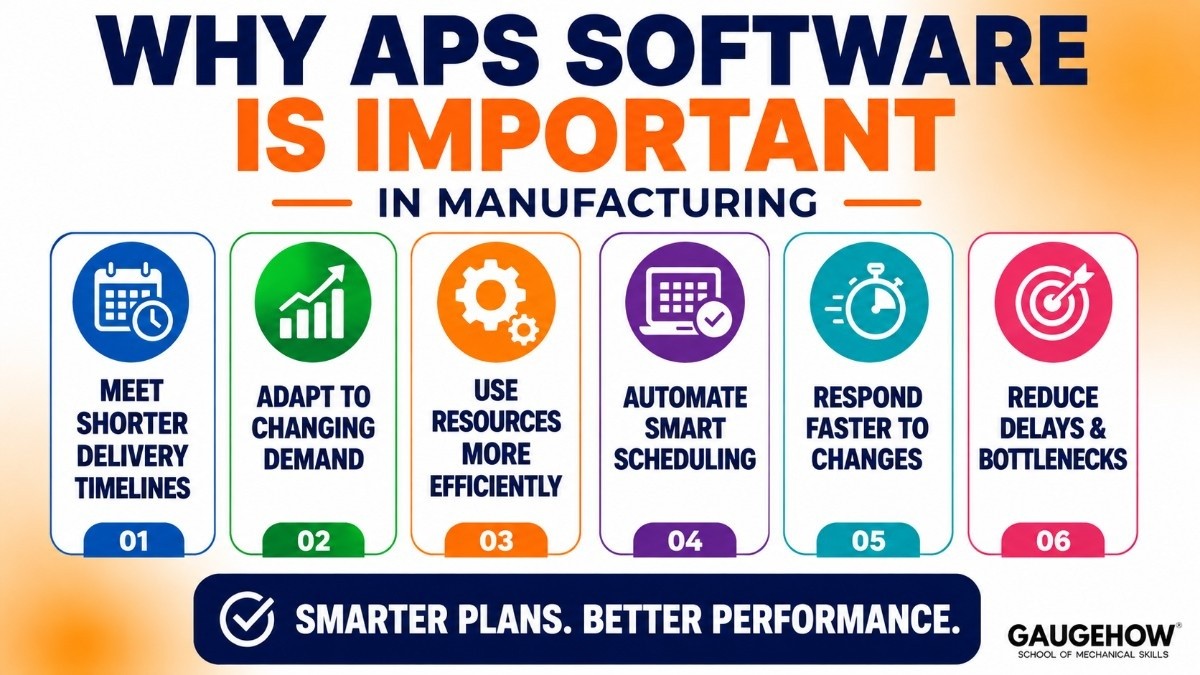
Modern manufacturing is becoming more complex every year. Companies need to handle shorter delivery timelines, changing customer demands, and limited production resources.
Traditional scheduling methods such as spreadsheets often cannot handle these challenges effectively.
They require manual updates, are prone to errors, and often lead to production bottlenecks.
APS software solves this problem by automating scheduling decisions. It uses real-time data and smart planning algorithms to create schedules that are realistic, efficient, and easy to adjust when production conditions change.
This is why many manufacturers are moving from manual scheduling to advanced planning systems like Opcenter APS.
What Does Opcenter APS (Preactor) Do?
Opcenter APS helps manufacturers build detailed production schedules based on real factory constraints. Instead of creating ideal schedules that ignore real-world limitations, it creates plans that can actually be executed.
The software looks at machine availability, workforce shifts, material supply, setup times, maintenance schedules, and production priorities before generating a schedule.
If something unexpected happens, such as machine breakdowns or urgent order changes, planners can quickly adjust schedules without rebuilding everything from scratch.
This flexibility makes it highly useful in dynamic manufacturing environments.
Key Features of Opcenter APS
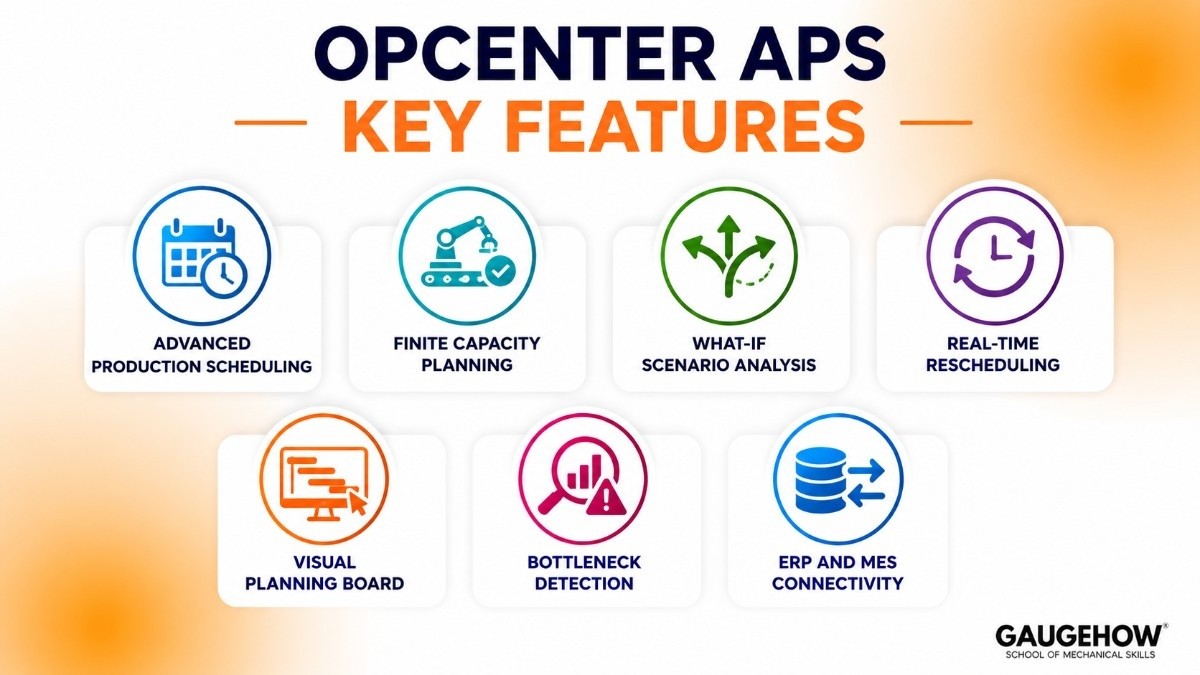
Advanced Production Scheduling
Opcenter APS creates optimized production schedules by balancing multiple constraints at the same time. This reduces delays and helps manufacturers meet delivery commitments.
The software ensures production tasks are assigned logically across available resources.
Finite Capacity Planning
Unlike simple planning tools, finite scheduling considers actual available machine and labor capacity.
This prevents overloading work centers and creates more practical production plans.
What-If Scenario Analysis
Manufacturers can test different scheduling options before making decisions.
For example, planners can check what happens if a machine becomes unavailable or if a high-priority order is added.
Real-Time Rescheduling
Production environments change quickly. Opcenter APS allows schedules to be updated instantly when disruptions happen.
This helps manufacturers respond faster to unexpected issues.
Visual Planning Board
The software provides a graphical drag-and-drop scheduling board.
This makes it easier for planners to understand schedules and make quick adjustments.
Bottleneck Detection
The system highlights overloaded resources and production constraints.
This allows planners to solve issues before they affect delivery performance.
ERP and MES Connectivity
Opcenter APS integrates with factory systems to exchange production data automatically.
This reduces manual data entry and improves planning accuracy.
Pricing of Opcenter APS
Siemens does not publicly list pricing for Opcenter APS. Pricing is usually customized based on business requirements.
Several factors affect the total cost. These include the number of users, deployment model, level of customization, and implementation services.
Most manufacturers purchase the software through annual subscriptions or perpetual licenses.
Implementation costs are usually separate and may include system setup, training, and integration services.
There is no standard free trial available, but Siemens partners often provide product demonstrations for evaluation.
Preactor APS vs SAP
Feature | Siemens Opcenter APS (Preactor APS) | SAP ERP |
|---|---|---|
Primary Focus | Advanced production scheduling | Enterprise-wide business planning |
Best For | Detailed shop-floor scheduling | End-to-end business process management |
Scheduling Depth | Very strong and highly detailed | Good, but broader rather than detailed |
Production Optimization | Excellent for machine-level scheduling | Better for high-level planning |
Supply Chain Management | Limited compared to SAP | Very strong |
ERP Integration | Integrates with ERP systems | Built-in ERP platform |
Ease of Use | Requires scheduling expertise | Requires enterprise system knowledge |
Best Company Size | Mid-size to large manufacturers | Large enterprises |
Implementation Complexity | Moderate to high | High |
Main Advantage | Accurate production sequencing | Complete enterprise visibility |
Which One Should You Choose?
Choose Opcenter APS (Preactor) if:
You need detailed factory scheduling
Your focus is machine-level production planning
You want better shop-floor optimization
Choose SAP if:
You need complete enterprise planning
You want strong supply chain visibility
Your business already uses SAP systems
Pros of Opcenter APS
One major advantage is its ability to create realistic schedules based on actual production constraints.
It also offers strong simulation capabilities, allowing planners to evaluate multiple scheduling scenarios before finalizing decisions.
The software integrates well with ERP and MES systems, which improves data consistency across manufacturing operations.
Its flexibility also makes it suitable for complex manufacturing environments.
Cons of Opcenter APS
The software can be expensive for smaller manufacturers.
Implementation may take time, especially if extensive customization is required.
New users may also face a learning curve because advanced scheduling concepts require proper training.
Some users mention that interface usability can feel complex during initial adoption, which is often reflected in Preactor APS reviews.
Best Industries for Opcenter APS
Opcenter APS works best in industries where production scheduling is highly complex.
This includes automotive manufacturing, aerospace production, electronics assembly, industrial machinery, and packaging operations.
It is especially useful for companies that manage multiple machines, frequent schedule changes, and strict delivery requirements.
Medium-sized and large manufacturing plants often gain the most value from the system.
Deployment Options
Opcenter APS supports both cloud and on-premise deployment.
Cloud deployment offers easier access, reduced infrastructure management, and faster software updates.
On-premise deployment gives companies greater control over security and internal system management.
It is also highly suitable for brownfield manufacturing environments where older factory systems are already in place.
Integrations
Opcenter APS connects with several enterprise systems.
It integrates with ERP platforms like SAP ERP and manufacturing execution systems for real-time production coordination.
It can also connect with shop-floor data sources, production sensors, and custom databases.
These integrations help manufacturers create more accurate schedules using live operational data.
Preactor APS Competitors
There are several strong Preactor APS competitors available in the market.
PlanetTogether APS is known for user-friendly scheduling visualization.
Asprova APS is highly popular in discrete manufacturing.
Dassault DELMIA Ortems offers strong large-scale production optimization.
Infor Advanced Scheduling is widely used in integrated manufacturing environments.
Each competitor has strengths depending on production complexity and integration needs.
Is Opcenter APS Worth It?
For manufacturers struggling with scheduling delays, inefficient resource usage, and production bottlenecks, Opcenter APS can deliver significant value.
It helps improve on-time delivery performance and reduces planning errors.
Although implementation requires investment, many manufacturers see long-term operational benefits.
The value becomes especially clear in complex production environments where spreadsheet-based planning is no longer enough.
Frequently Asked Questions
Is Opcenter APS cloud-based?
Yes, Siemens Opcenter APS supports both cloud and on-premise deployment. This gives manufacturers flexibility based on their business needs.
What happened to Preactor APS?
Preactor APS was renamed Siemens Opcenter APS after Siemens acquired it. The software still offers the same core scheduling features.
Is Opcenter APS suitable for small businesses?
It is mainly built for medium and large manufacturers. Small businesses with complex production planning can also benefit from it.
How does Opcenter APS compare to SAP?
Opcenter APS is better for detailed production scheduling. SAP is stronger for overall business and supply chain planning.
Does Opcenter APS integrate with ERP systems?
Yes, it integrates with ERP, MES, and other manufacturing systems. This helps improve data flow and production planning accuracy.
How does Opcenter APS compare to Kinaxis?
Opcenter APS and Kinaxis solve different planning challenges. Opcenter APS is focused on detailed production scheduling, machine capacity planning, and shop-floor optimization.
Kinaxis is designed for broader supply chain planning, helping companies manage demand forecasting, inventory optimization, supply planning, and real-time decision-making across global operations.
Final Thoughts
Opcenter APS (Preactor) is one of the most powerful APS software solutions available for manufacturers today.
It helps companies move beyond spreadsheets by creating realistic, optimized production schedules based on real operational constraints.
For students learning manufacturing technology, understanding APS software is valuable because these systems are becoming essential in modern smart factories.
As manufacturing continues to adopt digital transformation, tools like Opcenter APS will play an even bigger role in improving factory efficiency and decision-making.
Opcenter APS (Preactor) helps manufacturers plan production, manage resources, and improve efficiency with smarter real-time production scheduling.























