Asprova
what is Asprova

What Is Asprova? The Complete Guide to Japan's Leading APS System (2026)
Overview: What Is Asprova?
Asprova is a high-speed Advanced Planning and Scheduling (APS) system that replaces spreadsheets and basic MRP with realistic, constraint-aware production schedules — generated in seconds, not hours.
Most manufacturers hit the same wall eventually. The ERP tells you what needs to be made. The spreadsheet tells you roughly when. But neither of them knows that Machine 3 is down on Thursday, that the setup time between Product A and Product B is 45 minutes, or that you have two urgent customer orders competing for the same bottleneck resource.
Asprova solves that problem by modelling your actual factory — every machine, every shift, every constraint — and building a schedule that can genuinely be executed on the shop floor.
Developed in Japan by Asprova Corporation and first released in the 1990s, it is the dominant APS platform in Japan with roughly 80% market share in its home market. Globally, it is deployed at more than 2,900 manufacturing sites across 30+ countries.
Toyota, Honda, Canon, Denso, Haier, and Foxconn are among the manufacturers that rely on it. Despite its Japanese origins, it has a growing international presence particularly in automotive, electronics, aerospace, and food and beverage manufacturing.
What Is APS in Manufacturing? The Concept Behind the Software
Before going deeper into Asprova, it is worth understanding what APS actually means because the term gets used loosely and the distinction from MRP matters.
APS stands for Advanced Planning and Scheduling. It is a category of software designed to do what ERP and MRP systems fundamentally cannot: plan and schedule production while respecting real-world capacity constraints.
Here is the clearest way to understand the difference:
What your ERP/MRP does:
Calculates what materials you need and when (Material Requirements Planning)
Tells you the theoretical due date for each order
Assumes your factory has unlimited capacity — it ignores the fact that machines have limits, shifts end, and people are not always available
What Asprova (APS) does differently:
Takes the orders and requirements from your ERP
Layers on your actual shop floor — every machine, its capacity, its setup times, its current queue
Adds constraints — shift calendars, tooling, labour availability, material readiness
Calculates a realistic sequence: which job goes on which machine, in which order, at what time
Delivers a schedule that is actually achievable — not just theoretically correct on paper
The result of APS is a Gantt chart-style schedule that production planners can see, adjust, and push back to the ERP as confirmed production orders. The keyword is feasible a schedule your team can actually execute without a phone call to the planner every 30 minutes asking, "Is this still right?"
APS vs MRP: What Is the Actual Difference?
This is one of the most searched questions in manufacturing software — and the answer is more practical than most explanations make it.
MRP (Material Requirements Planning):
Asks: What do I need to make, and what materials do I need to make it?
Based on: Bills of materials, lead times, inventory levels, and demand
Assumes: Infinite capacity — it does not model real machine or labour constraints
Output: Purchase orders, planned production orders, theoretical due dates
Problem: The schedule it generates often cannot be executed because it does not respect physical reality
APS (Advanced Planning and Scheduling):
Asks: When can I actually make it, given what my factory can realistically do?
Based on: MRP output + finite capacity model of the factory
Assumes: Finite capacity — machines have limits, shifts end, setups take time
Output: A detailed, sequenced, time-stamped production schedule per resource
Result: A plan that the shop floor can actually follow
The practical analogy: MRP is like a GPS that calculates the fastest route, assuming there is no traffic, no road works, and every traffic light is green. APS is the GPS that knows about the road works on Tuesday, the school zone on Wednesday morning, and the fact that your car needs fuel at 3 pm.
Most manufacturers need both. MRP handles the material and demand side. APS handles the execution and sequencing side. Asprova is the APS layer — it sits between your ERP and your shop floor.
Dimension | MRP | APS (Asprova) |
|---|---|---|
Capacity model | Infinite (ignores constraints) | Finite (respects real limits) |
Schedule accuracy | Theoretical | Achievable |
What it plans | Materials and demand | Sequencing and timing |
Output | Planned orders | Detailed schedule per resource |
Typical location | Inside ERP | Separate system, linked to ERP |
Useful for | Procurement and demand | Shop floor execution |
Asprova Software: What It Actually Does Day to Day
Understanding what Asprova software looks like in practice is easier through a real scenario.
A production planner at a mid-size electronics manufacturer starts Monday morning:
Asprova has already pulled the latest production orders from SAP overnight
New urgent customer orders came in over the weekend — three of them need to be expedited
Two machines had unplanned downtime on Friday; the schedule needs to reflect reduced capacity
One raw material is delayed — items dependent on it need to be rescheduled
Without Asprova, this Monday morning involves hours of spreadsheet work, phone calls to the shop floor, and educated guesses. With Asprova:
The planner opens Asprova and sees the full Gantt chart updated with the current reality
They drag the urgent orders to the front of the queue
They mark the two machines as unavailable for the affected window
They flag the delayed material — Asprova automatically moves dependent jobs to realistic start dates
They run a full reschedule in under 30 seconds. Asprova recalculates thousands of operations
The new schedule is reviewed, approved, and pushed back to SAP as confirmed production orders
That entire process — which would have taken most planners half a day with spreadsheets — takes under an hour. And the result is a schedule the shop floor can actually execute, not a plan that falls apart the moment the first machine goes down.
Key Features
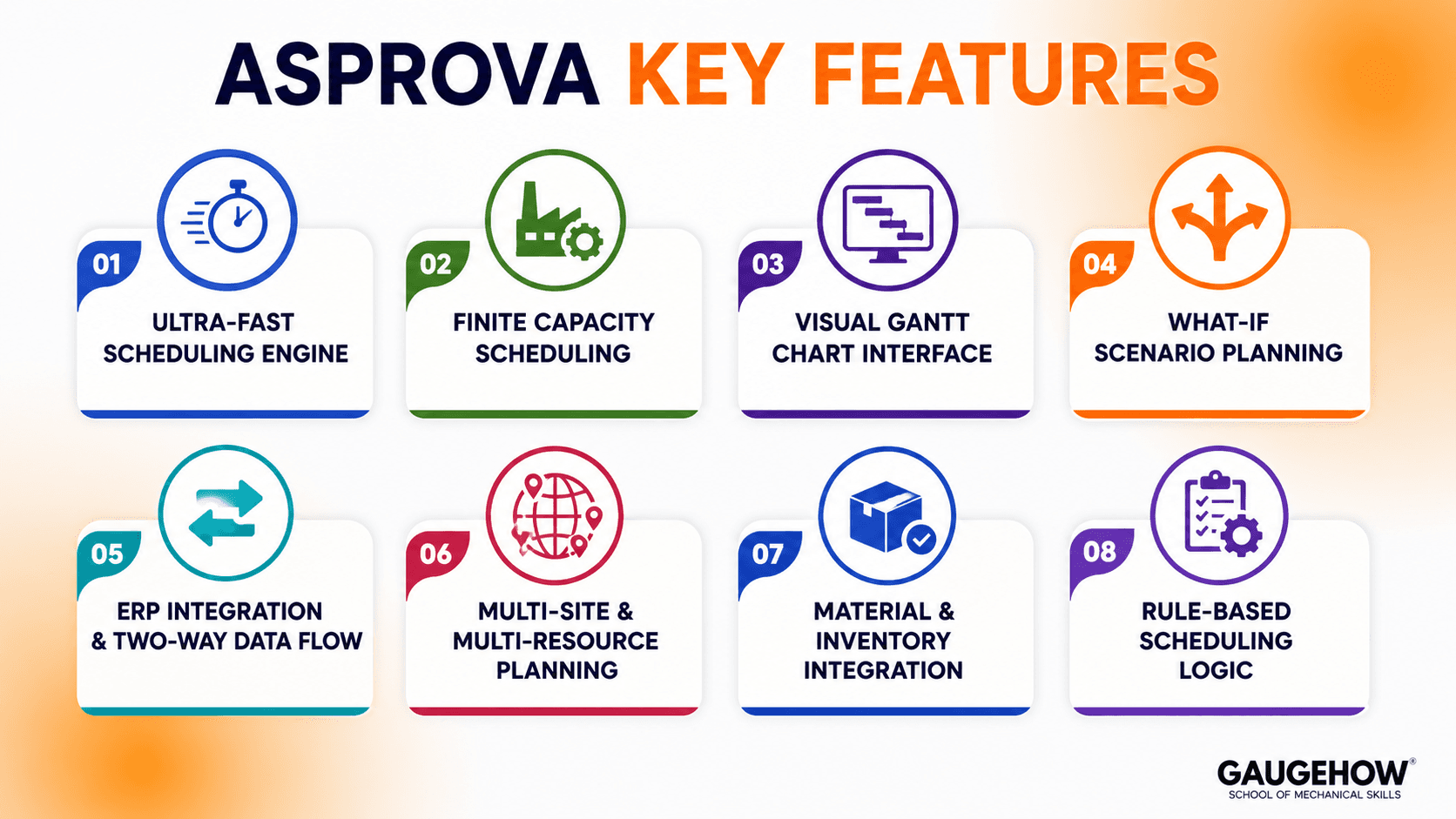
1. Ultra-Fast Scheduling Engine
Asprova can process 100,000+ operations in under 20 seconds, making it one of the fastest APS tools. This allows planners to quickly update schedules when conditions change. Its speed makes real-time production replanning practical for large factories.
2. Finite Capacity Scheduling
Asprova considers real factory limits like machine capacity, labour availability, setup times, and shift schedules. It also accounts for maintenance and production constraints. This creates realistic schedules that match actual factory operations.
3. Visual Gantt Chart Interface
It uses an interactive Gantt chart to display production schedules clearly. Planners can drag and adjust orders manually without rebuilding schedules. Colour coding helps quickly identify bottlenecks, delays, and resource conflicts.
4. What-If Scenario Planning
Users can create and compare multiple scheduling scenarios before making decisions. It helps answer questions like machine downtime or urgent order changes. Scenarios only affect live production when officially approved.
5. ERP Integration and Two-Way Data Flow
Asprova connects with ERP systems to import production data automatically. After scheduling, it sends updated plans back to the ERP. It supports major ERP platforms and also allows CSV or Excel data exchange.
6. Multi-Site and Multi-Resource Planning
Asprova can manage production scheduling across multiple plants and facilities from one system. It handles dependencies between different sites. This is useful for manufacturers with connected production networks.
7. Material and Inventory Integration
The software checks material availability before scheduling operations. If materials are unavailable, jobs are delayed automatically. This helps planners identify shortages early and coordinate better with procurement.
8. Rule-Based Scheduling Logic
Asprova uses configurable scheduling rules like due dates, customer priority, and setup optimization. These rules can be adjusted without coding. Advanced users can also create custom rules for complex manufacturing needs.
Best APS Software 2026: Where Does Asprova Fit?
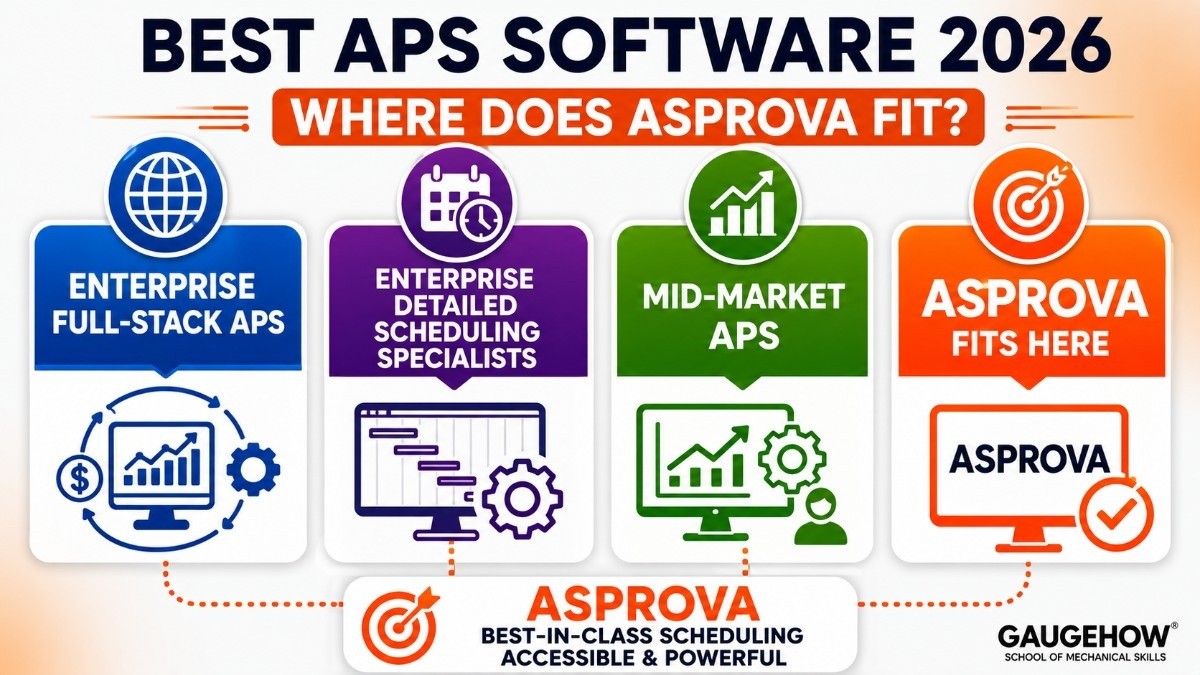
The APS software market in 2026 divides into several distinct tiers based on scope, scale, and target user. Understanding where Asprova sits helps clarify what it is genuinely competing against.
Enterprise full-stack APS (Kinaxis, o9 Solutions, SAP IBP, Blue Yonder)
Covers demand planning, supply network planning, S&OP, and detailed scheduling in one platform
Typically $500,000–$2M+ total cost; 12–24 month implementations
Designed for large enterprises with complex, multi-tier supply chains
Enterprise detailed scheduling specialists (Siemens Opcenter APS / Preactor, DELMIA Quintiq, Asprova)
Deep, precise shop floor scheduling focused on execution-level detail
$50,000–$300,000 typical range; 3–9 month implementations
Designed for manufacturers who need the best possible finite-capacity schedule at the plant level
Mid-market APS (PlanetTogether, Preactor AS Standard, Adexa)
Solid scheduling capability without the complexity of enterprise tools
$30,000–$150,000 typical range; 2–6 month implementations
Designed for manufacturers who need APS but are not running global multi-plant operations
Asprova sits firmly in the enterprise detailed scheduling tier — alongside Siemens Opcenter and DELMIA — but at a price point that makes it accessible to ambitious mid-market manufacturers as well. Its scheduling speed is genuinely best-in-class, and its rule-based configuration system gives it more flexibility than most competitors at the same tier.
Asprova APS : Pros and Cons
✅ Pros
Ultra-Fast Scheduling
Processes 100,000+ Operations in Seconds
Real-Time Replanning
Highly Flexible Rule Engine
Handles Complex Manufacturing Constraints
Proven at Enterprise Scale
Trusted by Toyota, Honda, Canon & Foxconn
Strong SAP & ERP Integration
Two-Way Data Synchronization
Supports Multi-Site Manufacturing
Reduces Manual Scheduling Effort
Mature APS Platform with 30+ Years of Development
⚠ Cons
Steep Learning Curve
Requires Specialized Training
Often Needs Expert Implementation Support
Longer Deployment Timeline
ERP Integration Can Take 2–4 Months
Data Preparation Is Time-Consuming
Pricing Is Not Publicly Available
Higher Total Cost of Ownership
Additional Costs for Training & Maintenance
User Interface Feels Dated
Less Modern Than Newer Cloud-Based APS Platforms
Complex for Small Manufacturing Operations
Pricing
Asprova does not publish a public price list. Pricing is negotiated through certified resellers and varies by region, module configuration, and organisation size.
How Asprova Pricing Works
Asprova uses a licence-based model — you purchase a perpetual licence or an annual subscription, then pay annual maintenance fees for ongoing support and updates.
Cost drivers include:
Number of users (planners accessing the system)
Number of modules (Advanced Scheduling only, or Planning + Scheduling combined)
Number of resources (machines, lines, facilities modelled in the system)
Implementation and training (billed separately by the reseller, not included in licence)
Estimated Ranges (Based on Market Data 2025–2026)
Component | Estimated Cost |
|---|---|
Asprova APS licence (mid-size deployment) | $50,000–$150,000 |
Enterprise / multi-site deployment | $150,000–$300,000+ |
Annual maintenance (approx.) | 18–22% of licence cost per year |
Implementation (reseller fees) | $30,000–$150,000+ depending on complexity |
Training (per planner) | $2,000–$5,000 |
Typical first-year all-in cost:
Factory size | Estimated year-one cost |
|---|---|
Small (1 plant, 5–15 resources) | $40,000–$80,000 |
Mid-size (1–3 plants, 15–50 resources) | $80,000–$200,000 |
Large / multi-site | $200,000–$500,000+ |
Is There a Free Trial?
Asprova does not offer a standard self-serve free trial
Guided demos are available through Asprova's regional offices and certified resellers
Some resellers offer a time-limited evaluation licence for manufacturers in active procurement
Asprova Express — a free, limited edition of the Preactor/Asprova family (via Siemens' legacy offering) — exists for very basic scheduling needs, though it is technically a different product line
What Pushes Total Cost Higher
Complex ERP integration — custom mapping between ERP data structures and Asprova's scheduling model is the most common cost driver
Multi-site deployment — each additional plant adds licence, implementation, and data integration cost
Change management — getting planners to trust and use the system properly requires structured training; under-investing here is the most common reason APS projects underperform
Custom rule development — highly specific sequencing requirements beyond standard configuration may require consultant time
Best For
Asprova is the right choice when:
You are a discrete or mixed-mode manufacturer where sequencing and resource allocation are complex — job shops, automotive tier suppliers, electronics assembly, aerospace components
You have high volumes of operations — 10,000+ operations per planning run — where scheduling speed is a real operational concern, not just a nice-to-have
Your current planning relies heavily on spreadsheets or the MRP output from your ERP, and planners spend hours daily maintaining a schedule that still does not reflect reality
You have sequence-dependent setups — where the setup time between products varies based on what was produced before — which most simpler tools cannot handle well
You are in automotive, electronics, aerospace, pharmaceutical, or food and beverage manufacturing — Asprova's deepest domain expertise areas
You have an ERP already in place (SAP, Oracle, Infor, Dynamics) and need a scheduling layer on top of it, not a replacement
Asprova is probably not the right fit if:
You are a very small manufacturer (under 10 resources, under 500 operations per week) — the cost and implementation complexity are difficult to justify; simpler tools or even Excel may be more appropriate
Your primary need is demand planning, S&OP, or supply network optimization — Asprova focuses on shop floor scheduling, not strategic supply chain planning
You want a cloud-based SaaS tool you can set up in weeks. Asprova is primarily on-premise and requires a structured implementation project
Your IT team or budget cannot support a 3–9 month implementation — faster-to-deploy alternatives like PlanetTogether may be more practical
Integrations
Asprova sits between the ERP and the shop floor — integration in both directions is fundamental to how it works.
Category | Details |
|---|---|
ERP — SAP | Native connector; bidirectional; covers PP, MM, SD modules |
ERP — Oracle | Certified integration; bidirectional data exchange |
ERP — Infor (LN, M3, CloudSuite) | Supported via standard interface |
ERP — Microsoft Dynamics (AX / F&SCM) | Certified connector available |
ERP — others | Universal flat file (CSV/Excel) import/export for any ERP |
MES systems | Integration with major MES platforms for real-time shop floor feedback |
IoT / machine data | OPC-UA compatible sensor data for machine availability and real-time status |
BI tools | Third-party BI tools can connect directly to Asprova's relational database |
Custom integration | Open API for organisations requiring bespoke connection logic |
The integration reality: For SAP users, Asprova integration is well-tested and relatively straightforward. For less common ERP systems, the flat file interface works but requires ongoing maintenance as ERP data structures change. Budget 2–4 months for integration work regardless of ERP — the data mapping and testing phase is almost always longer than expected.
Deployment
On-Premise (Primary Deployment Model)
Asprova runs as a Windows-based application installed on your own infrastructure
This is the standard and most common deployment — the vast majority of Asprova's 2,900+ customer sites run on-premise
Your IT team manages the server, backups, and software updates
Advantage: full control over data, no internet dependency for the scheduling engine
Advantage: works in air-gapped or restricted network environments (relevant for aerospace and defense manufacturers)
Disadvantage: requires internal IT capacity to maintain
Cloud / Hosted Options
Asprova can be hosted on a private cloud or virtual machine environment — functionally the same as on-premise but running on cloud infrastructure
This is increasingly common for manufacturers who want cloud infrastructure benefits without moving to a multi-tenant SaaS model
Asprova does not currently offer a full multi-tenant SaaS version comparable to newer cloud-native competitors
Brownfield Implementation
The most common Asprova deployment scenario is brownfield — replacing spreadsheet-based scheduling or a legacy APS tool in a factory that already has an ERP in place
Asprova does not replace the ERP — it sits alongside it
Existing ERP master data (BOMs, routings, work centres, calendars) becomes the foundation of the Asprova model
Data quality in the ERP is the single biggest predictor of APS implementation success — inaccurate routings and missing setup times are the most common issues discovered during go-live
Alternatives Worth Evaluating
Siemens Opcenter APS
A strong enterprise-level competitor to Asprova with deep manufacturing scheduling features. It works especially well for companies already using Siemens tools and offers better cloud support, while Asprova is often faster for large scheduling tasks.
PlanetTogether
A modern APS software with faster setup and easier use than Asprova. It is ideal for mid-sized manufacturers, while Asprova is better for more complex and high-volume production scheduling.
Preactor AS
A simpler and lower-cost scheduling solution for smaller manufacturers. It has fewer advanced capabilities than Asprova but is easier to implement for basic scheduling needs.
DELMIA Quintiq
An advanced planning platform designed for large supply chains and process manufacturing. It offers broader optimization than Asprova but costs more and is harder to implement.
Infor APS
A good option for businesses already using Infor ERP systems. It integrates easily but offers less scheduling depth than Asprova for highly complex factory operations.
Frequently Asked Questions
What is Asprova used for?
Asprova creates realistic production schedules by considering machine capacity, shifts, setup times, and material availability. It helps manufacturers plan and optimize factory operations efficiently.
APS vs MRP
MRP calculates what materials are needed for production. APS takes that data and schedules production based on real factory capacity, answering when production can actually happen.
Is Asprova cloud-based?
Asprova is mainly deployed on-premise on Windows servers. It can run on private cloud systems but does not offer a standard multi-tenant SaaS cloud model.
Implementation Time
Implementation usually takes 3–9 months, depending on factory complexity and data quality. Poor ERP data often causes delays.
Asprova vs Siemens Opcenter APS
Both are powerful APS tools for manufacturing. Asprova is faster for very large scheduling tasks, while Opcenter offers stronger Siemens ecosystem integration.
Industries Using Asprova
Asprova is widely used in automotive, electronics, aerospace, pharmaceuticals, food, and industrial manufacturing. It is especially strong in Japan’s manufacturing sector.
Final Thoughts
Asprova is a highly respected APS solution built for complex manufacturing scheduling. It is best for factories needing accurate, fast scheduling but requires strong data quality, training, and implementation planning.
Asprova is a advanced production scheduling software,it helps in optimization,improve accuracy,reduce delays and streamline factory operations efficiently.























