SolidWorks
solidworks for makers
Introduction
SolidWorks is a parametric, feature-based 3D computer-aided design (CAD) and computer-aided engineering (CAE) platform.
Developed by Dassault Systèmes, it serves as the industry standard for translating complex mechanical concepts into production-ready physical parts, assemblies, and detailed drawings for manufacturing engineers worldwide.
Key Features
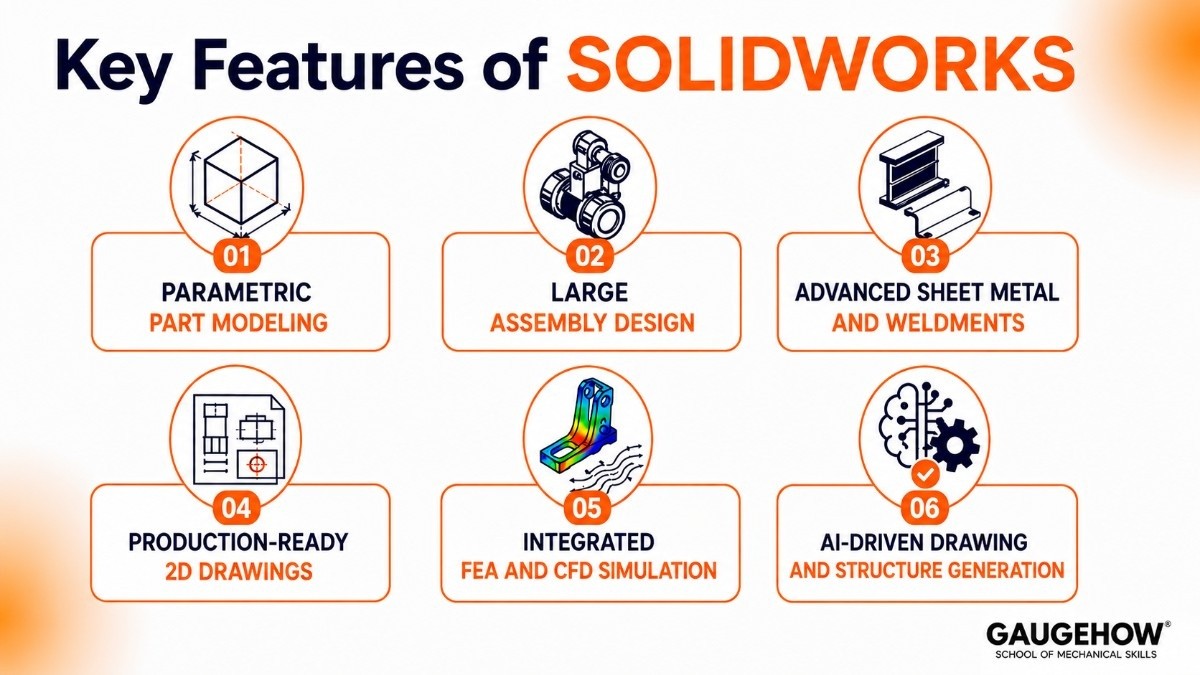
Parametric Part Modeling: Generates precise 3D geometry using dimension-driven sketches, where modifying a single parameter automatically updates down-stream geometry.
Large Assembly Design: Handles complex assemblies containing tens of thousands of components, utilizing lightweight modes and speedpak configurations to optimize system memory.
Advanced Sheet Metal and Weldments: Features dedicated design environments for complex sheet metal bending, flattening, structural framing, and structural weldments with automated cut-lists.
Production-Ready 2D Drawings: Automatically converts 3D parts and assemblies into detailed engineering drawings with geometric dimensioning and tolerancing (GD&T) annotations.
Integrated FEA and CFD Simulation: Conducts stress, strain, thermal, and fluid dynamics analysis directly on native CAD models using integrated solvers like FFEPlus to catch structural issues before cutting metal.
AI-Driven Drawing and Structure Generation: Utilizes integrated machine learning tools to automatically arrange overlapping drawing views, resolve lightweight components, and troubleshoot cascading modeling errors.
SolidWorks Download
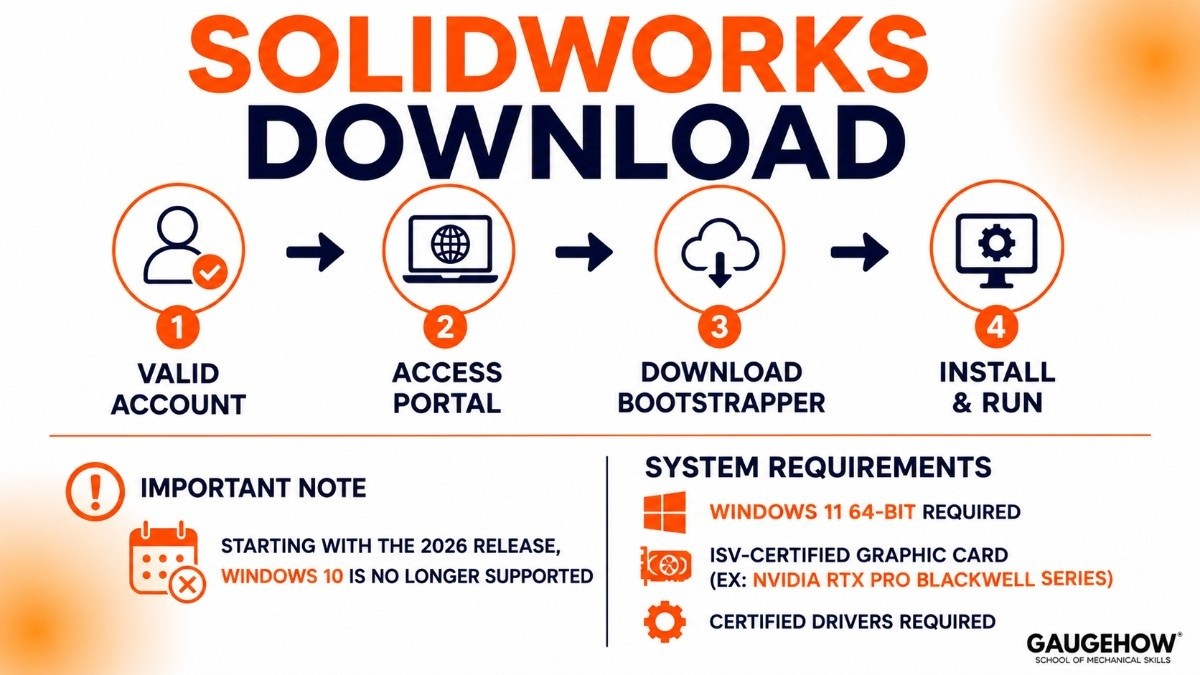
Accessing the platform requires a valid account through your employer, educational institution, or personal subscription.
To initiate a clean installation, navigate to the official customer portal or the 3DEXPERIENCE platform to download the bootstrapper installer.
Note that starting with the 2026 release, Windows 10 is no longer supported; a clean installation requires Windows 11 64-bit and an ISV-certified graphic card (like the NVIDIA RTX Pro Blackwell series) with certified drivers to run the application reliably without crashing during large assembly rebuilds.
SolidWorks Certification
Earning industry-recognized certifications validates your technical expertise and provides an explicit competitive advantage when applying for senior design or manufacturing roles. The certification matrix is structured across multiple expert tiers:
CSWA (Certified SOLIDWORKS Associate): Confirms foundational competency in 3D modeling, basic assembly creation, and drawing standards.
CSWP (Certified SOLIDWORKS Professional): Validates advanced parametric modeling speed, configurations, assembly troubleshooting, and design modifications under tight time constraints.
CSWE (Certified SOLIDWORKS Expert): The highest tier, proving mastery in complex surfacing, mold design, weldments, sheet metal, and sheet metal fabrication problems.
SolidWorks for Makers
For hobbyists, DIY enthusiasts, and hardware innovators generating less than $2,000 annually from personal projects, the SOLIDWORKS for Makers program offers an affordable entry point. Priced at $48 per year (or $15 per month), this package provides access to full-functionality 3D CAD tools.
It includes locally installed 3D CAD, browser-based Sub-D organic modeling via xDesign, photorealistic rendering tools, and integrated 2.5-axis and 3-axis CAM capabilities for exporting clean files straight to home CNC machines, laser cutters, or 3D printers.
SolidWorks News
The latest functional delivery (FD) and service pack (SP) releases mark a major transition toward hybrid cloud workflows and AI-driven automation.
A significant shift includes the complete removal of Windows 10 support to optimize performance on modern hardware architectures.
Furthermore, the integration of generative AI companions enables automated drawing generation from text prompts, intelligent assembly structure baseline creation, and contextual "What's Wrong" root-cause analysis that cuts through cascading feature errors to tell engineers exactly which parent sketch or reference plane broke.
Pricing
SolidWorks relies on a quote-based pricing architecture handled through local Value-Added Resellers (VARs).
The shift toward the 3DEXPERIENCE platform means pricing is primarily subscription-based, though traditional perpetual licenses remain available with mandatory maintenance contracts.
Standard: ~$2,820/year (or ~$4,000 upfront perpetual plus ~$1,200/year maintenance). Includes core parametric modeling, sheet metal, weldments, and basic 2D drafting.
Professional: ~$3,456/year (or ~$5,490 upfront perpetual plus ~$1,950/year maintenance). Adds data management tools (PDM Standard), integrated CAM, and advanced photorealistic rendering.
Premium: ~$4,716/year (or ~$7,995 upfront perpetual plus ~$2,000/year maintenance). Unlocks advanced FEA simulation suites, routing functionality for piping/electrical harnesses, and advanced surface modeling.
Pros & Cons
Pros:
Massive industry adoption makes sharing native files with tooling shops, foundries, and machine shops seamless.
Excellent parametric sketch tools and robust user interface designed specifically for mechanical design logic.
Comprehensive ecosystem ranging from basic drafting to advanced structural FEA and electrical routing in a single environment.
Cons:
Parametric modeling remains predominantly single-threaded, meaning expensive high-core-count CPUs won't speed up standard part rebuild times as much as high single-core clock speeds will.
The transition to the cloud-connected 3DEXPERIENCE data management interface features a steep learning curve that frustrates legacy users accustomed to local file structures.
High total cost of ownership when accounting for mandatory annual reseller maintenance fees, specialized hardware requirements, and custom PDM configuration consulting.
Best For
SolidWorks is the ideal solution for mid-sized equipment manufacturers, industrial automation firms, and medical device designers.
It works best for engineering teams designing products containing between 500 and 10,000 discrete mechanical parts, where structural design integrity and precise flat patterns are vital for daily shop floor production.
Integrations
To act as a single source of truth for manufacturing operations, the software integrates directly into enterprise ecosystems using specialized APIs and middleware:
ERP/PLM Syncing: Connects to platforms like SAP, Oracle, and Infor to automate bill of materials (BOM) transfers, synchronize material costs, and manage revision controls.
MES Connectivity: Feeds engineering configurations straight into Manufacturing Execution Systems (MES) to direct shop floor routers, assembly lines, and inspection plans.
Metrology Software: Exports precise geometric data and STEP files to Coordinate Measuring Machine (CMM) suites like PC-DMIS and ZEISS Calypso for automated quality inspection routing.
Deployment
The software operates on a hybrid deployment framework. While the heavy computational modeling engine remains locally installed on your Windows 11 workstation to make full use of local GPU and RAM hardware, file data management, revision control, and cross-team collaboration are handled securely via cloud servers or on-premise PDM archive vaults.
This setup ensures offline brownfield manufacturing facilities can continue designing parts without interrupting production when internet connectivity drops.
Alternatives
Autodesk Inventor: A direct competitor matching feature-for-feature in parametric design, deeply integrated with the broader Autodesk architecture.
PTC Creo: A robust parametric modeler preferred by massive global enterprises for handling ultra-large assemblies with complex top-down design logic.
Onshape: A browser-based CAD platform focused on real-time collaboration, integrated version control, and cloud-native product development.
Siemens NX: A high-end enterprise solution built for heavy aerospace and automotive projects that require advanced surfacing and complex multi-axis CAM workflows.
Fusion 360: A cloud-native, lightweight alternative combining CAD, CAM, and FEA tools into an agile subscription model ideal for startups and smaller machine shops.
FAQ
Is SolidWorks completely cloud-based?
No. The core design engine installs locally on your computer to maximize your hardware's computing power. However, it connects directly with cloud services for file storage, data lifecycle management, and team collaboration.
What is the difference between SolidWorks and Fusion 360?
SolidWorks is a heavy-duty, feature-dense desktop application engineered for complex industrial machinery and enterprise data management. Fusion 360 is a cloud-first tool designed for faster iteration, integrated CAM workflows, and smaller product design teams.
Users comparing SolidWorks with Onshape often focus on collaboration features, while comparisons with PTC Creo and Siemens NX typically center on assembly size, simulation depth, and enterprise workflows.
Can I run SolidWorks on Windows 10?
Starting with the 2026 version, Windows 10 is no longer supported. The application requires Windows 11 64-bit alongside a trusted platform module (TPM 2.0) to boot and run stable.
Why do I need an ISV-certified graphics card?
Consumer gaming cards lack the dedicated OpenGL driver configurations necessary to compute real-time line rendering, order-independent transparency, and stable visual environments for large assemblies. Gaming cards frequently cause viewport lag and crashes when handling complex production files.
CAD in SOLIDWORKS helps engineers and designers create 2D drawings, 3D models. This covers CAD concepts, parametric design, aerospace, CNC machining.























