MVTec HALCON
halcon machine vision

HALCON Machine Vision: A Practical Guide for 2026
If you've spent any time researching industrial image processing, you've run into HALCON machine vision. It shows up in factory inspection lines, robotics cells, and university labs all over the world.
But most of what you'll read about it comes straight from vendor brochures, so it's hard to tell what the software actually does day to day, what it costs, and whether it's the right fit for your line.
This guide cuts through that. Here's a clear, no-spin look at what HALCON is, how it works, what it's good (and not so good) at, and how it stacks up against the alternatives.
What Is HALCON Software?
HALCON is a commercial machine vision software library used to build automated inspection, measurement, and object-recognition applications.
It's made by MVTec Software GmbH, a German company based near Munich that has focused exclusively on machine vision since the late 1990s.
At its core, HALCON is a toolbox of more than 2,100 image-processing operators you string together to solve a vision problem: finding a defect on a part, reading a barcode, measuring a gap to a few microns, or locating an object so a robot can pick it up.
You develop your logic in its dedicated environment, HDevelop, then export it into a real application written in C++, C#, .NET, or Python.
The short version: it's not a point-and-click inspection box. It's a developer's toolkit for people who need to build vision systems that do exactly what they want.
Key Features That Actually Matter
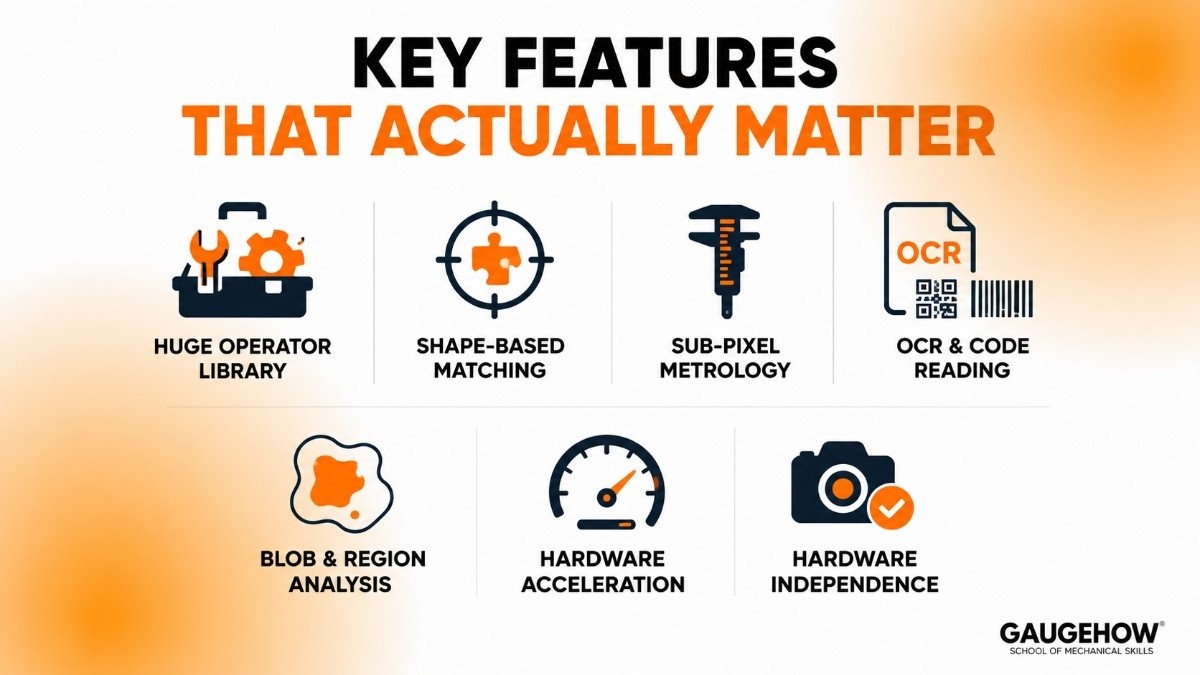
Stripping away the marketing language, here's what you're really getting:
A huge operator library. Over 2,100 functions covering filtering, edge detection, region analysis, color processing, and morphology. If a classic vision technique exists, HALCON almost certainly has it.
Shape-based matching. Its template-matching technology finds parts regardless of rotation, scale, and partial occlusion. This is one of the features engineers consistently rate as best-in-class.
Sub-pixel measurement and metrology. For applications where micrometers matter, HALCON's calipers and fitting tools are precise and well-proven.
OCR and code reading. Text recognition (including a deep-learning font set that reads most fonts without training), plus barcode, Data Matrix, and QR reading that holds up in poor lighting and on curved surfaces.
Blob and region analysis. Fast, flexible tools for isolating and characterizing connected regions in an image.
Hardware acceleration built in. It automatically uses multiple CPU cores and supports GPU and NPU acceleration, so you're not rewriting code to get speed.
Genuine hardware independence. It isn't tied to one camera brand. That matters more than it sounds, and I'll come back to it under deployment.
HALCON Deep Learning
The AI side of HALCON has grown into a major reason people choose it. You get a full set of deep-learning methods rather than a single bolt-on feature: image classification, object detection, semantic and instance segmentation, anomaly detection (spotting "weird" parts when you can't define every possible defect in advance), and deep-learning-based OCR.
MVTec pairs this with a separate, free Deep Learning Tool that handles the tedious part: labeling images and managing training datasets.
Recent releases have also added the ability to flag unexpected behavior in deep-learning classification, which is the kind of practical reliability touch that engineers running production lines actually care about.
The point worth making: you don't need a data-science team to use it, but you do need labeled images and a bit of patience. It lowers the barrier to AI vision without pretending the barrier doesn't exist.
HALCON vs Landing AI for Industrial AI Vision
While HALCON includes built-in deep learning tools for classification, object detection, segmentation, and anomaly detection, some manufacturers prefer specialized AI-first platforms for model development and deployment. One example is Landing AI, which focuses on helping teams build visual inspection models with limited training data and minimal machine learning expertise. If you're comparing traditional machine vision software with modern AI inspection platforms, our guide to Landing AI explains where each approach fits in a production environment.
3D Machine Vision
This is where HALCON tends to pull ahead of competitors. Its 3D machine vision capabilities cover point-cloud processing, surface-based 3D matching, calibration, and 3D metrology.
The standout is bin picking. HALCON can recognize an object in 3D space from a CAD model alone, no physical sample required, which cuts deployment time when you're setting up a new line.
Newer releases added CAD-less gripping-point detection, where the software finds a graspable surface on an object it has never seen before, an obvious win for logistics and warehouse sorting where you can't model every item.
If your application involves robots picking randomly oriented parts out of a container, this is a strong reason to shortlist HALCON.
HALCON Pricing
This is the section most buyers come for, so let's be straight about it: MVTec does not publish list prices. Pricing is quote-based and depends on your edition, license type, and project scope.
Anyone quoting you an exact public figure is guessing. That said, the model is clear and worth understanding before you talk to a salesperson.
HALCON Progress vs HALCON Steady
HALCON comes in two editions, and the difference is really about how fast you want new features versus how stable you want your platform.
HALCON Progress | HALCON Steady | |
|---|---|---|
Release cycle | Every 6 months | Every 2 years |
Licensing model | Annual subscription (auto-renews) | One-time purchase |
Best for | Teams wanting the newest AI and 3D features | Teams that value long-term stability over new features |
Updates | Latest features as soon as they ship | Maintenance and bug-fix updates |
As of the 24.11 release, the two editions are fully compatible, so Progress and Steady users can collaborate on the same project and you can switch editions by swapping a license file.
That removes a headache that used to make this choice feel permanent.
License Types and Free Options
Within either edition, you'll deal with a few license types:
Development license — what you need to actually build applications in HDevelop or via code.
Runtime license — what you deploy on each production machine running the finished app. These can be modular if you only use part of the functionality.
Evaluation license — free, full-featured, time-limited (typically a month), and not for commercial use. No credit card required.
Student and campus licenses — free for students and universities.
Cloud and network licensing — supported for virtualized infrastructure, centralized processing, and CI/CD pipelines.
The honest takeaway: HALCON sits at the premium end of the market. Budget accordingly, and use the free evaluation to validate your application before you commit.
Pros and Cons
Pros
One of the deepest, most complete vision libraries available, especially for 3D and metrology.
Hardware-independent, so you're not locked into a single camera vendor.
Strong, well-integrated deep learning with a free labeling tool.
HDevelop is genuinely good for fast prototyping and debugging.
Mature, stable, and supported by a vendor that does nothing but machine vision.
Cons
Steep learning curve. With 2,100+ operators, beginners can feel lost. Expect a real ramp-up.
No transparent pricing. You have to request a quote, which slows down early evaluation and frustrates smaller buyers.
Premium cost. It's expensive compared to open-source options, and overkill for simple, one-off tasks.
Smaller community than OpenCV. Fewer free tutorials and Stack Overflow answers, so you lean more on official docs and support.
Proprietary scripting. HDevelop's language is HALCON-specific, so skills don't transfer directly elsewhere.
Listing the downsides isn't bashing the product. It's what separates a useful guide from a sales page.
Who HALCON Is Best For
HALCON makes the most sense for mid-size to large manufacturers running demanding, high-mix, or high-precision vision tasks.
Think automotive body-shop weld inspection, pharmaceutical packaging and label verification, electronics and semiconductor inspection, battery production, and food-and-beverage quality control.
It's a particularly good fit when you need 3D guidance for robotics (bin picking, assembly verification), when accuracy requirements are tight, or when you're building a custom system that a closed inspection appliance can't handle.
For a small shop with one simple pass/fail check, it's probably more software than you need, and a simpler smart-camera setup will get you there cheaper.
Integrations: Cameras, Sensors, and Factory Systems
HALCON is built to be vendor-neutral on the hardware side. It supports the major image-acquisition standards, GenICam, GigE Vision, and USB3 Vision, along with a wide range of frame grabbers, so it works with cameras from most manufacturers rather than locking you to one.
On the software side, you connect HALCON to the rest of your plant through the application you build around it.
Because you export to C++, C#, .NET, or Python, you wire up communication to PLCs, MES, ERP, and SCADA systems at the application layer using whatever protocol your shop uses (TCP/IP, OPC UA, and so on).
In other words, HALCON itself isn't an MES connector; it's the vision brain that your integration code feeds results into. That's a flexibility advantage if you have a capable team, and a bit more work if you don't.
Deployment: On-Prem, Edge, and Cloud
HALCON runs where industrial vision actually lives. You can deploy it:
On-premise / PC-based on Windows or Linux, the most common setup for inspection cells.
At the edge / embedded, including Arm-based platforms, for compact in-machine vision.
In the cloud, using cloud licensing for centralized processing and virtualized workflows.
On brownfield readiness, HALCON scores well precisely because of its hardware independence. If you're retrofitting vision onto existing lines with a mix of older cameras and PCs, you're not forced to rip and replace to fit one vendor's ecosystem.
You can often work with the hardware you already have, which keeps upgrade costs down.
HALCON Tutorial: How to Get Started
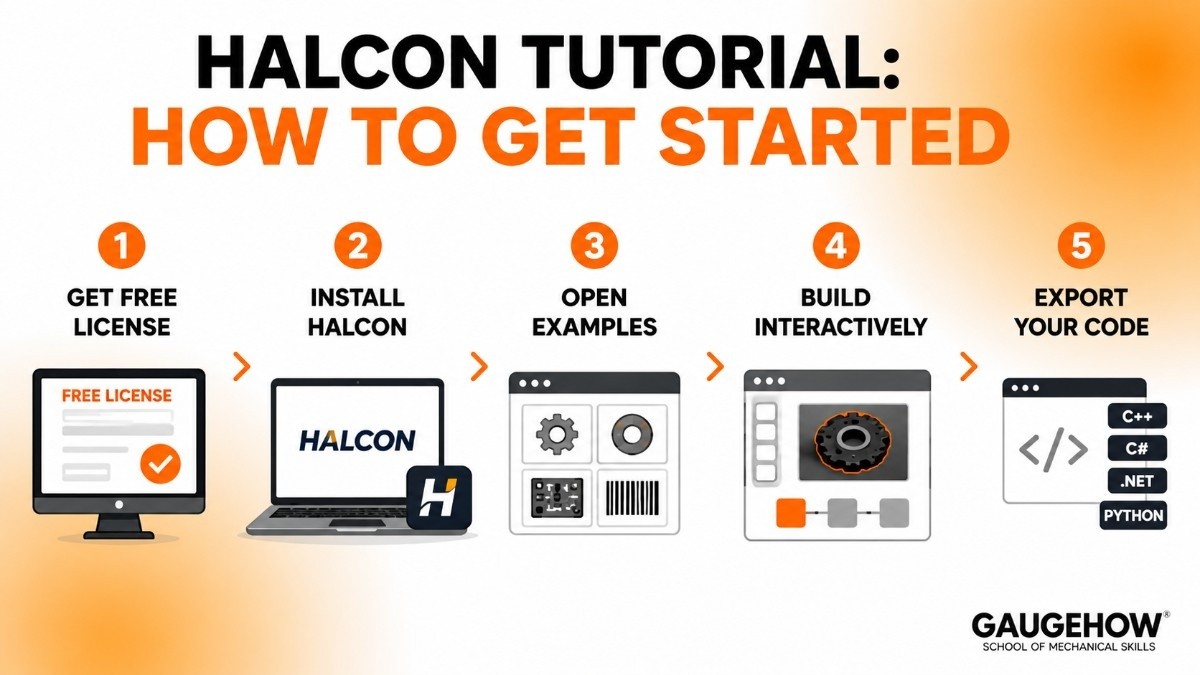
You don't need a formal HALCON tutorial to take your first steps, the path is straightforward:
Request a free evaluation license from MVTec or a regional sales partner. No credit card needed.
Install HALCON and open HDevelop, the integrated development environment.
Open the example programs. HALCON ships with a large set of ready-to-run examples covering common tasks. Loading one that's close to your problem is the fastest way to learn.
Build interactively. Load your own images, drag in operators, and watch results update live.
This visual, step-by-step style is HDevelop's biggest strength for newcomers.
Export your code. Once the logic works, export it to C++, C#, .NET, or Python and drop it into your real application.
For structured learning, MVTec runs a free online academy with a practical introduction course, and the official documentation is thorough.
Start with the examples, lean on the docs, and don't try to learn all 2,100 operators at once.
HALCON Alternatives
HALCON isn't the only serious option. Worth comparing against:
Cognex VisionPro — the other industrial heavyweight, strong and easy to use within Cognex's hardware ecosystem, though weaker on 3D and pricier at runtime.
Keyence Vision Systems — slick, well-supported smart cameras that are fast to set up, but more of a closed ecosystem.
Matrox Imaging Library (MIL) — a respected C-level vision library, now under Zebra Technologies.
NI Vision (LabVIEW) — good if you're already invested in National Instruments and LabVIEW.
MVTec MERLIC — MVTec's own no-code option for teams that want HALCON-grade results without programming.
Frequently Asked Questions
Is HALCON free? No, it's commercial software. There's a free, time-limited evaluation license and free licenses for students and universities, but commercial use requires a paid license.
Is HALCON cloud-based? It can be. HALCON runs on-premise, at the edge, and in the cloud, and MVTec offers cloud licensing for virtualized and centralized deployments. Most factory installs are still on-premise or edge.
How much does HALCON cost? MVTec doesn't publish list prices. Cost depends on edition (Progress subscription vs Steady one-time purchase), whether you need development or runtime licenses, and your project scope. You request a quote through MVTec or a partner.
HALCON vs OpenCV, which should I choose? Choose HALCON for production industrial systems where reliability, ready-made tools, and vendor support matter.
Choose OpenCV for budget projects, research, or when you have strong in-house developers and time to build.
What programming languages does HALCON support? You prototype in HDevelop, then export to C++, C#, .NET, or Python for your final application.
Is HALCON good for beginners? It's powerful but has a steep learning curve. Beginners should start with the bundled example programs and MVTec's free academy courses rather than the full operator reference.
MVTec HALCON is the standard machine vision software with 2,100+ operators for inspection, OCR, 3D vision & deep learning. Build vision apps faster.























