Windchill
What is windchill PLM

What Is Windchill PLM? Everything Students Need to Know (2026)
Most engineering programmes teach CAD. Some teach FEA or manufacturing processes. Very few ever mention PLM — and that gap is exactly why students who know it stand out in the job market.
Windchill is one of the two dominant PLM platforms in the world, used by Boeing, defence contractors, medical device companies, and industrial manufacturers across the globe.
If you land a job at any mid-to-large manufacturer, there's a real chance you'll be expected to use it from day one. This guide explains what Windchill is, how it works, and whether it's worth your time to learn.
Key Features — What PTC Windchill Actually Does
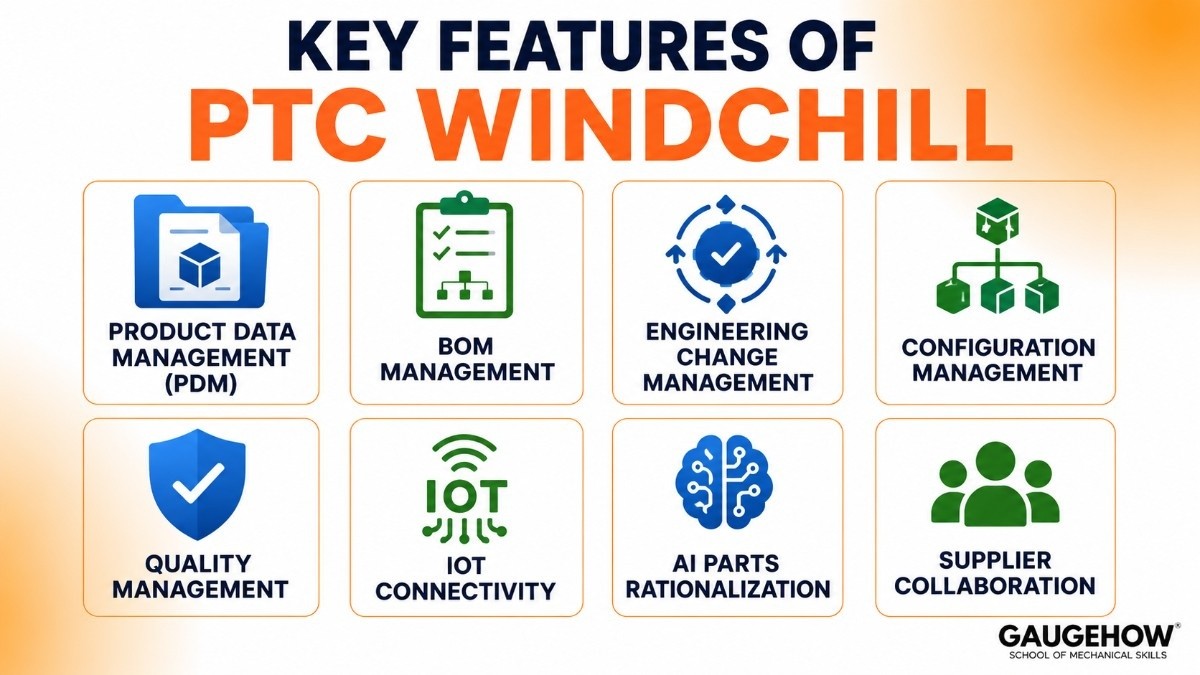
Here are the main features of Windchill explained in simple terms.
Product Data Management (PDM)
Windchill stores all CAD files, product documents, and design data in one secure place. It also keeps a full version history, so teams can track what changed and who made the changes.
BOM Management
It manages the complete Bill of Materials (BOM), which is the full list of parts needed to build a product. This keeps engineering, manufacturing, and purchasing teams aligned.
Engineering Change Management
Any design change goes through a proper approval process before it is released. This creates a clear record and helps avoid costly errors.
Configuration Management
Windchill tracks different versions or product variations. This is useful for companies making multiple models of the same product.
Quality Management
It connects quality checks, inspections, and risk analysis directly to product data, making issue tracking easier.
IoT Connectivity
Windchill can collect real product performance data and send it back to engineering teams for design improvements.
AI Parts Rationalization
Its AI tools help identify duplicate parts so companies can reduce unnecessary inventory and lower costs.
Supplier Collaboration
Suppliers and external partners can securely access updated product information, helping everyone work from the same data.
Windchill for Beginners: Where Students Should Start
If you want to build Windchill skills as a student, here's the honest path:
Start with PLM concepts, not the software. Windchill is a tool. The concepts it manages — BOM structure, engineering change processes, configuration management, document control — are universal across every PLM platform. Learn those first, and the software clicks much faster.
Build your CAD skills. Almost every Windchill job posting asks for at least one CAD tool. Creo is the native pair, but SolidWorks and CATIA appear on real job specs too.
Understand the digital manufacturing context. Windchill manages the data that drives manufacturing. Before you touch the software, understanding how a digital manufacturing environment works — what an EBOM vs MBOM is, how product data flows to the factory — makes everything upstream make sense faster. Our Digital Manufacturing course covers exactly this.
Get access. Ask your university IT team if there's a PTC academic licence. Check if your engineering school has a Creo lab — Windchill access often comes with it. PTC's own learning portal has introductory content.
Pair it with Industry 4.0 knowledge. Windchill's IoT and digital thread capabilities only make sense if you understand the broader Industry 4.0 landscape. That broader knowledge also makes you more useful in an interview.
Windchill Career: What This Skill Can Do for You
PLM is one of those skills that's genuinely underrepresented in engineering education, which means the market for people who have it is better than you'd expect.
Companies that implement Windchill invest millions in the platform and keep it running for a decade or more. They need a steady supply of people who can administer it, configure it, train others on it, and integrate it with their other systems. That creates long-term, stable roles — not just short contracts.
Common career paths that open up with Windchill skills:
PLM Administrator — manages the system, users, and workflows. Often, the first Windchill role for someone from an engineering background.
PLM Engineer / Specialist — bridges the gap between what engineers need and how the system is configured. Good mix of technical and people skills.
Windchill Developer — customises the platform using PTC's APIs and development tools. More technical, higher ceiling.
PLM Consultant — implements Windchill at client sites. Firms like Deloitte, Tata Technologies, and Accenture hire for this regularly.
Digital Manufacturing Engineer — uses Windchill as part of a broader Industry 4.0 / connected factory role. The most forward-looking path.
Windchill Jobs: Roles, Salaries & Who's Hiring
The numbers are worth knowing before you decide how much time to invest.
Based on current US job market data (ZipRecruiter, 2026):
Experience level | Typical salary (US) |
|---|---|
Graduate / entry-level | $39,000–$65,000 |
Mid-level PLM engineer | $70,000–$100,000 |
Senior PLM specialist | $100,000–$130,000 |
Windchill developer | $90,000–$120,000 |
PLM consultant/architect | $120,000–$183,000 |
The average for Windchill roles in the US sits around $89,000 a year, with experienced professionals reaching $161,000 at the top end. Remote roles are actively available and pay similarly.
Companies currently hiring Windchill skills include Boeing, Northrop Grumman, Lockheed Martin, John Deere, Honeywell, and the consulting firms that implement PLM for manufacturers (Deloitte, Infosys, Tata Technologies, Capgemini).
The US Army's recent adoption of Windchill as its official enterprise PLM platform is also creating a new wave of government and defence-sector demand.
The global picture is similar — German and Japanese automotive manufacturers, UK defence, and Indian manufacturing multinationals all run significant Windchill environments.
Windchill vs Teamcenter: Which Should Students Learn?
This is the question most students ask once they know both platforms exist. Here's the honest career answer.
Both are enterprise PLM platforms. They do similar things — BOM management, change control, PDM, workflow automation. Learning one makes the other much easier to pick up later.
The difference is where the jobs are:
Windchill (PTC) | Teamcenter (Siemens) | |
|---|---|---|
Strongest markets | IoT/connected products, industrial, medical, defence, Creo shops | Aerospace, automotive, large-scale programmes |
CAD pair | PTC Creo | Siemens NX |
Cloud readiness | Strong (Windchill+) | Available (Teamcenter X) |
Market trend (2026) | Growing (mindshare up to 16.7%) | Slight decline |
Learning resources | PTC University, academic licences | Siemens Xcelerator Academy |
Which to learn first? Look at the companies you want to work for. If your targets are in industrial equipment, IoT products, medical devices, or defence (especially the US government), Windchill is the clear choice.
If you want to work in aerospace or European automotive, Teamcenter is more prevalent.
The good news for students: PLM concepts transfer directly between the two. Learn the workflow, the BOM structures, the change management process — that knowledge moves with you regardless of which platform you start on.
Windchill Tutorial: How the System Works Day to Day
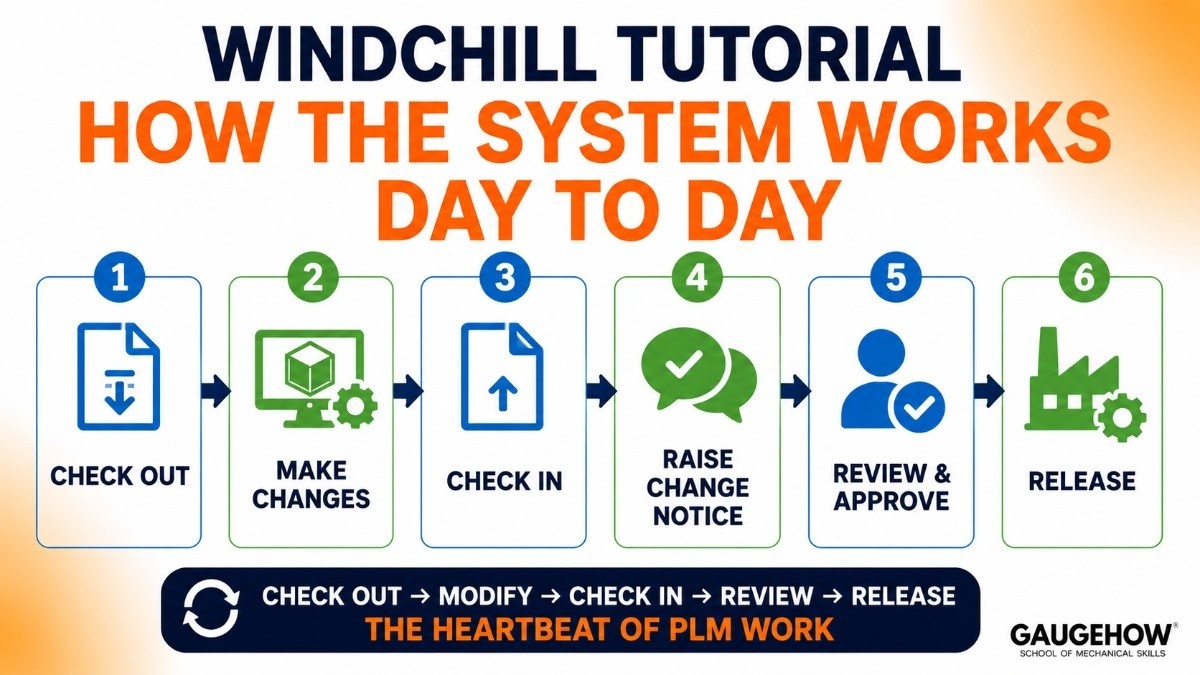
You won't learn Windchill in a paragraph — but understanding the basic workflow takes the mystery out of it. Here's what working in Windchill actually looks like:
The core concept: contexts and containers. Everything in Windchill lives inside a context — either a Product (the thing you're designing), a Library (reusable standard parts and documents), or a Project (a collaboration space).
Think of a Product context as a dedicated folder for one product line, with controlled access and versioning built in.
A typical day-to-day workflow looks like this:
Check out a CAD file or document. Before you edit anything, you check it out — like borrowing a library book. Nobody else can edit it while you have it.
Make your changes. Work in your CAD tool (Creo, SolidWorks, etc.) or in Windchill's document editor.
Check in the updated file. When done, you check it back in with a comment about what changed. Windchill stores the new version and keeps the old one.
Raise a Change Notice if the change is significant. A change notice (CN) or engineering change order (ECO) is a formal request that routes to reviewers and approvers before the change is released.
Release the data to manufacturing. Once approved, the part or document moves to a "Released" state, and downstream teams can act on it.
That cycle — check out, modify, check in, review, release — is the heartbeat of PLM work. Once you understand it, every other part of Windchill makes sense quickly.
A practical tip for students: the fastest way to understand why this process exists is to study what happens when it breaks down.
Learn what an engineering change looks like in a manufacturing environment, and the PLM workflow becomes immediately logical. Our Digital Manufacturing course builds exactly that context.
Pricing — What Companies Pay for Windchill
This section matters for students because it tells you how seriously companies invest in the platform — and therefore how long they need people to run it.
PTC does not publish Windchill pricing publicly. Like most enterprise PLM vendors, it's entirely quote-based through their sales team and reseller network. Based on third-party research and user-reported data:
Item | Estimated cost |
|---|---|
Enterprise licence | ~$130–$280 per user/month |
Implementation | $10,000–$100,000+ depending on size |
Annual maintenance | Typically bundled or ~15–20% of the licence |
Windchill+ (cloud/SaaS) | Subscription-based, contact PTC |
Free trial | Not publicly available |
Student/academic access | Through university PTC partnerships |
The headline for students: there is no free consumer version, but PTC has academic partnerships with universities.
If your institution uses PTC Creo (a common choice in engineering schools), there may be Windchill access available through your IT team or lab environment. It's worth asking.
The investment companies make — easily millions over a full implementation lifecycle — is exactly why they need trained people who can maintain and develop the system for years.
Pros and Cons
The honest version, not the marketing version.
Pros
Strong IoT connectivity — a genuine differentiator in connected-product industries.
Solid cloud option with Windchill+, making it easier to get started without heavy infrastructure.
Powerful change management — particularly well-regarded in regulated industries like medical devices.
Tight native integration with PTC Creo, used widely in engineering schools.
Growing market presence — Windchill's mindshare is actively increasing as of 2026.
Cons
Steep learning curve. This comes up in almost every user review. It's complex, and getting productive takes real investment.
Inconsistent UI. Different teams and modules can feel like they're running different software — a common complaint from users in large enterprises.
Customisations are hard to maintain. Heavily customised Windchill deployments can spend 30–50% of the original implementation cost on each major upgrade.
Support quality varies. Several reviewers note that resolving complex issues can be slow.
No free version for self-study — you need employer or university access to practice.
The cons are real, and they're worth knowing before you invest learning time. The steep curve means employers value trained people; the lack of a free version means most students arrive at their first job without it, which is the gap you can fill.
Best For — Where Windchill Skills Pay Off Most
Not every company runs Windchill. Knowing which sectors to target makes your job search sharper.
Industrial equipment and machinery — a core Windchill market. Heavy equipment manufacturers use it extensively for variant and configuration management.
IoT and connected products — Windchill's IoT-readiness makes it the preferred choice for companies building smart, connected products where field data needs to feed back into design.
Life sciences and medical devices — regulated environments where change traceability and quality management are legally required.
Defence and government — in a major 2026 development, the US Army officially designated Windchill as its enterprise PLM and product data management platform. Government and defence work is an increasingly significant Windchill market.
PTC Creo users — any company running Creo as its CAD tool has a strong reason to run Windchill alongside it, as the two integrate natively.
Where Windchill is less common: very large aerospace programmes (which often run Teamcenter), pure SolidWorks/Siemens NX environments, and smaller companies where the price and complexity don't justify the investment.
Integrations — What Windchill Connects To
As a student building your skills, understanding Windchill's integration landscape tells you what else to learn alongside it:
CAD tools. Native integration with PTC Creo. Also connects with SolidWorks, CATIA, and other CAD platforms, though the Creo integration is deepest.
ERP systems. Integrates with SAP and other ERP platforms — product design data flows to finance, procurement, and manufacturing planning without manual re-entry.
ALM tools. Connects with PTC Integrity for requirements and software lifecycle management, which matters for companies building software-intensive products.
MES (Manufacturing Execution Systems). Links product designs to factory execution in digital manufacturing environments.
IoT platforms. PTC's ThingWorx IoT platform connects to Windchill, so operational data from products in the field can feed back into the PLM record.
The practical career advice: knowing SolidWorks alongside Windchill makes you genuinely more employable at companies that run both.
SAP basics are also valuable if you want to work on PLM–ERP integration projects.
Deployment — Cloud, On-Premise & What That Means for You
On-premise is the traditional deployment — Windchill installed on the company's own servers, managed by internal IT.
Large enterprises and defence contractors usually run this way, partly for security and data sovereignty.
Windchill+ is PTC's SaaS/cloud offering — hosted by PTC, updated automatically, and faster to deploy. Growing fast among mid-market manufacturers who want PLM capability without the infrastructure overhead.
For students, this is worth understanding because the role of a Windchill administrator or PLM engineer looks different in each environment.
On-premise roles involve more IT and server work; cloud roles focus more on configuration, user management, and PTC-managed upgrades.
Alternatives — Other PLM Tools Worth Knowing
Windchill and Teamcenter are the two dominant platforms, but others appear on job descriptions:
Tool | Maker | Best for | Notes |
|---|---|---|---|
Siemens | Aerospace, automotive, large-scale | Windchill's main rival; similar concept, different ecosystem | |
Dassault Systèmes | Automotive, consumer goods | Closely tied to CATIA; broad 3D platform | |
Autodesk | Smaller teams, Autodesk CAD shops | More affordable and beginner-friendly | |
Aras Innovator | Aras | Mid-market, open-platform | Lower cost, more flexible architecture |
Odoo PLM | Odoo | Small businesses | Free tier available — good for learning PLM concepts |
For a student with no budget and no university access, Odoo's free tier is a genuine option to understand PLM workflows before touching an enterprise platform.
FAQ
What is Windchill PLM used for? It's used to manage all data and processes related to a product — CAD files, BOMs, engineering change orders, quality records, and compliance documents — in one controlled system. It keeps engineering, manufacturing, and supply chain teams working from the same product data.
Is Windchill worth learning as a student? Yes, particularly if you're targeting industrial manufacturing, defence, medical devices, or IoT companies. PLM skills are in demand and underprovided by most engineering programmes, which means the competition for roles is lower than you'd expect.
Is Windchill cloud-based? It offers both. The traditional version runs on-premise; Windchill+ is PTC's cloud/SaaS deployment. More companies are moving to the cloud, but on-premise is still common in large enterprises and defence.
Windchill or Teamcenter — which should a student learn? It depends on your target industry. Windchill is stronger in IoT, medical, industrial, and defence. Teamcenter leads in aerospace and European automotive. PLM concepts transfer between them — pick the one that matches where you want to work.
Do I need to know Creo to use Windchill? Not strictly, but Windchill integrates most deeply with PTC Creo and the two often appear together on job specs. Knowing at least one CAD tool — Creo, SolidWorks, or CATIA — makes you significantly more employable in a Windchill role.
How long does it take to learn Windchill? Enough to be useful in an entry-level role: 3–6 months of focused learning and hands-on practice. For developer or senior consultant-level roles, expect 2–3 years of real project experience.
The Bottom Line
Windchill is a skill most engineering students have never heard of — which is precisely what makes it valuable to learn.
The companies that run it have invested millions and need trained people to maintain it for years. The salary range is solid from day one, and the career ceiling is real.
The fastest way to get there is to build the manufacturing and digital systems knowledge that makes PLM make sense.
Start with our Digital Manufacturing course for the foundation — then pair it with Industry 4.0 for the broader connected-manufacturing context and Digital Twins for the digital thread skills Windchill connects to. That combination puts you ahead of most graduates before you've opened the software itself.
How PTC Windchill manage product data, BOMs, design changes, and why manufacturers use it to improve product lifecycle management and team collaboration.























