Zeiss CALYPSO
Zeiss CALYPSO

ZEISS CALYPSO: A Beginner's Guide to Zeiss CMM Measuring Software
If you're studying manufacturing, mechanical engineering, or quality control, you'll eventually meet ZEISS CALYPSO. It's one of the most widely used software programs for measuring parts precisely, and you'll find it in factories making everything from car engines to medical implants.
This guide explains what ZEISS CALYPSO is, how it works, what it costs, and how it compares to its biggest rival. It's written in plain language, so you don't need years of factory experience to follow along.
Overview: What Is ZEISS CALYPSO?
ZEISS CALYPSO is measuring software that runs coordinate measuring machines (CMMs) to check whether manufactured parts match their design.
It's made by ZEISS, the famous German optics and technology company (the same name behind camera lenses and microscopes).
A CMM is a precise machine with a touch probe that measures the exact dimensions of a part. CALYPSO is the "brain" that tells the machine what to measure and then decides whether the part passes or fails.
Its big idea is simplicity: instead of writing code, you click on features in a 3D CAD model, and CALYPSO builds the inspection plan for you. That makes precise measurement accessible to operators, not just programmers.
Key Features
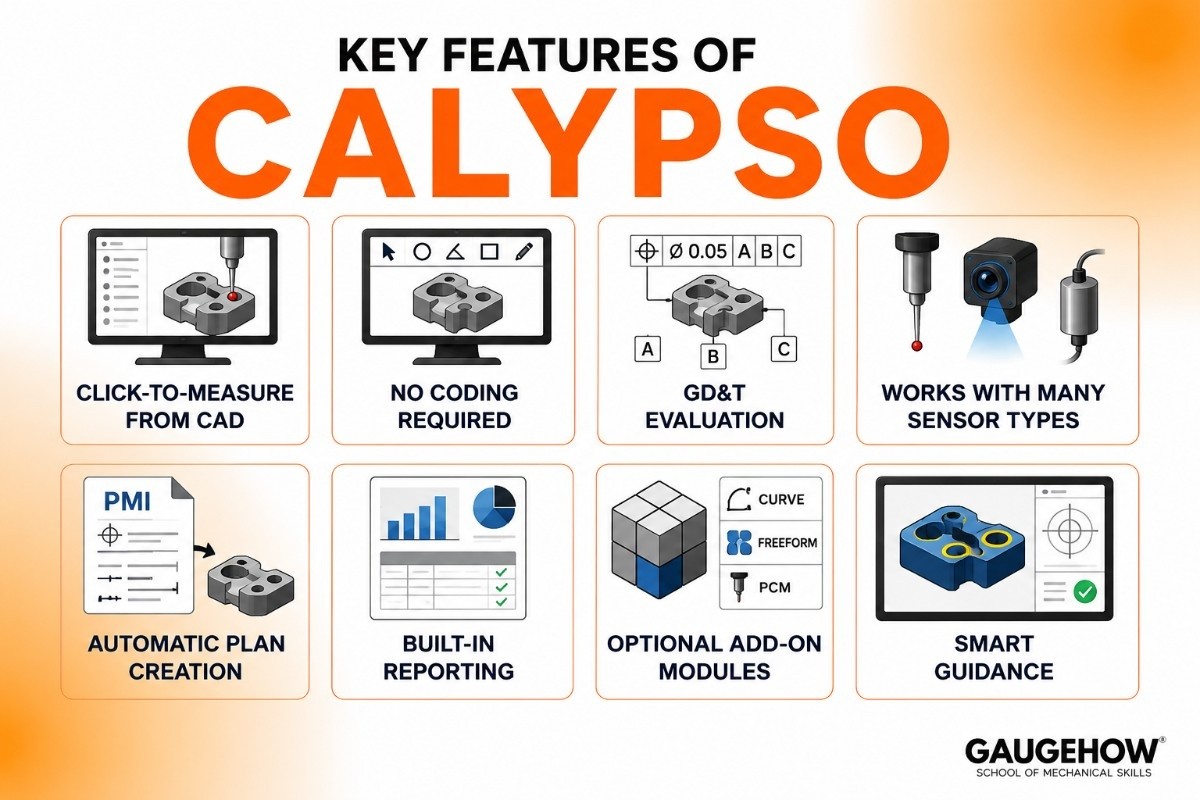
Stripping away the marketing language, here's what CALYPSO actually does:
Click-to-measure from CAD. You select features (like a hole, edge, or surface) directly on the 3D model, and the software creates the measurement steps.
No coding required. You build inspection plans visually, which is why operators can learn it without a programming background.
GD&T evaluation. It checks Geometric Dimensioning and Tolerancing, the standard rules for how precise a part's shape and position must be.
Works with many sensor types. It combines touch probes, optical sensors, and roughness sensors in one inspection plan.
Automatic plan creation. Using design data (called PMI), it can build an inspection plan with the right features already included.
Built-in reporting. It includes ZEISS PiWeb tools to turn measurement results into clear reports and statistics.
Optional add-on modules. Extras like Curve, Freeform, and PCM handle special jobs such as scanning complex shapes or advanced programming.
Smart guidance. Newer AI-assisted functions help recognize features and set up the part automatically, speeding up beginners.
Calypso CMM: How the Software and Machine Work Together
It helps to understand that "Calypso CMM" really means two things working as a team: the machine that physically measures, and the software (CALYPSO) that controls it.
Here's the simple flow. You place a part on the CMM table. The machine's probe touches points on the part. CALYPSO collects those points and turns them into real measurements, like the diameter of a hole or the flatness of a surface.
Then it compares those numbers to the design tolerances and tells you "good" or "out of spec." Because every ZEISS sensor has an ID chip the software recognizes automatically, setup mistakes are reduced.
This tight teamwork between machine and software is a big reason ZEISS systems are trusted for high-precision work.
Best CMM Software: Where CALYPSO Fits
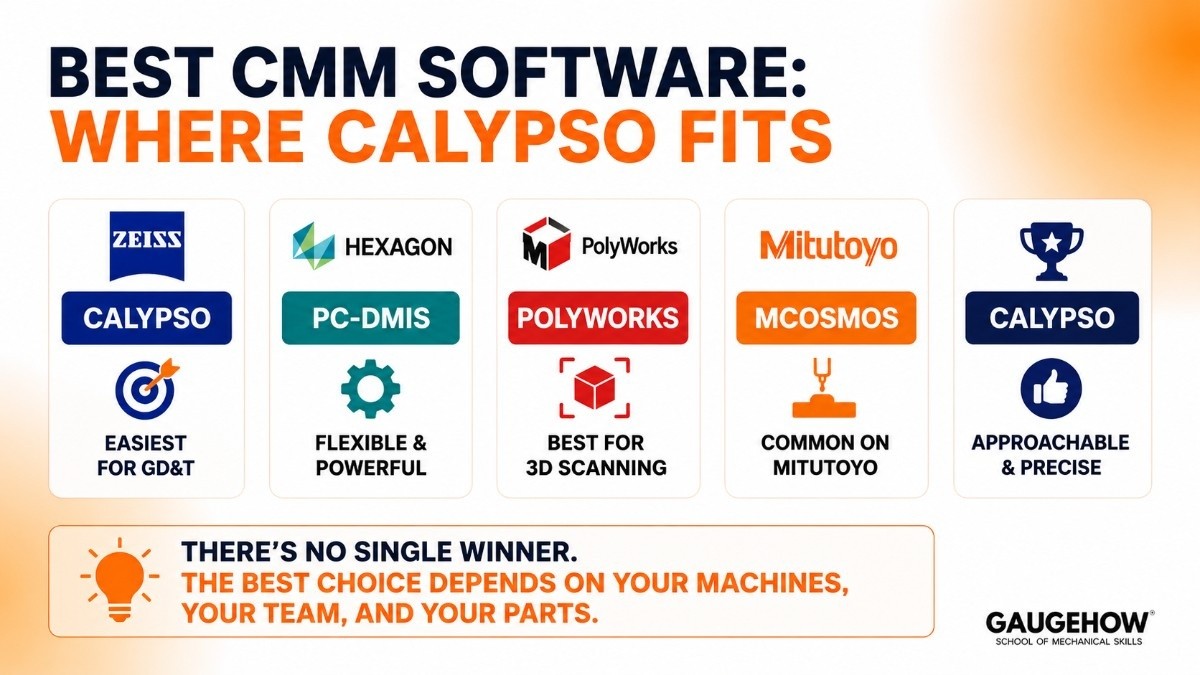
When people search for the "best CMM software," they're usually choosing between a few major names. There's no single winner, the best choice depends on your machines, your team, and your parts.
ZEISS CALYPSO — easiest for visual, click-based GD&T and tight integration with ZEISS machines.
PC-DMIS (Hexagon) — extremely flexible and powerful for automation and mixed-brand setups.
PolyWorks (InnovMetric) — strong for 3D scanning and reverse engineering.
Mitutoyo MCOSMOS — common on Mitutoyo machines.
CALYPSO tends to win when you run ZEISS hardware and want operators to get productive quickly. It's loved for being approachable without giving up precision.
Calypso vs PC-DMIS
This is the comparison engineers argue about most, because these two dominate the CMM world.
Feature | CALYPSO | PC-DMIS |
|---|---|---|
Best For | Easy and fast CMM inspections | Advanced automation and complex measurements |
Ease of Use | Easier to learn | More complex |
Programming | Visual and user-friendly | Script-based and highly customizable |
Automation | Good | Excellent |
Machine Support | Best with ZEISS CMMs | Works with many CMM brands |
Flexibility | Simple and streamlined | Very flexible |
Learning Curve | Lower | Higher |
Main Strength | Speed and simplicity | Control and automation |
Choose If... | You want easy, operator-friendly inspection software | You need advanced automation and multi-brand support |
Quick Summary
Choose CALYPSO if you want fast, visual, and easy-to-use CMM software, especially for ZEISS machines.
Choose PC-DMIS if you need powerful automation, scripting, and support for different CMM brands.
Many factories use both, selecting each tool for the tasks it handles best.
ZEISS CALYPSO Training
ZEISS Academy Metrology offers official CALYPSO training courses.
Training is usually available at Basic, Advanced, and Expert levels.
Specialized courses cover modules such as Curve, Freeform, and PCM.
Many programs include AUKOM training to teach core metrology principles.
Learning measurement fundamentals first helps you understand the software faster.
Topics include GD&T, measurement strategies, geometric features, and measurement accuracy.
Video tutorials are available for self-paced learning.
The ZEISS Quality Forum provides community support and troubleshooting advice.
Hands-on practice is the fastest way to build CALYPSO skills and confidence.
Most employers value experience with both metrology concepts and CALYPSO programming.
Pricing
Pricing is what most buyers really want, so let's be honest about it.
ZEISS does not publish public prices for CALYPSO. There's no online checkout or free download of the full software.
Instead, you get a custom quote through ZEISS or an authorized reseller, based on what you need.
Here's the general shape of how it works:
Base software plus add-ons. You buy the core CALYPSO software, then pay extra for optional modules (like Curve or Freeform) only if you need them.
Often bundled with a machine. CALYPSO is frequently purchased together with a ZEISS CMM, so pricing is part of a larger system quote.
Training and support cost extra. Courses and service plans are usually separate.
Quote-based, no flat tiers. Final cost depends on your modules, licenses, and support needs.
The honest takeaway: this is professional industrial software priced for businesses, not a cheap app you try at home.
Since there's no public pricing, ask for a written quote that lists exactly which modules are included before you commit. (Students often get access through their school's lab rather than buying it.)
Pros and Cons
A fair look at both sides.
Pros
Very beginner-friendly, you build plans by clicking, not coding.
Excellent, clear GD&T evaluation that's easy to read and audit.
Works smoothly with ZEISS machines and sensors as one system.
Strong official training through the ZEISS Academy.
Trusted for high-precision work in demanding industries.
Cons
No public pricing, so budgeting means contacting sales first.
Works best with ZEISS hardware, so it's less ideal for mixed-brand shops.
Advanced automation and scripting are weaker than PC-DMIS.
Many useful features are paid add-ons, not included by default.
Pointing out the downsides isn't criticism. It's what makes a guide trustworthy compared to a sales page.
Best For
ZEISS CALYPSO fits a clear profile. By company size, it works for small shops up to large manufacturers, especially those that already own or plan to buy ZEISS measuring machines.
By industry, the strongest fits are automotive, aerospace, medical devices, and precision manufacturing, anywhere tight tolerances and reliable quality records really matter.
By use case, it shines when you need accurate dimensional inspection and GD&T checks, and you want operators (not just expert programmers) to run the machine. It's less ideal if you have a shop full of different machine brands and need one program to control them all.
Integrations
ZEISS CALYPSO is designed to fit into a quality department's workflow. It reads CAD files (so you can program from the part's design) and uses PMI data to build plans automatically.
For results, it connects to ZEISS PiWeb, which collects measurement data and creates reports.
From there, that quality data can feed into bigger systems like an ERP or MES (the software that runs production and scheduling) so managers can track quality across the factory.
One honest note: linking measurement data into ERP or MES systems is real setup work, usually handled by your IT or quality team rather than a single click. CALYPSO produces the data; connecting it to business systems takes some configuration.
Deployment: Cloud, On-Prem, and Edge
CMM measurement needs to happen right at the machine, so CALYPSO runs on-premise, installed on a computer connected directly to the coordinate measuring machine on the shop floor. The measuring itself is local, so there's no waiting on the internet.
For larger operations, ZEISS offers tools like CALYPSO Monitor to watch several machines from one dashboard, and reporting data can be shared more widely across the network. But the core software is firmly a shop-floor, on-premise tool, not a cloud app.
On brownfield readiness (a term for working with equipment a factory already has), CALYPSO is most at home on ZEISS machines.
If your existing CMMs are ZEISS, adding or upgrading CALYPSO is straightforward. If they're other brands, it's usually a less natural fit than brand-neutral software.
Alternatives to ZEISS CALYPSO
CALYPSO isn't the only option. Depending on your machines and goals, these are worth comparing:
PC-DMIS (Hexagon) — the most flexible, automation-friendly CMM software, strong across mixed brands.
PolyWorks (InnovMetric) — excellent for 3D scanning and reverse engineering.
Mitutoyo MCOSMOS — the standard choice on Mitutoyo machines.
Renishaw MODUS — built for Renishaw measurement hardware.
Verisurf — CAD-based metrology software that works across many machine types.
Frequently Asked Questions
What is ZEISS CALYPSO used for? It's used to program and run coordinate measuring machines, measuring the exact dimensions of manufactured parts and checking them against design tolerances and GD&T rules.
Do I need to know coding to use CALYPSO? No. You build inspection plans by clicking features on a CAD model, which is one of the main reasons operators choose it. Coding-style options exist (through the PCM add-on) but aren't required for everyday work.
Is ZEISS CALYPSO cloud-based? No. It runs on-premise on a computer connected to the CMM on the shop floor. Some monitoring and reporting data can be shared across a network, but the core software is local.
How much does ZEISS CALYPSO cost? There's no public price. You get a custom quote from ZEISS or a reseller based on the modules, licenses, and support you need, and it's often bundled with a CMM purchase.
CALYPSO vs PC-DMIS, which is better? CALYPSO is easier and more visual and integrates tightly with ZEISS machines; PC-DMIS is more flexible for automation and mixed-brand setups.
The best choice depends on your hardware and how much automation you need.
Is ZEISS CALYPSO hard to learn? It's considered one of the more beginner-friendly CMM programs because of its visual, click-based approach. Official ZEISS Academy courses and plenty of practice make it easier to master.
ZEISS CALYPSO is the universal measuring software for CMMs. Program inspections from CAD with no coding, evaluate GD&T, and measure parts faster.























