Hexagon PC-DMIS
PC-DMIS

What Is PC-DMIS? Complete Guide to the Popular CMM Software
Overview
PC-DMIS is a coordinate measuring machine (CMM) software used for dimensional inspection, quality control, and metrology.
Developed by Hexagon Manufacturing Intelligence, PC-DMIS helps manufacturers measure parts, verify tolerances, and automate inspection processes across a wide range of CMMs and measurement systems.
It is widely used in industries such as aerospace, automotive, medical devices, and precision manufacturing where measurement accuracy is critical.
Key Features
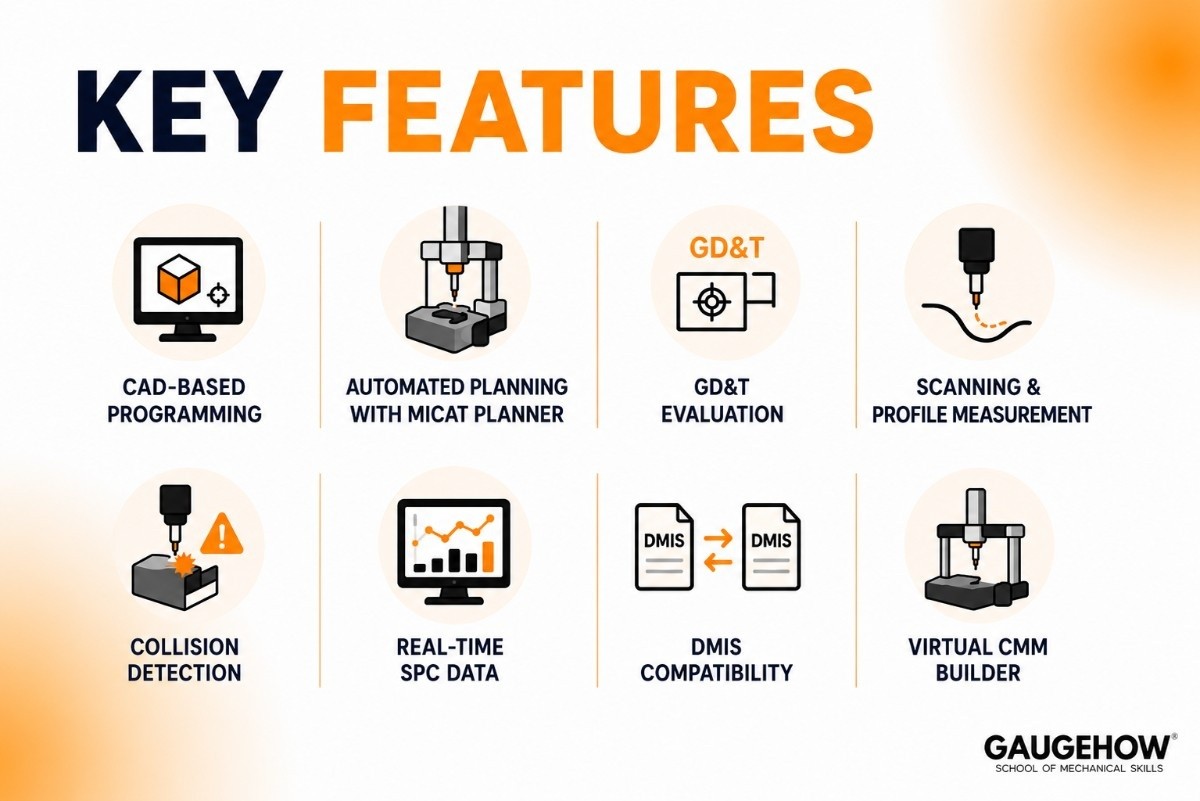
PC-DMIS includes a wide range of tools designed to simplify measurement and inspection tasks:
Feature-based inspection programming
GD&T analysis and reporting
Automated measurement routines
Support for multiple CMM brands
CAD model integration
Statistical Process Control (SPC) reporting
Laser scanning and point cloud processing
Offline programming and simulation
These capabilities make PC-DMIS one of the most widely used CMM software platforms in manufacturing environments.
PC-DMIS Pricing
Hexagon does not publicly publish PC-DMIS pricing.
Pricing typically depends on:
Software modules selected
Number of licenses required
CMM and hardware compatibility
Optional training and support packages
Most companies request a custom quote directly from Hexagon. Free trials may be available through authorized distributors or demonstration programs.
Pros and Cons
Pros
Supports many different CMM brands
Strong automation and scripting capabilities
Advanced GD&T functionality
Suitable for complex inspection workflows
Large user community and training resources
Cons
Higher learning curve for beginners
Advanced features require training
Can be expensive for small manufacturers
Interface may feel complex compared to simpler CMM software
Best For
PC-DMIS is best suited for:
Medium and large manufacturing facilities
Aerospace and automotive companies
Medical device manufacturers
Precision machining operations
Factories using multiple CMM brands
It is especially valuable for organizations that need advanced automation and detailed inspection reporting.
Integrations
PC-DMIS can integrate with a variety of manufacturing systems and hardware, including:
CAD software platforms
Statistical process control tools
Manufacturing execution systems (MES)
Quality management systems (QMS)
Laser scanners and portable measuring arms
Multi-vendor CMM hardware
These integrations help streamline quality and inspection workflows across the factory.
Deployment Options
PC-DMIS is primarily deployed as on-premises software.
Manufacturers can run it directly on inspection workstations connected to CMM equipment.
This makes it well suited for existing production environments and brownfield facilities where measurement hardware is already in place.
How to Use PC-DMIS
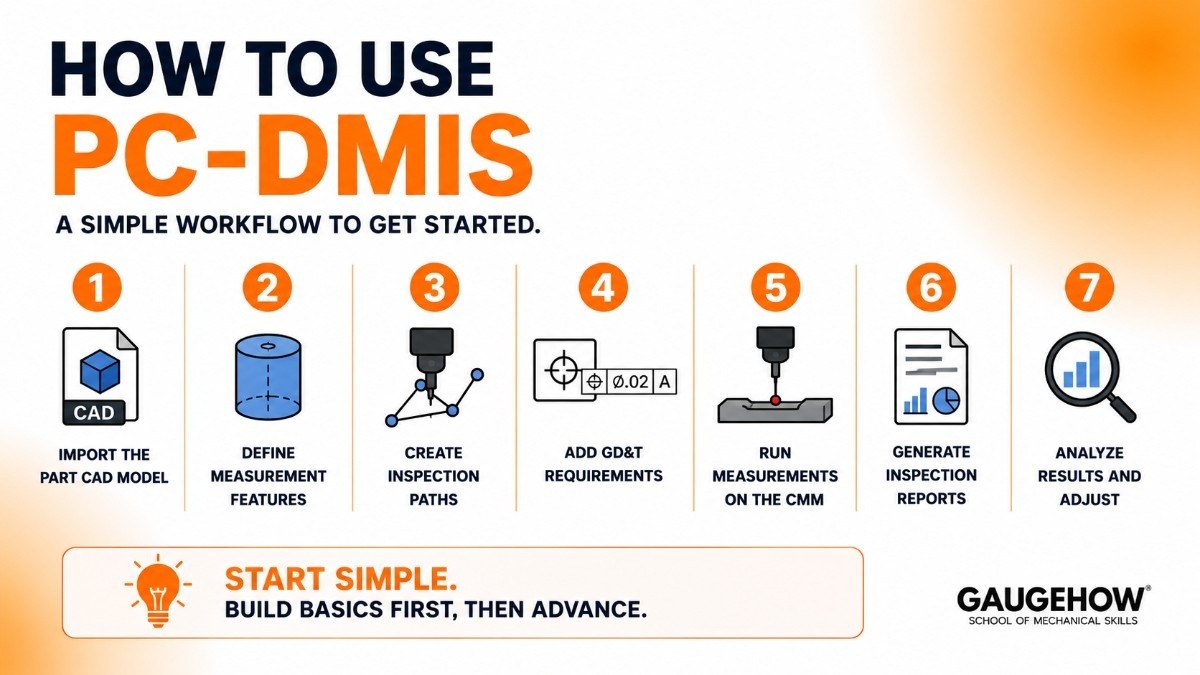
Learning how to use PC-DMIS usually starts with importing a CAD model and creating an inspection routine.
A typical workflow includes:
Import the part CAD model.
Define measurement features.
Create inspection paths.
Add GD&T requirements.
Run measurements on the CMM.
Generate inspection reports.
Analyze results and make adjustments.
Most users begin with basic inspections before moving into advanced automation and scripting functions.
PC-DMIS Tutorial for Beginners
A basic PC-DMIS tutorial typically covers:
User interface navigation
Creating measurement programs
Feature measurement techniques
Alignment creation
GD&T evaluation
Reporting and documentation
Automated inspection routines
Hands-on practice with real parts is often the fastest way to become proficient with the software.
PC-DMIS Vision
PC-DMIS Vision extends the software to support vision-based measurement systems.
It allows manufacturers to inspect small, delicate, or complex parts using cameras and optical sensors instead of traditional touch probes.
This makes it particularly useful for electronics, medical devices, and precision components where contact measurement may not be ideal.
PC-DMIS vs CALYPSO
While comparing Hexagon's flagship software against ZEISS CALYPSO is the standard benchmark, choosing the right platform often requires looking at the broader ecosystem. If your shop floor relies heavily on Japanese hardware, you will likely want to evaluate how these tools match up against proprietary options like Mitutoyo MCOSMOS. On the other hand, if your quality control workflows are shifting away from tactile probes toward non-contact, full-field structured light scanning, analyzing data structures in a specialized mesh processing tool like GOM Inspect becomes essential for handling dense point clouds.
This is one of the most common comparisons in metrology because both platforms are widely used for CMM programming and inspection.
Feature | PC-DMIS | CALYPSO |
|---|---|---|
Ease of Use | More complex | Easier to learn |
Programming | Advanced scripting | Visual programming |
Automation | Excellent | Good |
Machine Support | Many brands | Best with ZEISS |
Flexibility | Very high | Moderate |
Learning Curve | Higher | Lower |
Quick Summary
Choose CALYPSO if you want simple, visual programming and mainly use ZEISS equipment.
Choose PC-DMIS if you need advanced automation, scripting, and support for multiple CMM brands.
Alternatives to PC-DMIS
If PC-DMIS is not the right fit, these alternatives are worth considering:
ZEISS CALYPSO
A user-friendly CMM software platform known for visual programming and strong integration with ZEISS measurement systems.
PolyWorks Inspector
A popular metrology software suite focused on 3D measurement, point cloud analysis, and inspection reporting.
MVTec HALCON
An advanced machine vision platform that supports inspection, measurement, and automation applications.
Verisurf
A model-based inspection and measurement software solution built around CAD-driven workflows.
Metrolog X4
A hardware-independent metrology software platform that supports many different measurement devices and CMM brands.
Frequently Asked Questions
What is PC-DMIS used for?
PC-DMIS is used for dimensional inspection, CMM programming, GD&T analysis, and quality control in manufacturing environments.
Is PC-DMIS difficult to learn?
Beginners may face a learning curve, but training courses and hands-on practice can help users become productive quickly.
Is PC-DMIS cloud-based?
No. PC-DMIS is primarily installed and operated as on-premises software connected to measurement equipment.
Which is better: PC-DMIS or CALYPSO?
CALYPSO is generally easier to learn, while PC-DMIS offers greater flexibility, automation, and multi-brand machine support.
Does PC-DMIS support vision systems?
Yes. PC-DMIS Vision supports optical measurement systems, cameras, and non-contact inspection applications.
Can PC-DMIS work with different CMM brands?
Yes. One of PC-DMIS's biggest advantages is its ability to support a wide range of CMM manufacturers and measurement devices.
Hexagon PC-DMIS is the world's most widely used CMM software. Learn its features, pricing, training, and how it compares to CALYPSO.























