Zebra Aurora
zebra aurora vision

Zebra Aurora Vision: A Practical Guide to Zebra's Machine Vision Software
If you're researching industrial machine vision, you'll keep running into Zebra Aurora Vision. It's one of the bigger names in the space, partly because it pulls together two well-known products that engineers have trusted for years.
But most of what's online about it comes straight from vendor pages, so it's hard to get a straight answer on what it does, what it costs, and how it compares.
This guide fixes that. Here's a clear, honest look at Zebra Aurora Vision, written so you can actually make a decision.
Overview: What Is Zebra Aurora Vision?
Zebra Aurora Vision is a machine vision software suite used to build automated inspection, measurement, and code-reading applications for factories and industrial lines.
It's made by Zebra Technologies, the company best known for barcode scanners and printers. Zebra built the Aurora suite by acquiring and rebranding two respected products: Adaptive Vision (now Aurora Vision Studio) in 2021, and Matrox Imaging (now Aurora Imaging Library) in 2022.
So when you use Aurora, you're really using mature technology with a new name on it. The suite handles everything from reading a simple barcode to inspecting complex parts with deep learning, and it's aimed at engineers building real production systems.
Key Features
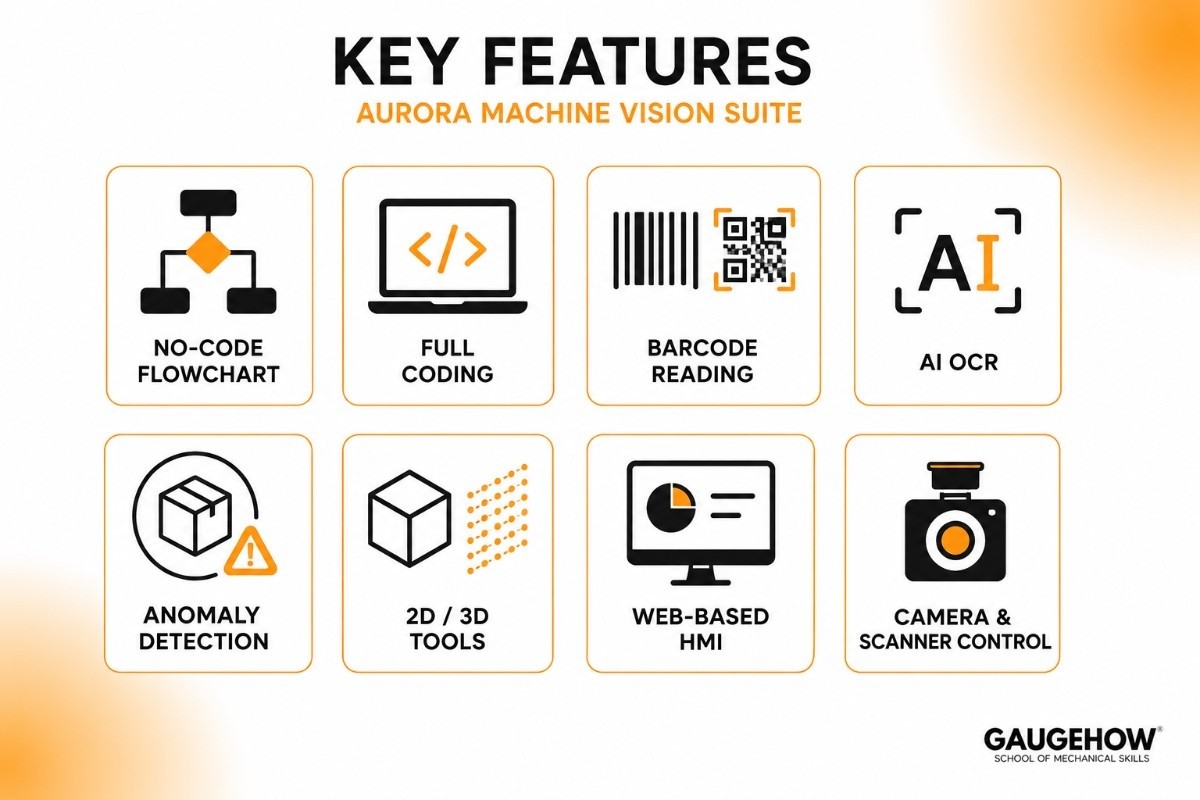
Stripping away the marketing language, here's what the suite actually offers:
No-code, flowchart-based development. With Aurora Vision Studio, you build inspection programs by connecting blocks in a visual editor instead of writing code.
A full coding option too. Aurora Vision Library and Aurora Imaging Library give experienced programmers the same power in C++, C#, and Python.
Barcode and code reading. Reads 1D barcodes, 2D codes, and Data Matrix, which fits naturally with Zebra's scanner hardware.
Deep-learning OCR. Reads text, numbers, and symbols using a pre-trained AI model, without you having to teach it specific fonts.
Anomaly detection. Finds defects by learning what "normal" looks like, so it can flag odd parts even without examples of every possible defect. The training is unsupervised, which saves a lot of labeling work.
2D and 3D tools. Handles flat-image inspection and 3D data for measurement and object recognition.
Web-based HMI. Aurora Design Assistant lets you build the operator screen (the human-machine interface) right alongside the inspection logic.
Camera and scanner control. Aurora Focus sets up and runs Zebra's fixed industrial scanners and smart cameras from one place.
Aurora Vision Studio
Aurora Vision Studio is the part most newcomers start with, so it's worth its own section. It's the no-code member of the family.
The idea is simple. Instead of programming, you drag in ready-made "filters" (small tools that do one job, like finding edges or reading a code) and connect them into a flowchart.
The software walks you through a basic three-step workflow, so you can go from a camera image to a working inspection without writing a line of code. That makes it friendly for engineers who know manufacturing but aren't software developers.
If you later need more control, you can switch to the code-based Aurora Vision Library, which has the same capabilities in a programming language.
Machine Vision Tutorial: How to Get Started
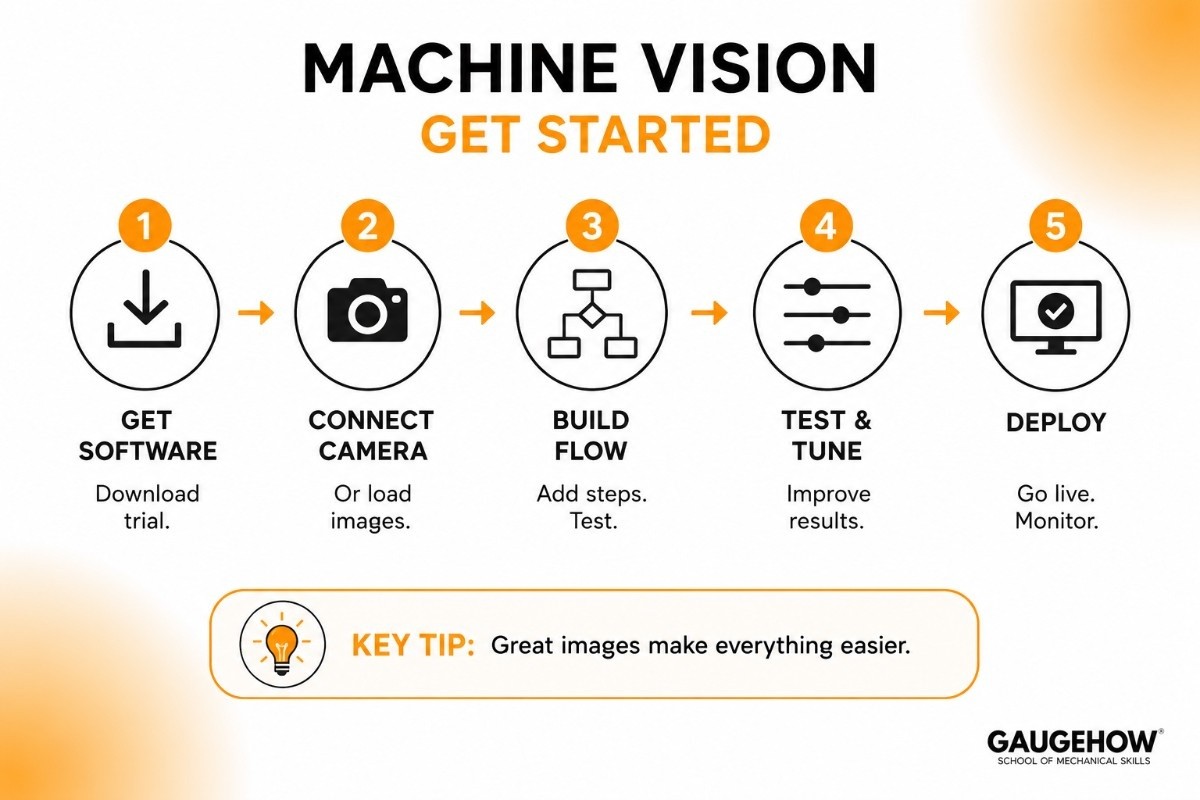
You don't need a formal machine vision tutorial to take your first steps with Aurora. The basic path looks like this:
Get the software. Download a trial of Aurora Vision Studio or request access through a Zebra partner.
Connect a camera or load images. You can start with saved image files if you don't have a camera yet.
Build your flowchart. Add filters one at a time, like acquiring an image, finding a region, then reading a code or measuring a feature.
Test and tune. Run it on sample images, see where it fails, and adjust. In machine vision, getting good, consistent images often matters more than clever logic.
Deploy. Once it works, connect it to your line and add an operator screen.
A genuinely useful tip for beginners: spend most of your time on lighting and camera setup. A clear, well-lit image makes the software's job easy. A bad image makes even the best tools struggle.
Zebra Machine Vision in the Bigger Picture
Zebra machine vision isn't just software. Zebra also sells the cameras and fixed industrial scanners that capture the images, which means the whole system can come from one vendor.
That's useful if you want the camera, the scanner, and the software to work together without hunting for compatibility.
This hardware-plus-software approach is one of Zebra's main selling points. It fits especially well in track-and-trace and logistics, where reading codes reliably at speed is the whole job.
Pricing
Pricing is what most buyers really want, so let's be straight about it.
Zebra does not publish public prices for the Aurora suite. There's no online checkout. Instead, you get a custom quote through Zebra or one of its authorized resellers, based on which products you need and how many licenses (or "seats" and runtime deployments) you'll use.
Here's the general shape of how it works:
Trial / evaluation. You can try the software before buying, which is the smart way to test it on your own images.
Development licenses. What you need while building your application.
Runtime / deployment licenses. What you pay for each machine running the finished program. Some tools are sold as add-ons (deep learning, for example).
Quote-based, no flat tiers. Final cost depends on your tools, volume, and support needs.
The honest takeaway: this is professional industrial software priced for businesses, not a cheap app.
The lack of public pricing makes quick comparisons harder, so get a written quote that lists exactly which modules and add-ons are included before you commit.
Pros and Cons
A fair look at both sides.
Pros
Two strong toolsets in one family: easy no-code and full-power coding.
Built on mature, proven technology (Matrox and Adaptive Vision) with years behind it.
Modern deep-learning tools for OCR and anomaly detection, with less labeling effort.
Works smoothly with Zebra's own cameras and scanners for an all-in-one setup.
Good fit for code reading and track-and-trace, not just defect inspection.
Cons
No public pricing, so budgeting means talking to sales first.
The rebrand is recent, so older guides, forum posts, and tutorials still use the names Matrox or Adaptive Vision, which can be confusing.
Deep learning and some features are paid add-ons, not all included by default.
The full SDK (Aurora Imaging Library) has a real learning curve for non-programmers.
Pointing out the downsides isn't bashing the product. It's what makes a guide trustworthy compared to a sales page.
Best For
Zebra Aurora Vision fits a clear profile. By company size, it works for small and mid-size manufacturers up to large enterprises, especially those that want one vendor for both cameras and software.
By industry, the strongest fits are electronics, automotive, packaging, pharmaceuticals, food and beverage, and logistics, anywhere you need to read codes, verify assembly, or inspect parts at speed.
By use case, it shines in track-and-trace and code reading (a natural fit with Zebra's scanner business), and it's solid for general defect detection and measurement. It's less ideal if you only have one tiny, simple check to do, where a basic smart camera might be cheaper.
Integrations
Zebra Aurora is built to fit into a working factory. On the hardware side, it supports a wide range of industrial cameras and frame grabbers, plus Zebra's own fixed scanners and smart cameras, and it connects to sensors and I/O devices on the line.
On the software side, because you can build in C++, C#, or Python (or export from the no-code studio), you wire it into the rest of the plant through that code.
Communication to PLCs, MES, and ERP systems usually happens over standard industrial protocols you set up in your application.
One honest note: like most machine vision software, Aurora isn't a plug-and-play ERP connector. Linking it to your business systems is real integration work, typically handled by your team or an integrator, not a single click.
Deployment: Cloud, On-Prem, and Edge
Machine vision needs fast, reliable results right where the product is, so Aurora runs mostly on-premise and at the edge, on PCs or industrial computers next to the line, often on Windows or Linux.
The processing happens locally so there's no delay waiting on the internet.
Zebra's smart cameras also allow edge deployment, where the inspection runs on or near the camera itself. Heavy cloud use isn't the main model here; this is factory-floor software first.
On brownfield readiness (working with the older equipment a factory already has), Aurora does well because it supports many camera brands and standard hardware.
You can often add it to existing lines without replacing everything, which keeps upgrade costs down.
Alternatives to Zebra Aurora Vision
Zebra Aurora isn't the only option. Depending on your needs, these are worth comparing:
MVTec HALCON — a very deep, code-based vision library, especially strong in 3D and metrology.
Cognex VisionPro / In-Sight — an industrial heavyweight, strong inside Cognex's own hardware ecosystem.
Keyence Vision Systems — slick, well-supported smart cameras that are quick to set up.
OpenCV — a free, open-source library for teams with strong developers and a tight budget.
Landing AI — a no-code, AI-first platform focused on deep-learning visual inspection.
(The links above are placeholders, point each to your own detailed comparison or review page.)
Zebra Aurora vs HALCON
This is the comparison engineers ask about most, since both are serious, full-featured vision platforms.
Feature | Zebra Aurora Vision | HALCON |
|---|---|---|
Best For | Flexible machine vision projects with no-code and coding options | Advanced machine vision and 3D inspection |
Development Style | No-code tools plus full SDK | Primarily code-based |
Ease of Use | Easier for beginners and mixed-skill teams | Steeper learning curve |
3D Vision | Good | Industry-leading |
Tool Library | Comprehensive | Extremely large and advanced |
Hardware Integration | Strong integration with Zebra cameras and scanners | Works with a wide range of hardware |
Code Reading & Traceability | Excellent for barcode, OCR, and track-and-trace applications | Strong, but less focused on Zebra ecosystems |
Customization | High | Very high |
Best Users | Teams wanting no-code-to-code flexibility | Engineers comfortable with programming |
Choose If... | You want easy development and seamless Zebra hardware support | You need the deepest vision toolkit and top-tier 3D capabilities |
Quick Summary
Choose Zebra Aurora Vision if you want a flexible platform with both no-code and coding options, especially if you already use Zebra hardware.
Choose HALCON if you need advanced 3D vision, precision measurement, and the most extensive machine vision toolset available.
Frequently Asked Questions
What is Zebra Aurora Vision used for? It's used to build machine vision applications, reading barcodes and text, inspecting parts for defects, verifying assembly, and measuring features, on industrial production and logistics lines.
Is Aurora Vision Studio the same as Adaptive Vision Studio? Yes. Adaptive Vision Studio was renamed Zebra Aurora Vision Studio after Zebra acquired the company in 2021. The technology is the same product line under a new name.
Is Zebra Aurora cloud-based? No, it's mainly on-premise and edge software that runs locally on the factory floor for fast, reliable results. Some inspection can run directly on Zebra's smart cameras.
How much does Zebra Aurora cost? There's no public price. You get a custom quote through Zebra or a reseller based on the products, licenses, and add-ons you need. A free trial is available to test it first.
Zebra Aurora vs HALCON, which is better? HALCON offers a deeper toolset and stronger 3D; Zebra Aurora offers easier no-code options and tight integration with Zebra cameras. The best choice depends on your team's coding skills and your hardware.
What happened to Matrox Imaging Library? It's now called Aurora Imaging Library. Zebra acquired Matrox Imaging in 2022 and rebranded its products into the Aurora suite, but the SDK and its tools continue.
Zebra Aurora is a machine vision software suite for barcode reading, OCR, defect detection, and deep learning inspection. No-code to full SDK























