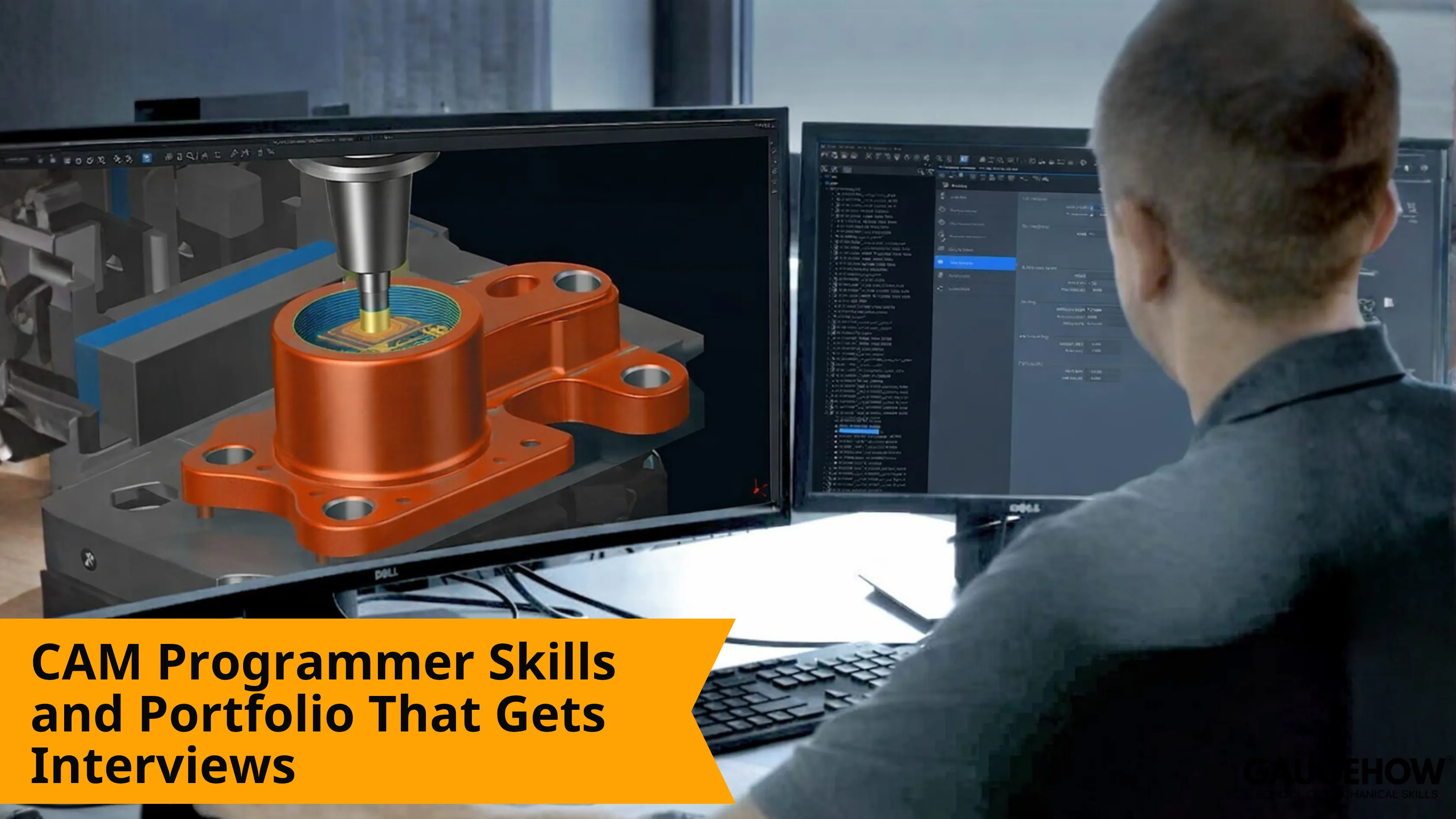
CAM Programmer Skills and Portfolio That Gets Interviews
Learn More in This Video
Subscribe to GaugeHow for More
CAM programmer skills are the abilities used to turn part geometry into machine-ready output. Strong work covers drawing, reading, setup planning, tooling, toolpaths, simulation, post-processing, and release checks. Hiring teams trust proof when each step shows clear review, revision, and handoff discipline.
What CAM Produces
CAM programming starts with input and ends with handoff. Input usually includes part geometry, drawing notes, tolerance intent, stock assumptions, and machine context. Decisions sit in the middle.
Those decisions cover setup order, holder choice, tool selection, entry motion, roughing strategy, finishing logic, and controller-ready posting.
Output then becomes toolpaths, setup sheets, simulation checks, posted code, and release notes. Review closes the loop before handoff moves forward to prove-out, inspection, or production.
That definition is more useful than a broad description of software. Shops do not buy a CAM programmer for screen activity. Shops need to review output that survives setup, first run, and revision pressure.
Role Boundaries First
CAM work overlaps with CAD and CNC, but it is not the same as either one. CAD owns design geometry. CNC operation owns machine execution. CAM sits between them and carries responsibility for turning geometry into practical machining logic.
Clear boundaries improve learning speed. Beginners often chase software commands too early. Better progress starts with geometry intent, setup logic, and output quality. Once those three become clear, software tools stop feeling random and start feeling purposeful.
Deliverables By Level
Starter-level work should show one clean, reviewed drawing, one simple setup plan, and one checked toolpath sequence for a straightforward part.
Job-ready junior work should show a complete proof pack for one small machined component. That usually means reviewed geometry, setup logic, tool list, simulation capture, posted output, and one revision note.
Early mid-level work should show steadier ownership. Good evidence includes multi-setup planning, cleaner release files, fewer approval loops, and project notes that stay understandable after changes.
Growth becomes easier when deliverables get stronger, not when software menus get longer.
Core Responsibilities
Daily ownership usually sits around these responsibilities:
● Review drawings, datums, tolerances, stock, and machining notes
● Plan setup order, holding direction, tool access, and clearance
● Build operations for roughing, drilling, finishing, and cleanup
● Run simulation, check holder motion, and catch weak entries
● Post controller-ready output and review code before release
● Record revisions, update setup sheets, and support handoff approval
Each line above maps to real downstream use. Drawing review helps set up and inspection. Toolpath review helps prove out. Release notes help production and repeat work.
Career Growth Path
Early growth usually follows output maturity, not title inflation.
The foundation stage starts with drawing control, stock setup, simple operations, and clean file habits. Most people at this stage are learning how choices connect.
The ownership stage begins when setup logic becomes steadier. Tool lists improve. Simulation catches more issues before release. Revision notes become sharper and more useful.
Higher-trust junior growth appears when work can survive changes. A programmer at that level can handle more than one setup, explain toolpath edits clearly, and release cleaner files with fewer corrections from seniors.
CAM Programmer Skills
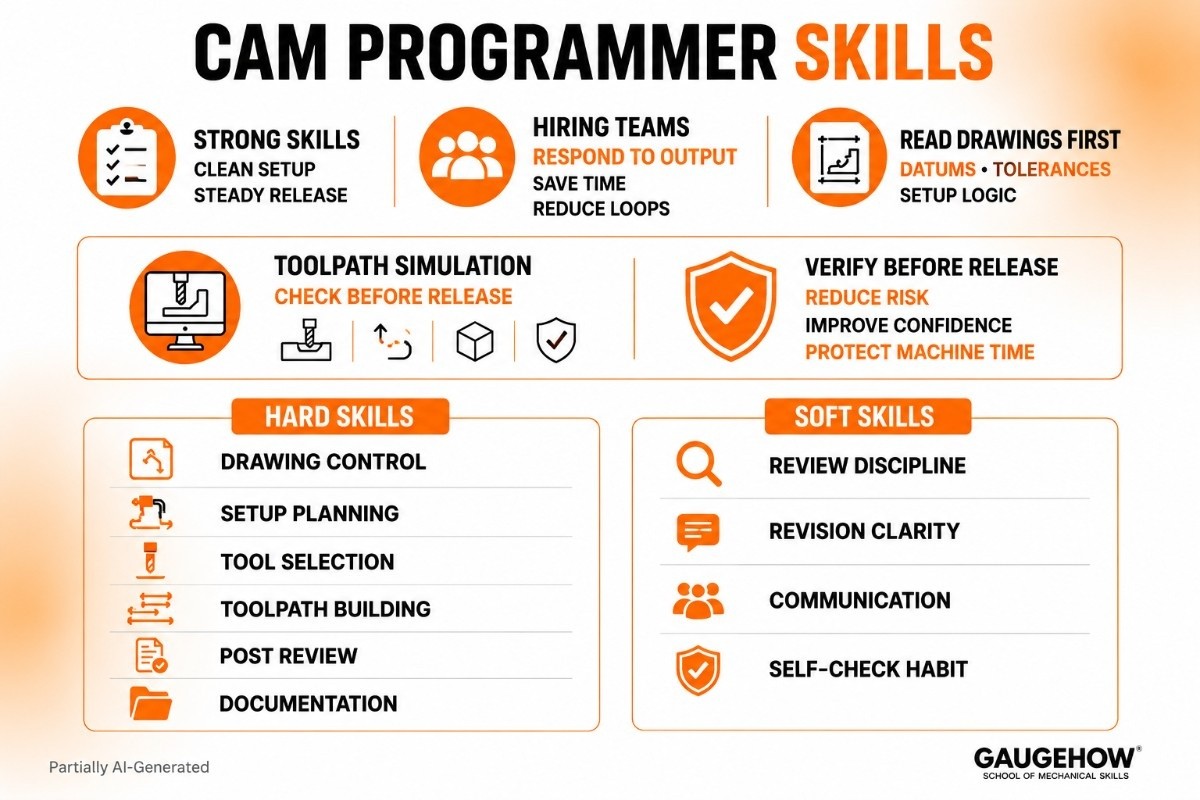
Strong CAM programmer skills show up in revised toolpaths, cleaner setup notes, and steadier release files. Hiring teams do not gain much from vague traits. They respond to output capability that saves review time and reduces prove-out loops.
Drawing Reading For CAM Programmers
Drawing reading for CAM programmers starts before any operation tree is built. Geometry only becomes usable when dimensions, datums, feature intent, tolerance notes, and machining sequence all make sense together. One reviewed drawing with marked datums, finish notes, and setup logic can prove more judgment than ten software screenshots.
Toolpath Simulation Skills
Toolpath simulation skills should be visible in every serious project. Simulation is not decorative playback. Simulation checks approach moves, retract logic, holder clearance, leftover stock, entry motion, and collision risk before release.
Official CAM curriculum also places verification, simulation, and collision detection near the center of the role, which is exactly why employers keep valuing them. (Directorate General of Training)
Hard skills
● Drawing control: reads dimensions, datums, and tolerance notes into machining order
● Setup planning: turns part orientation into stable holding and access choices
● Tool selection: balances reach, rigidity, finish, and removal rate
● Toolpath building: creates a practical roughing and finishing strategy
● Post review: checks machine-ready output before release
● Documentation: keeps revision notes, setup sheets, and approval files usable
Soft skills
● Review discipline: catches issues before machine time gets wasted
● Revision clarity: explains what changed and why
● Communication: keeps programming, setup, and quality aligned
● Self-check habit: reduces avoidable loops during approval and proves out
CAD CAM Programmer Skills
CAD CAM programmer skills become valuable when imported geometry stays clean, stock setup stays logical, and operation order matches how material should actually be removed.
Better candidates do not just open a model. They clean reference geometry, protect important features, and build operations in a sequence that makes release safer.
CNC Programmer Skills
CNC programmer skills become more visible near the controller, becausethe posted output still needs reading, checking, and practical judgment. Feed logic, cycle choice, offset thinking, restart safety, and controller awareness all shape whether released code behaves well during first run.
CAM Programmer Portfolio
A CAM programmer portfolio should let a reviewer see decisions in minutes, not guess them from screenshots. Good proof shows how a part moved from reviewed geometry to checked output. Strong examples include one simple prismatic part, one drilling-heavy part, one tolerance-sensitive part, and one project where simulation forced a useful revision.
Portfolio strength comes from contrast and clarity. Repetition weakens trust. Range, revision, and release discipline improve it.
Proof Pack Items
Most competing pages stay vague here. That gap is your chance.
Every serious project should include:
● reviewed drawing or model snapshot
● setup plan with holding direction
● tool list with short selection logic
● operation order or machining sequence
● simulation capture with one check note
● posted code excerpt or output sample
● revision note that explains one change
That proof pack reads like real work because it is real work. A hiring manager can scan it fast and understand how you think.
Learning Path
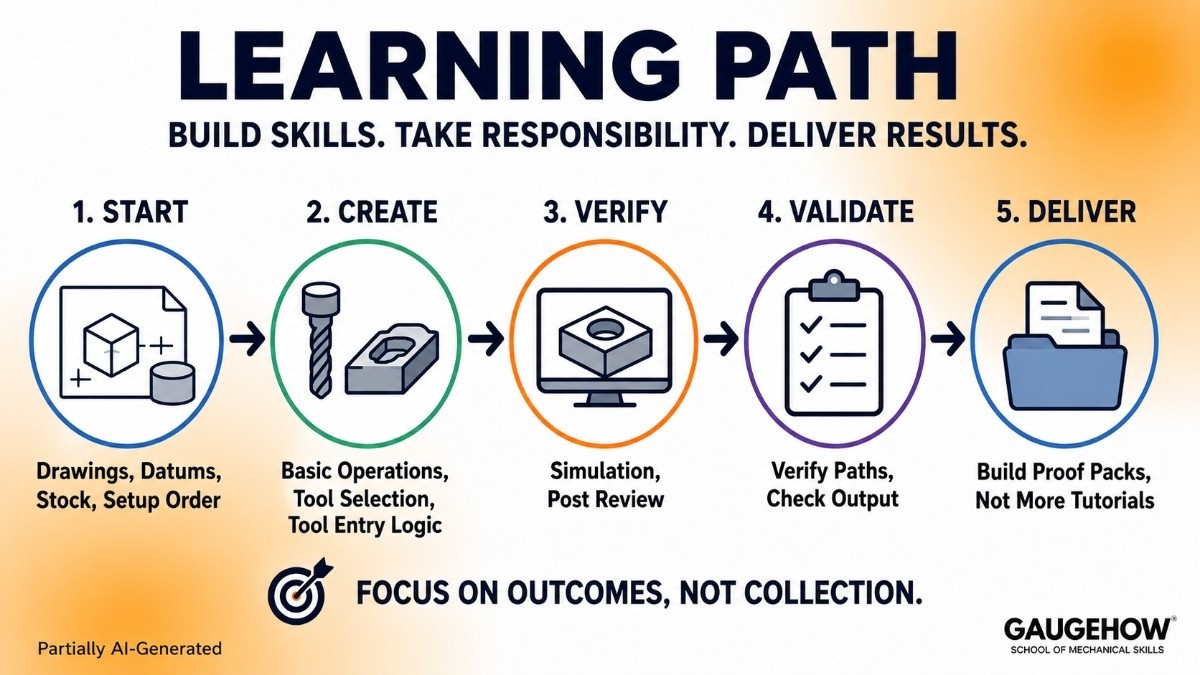
Start with drawings, datums, stock, and setup order. Move next into basic operations, tool selection, and tool entry logic. Add simulation and post review after that. Finish by building proof packs, not by endlessly collecting tutorials.
Official CAM training outcomes support that sequence well. They move through CAD import, fixture setup, stock definition, roughing and finishing, verification, simulator use, and post-processor work. That sequence is useful because it matches how responsibility grows on real projects. (Directorate General of Training)
GaugeHow Training Path
GaugeHow should be used as a direct output-building route, not as passive software watching. Learn drawing logic first. Add setup planning next. Build one reviewed CAM project after that. Then turn each project into proof with simulation, posting, and revision notes. That path gives better interview material than random screen practice.
Common Questions
What does a CAM programmer actually do?
A CAM programmer converts part geometry into machine-ready output. Daily work includes drawing review, setup planning, tool selection, toolpath building, simulation checks, posted code review, and release support before prove-out or production handoff.
Which skills matter most for a CAM programmer?
Strongest skills are drawing reading, setup planning, tooling logic, toolpath strategy, simulation review, and post-checking. Hiring teams trust people who can explain decisions clearly and release cleaner output with fewer revision loops.
Do CAM programmers need G-code knowledge?
Yes, basic G-code reading still helps a lot. Full manual programming is not required for every role, but posted output must still be checked for sequence logic, cycle behavior, safe starts, and controller-ready handoff.
What should a CAM programmer portfolio include?
A strong portfolio should show reviewed drawings, setup plans, tool lists, simulation captures, posted output, and revision notes. Screenshots alone are weak. Reviewers want proof of judgment, not only proof of software access.
Can a fresher become a CAM programmer without shop experience?
Yes, but proof must be stronger. Good starter projects can show setup logic, machining order, simulation checks, and release thinking. Clean proof packs often help more than vague claims about software familiarity or interest.
Mechanical Engineering Courses That Industry Actually Uses
Learn Tools of Design & CAD, Analysis & Simulation, Automation & Robotics, and Industry 4.0 used in modern factories.
Join 40+ Mech Courses like GD&T, Siemens NX, SolidWorks, CATIA V5, AutoCAD, ANSYS (FEA & Fluent), ABAQUS, Creo, Fusion 360, CNC Programming, Digital Twins, Python for Mechanical, and Industry 4.0.
Our Courses
Complete Course Library
Access to 40+ courses covering various fields like Design, Simulation, Quality, Manufacturing, Robotics, and more.


