PTC Creo
PTC Creo

what is ptc creo
PTC Creo is an enterprise-grade 3D computer-aided design (CAD), computer-aided manufacturing (CAM), and computer-aided engineering (CAE) platform. Developed by PTC, it serves as the industry standard for parametric modeling, allowing mechanical and manufacturing engineers to execute complex top-down assembly design, advanced surfacing, and model-based systems engineering within a highly scalable digital thread.
Key Features

Pioneering Parametric Modeling: Utilizes strict dimension-driven constraints that automatically update downstream parts and production drawings when a single parent dimension is altered.
Ansys-Powered Live Simulation: Integrates high-fidelity structural, thermal, modal, and fluid flow analysis directly within the active modeling viewport, eliminating standard simulation export loops.
Advanced Composite Design: Provides dedicated design frameworks to model, iterate, and simulate layered composite structures, including automated ply handoffs directly to the manufacturing shop floor.
Model-Based Definition (MBD): Embeds Geometric Dimensioning and Tolerancing (GD&T) annotations directly into the 3D model geometry, removing standard 2D blueprint dependencies.
Intelligent Cable and Harness Routing: Automates complex 3D wire and cable layouts across heavy mechatronics setups, factoring in continuous bend radii and automated flat harness documentation.
Generative Topology Optimization: Employs cloud-based machine learning algorithms to automatically generate lightweight, production-ready organic structures based on material selection and physical load criteria.
What is PTC Creo?
When asking what is ptc creo, the answer centers on its status as a foundational pillar of modern industrial manufacturing. Descended from Pro/ENGINEER—the world's very first successful parametric CAD tool—the application has evolved into a robust multi-platform software ecosystem.
It is designed explicitly to handle large-scale product variant configurations and complex assemblies without system performance drops. Rather than just a drafting tool, it links mechanical core design directly with simulation, sheet metal fabrication, tool design, and CNC manufacturing.
PTC Creo Software: The Enterprise Ecosystem
The broader ptc creo software suite is heavily recognized for its modular extension architecture. Instead of forcing a single, heavy software installation on every engineer, PTC structures the platform around targeted workspaces.
Designers can operate on core parametric geometry while structural analysts leverage advanced simulation extensions, and manufacturing engineers program multi-axis subtractive or additive toolpaths within the exact same interface.
This shared data environment completely eliminates file conversion friction across departments.
Is PTC Creo a Good CAD Tool?
Evaluating whether is ptc creo a good cad tool comes down to your operational scale and structural design requirements. For solo designers or rapid consumer prototyping shops, its rigid parametric dependencies and deep history tree system can feel over-engineered.
However, for heavy industry, defense contractors, and global automotive supply chains managing over 50,000 components with endless part variations, its stability and top-down data control are completely unmatched by mid-market desktop tools.
PTC Creo Download: Deployment Realities
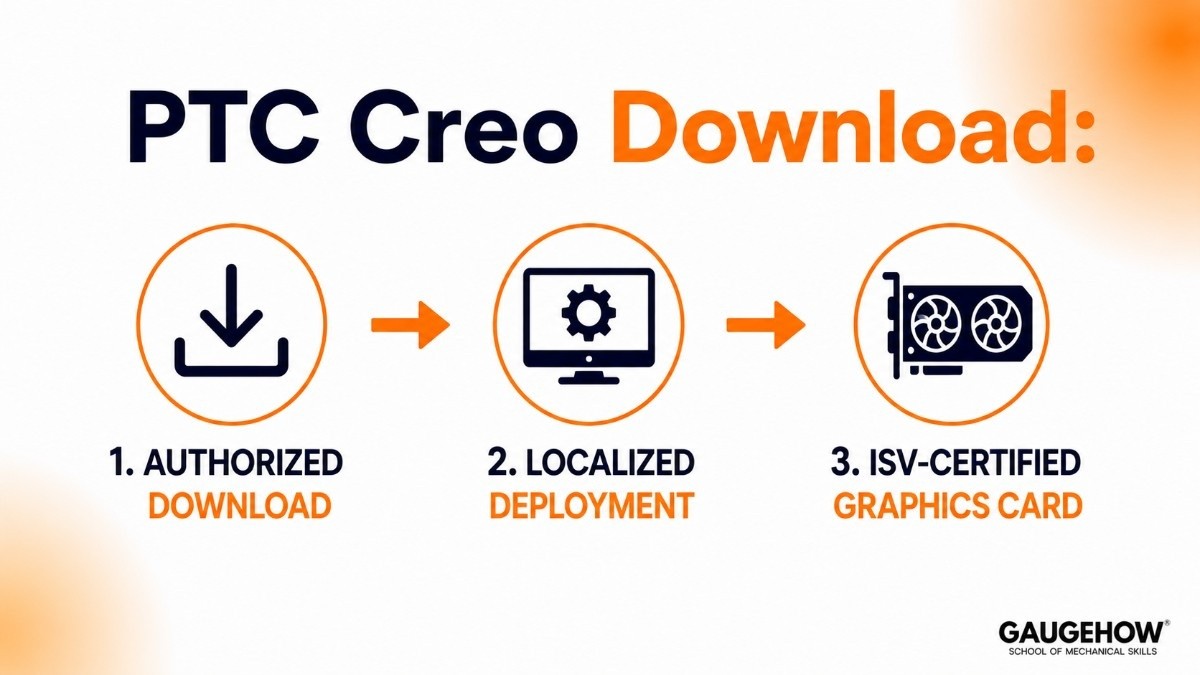
Securing a clean ptc creo download requires an active enterprise contract or an authorized reseller account. The software is installed via a localized deployment bootstrapper that configures your hardware configurations to align with the platform's multi-threaded computing needs.
To run heavy geometric calculations and Ansys viewports smoothly without unexpected application crashes, workstations must utilize an ISV-certified professional graphics card (such as the NVIDIA RTX Ampere or Blackwell enterprise series) running certified hardware drivers.
Pricing
PTC operates entirely on a subscription-based model. Local prices vary based on regional value-added resellers (VARs), but the base locking and floating licensing tiers are uniformly structured around functional extension bundles.
Design Essentials (Tier 1): Starting at ~$3,190 per year for a locked single-machine license. Includes core parametric modeling, basic sheet metal design, assembly creation, and multi-CAD data collaboration extensions.
Design Advanced (Tier 2): Starting at ~$5,995 per year. Unlocks advanced top-down design management, concurrent team engineering environments, and prismatic multi-surface milling capabilities.
Design Advanced Professional (Tier 3): Available via custom corporate quotes. Unlocks high-speed tool mold machining, automated fatigue advising, and advanced multi-physics simulation setups.
Creo+ (SaaS Tier): Custom corporate quote. A cloud-managed SaaS model that includes real-time multi-user co-designing capabilities and centralized enterprise dashboard monitoring.
Pros & Cons
Pros:
Exceptional top-down design architecture that makes changing core master skeletons cascade accurately across massive assemblies.
Industry-leading simulation integration that allows engineers to check real-time stress and fluid flow limits without leaving the CAD environment.
Extremely strong forward-compatibility, ensuring legacy models open cleanly in newer versions without broken parent-child parameters.
Cons:
A highly traditional, dense user interface that demands dedicated professional training to master.
The strict parametric history tree is highly unforgiving; an unmapped change in an early sketch can cause cascading feature errors downstream.
High software entry cost and extension locking mechanisms that put advanced features out of budget for small fabrication shops.
Best For
The software is best suited for large-scale aerospace, defense, automotive, and complex heavy machinery manufacturers.
It is the ideal choice for massive engineering operations that require absolute revision control, absolute model traceability, and tightly synchronized integration with enterprise Product Lifecycle Management (PLM) infrastructure.
Integrations
To serve as a reliable source of product truth, the platform integrates natively across modern enterprise IT networks:
Windchill PLM Syncing: Deeply connects to PTC Windchill to automate massive product variant lifecycles, change management histories, and multi-user access permissions.
ERP Data Bridges: Exports precise engineering bill of materials (BOM) configurations directly into global systems like SAP and Oracle to monitor raw material costs.
Shop Floor MES Connections: Transmits native production instructions, weldment layouts, and custom NC sheet metal cutting files directly to the factory execution floor.
Deployment
The ecosystem supports a flexible hybrid deployment structure. While the core computational and rendering engines are installed locally on high-performance Windows workstations to maximize single-core hardware clock speeds, version control and data validation are anchored in the cloud.
Through the newer Creo+ SaaS architecture, teams can manage their entire enterprise license pool via a centralized cloud control center while maintaining local performance stability.
Alternatives
SolidWorks: A mid-market parametric competitor optimized for rapid product creation and smaller manufacturing assemblies.
CATIA: An elite enterprise solution heavily preferred by aerospace giants for high-end organic Class-A surface modeling.
Siemens NX: A high-performance digital twin platform optimized for massive machinery and integrated automotive production lifecycles.
Autodesk Fusion :A cloud-connected CAD/CAM platform popular among startups, makers, and product development teams seeking integrated design and manufacturing workflows.
Onshape:A browser-based CAD platform focused on real-time collaboration, built-in version control, and cloud-native product development.
FAQ
1. Is PTC Creo completely cloud-based?
No. The core engineering software remains installed locally on your Windows 10/11 hardware to harness your workstation's physical processing power. However, newer versions like Creo+ manage licensing, data storage, and team collaboration natively via cloud servers.
2. Can I run the software on a Mac?
The platform is natively built for 64-bit Windows environments. Running it on macOS requires utilizing specialized dual-boot setups or dedicated virtual machine environments equipped with professional GPU allocation.
3. What is the difference between Creo and SolidWorks?
SolidWorks is highly optimized for fast, intuitive mid-sized mechanical part creation. Creo is an enterprise system built for rigid, top-down assembly control, handling massive engineering models that would cause mid-market tools to lag or crash.
4. Is there a free trial version available?
PTC does not offer a permanently free tier for commercial operations. However, a free 30-day trial is available for engineering evaluation, alongside significantly discounted or free academic license tiers for verified students and educators.
PTC Creo is an enterprise-grade 3D CAD/CAM/CAE platform developed by PTC. it serves as a powerful ecosystem optimized for complex top-down assembly design.























