CATIA
CATIA
Overview
CATIA (Computer-Aided Three-Dimensional Interactive Application) is an enterprise-tier multi-platform software suite that seamlessly integrates advanced 3D CAD, CAM, and CAE capabilities. Developed by Dassault Systèmes, this platform serves as the global backbone for high-stakes industries, enabling engineering teams to master systems engineering, complex surface design, and full-scale product lifecycle management (PLM) at an unmatched scale.
Key Features
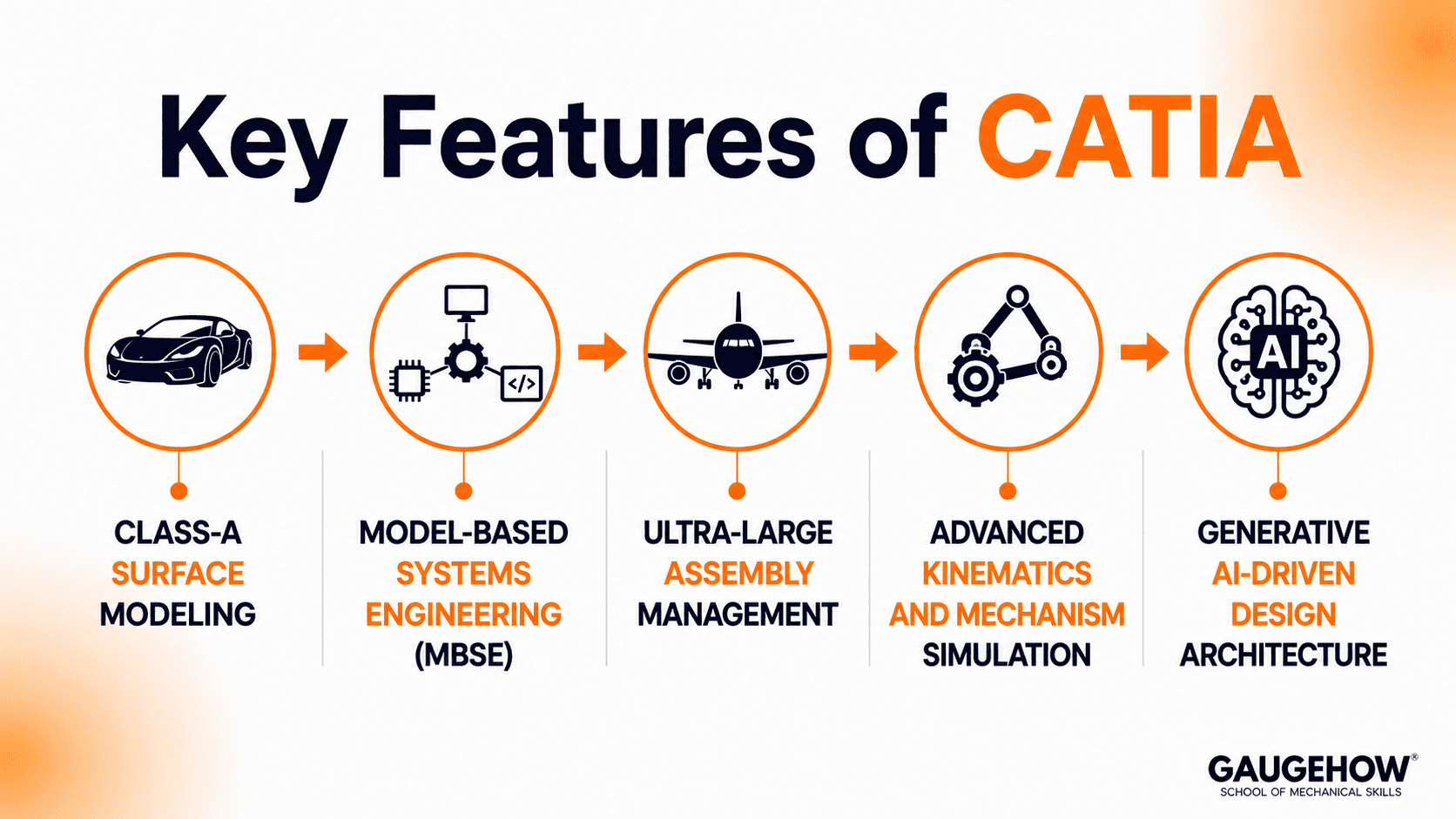
Class-A Surface Modeling: Generates mathematically perfect surface curves and continuous shapes required for critical automotive bodies and aerodynamic aerospace skins.
Model-Based Systems Engineering (MBSE): Integrates mechanical, electronic, and software simulation frameworks using CATIA Magic to analyze complex physical systems before production.
Ultra-Large Assembly Management: Handles complex structures containing hundreds of thousands of discrete parts, such as complete commercial aircraft or marine vessel structures, without viewport latency.
Advanced Kinematics and Mechanism Simulation: Defines, checks, and optimizes complex mechanical movements and dynamic tolerances directly inside the native 3D workspace.
Generative AI-Driven Design Architecture: Uses integrated machine learning systems like the AURA Virtual Companion to automate feature generation and accelerate complex topology optimization.
CATIA Software: The Enterprise Ecosystem
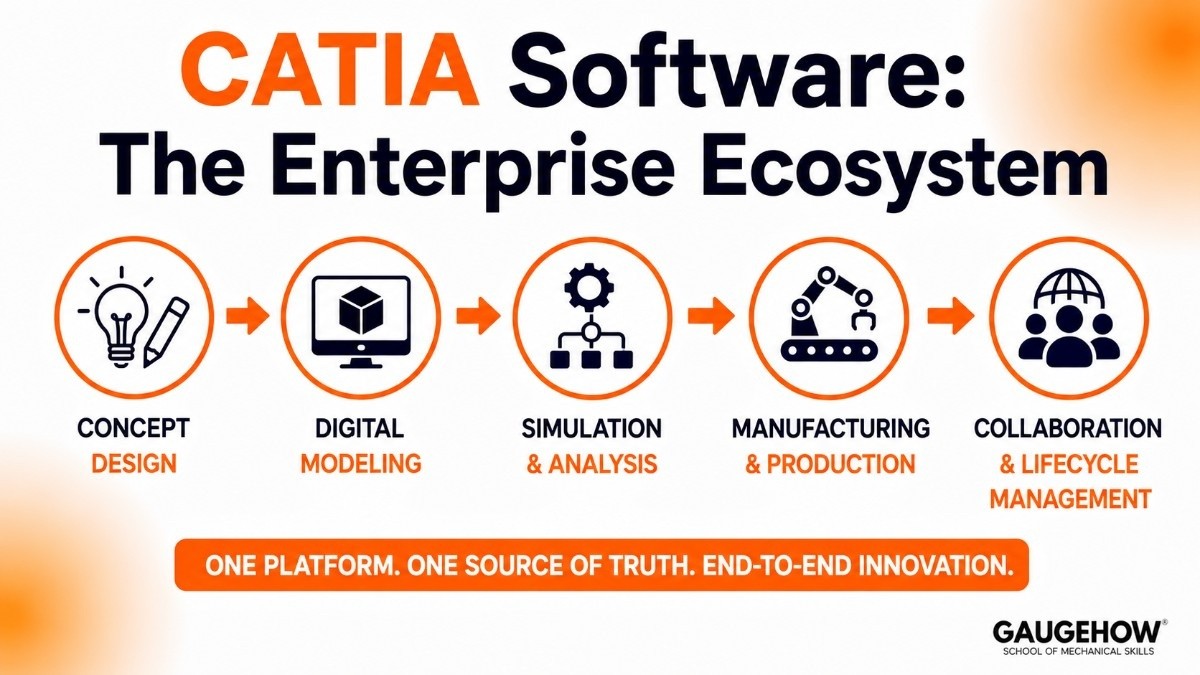
The catia software portfolio extends far beyond typical parametric part drafting. It acts as an expansive, collaborative digital workspace that breaks down traditional silos between design, production, and analysis teams.
By maintaining a single source of truth across its modular structure, the platform allows global engineering departments to design, simulate, and manage advanced industrial products from conceptual sketch straight to the factory floor.
CATIA V5: The Legacy Industry Workhorse
While the platform has evolved significantly, catia v5 remains a dominant and highly reliable standard across automotive and aerospace supply chains. Many Tier-1 manufacturing suppliers continue to build their daily workflows on V5 releases due to its exceptional stability, precise part architecture, and deep integration with existing physical tooling infrastructure.
However, modern deployment pipelines are increasingly pairing V5 setups with hybrid cloud adapters to safely bridge the gap to next-generation collaborative engineering platforms.
CATIA vs SolidWorks: Key Technical Divergences
Choosing between catia vs solidworks (both owned by Dassault Systèmes) depends directly on project scale, structural complexity, and data management needs:
Assembly Scale: SolidWorks efficiently processes small-to-mid-sized assemblies containing up to 10,000 components. CATIA handles ultra-large assemblies with hundreds of thousands of parts smoothly.
Surface Geometry: SolidWorks is highly optimized for mechanical part design and sheet metal fabrication. CATIA delivers specialized toolsets for complex Class-A organic surfacing.
Data and PLM Structure: SolidWorks utilizes localized PDM vaults suitable for agile product teams. CATIA utilizes the heavy enterprise-wide ENOVIA PLM framework built for massive cross-functional groups.
Pricing
The pricing architecture is modular, corporate-tier, and tailored to specific engineering roles through local authorized value-added resellers.
Entry-Level Lease (Mechanical Designer): Starts at ~$7,560 per seat annually. Includes core 3D parametric part design, basic assembly tools, and entry-level 3DEXPERIENCE collaboration.
Advanced Pro / Engineering Tiers: Ranges between ~$10,000 and ~$25,000 per user annually. Unlocks specialized Class-A surfacing suites, fluid routing, and integrated structural simulation.
Enterprise PLM Configurations: Can exceed ~$40,000+ per user upfront when factoring in custom ENOVIA PLM integrations, dedicated data migration consulting, and multi-disciplinary systems engineering modules.
Free / Trial Options: There are no permanent free commercial tiers. Dassault Systèmes offers specialized, low-cost academic licensing packages directly to accredited engineering institutions.
Pros & Cons
Pros:
Unmatched capacity to view, modify, and manage ultra-large assemblies without system performance crashes.
Industry-leading Class-A surface geometry engines tailored for strict aerodynamic and cosmetic standards.
Deep integration with robust PLM tools to track complex iterations across thousands of global users simultaneously.
Cons:
Exceedingly steep learning curve requiring dedicated professional onboarding and years to truly master.
High total cost of ownership that makes the application cost-prohibitive for small machine shops or startups.
The highly structured interface can feel slow or overly rigid for teams focused on fast, agile consumer product prototyping.
Best For
The software is the definitive standard for Tier-1 aerospace corporations, automotive OEMs, and large-scale industrial defense contractors.
It is ideal for multi-national engineering plants managing intricate, highly regulated products where data traceability, precise tolerances, and cross-team systems integration are vital to operational safety.
Integrations
To keep global production environments synchronized, the platform connects directly into enterprise operations via open APIs and automated middleware:
Enterprise ERP Solutions: Syncs seamlessly with systems like SAP and Oracle to automate complex engineering bill of materials (BOM) translations and supply chain planning.
Shop Floor MES Networks: Transmits production-ready geometric routing data and manufacturing configurations straight to smart assembly lines and machining execution layers.
Metrology Inspection Workflows: Feeds native, high-precision STEP data directly into automated inspection software like PC-DMIS or ZEISS Calypso to verify physical components against the master 3D model.
Deployment
The ecosystem operates via a flexible, hybrid deployment style. Computational design engines run locally on high-performance Windows workstations to utilize physical graphics processing hardware.
Meanwhile, file management, engineering configurations, and global product lifecycles are coordinated through secure on-premise servers or the cloud-based 3DEXPERIENCE platform, keeping offline brownfield plants fully operational during network connectivity drops.
Alternatives
Siemens NX
A high-end enterprise CAD/CAM/CAE platform widely used for aerospace, automotive, and digital twin manufacturing environments.
PTC Creo
A powerful parametric CAD solution known for top-down assembly design, simulation integration, and product lifecycle management.
SolidWorks
A popular mechanical CAD platform focused on product development, engineering documentation, and mid-sized assembly design.
Autodesk Fusion
A cloud-connected CAD/CAM platform that combines design, manufacturing, and simulation tools in a single environment.
Onshape
A browser-based CAD platform built around real-time collaboration, cloud-native design workflows, and integrated version control.
FAQ
1. Is the platform entirely cloud-based?
No. The core CAD graphic rendering engine installs directly on local Windows hardware to maximize performance. However, version controls, team file structures, and lifecycle workflows are managed via secure cloud-connected frameworks.
2. Can files be shared easily between CATIA and SolidWorks?
While both are Dassault Systèmes products, they use distinct data models. Files are typically shared between them using high-fidelity neutral formats like STEP or through direct 3DEXPERIENCE data conversion bridges.
3.Which CAD Software Competes with CATIA?
CATIA's primary competitors include Siemens NX, PTC Creo, SolidWorks, Autodesk Fusion, and Onshape. The best choice depends on factors such as assembly size, collaboration requirements, manufacturing workflows, and industry-specific design needs.
4. What makes CATIA V5 different from the 3DEXPERIENCE platform?
V5 is file-based and operates locally on traditional folder architectures. The newer 3DEXPERIENCE framework is completely database-driven, integrating design files directly into cloud-accessible product lifecycles.
5. Why is an ISV-certified graphics card required?
Consumer gaming cards lack the dedicated driver optimizations needed to render complex wireframe models, order-independent transparency layers, and massive industrial assemblies without causing system lockups.
CATIA stands for Computer-Aided Three-Dimensional Interactive Application. It integrates advanced CAD, CAM,CAE into a single product development ecosystem.























